Cursor 3 turns the AI editor into a workspace for fleets of coding agents
The product now centers parallel local and cloud agents cross-repository work and handoff between desktop CLI web mobile and team integrations.
By WhatAI Editorial Team ·
Cursor's 2026 direction is larger than autocomplete. Cursor 3 introduces an agent-centered multi-repository workspace where local and cloud agents appear together and several tasks can run in parallel. Developers can move a session from local to cloud when it needs to continue unattended then return it locally for edits and testing.
The agent is also spreading beyond the desktop editor. Cursor now positions the same workflow across CLI browser and mobile while integrations can start or surface work through GitHub Slack and Linear. Cloud agents can produce screenshots and demos so the developer has evidence to inspect before merging.
Code review is becoming a second product surface. Cursor reported in June 2026 that Bugbot had become more than three times faster to run twenty-two percent cheaper and ten percent more effective at finding bugs per review. Bugbot Autofix can use cloud agents to propose and test fixes after detecting an issue.
The buying question is therefore changing. Cursor is competing not only with editor assistants but with terminal agents cloud coding services and automated review systems. Teams should test whether this unified workflow reduces time to reviewed production-ready changes rather than merely increasing generated code.
Cursor now combines its code editor with local and cloud agents CLI access browser and mobile control automated code review and engineering automations. The buying decision is no longer just Cursor versus another autocomplete extension. It is whether your workflow benefits from delegating complete engineering tasks while keeping the code files diffs tests and pull requests inside one connected workspace.
What makes Cursor different from a normal AI coding assistant?
Cursor supports direct editing when the developer wants control and agent execution when a task can be delegated. Cursor 3 brings local and cloud agents into a multi-repository workspace with parallel execution and two-way handoff. The same agents can be launched or monitored from the CLI web mobile Slack GitHub and Linear. Bugbot reviews pull requests while automations can run recurring engineering tasks.
Where Cursor still requires human engineering judgment
Cursor can produce large changes quickly but speed increases the cost of weak verification. Agents work best when a repository exposes typed interfaces tests linters reproducible commands and clear project rules. Developers must review security-sensitive changes database migrations dependencies credentials and production behavior. Model usage and cloud-agent execution also need budget and access controls.
About Cursor
Cursor is an agent-first software-development workspace that combines a code editor with local agents, cloud agents, terminal agents, code review, automations, and browser-based task management. Developers can ask Cursor to investigate a codebase, plan a change, edit multiple files, run commands, test its work, create commits, and continue a task in the cloud when the local machine is unavailable. Cursor 3 expands the product beyond its original VS Code-style editor into a multi-repository workspace where several agents can run in parallel and move between desktop, web, mobile, CLI, Slack, GitHub, and Linear entry points. Cursor is strongest for developers who want one integrated environment for hands-on editing and delegated agent work. It still requires technical judgment: generated changes must be reviewed, tests and verification signals matter, model usage can create additional cost, and autonomous agents should not receive unrestricted credentials or production access.
Use Cases
Key Features
- ✓ Cursor 3 agent-first multi-repository desktop workspace
- ✓ Familiar code editor with language-server navigation and direct file editing
- ✓ Agent planning and multi-file implementation
- ✓ Parallel local and cloud agents
- ✓ Fast handoff from local sessions to cloud execution
- ✓ Cloud-to-local handoff for manual testing and refinement
- ✓ Cloud agents that continue running while the user is offline
- ✓ Browser and mobile dashboard for launching and monitoring agents
- ✓ Cursor CLI for running agents from terminals scripts and other editors
- ✓ Codebase indexing and semantic context retrieval
- ✓ Tab completion for context-aware code predictions
- ✓ Composer models optimized for coding-agent workflows
- ✓ Access to selected frontier models from multiple providers
- ✓ Built-in browser for inspecting and interacting with local web applications
- ✓ MCP servers skills hooks subagents and plugin support
- ✓ Cursor Marketplace for public and private agent extensions
- ✓ GitHub pull-request review through Bugbot
- ✓ Bugbot Autofix using cloud agents to propose and test fixes
- ✓ Custom Bugbot rules and learned review behavior
- ✓ Automations for recurring or event-triggered engineering tasks
- ✓ Agent-generated screenshots and demos for work verification
- ✓ Diff review staging commits and pull-request management
- ✓ Team usage analytics administration and centralized billing
- ✓ Team-wide Privacy Mode and SAML or OIDC SSO
- ✓ Enterprise repository model MCP browser network and auto-run controls
- ✓ Enterprise audit logs service accounts SCIM and AI code tracking API
Pricing
Hobby
$0
- • No credit card required
- • Limited Agent requests
- • Limited Tab completions
- • Suitable for evaluation and occasional personal use
Pro
$20 per month
- • Everything in Hobby
- • Extended Agent limits
- • Twenty dollars of included API-priced agent usage plus bonus capacity
- • Unlimited Tab completions
- • Access to frontier models
- • Generous Grok and Composer limits
- • MCPs skills and hooks
- • Cloud agents
- • Bugbot available through usage-based billing
- • Optional on-demand usage after included usage is consumed
Pro+
$60 per month
- • Everything in Pro
- • Seventy dollars of included API-priced agent usage plus bonus capacity
- • Designed for developers using agents daily
- • Higher practical capacity across supported models
- • Optional on-demand usage after included usage is consumed
Ultra
$200 per month
- • Everything in Pro
- • Four hundred dollars of included API-priced agent usage plus bonus capacity
- • Designed for agent power users and parallel-agent workflows
- • Priority access to selected new capabilities
- • Optional on-demand usage after included usage is consumed
Teams
$40 per user per month
- • Everything in Individual
- • Centralized team billing and administration
- • Team marketplace for internal rules skills and plugins
- • Agentic code review with Bugbot
- • Cloud agents and automations with shared team context
- • Usage analytics
- • Team-wide Privacy Mode
- • SAML and OIDC single sign-on
Enterprise
Custom
- • Everything in Teams
- • Pooled usage
- • Invoice and purchase-order billing
- • SCIM seat management
- • Repository model and MCP access controls
- • Auto-run browser and network controls
- • Audit logs and service accounts
- • AI code tracking API
- • Priority support and account management
Pricing varies by plan and region — see current pricing.
Plan features change — last updated: 2026-07-19.
Details
Tags
Cursor Community Discussions
Explore community discussions. Ask and answer questions on Cursor to grow and learn together.



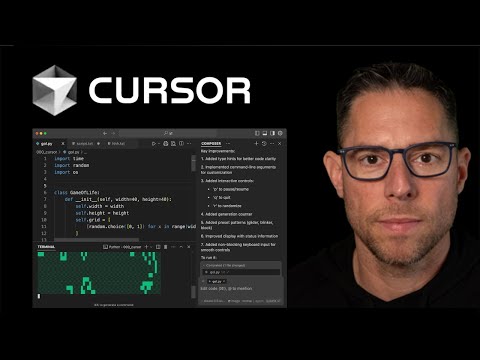

Cursor Showcase



WhatAI verdict on Cursor
Cursor — Frequently Asked Questions
What is Cursor best used for in 2026?
Cursor is best used for codebase-aware editing and delegated engineering tasks that can move between local and cloud agents while remaining connected to files diffs tests and pull requests.
Is Cursor still based on VS Code?
Cursor began as a VS Code fork and still provides a familiar editor. Cursor 3 adds a new agent-centered multi-repository workspace while retaining the option to return to the IDE.
Can Cursor agents run when my computer is offline?
Yes. A task can be handed to a cloud agent so it can continue running after the local computer is closed. The work can later be reviewed remotely or moved back into the local environment.
Can I use Cursor outside the desktop editor?
Yes. Cursor supports a CLI plus browser and mobile access for cloud agents. Agent workflows can also connect with services including GitHub Slack and Linear.
How does Cursor pricing work?
Hobby is free. Pro costs twenty dollars per month Pro+ sixty dollars Ultra two hundred dollars and Teams starts at forty dollars per user per month. Paid plans include a model-usage allowance and optional on-demand usage can be billed after that allowance is consumed.
What is Bugbot?
Bugbot is Cursor's GitHub pull-request review product. It comments on potential defects can follow project-specific rules and can use cloud agents to propose and test fixes.
Does Cursor train on private code?
Cursor states that when Privacy Mode is enabled code data is not used for training by Cursor or its model providers. Teams and Enterprise administrators can enforce Privacy Mode.
Does Cursor replace software engineers?
No. Cursor can perform substantial implementation and review work but engineers remain responsible for requirements architecture permissions security testing and production outcomes.
Sources & References
Try Cursor
Visit the official website to get started with Cursor today.
Visit Cursor →