Fathom logo

Fathom - AI Meeting Transcription & Note-Taking Assistant

Fathom automatically records, transcribes, summarizes, and extracts action items from Zoom, Google Meet, and Teams meetings.

Automation & Process
Visit Fathom → Join Discussion
ℹ️

WhatAI Decision Box

Best for:

Busy professionals, sales teams, project managers, and remote workers who want automatic, high-quality meeting notes and action items without manual effort.

Not for:

Teams needing live transcription during calls or highly sensitive meetings where recording is restricted.

⇆ Often compared with

ℹ️ WhatAI Field Note

  • Fathom’s summaries are impressively concise and actionable, but important nuances can occasionally be missed in very technical or emotionally charged discussions.
  • The “magic” happens after the call — the tool is completely hands-off during the meeting itself, which is its biggest usability advantage.

Fathom is a lightweight AI meeting companion that joins your video calls (Zoom, Google Meet, Microsoft Teams) to record, transcribe, and intelligently summarize conversations, pulling out key points, action items, and highlights for easy follow-up.

Features and Capabilities

Fathom provides automatic transcription with speaker identification, AI-generated summaries, smart highlights, action item extraction, and searchable meeting history. It works silently in the background, requires no manual starting/stopping, and delivers a clean post-meeting email with key takeaways. Additional features include clip creation, integration with calendars and task tools (Notion, Linear, etc.), and team sharing. The platform focuses on minimal friction and maximum usefulness for busy professionals. Usage is subscription-based with limits on recording minutes and advanced AI features.

Discuss Fathom

Fathom is an AI meeting assistant that automatically transcribes, summarizes, and extracts action items from your video calls, saving you hours of note-taking and follow-up work.

Join the conversation below to share your experience, ask questions, post reviews, suggest new features or integrations, or discover similar AI meeting tools. All feedback is welcome.

About Fathom

Fathom assists professionals by handling the tedious parts of meetings. The workflow involves connecting your calendar, letting Fathom automatically join supported calls, reviewing the AI-generated summary and action items after the meeting, and sharing or exporting highlights. It excels at turning long conversations into actionable notes. Additional functions include clip sharing and task integration. Plans differ in monthly recording minutes, team features, and storage.

Use Cases

Professionals get instant meeting notes with Fathomsales teams capture client calls and action items using Fathomproject managers summarize standups via Fathomremote teams document discussions with Fathomexecutives review key decisions from recorded meetings using Fathom.

Pricing

Free

$0

  • • Limited recording minutes
  • • basic summaries

Pro

$0

  • • ~$19–$29DiscountedHigher minutes
  • • advanced AI features
  • • full search

Team

$0

  • • /

Business

$0

  • • HigherDiscounted

Team

$0

  • • workspaces
  • • shared access
  • • admin controls

Pricing varies by plan and region — see current pricing.

Plan features change — last updated: 2026-04-13.

Details

Categories: Automation & Process
Skill Level: beginner
Access Methods: zoom-integration

Tags

fathom aiai meeting notesai transcriptionmeeting summarizer aifathom transcriptionai action itemsai meeting assistantzoom ai notesgoogle meet ai summaryteams meeting ai

Fathom Community Discussions

Explore community discussions. Ask and answer questions on Fathom to grow and learn together.

FreelanceConsultant_Obi · Fathom Automation & Process

Fathom is free, unlimited, and it automatically syncs notes to my CRM, I want to know why more freelancers do not use this

Genuine question in the title because I have recommended this to six freelancers in the past few months and four of them had never heard of it. The free plan gives you unlimited recording, unlimited transcription and unlimited general AI summaries. Not a trial, not a limited tier, actually unlimited. For a freelancer running client calls on Zoom, Meet or Teams all day that is meaningful because the paid meeting assistant tools add up quickly across a roster of clients. The CRM sync is the feature I want to highlight because it is what turned this from a note-taking tool into something that actually improves my client management. After a call ends Fathom generates the summary and action items and pushes them directly to HubSpot or Salesforce against the relevant contact record. No manual copy-paste, no forgetting to log the call, no missing an action item because it was buried in a long summary. For client work where following up on exactly what was agreed is commercially important, having that automatically in the CRM rather than in a transcript I might or might not re-read is a real improvement. The Highlight Clips feature is one I use for client communications. When there is a moment in a call where something important was said, a specific commitment or a key decision, I can clip that section and share it rather than transcribing it or asking the client to refer back to a full recording. One-click setup, joins meetings automatically from your calendar. The CRM integration walkthrough is part of the full feature overview at https://www.youtube.com/watch?v=F5n1L7JSPiE
♥ 0 💬 1 👁 3 View 1 reply →
MeetingsShouldntSuck_Dev · Fathom Automation & Process

Fathom takes meeting notes better than I do and the free plan is actually generous

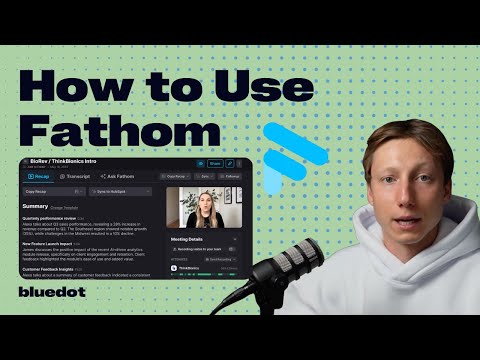
I am in a lot of meetings. Sales calls, client check-ins, internal syncs. I used to spend the last ten minutes of every call frantically writing things down and still ended up missing things. Tried Fathom after someone on my team recommended it and I have not manually taken meeting notes since. Setup is a desktop app and Chrome extension. It integrates with Zoom, Google Meet and Microsoft Teams. You can configure it to auto-record everything or just specific call types and it sends a consent request automatically before recording starts, which handles the legal side cleanly. During the meeting there is a small widget that lets you highlight key moments or action items in real time if you know something important just came up. After the meeting it generates a summary automatically with templates for different call types including sales and one-on-ones, so the structure matches what you actually need. The Ask Fathom feature is what really changed how I use it. You can ask a conversational question about the meeting afterward. "What did we agree on for the timeline." "Draft a follow-up email based on this call." It pulls the answer from the transcript and gives you something usable. Free plan gives you unlimited recordings and basic summaries which is more than most tools offer for nothing. The setup walkthrough and demo of all the main features is at https://www.youtube.com/watch?v=0z-oqheUGZI if you want to see exactly how the in-meeting widget and post-meeting summaries work before downloading anything.
♥ 0 💬 1 👁 3 View 1 reply →
BrightNotes · Fathom Automation & Process

Tactiq vs Otter vs Fireflies vs Fathom, what’s actually best for meeting notes in 2026?

I’m trying to pick one meeting-notes tool and I don’t want to test 10 of them. If you’ve tried **Tactiq** *and* at least one other (Otter / Fireflies / Fathom / Notion AI etc.): - which one gave the best summaries? - which one captured action items best? - which one was least annoying day-to-day? - what made you switch? Hopfully someone here has tried a couple or will share there experience?
♥ 4 💬 2 👁 10 View 2 replies →
View All Fathom Discussions
Gallery

Fathom Showcase

2 items
Fathom is free, unlimited, and it automatically syncs notes to my CRM, I want to know why more freelancers do not use this

Fathom is free, unlimited, and it automatically syncs notes to my CRM, I want to know why more freelancers do not use this

FreelanceConsultant_Obi

Fathom takes meeting notes better than I do and the free plan is actually generous

Fathom takes meeting notes better than I do and the free plan is actually generous

MeetingsShouldntSuck_Dev

👍 👎

Fathom Pros & Cons

Hands-off ExperienceCompletely automatic joining and post-meeting delivery

👍 Pro

No live transcription or real-time interaction during calls.

👎 Con

Summary QualityConcise, actionable summaries with good action item detection.

Can miss subtle context or implied tasks in complex discussions

👍 Pro

Ease of UseMinimal setup and zero manual starting/stopping.

👎 Con

Free tier limits can interrupt frequent users quickly.

SearchabilityExcellent archive of past meetings with full-text search

👍 Pro

Organization of large volumes of meetings relies on good habits.

👎 Con

Pricing StructureClear minute-based plans with a usable free tier.

Costs scale with meeting frequency and duration

👍 Pro

Overall SuitabilityHighly effective for reducing meeting follow-up overhead.

👎 Con

Best for users who value post-meeting clarity over live assistance.

Fathom — Frequently Asked Questions

How does Fathom work?

It joins your scheduled calls automatically, records and transcribes in the background, then sends a concise summary with action items after the meeting.

Which platforms does it support?

Zoom, Google Meet, and Microsoft Teams (with calendar integration).

Is the transcription accurate?

It offers high accuracy for clear English speech, though heavy accents or technical jargon may need minor corrections.

Is Fathom private?

Yes — recordings and transcripts are encrypted and only accessible to you and invited team members.

Is there a free plan?

A free tier with limited minutes is available; paid plans unlock unlimited recordings and advanced features.

Related Automation & Process Tools

8 tools
Bardeen logo

Bardeen

$0 – Custom

Clearly AI logo

Clearly AI

Free

Make (Integromat) logo

Make (Integromat)

$0–$16

Mem.ai logo

Mem.ai

Free

Reclaim.ai logo

Reclaim.ai

$0/mo – Custom

Tactiq logo

Tactiq

$0 – Custom

Zapier logo

Zapier

$0/mo – Custom

n8n logo

n8n

$0/mo – Custom

Explore the Network

People discussing Fathom also discuss...

Alternatives to Fathom

Bardeen Bardeen $0 – Custom Compare Clearly AI Clearly AI Free Compare Make (Integromat) Make (Integromat) $0–$16 Compare Mem.ai Mem.ai Free Compare

Pairs well with Fathom

Sources & References

  1. https://fathom.video ↗
  2. https://fathom.video/pricing ↗
  3. https://fathom.video/help ↗

Try Fathom

Visit the official website to get started with Fathom today.

Visit Fathom →

Explore More

More Automation & Process Tools

Browse similar AI tools in this category

Compare AI Tools

Side-by-side comparison of features

Community Forum

Discuss Fathom with other users