Reclaim 2.0 adds an AI Schedule Assistant, Preview Mode and MCP calendar control
The June 2026 redesign turns Reclaim from a background time blocker into an interactive calendar-orchestration system that stages AI changes before applying them.
By WhatAI Editorial Team ·
Reclaim 2.0 introduces a redesigned Planner and Schedule Assistant that can inspect a workweek, identify conflicts, find missing focus time, flag skipped routines, surface unanswered invitations, create agendas, and respond to natural-language requests such as reorganizing a day or deciding what to work on next.
The most important change is Preview Mode. Calendar changes created manually, through the Schedule Assistant, or from an external AI tool are staged in a separate calendar session. Reclaim reruns enabled agents against that preview so the user can see every downstream move before applying selected changes to Google Calendar or Outlook.
Reclaim 2.0 also formalizes its scheduling automations as Agents. Focus Time, Habits, Buffers, Smart Meetings, Meeting Quality, and other supported agents continuously protect different parts of the ideal week. Tasks can be created through chat, synced from project tools, recommended during Focus, timed, and logged back to the calendar.
MCP support extends the system beyond the Reclaim interface. ChatGPT, Claude, Cursor, Copilot, Gemini, and other compatible clients can request meeting preparation, scheduling, weekly summaries, or activity reports. Reclaim's preview-first model is the differentiator: the external assistant can propose broad changes without immediately notifying attendees or altering the live calendar.
Reclaim.ai 2.0 is an AI calendar-orchestration layer for Google Calendar and Outlook. It combines a Schedule Assistant, Preview Mode, Focus and Habit agents, Smart Meetings, Tasks, Scheduling Links, Team OOO Calendars, analytics, Zoom and Slack context, and MCP access.
What makes Reclaim different from a normal calendar or booking link?
A normal calendar records commitments and a booking link exposes availability. Reclaim continuously reorganizes flexible time around those commitments. It can defend deep work, schedule recurring routines, place deadline work, add recovery buffers, move recurring meetings, coordinate teams, and preview the combined effect before publishing changes.
Where Reclaim still requires realistic management decisions
Calendar optimization cannot create unlimited capacity. Reclaim needs accurate priorities, durations, hours, meeting rules, task deadlines, and team adoption. AI recommendations, MCP actions, productivity analytics, and meeting-quality flags should support accountable decisions rather than becoming automatic proof of urgency, performance, or availability.
About Reclaim.ai
Reclaim.ai is an AI calendar and time-orchestration platform that works on top of Google Calendar and Microsoft Outlook rather than replacing them. Reclaim 2.0 combines a full Planner, an in-app Schedule Assistant, Preview Mode, and configurable scheduling agents that protect Focus Time, maintain Habits, create Buffers, manage Smart Meetings, flag meeting-quality problems, and adapt flexible work as priorities change. Users can create and time Tasks directly in Reclaim or sync them from Google Tasks, Todoist, ClickUp, Jira, Asana, and Linear. Calendar Sync copies availability across calendars, Scheduling Links coordinate one-to-one, team, round-robin, and priority booking, while Team OOO Calendars create a shared view of time away. Zoom and Slack integrations add meeting links, summaries, action items, status sync, and quick calendar controls. Reclaim also exposes scheduling capabilities through MCP so ChatGPT, Claude, Cursor, Copilot, Gemini, and compatible clients can inspect or propose calendar changes. Assistant and MCP changes are staged in Preview Mode before anything reaches the live calendar. Reclaim is strongest for knowledge workers, managers, executive assistants, sales teams, product and engineering teams, and organizations that need automated time defense without abandoning their existing calendar.
Use Cases
Key Features
- ✓ Reclaim 2.0 Planner with full calendar management
- ✓ Schedule Assistant for natural-language calendar planning
- ✓ Preview Mode for staging changes before updating the live calendar
- ✓ Calendar sandbox for testing cascading schedule changes
- ✓ Focus Time agent for defending deep-work goals
- ✓ Habits agent for flexible recurring routines
- ✓ Buffer agent for prep travel and decompression time
- ✓ Smart Meetings agent for recurring meeting optimization
- ✓ Meeting Quality agent for identifying incomplete or problematic meetings
- ✓ Defend Meeting Overload agent in supported Reclaim 2.0 workflows
- ✓ AI recommendations for overloaded days conflicts and skipped priorities
- ✓ Natural-language actions such as moving cancelling or creating events
- ✓ Agenda generation and meeting-detail suggestions
- ✓ Task creation from AI chat
- ✓ Task timer with elapsed-time logging to the calendar
- ✓ Task prioritization by deadline effort context and urgency
- ✓ Task integrations with Google Tasks Todoist ClickUp Jira Asana and Linear
- ✓ Focus suggestions showing what to work on next
- ✓ Calendar Sync across connected calendars
- ✓ Privacy controls for synced calendar events
- ✓ Working Meeting Personal and Custom Hours
- ✓ Auto-lock rules for preventing late schedule movement
- ✓ Smart Meetings with recurring automatic rescheduling
- ✓ One-click conversion of recurring events into Smart Meetings
- ✓ Personal team round-robin and priority Scheduling Links
- ✓ Scheduling on behalf of another person with appropriate access
- ✓ Team OOO Calendars for shared out-of-office visibility
- ✓ Delegated access for executive assistants and administrators
- ✓ Slack status and Do Not Disturb synchronization
- ✓ Slack agenda and quick calendar actions
- ✓ Zoom meeting-link creation
- ✓ Zoom AI Companion summaries attached to meetings where configured
- ✓ Meeting action-item extraction into scheduled Tasks
- ✓ Personal Stats for meetings Focus Habits Tasks and work-life balance
- ✓ Team Insights and workforce time analytics
- ✓ Time recovered and meeting-pattern analysis
- ✓ Google Calendar add-on
- ✓ Raycast extension for supported desktop workflows
- ✓ MCP server at mcp.reclaim.ai
- ✓ ChatGPT marketplace integration
- ✓ Claude Claude Code Cursor Copilot and Gemini MCP compatibility
- ✓ MCP use cases for meeting prep scheduling summaries and activity reports
- ✓ Preview-first safety for changes made through MCP clients
- ✓ Google Calendar and Microsoft Outlook support
- ✓ Team roles administration SSO SCIM and domain capture on qualifying plans
- ✓ SOC 2 Type II privacy and enterprise security controls
Pricing
Lite
$0
- • Free forever for one user
- • Five AI scheduling agents
- • Focus Time
- • Habits with current Lite limits
- • Buffer Time
- • Smart Meetings with current Lite limits
- • Meeting Quality
- • Tasks
- • One personal Scheduling Link
- • Up to two connected calendars
- • One-week automated scheduling range
- • Essential time-blocking settings
Starter
$12 monthly or $10 per seat monthly billed annually
- • For teams of up to ten seats
- • Ten AI scheduling agents per seat
- • Eight-week scheduling range outside Scheduling Links
- • Three Calendar Sync connections
- • Three Scheduling Links
- • Team Scheduling Links
- • Expanded time-blocking customization
- • Tasks and supported task integrations
- • Team scheduling and productivity features
- • Attendee-user allowances and add-ons under current terms
Business
$18 monthly or $15 per seat monthly billed annually
- • For teams of up to one hundred seats
- • One hundred AI scheduling agents per seat
- • Twelve-week scheduling range outside Scheduling Links
- • Unlimited Scheduling Links
- • Team and round-robin scheduling
- • Team OOO Calendars
- • Delegated Access for assistants and administrators
- • Team Insights and workforce analytics
- • Expanded integrations administration and collaboration
- • Attendee-user allowances and add-ons under current terms
Enterprise
$22 per seat monthly billed annually
- • For organizations requiring enterprise support and security
- • Unlimited AI scheduling agents per seat
- • Twelve-week scheduling range outside Scheduling Links
- • Enterprise onboarding and training
- • SSO and SCIM user provisioning
- • Domain capture
- • Advanced security administration and support
- • Team OOO Calendars and Delegated Access
- • Enterprise analytics governance and account management
- • Annual contract required under the current public plan structure
Pricing varies by plan and region — see current pricing.
Plan features change — last updated: 2026-07-23.
Details
Tags
Reclaim.ai Community Discussions
Explore community discussions. Ask and answer questions on Reclaim.ai to grow and learn together.

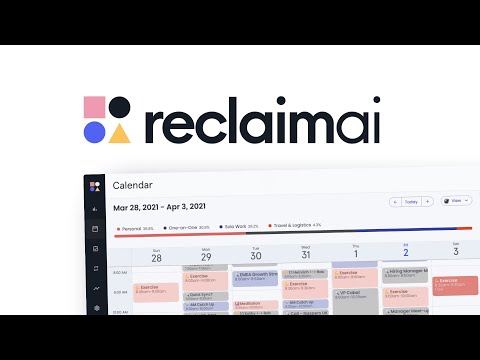

Reclaim.ai Showcase


WhatAI verdict on Reclaim.ai
Reclaim.ai — Frequently Asked Questions
What is Reclaim.ai best used for in 2026?
Reclaim is best used for protecting Focus Time, scheduling Tasks and Habits, coordinating recurring meetings, adding Buffers, synchronizing calendars, and continuously adapting a busy workweek around changing priorities.
What is Reclaim 2.0?
Reclaim 2.0 is the redesigned calendar experience with a Schedule Assistant, Planner, Preview Mode, configurable agents, task timing, meeting context, MCP access, and safer staged calendar changes.
How much does Reclaim cost?
Lite is free. Starter is twelve dollars per seat monthly or ten dollars with annual billing. Business is eighteen dollars monthly or fifteen dollars annually. Enterprise is twenty-two dollars per seat monthly on an annual agreement.
Does Reclaim replace Google Calendar or Outlook?
No. Google Calendar or Outlook remains the source of truth. Reclaim adds intelligent scheduling, planning, automation, analytics, and coordination on top of the existing calendar.
What is Preview Mode?
Preview Mode stages calendar changes in a sandbox. The user can see additions, moves, cancellations, and the cascading effect of scheduling agents before applying selected changes to Google Calendar or Outlook.
What are Reclaim agents?
Agents are scheduling automations for Focus Time, Habits, Buffers, Smart Meetings, Meeting Quality, and other supported calendar goals. They continuously adapt flexible events when availability changes.
Can Reclaim schedule Tasks from other apps?
Yes. Reclaim supports Google Tasks, Todoist, ClickUp, Jira, Asana, and Linear. Tasks can also be created in Reclaim or through chat, scheduled around deadlines, timed, and logged to the calendar.
Can ChatGPT or Claude manage my Reclaim calendar?
Reclaim supports ChatGPT and MCP-compatible tools including Claude, Claude Code, Cursor, Copilot, and Gemini. Changes requested through these tools are staged in Preview Mode before the user applies them.
What is a Team OOO Calendar?
A Team OOO Calendar automatically gathers full-day and supported partial-day out-of-office events into a shared team calendar. It is available on Business and Enterprise under the current Reclaim 2.0 plan structure.
Can Reclaim prove that a team is productive?
No. Reclaim can measure time patterns, meetings, Focus, Tasks, Habits, and recovered capacity, but calendar analytics do not prove work quality, employee value, or causal productivity improvement.
Sources & References
- Official Reclaim.ai platform overview ↗
- Official Reclaim.ai pricing ↗
- Official Reclaim 2.0 overview ↗
- Official Reclaim 2.0 feature and integration FAQ ↗
- Official Reclaim plan documentation ↗
- Official Reclaim feature overview ↗
- Official Focus Habits and Tasks comparison ↗
- Official Outlook integration overview ↗
- Official Slack integration overview ↗
- Official Reclaim product updates ↗
Try Reclaim.ai
Visit the official website to get started with Reclaim.ai today.
Visit Reclaim.ai →