Midjourney logo

Midjourney - AI Image Generator via Discord & Web | WhatAI

AI image generation through Discord

Design & Creative
Visit Midjourney → Join Discussion
ℹ️

WhatAI Decision Box

Best for:

High-quality artistic and photorealistic image generation, concept art, marketing visuals, game assets, and creative experimentation with strong style control.

Not for:

Text-heavy or highly technical diagrams, real-time video generation, or users needing fully free unlimited access (paid-only model).

⇆ Often compared with

ℹ️ WhatAI Field Note

  • Midjourney excels at artistic interpretation and coherent styles but requires learning parameters (--ar, --stylize, --v) for consistent results.
  • The Discord interface remains the most powerful for advanced users, while the web interface is better for browsing and organizing generations.

Midjourney is an AI platform that generates images from text descriptions using diffusion models. Users provide prompts, and the system produces artistic or photorealistic visuals with fine control over style, composition, and quality through parameters and editing tools.

About Midjourney

Midjourney is a platform that generates images by interpreting text prompts through advanced diffusion models. The system produces outputs ranging from artistic illustrations to photorealistic scenes, with extensive control via parameters that adjust composition, style, quality, and variation. It supports tasks such as creating initial images, generating variations, remixing prompts, inpainting/outpainting regions, upscaling for higher resolution, and referencing styles or characters across generations. Additional functions include community sharing via Discord, web-based gallery management, and subscription-based access with different usage limits and commercial rights, operating primarily through Discord with a growing web interface.

Use Cases

Artists create concept art with Midjourneydesigners generate marketing visuals using Midjourneygame developers produce assets through Midjourneycontent creators make social media images in Midjourneyhobbyists experiment with artistic styles via Midjourney.

Pricing

Basic

$10

  • • Annual: $8 per month
  • • 3.3 Fast GPU hours/month (~200 images in Fast mode), no Relax mode, public gallery only, 3 concurrent image jobs, 1 video job, general commercial use, basic upscaling/editor, no Stealth mode

Standard

$30

  • • Annual: $24 per month
  • • 15 Fast GPU hours/month + unlimited Relaxed generations, public gallery, 3 concurrent image jobs + 3 video jobs, Stealth mode not included, editor on uploaded images, commercial use, ideal for hobbyists/freelancers

Pro

$60

  • • Annual: $48 per month
  • • 30 Fast GPU hours/month + unlimited Relaxed image & SD video generation, Stealth mode (private generations), 12 concurrent image jobs + 6 video jobs, higher priority, editor on uploaded images, commercial use, best for serious creators/teams

Mega

$120

  • • Annual: $96 per month
  • • 60 Fast GPU hours/month + unlimited Relaxed image & SD video generation, Stealth mode, 12 concurrent image jobs + 12 video jobs, maximum priority & volume, editor on uploaded images, commercial use, for heavy professional/high-volume users

Pricing varies by plan and region — see current pricing.

Plan features change — last updated: 2026-03-24.

Details

Categories: Design & Creative, Video & Animation
Skill Level: intermediate
Access Methods: browser

Tags

image-generationartcreative

Midjourney Community Discussions

Explore community discussions. Ask and answer questions on Midjourney to grow and learn together.
IllustratorForHire_Bex · Midjourney Design & Creative

Midjourney V6 renders text inside images accurately enough that I use it for typography concepts now

This is a narrow post about a specific capability that changed how I use Midjourney professionally. I do illustration and visual design work. A recurring brief is concept work for clients who want to see how text will look integrated into an illustration before committing to a final direction. Type treatment, how words sit in a composition, the relationship between illustration and lettering. That used to be a manual concepting step because AI image generators rendered text as garbage, distorted letterforms that were useless as type concepts. Midjourney V6 handles text rendering with enough accuracy to be usable for concept purposes. Not for finished typography, still not perfect, but for showing a client "here is roughly how this headline treatment could integrate into this illustration style" the output is now legible and compositionally useful. The Style Reference parameter alongside this is the combination I use most. I establish a visual style from a reference image using --sref, then generate multiple compositions with text integrated. The client can respond to real visual concepts rather than trying to imagine the combination from a description. The Inpainting editor lets me fix the specific letterforms that go wrong in a generation without regenerating the whole composition. Select the distorted letter, regenerate just that area. For a concept image that gets you to something presentable without starting over. The Community Gallery is useful for understanding which prompting approaches produce the cleanest text rendering before you try them on a real brief. The V6 text rendering improvements are demonstrated in context at https://www.youtube.com/watch?v=vUj4VNXXC1c
♥ 1 💬 1 👁 2 View 1 reply →
harv_patel · Midjourney Design & Creative

2026 Midjourney guide for people getting started now

Midjourney has changed significantly over the past year and guides written before 2025 miss features that are now central to the workflow: https://www.youtube.com/watch?v=xoZG5WQbgMw This 2026 tutorial covers the current state of the platform including the web interface which most people now use instead of Discord, current prompting best practices, the refinement tools for iterating on generations, and the community features. Are you still using Midjourney regularly or have you moved to other image generators?
♥ 0 💬 0 👁 1 Reply →
View All Midjourney Discussions
Gallery

Midjourney Showcase

2 items
Midjourney V6 renders text inside images accurately enough that I use it for typography concepts now

Midjourney V6 renders text inside images accurately enough that I use it for typography concepts now

IllustratorForHire_Bex

2026 Midjourney guide for people getting started now

2026 Midjourney guide for people getting started now

harv_patel

Observing Midjourney's Beginner Workflow: Notes from a 2026 Tutorial Video

This Short Guide Covers Account Setup, Prompting Basics, Image Variations, Animation, and Style References

Midjourney Recommended Watch

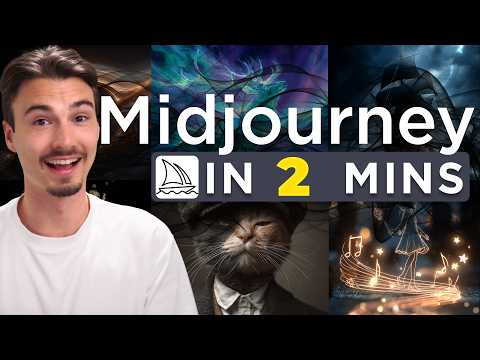
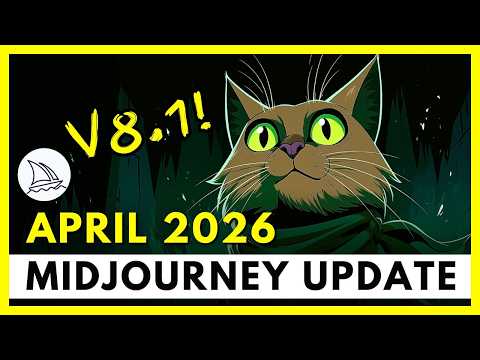
This video from The AI Advantage by Igor offers a compact overview of Midjourney as of 2026. It starts with the essentials, creating an account via Google login, obtaining a subscription, and accessing the platform through its web interface rather than Discord for a more straightforward experience. The core process is shown with a simple example prompt like "a cat with a hat," generating four image variations, then adjusting settings such as aspect ratio or variety levels to refine results. Further sections demonstrate selecting an image for options like creating variations or using the animate feature with motion presets to turn stills into short videos. A notable part highlights the Explore tab for browsing styles and copying sref codes to apply consistent artistic references across new generations. The video also touches on final considerations, including stealth mode for private outputs on higher plans and notes on commercial usage rights depending on subscription level and revenue thresholds. The structure uses timestamps to move logically from setup through prompting, editing, animation, and style application, keeping the focus on interface navigation and basic controls without assuming prior knowledge.

👍 👎

Midjourney Pros & Cons

Interface & Browsing Experience

👍 Pro

Grid-based display of user-generated images with usernames, titles, and infinite scroll (Loading more...). Supports aspect ratio filters, aesthetics sliders (Stylization, Weirdness, Variety), and model/version selection.

👎 Con

Interface can feel dense with many images and settings; loading additional content may require time or refresh in some sessions.

Discovery & Exploration Features

👍 Pro

Showcases trending and top daily images, community creations, moodboards, and user profiles. Allows browsing by categories or visual styles with direct access to examples.

👎 Con

Primarily visual grid without advanced keyword or semantic search in basic views; discovery relies heavily on scrolling or filters.

Image Viewing & Interaction

👍 Pro

Users can view high-quality AI-generated images, including photorealistic, artistic, cinematic, and other styles. Options to explore variations, remixes, and related generations from the community feed.

👎 Con

Detailed metadata or full prompt viewing may require additional clicks or login; some interactions (e.g., spotlight, download) depend on user permissions or plan level.

Customization & Settings

👍 Pro

Built-in controls for aspect ratio, model (Standard/Raw/Draft), speed modes (Relax/Fast/Turbo), video resolution, and personalization options directly on the showcase.

👎 Con

Many advanced settings and unlimited features (e.g., Relax mode, higher video resolution) are restricted to paid plans (Standard and above).

Community & Inspiration Aspects

👍 Pro

Features user-generated content with visible creators, moodboards, and public showcase elements for inspiration and style discovery.

👎 Con

Community content is public by default (unless opted out); following specific artists or creating personal moodboards may have limited tools in the showcase view.

Output & Additional Tools

👍 Pro

Supports viewing examples of upscales, variations, inpainting, style references, and image-to-video concepts within the community feed.

👎 Con

Generation, remixing, or creating new images from showcase examples requires an active Midjourney subscription and is not available in pure browse mode.

Access & Requirements

👍 Pro

Web-based and accessible via browser; no software installation needed for browsing.

👎 Con

Full functionality and removal of limitations often require login and a paid subscription; free browsing is available but limited in depth and features.

Overall Suitability

👍 Pro

Serves as a dedicated community showcase and discovery platform for Midjourney-generated images, useful for exploring trends, styles, prompts, and creative examples across genres like fantasy, portraits, concept art, and more.

👎 Con

Best as a supplementary browsing tool rather than a standalone editor or generator; works optimally for users already familiar with Midjourney's ecosystem and parameters.

Midjourney — Frequently Asked Questions

How do I use Midjourney?

Midjourney primarily works through the official Discord server by typing /imagine followed by a prompt; an official web interface is also available for browsing and editing.

Is Midjourney free?

Midjourney requires a paid subscription (Basic, Standard, Pro, Mega) for full access; there is no ongoing free tier, though trial generations were available in the past.

Can I use Midjourney images commercially?

Images generated on paid plans have full commercial usage rights; free/trial generations had more restrictions.

What parameters control image style?

Key parameters include --ar (aspect ratio), --stylize (artistic intensity), --chaos (variation), --quality (render time/detail), --sref (style reference), and --cref (character reference).

Related Design & Creative Tools

8 tools
Adobe Firefly logo

Adobe Firefly

$0–$199.99/mo

Animoto AI logo

Animoto AI

Free

Beautiful.AI logo

Beautiful.AI

$45 – Custom

Canva AI logo

Canva AI

$0 – Custom

Cleanup.pictures logo

Cleanup.pictures

$0–$11/mo

Craiyon (DALL-E Mini) logo

Craiyon (DALL-E Mini)

$0–$84

DALL-E 3 logo

DALL-E 3

$0 – Custom

Dream by Wombo logo

Dream by Wombo

$0–$169.99/mo

Explore the Network

People discussing Midjourney also discuss...

Alternatives to Midjourney

Adobe Firefly Adobe Firefly $0–$199.99/mo Compare Animoto AI Animoto AI Free Compare Beautiful.AI Beautiful.AI $45 – Custom Compare Canva AI Canva AI $0 – Custom Compare

Pairs well with Midjourney

Sources & References

  1. Official Midjourney website ↗
  2. Midjourney documentation ↗
  3. Midjourney pricing page ↗

Try Midjourney

Visit the official website to get started with Midjourney today.

Visit Midjourney →

Explore More

More Design & Creative Tools

Browse similar AI tools in this category

Compare AI Tools

Side-by-side comparison of features

Community Forum

Discuss Midjourney with other users