Cleanup.pictures Makes Object Removal Effortless, but the Empty Space Is Still an Invention
A better brush, full-resolution refining, and a production API make cleanup remarkably quick. The trustworthy workflow still preserves the original and checks what the model imagined.
By WhatAI Editorial Team ·
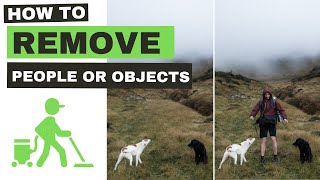
Cleanup.pictures has one of those interfaces that makes a complicated piece of image editing feel almost suspiciously simple. Upload a photograph, paint over the thing you do not want, wait a moment, and the interruption is gone. A tourist disappears from a beach. A timestamp leaves an old family photo. A cable vanishes from a product shot. The background seems to carry on as though the object had never been there.
That sense of effortlessness is the product's appeal. It is also the reason to understand what is happening beneath the brush. Cleanup.pictures is not uncovering the beach, wall, fabric, floor, or sky that a camera failed to capture. It is generating a plausible continuation from the visible image around the mask. The result may look natural, sometimes remarkably so, but it remains an invention.
For casual pictures, that distinction can feel academic. For a property listing, product page, portrait, historical photograph, news image, or automated production pipeline, it can define whether an edit is merely tidy or genuinely misleading. Cleanup.pictures is best understood as a fast, focused inpainting tool whose value grows when the user brings a clear boundary for what may change.
The empty space is an invention
Traditional retouching already involved reconstruction. Editors cloned nearby texture, healed dust, composited alternate frames, and painted details by hand. Generative inpainting changes the speed and scale of that work. Instead of directing every replacement pixel, the editor defines an area and asks a model to propose the visual answer.
On a forgiving background, the proposal can be excellent. Sand, grass, cloud, a soft studio sweep, an out-of-focus wall, or a patch of pavement gives the system abundant local texture. A small distraction surrounded by consistent information leaves relatively little to infer. The cleanup feels less like synthesis because the continuation is visually obvious.
Difficulty rises when the removed object crosses meaningful structure. A railing must continue at the correct angle. Tiles need the right spacing. A hand has anatomy. A reflection follows the scene's geometry. A face contains identity. Text, fabric patterns, windows, repeated shelves, and architectural lines expose even small inconsistencies. The model may produce something attractive while quietly getting the structure wrong.
This is why a clean result should not be confused with a true result. Cleanup.pictures can make an image more usable, but it cannot certify what was behind an object. When authenticity matters, keep the original and describe the cleaned area as generated rather than restored fact.
The brush matters more than the button
The decisive part of the workflow is not pressing Clean. It is drawing the mask. Cleanup.pictures advises users to cover the unwanted element fully and brush slightly beyond its outline. The API documentation offers a useful rule of thumb: a mask roughly 15 percent larger than the object has proved effective.
The margin gives the model room to remove the entire visual footprint. An object is rarely confined to its central shape. It may cast a shadow, reflect light onto a surface, bend fabric, obscure an edge, leave a halo, or contribute color spill. A mask that ends too early can preserve exactly the fragments that make an edit look artificial.
More is not always better. Sweeping a broad brush through a complicated scene gives the model a larger problem and more freedom to invent. A careful editor works in small, coherent passes. Remove one cable, inspect the floor, undo if the line breaks, and remask. Then move to the next distraction. That rhythm is slower than painting over half the frame, but it produces decisions that can be reviewed.
The best mask follows meaning, not just shape. If the task is to remove a vase from a table, its contact shadow may need to go while the table edge must remain. If the task is to remove a temporary sign from a wall, the mounting holes may be part of the sign or part of the building's condition, depending on why the image is being edited. Good retouching begins before the pixels change.
Free is enough to learn the tool
Cleanup.pictures gives free users unlimited images and limits the exported resolution to 720p. That is a generous trial of the core idea. You can test photographs with different backgrounds, learn how much mask margin works, compare large and small passes, and discover whether the model handles the material you photograph most often.
For a messaging app, a small social post, a mockup, or a quick personal picture, 720p may be perfectly adequate. The limit becomes visible when the image is destined for print, a large screen, a detailed product page, a high-resolution property listing, or a professional handoff. Upscaling a small cleaned image later does not restore the real source detail that was discarded.
The practical decision should therefore happen before a long editing session. Confirm the delivery dimensions and inspection standard. If the output must retain the source resolution, the individual Pro plan is the relevant tier. The official site currently lists it at $5 a month or $36 a year, presented as $3 a month when billed annually.
This pricing is unusually legible because the upgrade addresses two clear needs: unrestricted resolution and the high quality refiner. It is not a promise that every difficult edit will work. It is access to a more appropriate output and processing path when the image matters beyond a small screen.
The high quality tier changes the stakes
Full resolution is not simply a nicer version of the same result. It invites closer inspection. A fill that looks convincing in a reduced preview may reveal repeated texture, softened edges, broken geometry, or a strange lighting transition at 100 percent. Pro removes the export ceiling, but it also removes the excuse not to look carefully.
The high quality refiner can improve demanding work, yet quality remains an editorial judgment rather than a product setting. The relevant questions depend on the image. Does the wood grain follow the table? Is the horizon continuous? Did the cleanup duplicate a leaf cluster? Does a portrait edge still look human? Has a product seam, screw, label, or surface finish changed?
Cleanup.pictures Pro is an individual subscription limited to one user. That is fine for a photographer, designer, shop owner, or retoucher working alone. It is not the same thing as a collaborative approval system. An agency or commerce team still needs naming rules, source retention, reviewer responsibility, rights records, and a place to document what was changed. A personal tool can sit inside a professional workflow, but it does not create that workflow by itself.
People who need more than cleanup can also consider ClipDrop Pro, which starts at a higher price and bundles a broader set of image tools, including background removal, replacement, uncrop, and generative fill. The choice is less about which badge sounds more capable and more about what work actually recurs. Paying for a suite makes sense when the surrounding tools replace other subscriptions or repeated manual steps.
The API turns a quick edit into infrastructure
The ClipDrop Cleanup API takes the same basic idea and gives developers a clear contract. Send a JPG or PNG image, send a black-and-white PNG mask with identical dimensions, choose fast or quality mode if needed, and receive a PNG at the original dimensions. The published image limit is 16 megapixels and 30 MB. The mask can also be up to 30 MB.
In the mask, black means keep and white means clean. That sounds simple, but mask quality becomes a production dependency. A browser user can notice a missed shadow and add another brush stroke. A service processing thousands of images needs a reliable way to identify the intended object, expand the selection appropriately, protect adjacent structure, and reject uncertain cases.
Fast mode is the default. The documentation notes that it can produce artifacts, while quality mode is slower and aims for a better result. That gives teams a useful routing decision. Fast may be right for previews, low-risk inventory, or a queue with human review. Quality may be worth the delay for final assets. Neither mode removes the need to look at representative outputs.
Each successful call consumes one credit. The official documentation provides 100 free credits for development and debugging and lists a default rate limit of 60 requests per minute. Those numbers are enough to build and test an integration, but production planning also needs failure handling, retry rules, cost alerts, rate-limit backoff, output sampling, and a manual path for difficult images.
There is a privacy question too. Uploaded photographs may contain faces, homes, documents, location clues, unreleased products, or customer information. A technically correct API request is not automatically an approved data flow. Teams should classify inputs, review provider terms, limit retention, protect API keys, and decide which images should never leave an internal environment.
Product photography has a truth boundary
Cleanup.pictures is naturally useful in commerce. Dust on a backdrop, a stray stand, a temporary cable, a scuff on the studio floor, or a prop accidentally left at the edge of the frame can distract from the item being sold. Removing those elements can make the photograph clearer without changing the offer.
The boundary appears when cleanup alters the product itself. Removing a scratch from a second-hand phone changes its represented condition. Smoothing an irregular seam changes workmanship. Erasing an included accessory can change what the buyer expects in the box. Rebuilding the edge of a chair may alter shape, and replacing a reflection may change the apparent finish.
A good product workflow identifies protected facts before editing: dimensions, color, materials, included parts, condition, labels, controls, ports, texture, and shape. The retoucher can then remove temporary studio clutter while leaving the thing a customer is evaluating intact. Final review should compare the edited image with the source, not merely ask whether the new version looks polished.
Real estate edits need restraint
Property photography presents a similar temptation with higher consequences. Depersonalizing a room by removing a family photograph, a laundry basket, or a temporary toy can help a prospective buyer see the space. Removing a stain, crack, power line, permanent fixture, neighboring structure, or view obstruction may change the property being advertised.
The same brush gesture can therefore be acceptable in one area and misleading in another. The tool cannot know the difference. It sees pixels, not disclosure law, listing rules, contractual duties, or the buyer's likely interpretation. Responsibility remains with the agent, photographer, editor, and approving business.
Before a property image is cleaned, define which temporary personal items may be removed and which physical facts must remain. Keep the original with the listing record. Ask a responsible person to approve the final image, and disclose material virtual editing where the market or platform requires it. The point is not to make property photos ugly. It is to keep presentation from becoming fabrication.
Portrait cleanup is also identity editing
In portraits, small distractions can be genuinely kind to remove. A temporary blemish, a piece of lint, a background stranger, or a flyaway object may not be part of how the subject wants to be represented. Cleanup.pictures makes these adjustments accessible to people who have never learned a healing brush.
Accessibility does not settle the consent question. Editing a person's face, body, age cues, skin texture, hair, mobility aid, religious clothing, cultural markers, or medical features can change identity rather than remove clutter. Even a technically beautiful result may feel alien to the person in it.
The safest workflow is specific. Agree on the requested change, protect features outside it, work on a copy, and show the subject the result when the context allows. Inspect anatomy and boundaries closely because generative fills can make subtle mistakes around fingers, ears, teeth, glasses, hair, and fabric. The person is not an object-removal problem.
Watermarks are not clutter
Cleanup.pictures can erase text, logos, and watermarks, but technical capability is not permission. The official site explicitly tells users to remove watermarks only from images for which they hold an explicit license. That warning deserves to sit beside every demonstration of the feature.
A watermark can identify ownership, communicate a licensing status, preserve attribution, or protect a preview from unauthorized commercial use. Removing it from someone else's work can violate copyright, a contract, a platform rule, or the creator's moral rights. The clean-looking image that remains may be easier to misuse precisely because its origin has been hidden.
There are legitimate cases. A business may own the source and need to remove an obsolete brand mark. A photographer may have a licensed master and want to clean a proof overlay. A design team may be updating an asset under clear rights. Preserve the evidence of permission and the original file. If the license is uncertain, obtain a clean licensed copy instead of painting away the uncertainty.
A workflow worth trusting
The most dependable Cleanup.pictures process is modest. Begin with the honest purpose of the edit. Preserve the original. Confirm the resolution you need. Mask one complete object with a small margin, include its shadow when appropriate, and avoid swallowing unrelated structure. Generate the fill, then compare before and after at full size.
Look for the failures that a pleasing first impression can hide: repeated texture, bent lines, floating edges, inconsistent grain, impossible reflections, broken anatomy, lighting that comes from nowhere, and missing details that change meaning. Undo and remask when the error is local. Move the image to a layered editor when reconstruction needs manual control.
Before export, perform a second review that has nothing to do with visual polish. Do you own the image? Did the subject agree? Is a product still accurately represented? Does a property still show material facts? Could a reader mistake generated pixels for documentary evidence? Is disclosure needed?
Save the finished asset under a new filename. Keep the source, the reason for the edit, the tool and plan used, the reviewer, the date, and any disclosure. This may sound elaborate for removing a cable, but the record can be brief. Its purpose is to preserve the distinction between what the camera captured and what the model supplied.
Where Cleanup.pictures fits
Cleanup.pictures is strongest when the desired outcome is narrow and the image is forgiving. It removes the ceremony from a common edit. There is no large workspace to configure, no long tool palette, and no need to understand layers before cleaning a holiday photo or testing an idea. The free plan makes that value easy to verify.
Adobe Photoshop remains the more suitable environment when an editor needs precise selections, layers, non-destructive masks, compositing, color work, controlled cloning, and a detailed manual repair. Google Magic Eraser is convenient for people already editing within the supported Google photo experience. Canva, Pixelcut, and PhotoRoom can be better when object removal belongs inside a wider design, commerce, or background workflow. ClipDrop Pro is the natural adjacent choice when several generative image utilities are needed together.
The focused design of Cleanup.pictures is not a weakness. It is the reason the product is so approachable. Problems begin only when a narrow tool is asked to carry responsibilities it was not designed to hold: rights management, consent, truthfulness, collaborative approval, evidence preservation, or a guarantee of visual correctness.
The WhatAI verdict
Cleanup.pictures succeeds because it turns object removal into a gesture almost anyone can understand. For small distractions on coherent backgrounds, the result can feel like magic. Free unlimited processing makes the learning curve gentle, Pro offers the resolution serious work requires, and the API provides a practical path from an individual edit to an automated service.
Its central limitation is also the central fact of modern generative editing. The tool does not know what used to be there. It knows what might plausibly continue through the selected space. That difference is easy to forget when the fill is beautiful.
Use Cleanup.pictures for what it does wonderfully: fast, focused cleanup with very little friction. Draw the mask thoughtfully. Work in small passes. Inspect the invented area at the size people will see it. Preserve the source. Respect licenses and consent. Protect the factual qualities of products, properties, people, and documentary images.
The brush can erase an object in seconds. A trustworthy editor still decides what should remain.
Cleanup.pictures removes selected objects, people, text, and defects by generating replacement pixels from the surrounding image. Its simple upload, brush, and export workflow works in mobile and desktop browsers, while the ClipDrop API supports automated cleanup with separate image and mask files.
Cleanup.pictures Pricing, Resolution, Workflow, and API Limits
The free plan processes unlimited images but limits exports to 720p. Pro costs $5 monthly or $36 yearly and adds unrestricted resolution plus a high quality refiner. API calls are usage based, with 100 free development credits and a default rate limit of 60 requests per minute.
Discuss Cleanup.pictures
Share the kinds of objects and backgrounds you edit, the resolution you need, and whether your results require commercial, property, portrait, or documentary review. Mention the original image, mask strategy, plan, and output checks so others can reproduce the workflow.
About Cleanup.pictures
Cleanup.pictures is a browser-based AI inpainting tool for removing unwanted objects, people, text, logos, blemishes, and visual distractions from images. Users upload a picture, paint a mask over the area to remove, and let the model synthesize replacement pixels from the surrounding scene. The free plan supports unlimited images with exports limited to 720p, while the individual Pro plan adds unrestricted resolution and a high quality refiner. A ClipDrop API exposes the same cleanup workflow for production systems through image and mask uploads. The generated background is a prediction rather than recovered evidence, so commercial, documentary, property, product, and portrait edits still require human review and appropriate disclosure.
Use Cases
Key Features
- ✓ Browser-based object, person, text, logo, and defect removal
- ✓ Brush mask for selecting the area to replace
- ✓ AI inpainting that reconstructs pixels from surrounding context
- ✓ Unlimited image processing on the free plan
- ✓ Free exports up to 720p resolution
- ✓ Full-resolution exports on the individual Pro plan
- ✓ High quality refiner for Pro subscribers
- ✓ Mobile and desktop browser support
- ✓ Undo and redo controls for iterative cleanup
- ✓ API modes for fast or higher-quality processing
- ✓ PNG API output at the source image dimensions
- ✓ Official API examples for cURL, Node.js, SwiftUI, Kotlin, and Python
- ✓ ClipDrop Pro option with a broader image-editing suite
- ✓ Free development credits for API testing
Pricing
Free
$0
- • Unlimited images
- • Exports limited to 720p
- • Browser access on mobile and desktop
- • Suitable for testing and small digital uses
Pro
$5/month
- • Unlimited images
- • Unlimited export resolution
- • High quality refiner
- • $36 yearly option, equal to $3 per month
- • Individual subscription limited to one user
ClipDrop Pro
$11+/month
- • Includes Cleanup.pictures capabilities
- • Broader ClipDrop image-editing toolkit
- • Background removal and replacement
- • Uncrop and generative fill tools
API
Usage based
- • 100 free credits for development and debugging
- • One credit per successful cleanup call
- • Default limit of 60 requests per minute
- • Contact the provider for additional credits
Pricing varies by plan and region — see current pricing.
Plan features change — last updated: 2026-08-16.
Details
Tags
Cleanup.pictures Community Discussions
Explore community discussions. Ask and answer questions on Cleanup.pictures to grow and learn together.

Cleanup.pictures Showcase


Cleanup.pictures — Frequently Asked Questions
What is Cleanup.pictures?
Cleanup.pictures is a browser-based AI inpainting tool. You upload an image, brush over an unwanted area, and the system generates replacement pixels based on the visible surroundings. It can remove objects, people, text, marks, and small defects, but it does not recover the true scene hidden behind them.
Is Cleanup.pictures free?
Yes. The free plan allows unlimited image processing and limits export resolution to 720p. That is useful for learning the workflow and many small digital images, but it may be insufficient for print, high-resolution product pages, property listings, or professional delivery.
How much does Cleanup.pictures Pro cost?
The official site lists Pro at $5 per month or $36 per year, which is presented as $3 per month when billed annually. Pro adds unlimited resolution and the high quality refiner. The subscription is individual and limited to one user.
What is the difference between Cleanup.pictures Pro and ClipDrop Pro?
Cleanup.pictures Pro focuses on full-resolution cleanup and the high quality refiner. ClipDrop Pro starts at a higher price and includes a wider set of image tools, such as background removal, background replacement, uncrop, and generative fill. Check the current checkout terms before purchasing because bundle contents can change.
How should I brush over an object?
Cover the full object and extend the selection slightly beyond its edges. Include associated shadows or reflections when they must disappear as well. The official guidance says a mask roughly 15 percent larger than the object can work effectively, although the right margin depends on the image.
Does Cleanup.pictures recover what was really behind an object?
No. It predicts plausible replacement pixels from context. A convincing result can still contain invented texture, geometry, lighting, or detail. Keep the source image and do not treat an inpainted area as historical, legal, scientific, journalistic, or forensic evidence.
What files does the Cleanup API accept?
The official ClipDrop Cleanup API accepts a JPG or PNG image up to 16 megapixels and 30 MB, plus a black-and-white PNG mask with the same dimensions and a maximum size of 30 MB. Black areas are kept and white areas are cleaned. The response is a PNG at the source dimensions.
What are the Cleanup API modes and limits?
The API supports fast and quality modes. Fast is the default and can produce more artifacts, while quality is slower and aims for a better result. One successful call consumes one credit. The official documentation lists 100 free development credits and a default rate limit of 60 requests per minute.
Can I remove logos or watermarks?
Only when you own the material or have explicit permission and the required license. The official site specifically warns users to remove watermarks only from images for which they hold an explicit license. Removing attribution or rights information from someone else's work can violate law, contract, or platform rules.
Is Cleanup.pictures suitable for professional work?
It can accelerate routine retouching, especially on simple or repetitive backgrounds, but professional use still needs inspection at full size. Preserve originals, check edges and shadows, confirm that products and properties remain truthful, obtain portrait consent where appropriate, and disclose edits that could change meaning.

Sources & References
Try Cleanup.pictures
Visit the official website to get started with Cleanup.pictures today.
Visit Cleanup.pictures →