Gamma logo

Gamma.app - AI Presentation & Document Generator

Gamma.app uses AI to generate beautiful presentations, documents, and webpages from text prompts or files in seconds.

AI Writing & Content
Visit Gamma → Join Discussion
ℹ️

WhatAI Decision Box

Best for:

Professionals, educators, and teams needing to quickly create polished presentations, reports, and visual documents from text or existing content.

Not for:

Highly complex data visualization, advanced animation, or projects requiring pixel-perfect custom design control.

⇆ Often compared with

ℹ️ WhatAI Field Note

  • Generation quality improves with specific prompts that include desired tone, structure, and visual style.
  • Brand kit support helps maintain consistency, but complex branding guidelines may still need manual adjustments after generation.

Gamma.app is an AI-driven platform that turns simple text prompts, outlines, or uploaded documents into polished, visually appealing presentations, reports, and webpages. It automatically handles layout, imagery, and design, making it easy to create professional-looking content without design skills.

Features and Capabilities

Gamma.app generates full presentations or documents from a prompt or imported content, with AI suggesting layouts, images, charts, and formatting. It supports interactive elements, brand kit consistency, real-time collaboration, and export to PDF, PowerPoint, or as a shareable link. Additional features include image generation, data visualization, and the ability to refine outputs through follow-up prompts. The platform focuses on speed and visual quality for business, education, and marketing use cases. Usage is subscription-based with limits on generations and advanced features.

Discuss Gamma.app

Gamma.app is an AI tool that instantly creates professional presentations, documents, and webpages from text or files, helping users produce high-quality visual content quickly.

Join the conversation below to share your experience, ask questions, post reviews, suggest new features or integrations, or discover similar AI design tools. All feedback is welcome.

About Gamma

Gamma.app assists users by converting ideas or existing content into well-designed presentations and documents. The workflow involves entering a prompt or uploading a file, letting the AI generate a draft with layouts and visuals, reviewing and refining the output, and exporting or sharing the final result. It supports both quick one-off creations and iterative improvements. Additional functions include brand kit application and collaboration features. Plans differ in the number of generations, advanced design options, and team capabilities.

Use Cases

Professionals create pitch decks and reports with Gamma.appeducators build lesson presentations using Gamma.appmarketers design campaign materials via Gamma.appteams collaborate on documents and slides with Gamma.app, content creators generate visual content quickly using Gamma.app.

Pricing

Free

$0

  • • Limited generations
  • • basic features

Pro

$0

  • • ~$12–$20DiscountedHigher generations
  • • advanced templates
  • • brand kit

Team

$0

  • • /

Enterprise

$0

  • • HigherDiscounted

Team

$0

  • • collaboration
  • • unlimited or high limits
  • • admin controls

Pricing varies by plan and region — see current pricing.

Plan features change — last updated: 2026-04-13.

Details

Categories: AI Writing & Content
Skill Level: beginner
Access Methods: browser

Tags

gamma appai presentation makerai slide generatorai document creatorgamma aiai powerpoint alternativeai deck buildertext to presentation aiai visual content generatorgamma presentation tool

Gamma Community Discussions

Explore community discussions. Ask and answer questions on Gamma to grow and learn together.
kolbein_cre · Gamma AI Writing & Content

Gamma Imagine as a standalone visual creation tool inside Gamma is the March 2026 update worth knowing

The March 2026 Gamma launch video https://www.youtube.com/watch?v=DmL6OPFU2tI introduces Gamma Imagine as an integrated AI graphic designer for creating standalone visuals, not just presentation slides. Logos, diagrams and infographics that align with brand guidelines being creatable within Gamma means the tool is no longer only for slide-format communication. A data visualisation for a report, a diagram for documentation or an infographic for social media produced within the same tool you use for presentations is the workflow consolidation that reduces the number of creative tools in your stack. The Connectors enabling direct generation of Gamma presentations from AI assistants like Manus and Claude are the pipeline integrations that change Gamma from a destination you visit to a output format you can route to automatically. The Conversation Threads for iterative design refinement within existing presentations is the collaboration workflow that changes how revisions happen on a shared deck. Rather than email chains with attached slide versions, the revision conversation lives within the presentation itself. The brand alignment being maintained across Gamma Imagine outputs and presentation content is the consistency feature that makes the standalone visual creation practically useful for commercial work. Have you used Gamma Imagine for standalone visuals outside the presentation context and how does the output quality compare to dedicated image generation tools?
♥ 1 💬 1 👁 11 View 1 reply →
haftor_cre · Gamma AI Writing & Content

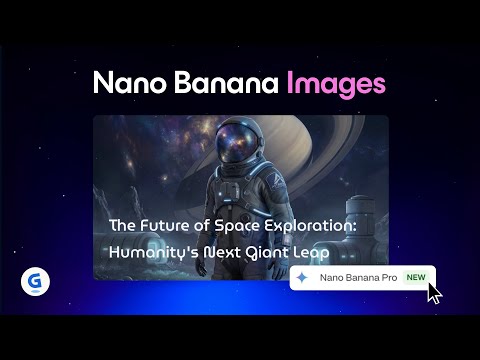
Nano-Banana Pro inside Gamma is a meaningfully better image model and the in-app editing is what makes it useful

The Nano-Banana Pro integration in Gamma, introduced in https://www.youtube.com/watch?v=zIWDAb5RMyQ, is worth calling out separately from the broader Gamma updates because the image quality improvement is significant enough to change what presentations look like. More detailed, polished and visually striking images being the output versus previous Gamma image generation is the claim. The built-in AI agent for in-app editing, removing backgrounds, making image-to-image modifications and applying stylistic changes, is what makes that quality improvement practically useful rather than just aesthetically better. The workflow of generating an image and immediately editing it within Gamma rather than exporting, editing in a separate tool and reimporting is the friction reduction that changes whether high-quality custom visuals are practical to use in every presentation or only in the ones worth the extra effort. The brand consistency being maintained across Nano-Banana Pro outputs is the professional use case enabler. Custom visuals that look like they were created by the same designer rather than generated independently in each slide is what makes AI image generation useful for commercial presentations rather than just personal projects. Have you noticed a specific category of presentation visual where Nano-Banana Pro produces noticeably better results than the previous image generation?
♥ 0 💬 1 👁 5 View 1 reply →
gunnhild_cre · Gamma AI Writing & Content

Gamma 3.0 introducing an AI co-designer is a different kind of presentation tool update

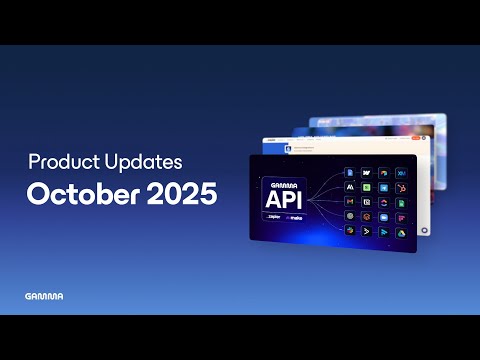
Most presentation tool updates add templates or export options. The October 2025 Gamma 3.0 update, detailed in https://www.youtube.com/watch?v=vzu3CljMxyo, adds something categorically different: an AI co-designer that refines layouts and interprets content into visuals in real time. The Gamma Agent working alongside you as you build rather than just generating a first draft changes the creation dynamic. You are not choosing between AI-generated and manual. You are in a collaborative mode where the AI responds to your content decisions rather than replacing them. The Gamma API enabling automation and integration with Zapier and Make is the workflow infrastructure layer that changes Gamma from a standalone presentation tool to something that can sit in an automated content pipeline. A workflow that generates a data report and automatically creates a Gamma presentation from it is a different operational capability from manually creating each deck. The publishing to multiple formats from a single source, web, PDF, slideshow, changes the per-deck output economics. One creation session producing three deliverable formats is the content reuse argument that makes the time investment per deck more defensible. What is your current use case for Gamma: one-off presentations, regular reporting, or something in an automated pipeline?
♥ 1 💬 2 👁 11 View 2 replies →
PresentationsAreMyEnemy_Kosta · Gamma AI Writing & Content

Gamma generates a full presentation from one sentence, here is how good the output actually is

I have a genuine aversion to building presentations. The blank slide is one of the most demoralizing things I encounter at work. Gamma came up in conversation with a colleague who had used it for a client pitch and I tried it the same evening. The core workflow is simple. You type a one-line prompt, choose whether you want a presentation, website or document, set how many cards you want, and then it generates an outline first before producing the final version. That outline step matters because you can edit it before committing, so you are not just crossing your fingers and hoping the structure makes sense. You can also paste in existing text or import a PowerPoint, Word doc or Google Doc and it will build around what you already have. For me that was the most useful path because I usually have a rough draft in a doc that I then need to turn into something presentable. After generation you can keep editing through a chat interface. Ask it to swap an image, add a new section, or suggest a different layout for a specific slide. It embeds interactive elements too, YouTube videos, charts, forms and buttons can all go inside the deck rather than being linked separately. The analytics feature surprised me. You can see how long viewers spent on each card which is useful if you are sharing decks externally and want to know which sections people are actually engaging with. Saw the full walkthrough here https://www.youtube.com/watch?v=KcbXKUR7-a0 before I started and it saved me a lot of trial and error on the first project.
♥ 3 💬 4 👁 6 View 4 replies →
storyteller_ · Gamma AI Writing & Content

Is Tome better than Gamma for building narrative-driven presentations?

I create a lot of presentations that are more storytelling-focused than data-focused. Think pitch decks, thought leadership pieces, strategic vision documents where the narrative arc matters as much as the information content. I have tried Gamma and found it good for structured informational decks but something about the output felt a bit functional and lacking in the kind of flow and visual drama that makes a presentation feel compelling rather than just clear. Tome has been described to me as being more oriented toward narrative and visual storytelling, with a different approach to layout and pacing that might suit my use case better. I cannot entirely tell from the product website whether that is a genuine design philosophy difference or just marketing language. I want to know from people who have used both tools whether there is a real practical difference in the type of output each one produces. Specifically I am curious whether Tome's AI generates content that feels more like it understands the narrative structure of what you are trying to say rather than just organising information into slides. I am also interested in the visual quality and whether the layouts feel more dynamic and designed or whether they have the same template-y quality that I find limiting in most AI presentation tools.
♥ 0 💬 0 👁 2 Reply →
View All Gamma Discussions
Gallery

Gamma Showcase

4 items
Gamma Imagine as a standalone visual creation tool inside Gamma is the March 2026 update worth knowing

Gamma Imagine as a standalone visual creation tool inside Gamma is the March 2026 update worth knowing

kolbein_cre

Nano-Banana Pro inside Gamma is a meaningfully better image model and the in-app editing is what makes it useful

Nano-Banana Pro inside Gamma is a meaningfully better image model and the in-app editing is what makes it useful

haftor_cre

Gamma 3.0 introducing an AI co-designer is a different kind of presentation tool update

Gamma 3.0 introducing an AI co-designer is a different kind of presentation tool update

gunnhild_cre

Gamma generates a full presentation from one sentence, here is how good the output actually is

Gamma generates a full presentation from one sentence, here is how good the output actually is

PresentationsAreMyEnemy_Kosta

👍 👎

Gamma Pros & Cons

Speed & ConvenienceExtremely fast generation of polished presentations from text

👍 Pro

Output can feel template-like if prompts are not specific.

👎 Con

Design QualityProduces clean, modern layouts with good visual hierarchy.

Limited advanced customization for highly unique designs

👍 Pro

Ease of UseSimple prompt-based interface suitable for non-designers.

👎 Con

Learning effective prompting takes some practice.

Brand ConsistencyGood support for brand kits and consistent styling

👍 Pro

Complex brand guidelines may need manual overrides.

👎 Con

Pricing StructureFree tier allows basic use; paid plans scale with needs.

Heavy users may hit generation limits quickly

👍 Pro

Overall SuitabilityExcellent for quick business, educational, and marketing presentations.

👎 Con

Best as a starting point rather than a full replacement for professional design work.

Gamma — Frequently Asked Questions

How does Gamma.app work?

Enter a text prompt or upload content, and the AI generates a complete presentation or document with layouts, images, and formatting.

Is Gamma.app good for business use?

Yes — it supports brand kits and professional templates for consistent company visuals.

Is there a free plan?

A free tier with limited generations is available; paid plans unlock more creations and advanced features.

Can I edit the generated content?

Yes — you can refine layouts, text, and images after generation.

Does it integrate with other tools?

It supports import from Google Docs, PDFs, and export to PowerPoint and PDF.

Related AI Writing & Content Tools

8 tools
ChatGPT logo

ChatGPT

$0/mo – Custom

Claude logo

Claude

$0/mo – Custom

Copy.ai logo

Copy.ai

$0 – Custom

DesignRR logo

DesignRR

$29–$249/mo

Google Gemini logo

Google Gemini

$0–$249.99/mo

Grammarly logo

Grammarly

$0/mo – Custom

Grok AI logo

Grok AI

$0 – Custom

Hyperwrite logo

Hyperwrite

$0–$44.99/mo

Explore the Network

People discussing Gamma also discuss...

Alternatives to Gamma

ChatGPT ChatGPT $0/mo – Custom Compare Claude Claude $0/mo – Custom Compare Copy.ai Copy.ai $0 – Custom Compare DesignRR DesignRR $29–$249/mo Compare

Pairs well with Gamma

Sources & References

  1. https://gamma.app ↗
  2. https://gamma.app/pricing ↗
  3. https://gamma.app/help ↗

Try Gamma

Visit the official website to get started with Gamma today.

Visit Gamma →

Explore More

More AI Writing & Content Tools

Browse similar AI tools in this category

Compare AI Tools

Side-by-side comparison of features

Community Forum

Discuss Gamma with other users