Craiyon - AI Image Generator from Text Prompts | WhatAI

AI image tool

Image & Design
Visit Craiyon (DALL-E Mini) → Join Discussion
ℹ️

WhatAI Decision Box

Best for:

Casual image experiments from text ideas, quick style explorations like anime or vectors, hobbyist art without complex setups.

Not for:

Professional photo editing with layers, high-resolution commercial prints, or video/animation beyond static images.

⇆ Often compared with

ℹ️ WhatAI Field Note

  • Craiyon's free tier suits basic prompts, but outputs may include watermarks until upgraded for cleaner results.
  • The exclude field helps avoid unwanted elements, though descriptive prompts yield more consistent generations.

Craiyon is a platform that uses AI to create images based on text descriptions. It processes prompts in natural language, along with optional reference images and exclusions, then produces visual outputs in selected styles and formats.

Features and Capabilities

Craiyon employs diffusion technology to generate images starting from random noise and refining based on the provided description. It accepts prompts in multiple languages, reference images for guidance, and an exclude field to avoid specific elements. Output styles include artistic, photo, anime, illustration, vector, and raw interpretations, with aspect ratios such as square, landscape, or portrait. Additional tools allow prompt editing for refinement, image retouching, and exploration of community-generated content through search, categories, recents, inspirations, and trending sections. The platform offers a free tier with base functionality alongside paid plans that provide higher quality models, no watermarks, priority access, and editing credits. Access is available through the web interface at craiyon.com, with a mobile app in development.

About Craiyon (DALL-E Mini)

Craiyon is a platform that assists in image creation by accepting text descriptions and producing corresponding visuals. The system applies diffusion methods to form images that match the provided details, incorporating options for style selection and format adjustments. It supports tasks such as entering prompts in different languages, using reference materials for direction, specifying elements to omit, and browsing community content for ideas. Additional functions enable users to retry generations, apply touch-ups to results, and explore categorized examples, all while operating through a web-based interface.

Use Cases

Users generate artistic images with Craiyoncreators produce photo-style visuals using Craiyonindividuals experiment with anime outputs in Craiyondesigners create vector graphics through Craiyonhobbyists refine prompts for custom art with Craiyon

Pricing

Free

$0

  • • Ad-supported, limited generations (slower speed, ~2 min for 9 images), watermarks on images, no attribution required, low-res downloads, public images only, basic access to all aspect ratios, ideal for casual testing

Supporter

$12

  • • Annual: $10 per month
  • • Unlimited images (faster: ~45 sec for 9 images), 100 edit credits/mo, no watermarks, no attribution, HD downloads, public images, remove ads, high priority queue

Professional

$24

  • • Annual: $20 per month
  • • Unlimited images (fastest: ~15 sec for 9 images), 220 edit credits/mo, no watermarks, no attribution, HD downloads, private images, highest priority queue, early access to new features

Ultra

$84

  • • Annual: $70 per month
  • • Unlimited images (fastest speed), 900 edit credits/mo, no watermarks, no attribution, HD downloads, private images, highest priority queue, early access to new features

Pricing varies by plan and region — see current pricing.

Plan features change — last updated: 2026-03-01.

Details

Category: Image & Design
Skill Level: beginner
Access Methods: browser

Tags

freeai-artbeginner-friendlyno-registration

Craiyon (DALL-E Mini) Community Discussions

Explore community discussions. Ask and answer questions on Craiyon (DALL-E Mini) to grow and learn together.
Beth23 · Craiyon (DALL-E Mini) Image & Design

Need fast “idea sketches” for content, would Craiyon be good enough?

I’m not trying to create perfect art...I just need fast visual concepts for: - YouTube shorts/thumbnail ideation - brand/character brainstorming - quick “what would this look like?” drafts - meme concepts Craiyon looks like it could be a quick way to generate rough concepts without the friction of more complex tools. **Questions:** 1. Is Craiyon still good for rapid ideation, or is the quality too low to be useful? 2. Any best prompt formats for consistent characters/objects? 3. If you switched away from it, what did you replace it with and why?
♥ 0 💬 0 👁 0 Reply →
View All Craiyon (DALL-E Mini) Discussions

WhatAI Recommended Watch: An Introduction to Craiyon AI Through a Practical Beginner Tutorial

Take a Look at This Overview to See How Craiyon Handles Text-to-Image Generation and More

Craiyon (DALL-E Mini) Recommended Watch

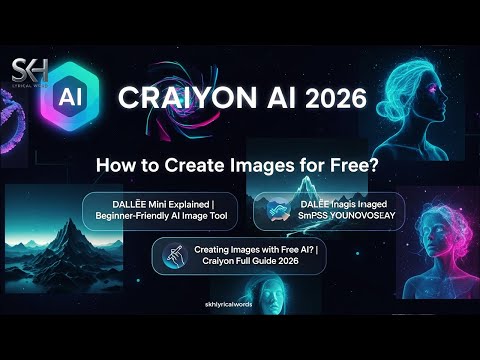
Tutorials like this one from AI Mastery Tutorials offer a practical lens into how Craiyon AI operates, tracing its development from earlier models like DALL-E Mini and focusing on the day-to-day user experience. The video methodically covers the signup process, whether through Google or email, and explains the style selections—ranging from illustrative drawings to photorealistic outputs—that influence the final images. It demonstrates building prompts with descriptive details, such as envisioning a landscape scene, and incorporating negative prompts to refine results by excluding specific aspects. Viewers get a sense of the output format, with a set of variations appearing after a short processing time on the free tier. A key segment explores the integration with custom designs, like adapting generated images for apparel by adjusting elements, selecting garment types, and previewing fits across sizes. The discussion extends to subscription options, outlining what each level provides in terms of speed, ad removal, and feature priority, without pushing any particular choice. Loading screens with prompt suggestions are noted as a way to inspire further exploration, and the examples throughout balance creative potential with practical notes on wait times and watermarks. Overall, it's an even-handed look that lets you decide if the tool fits your interests in AI-generated visuals.

👍 👎

Craiyon (DALL-E Mini) Pros & Cons

User-Friendliness

👍 Pro

Simple text-to-image interface with prompt input, style presets (Artistic, Photo, Anime, Illustration, Vector, Raw), aspect ratio selection, and an exclude field to refine outputs. No advanced skills needed for basic generations

👎 Con

Prompt engineering is key for consistent results; vague or complex descriptions can lead to unpredictable outputs requiring multiple tries

Generation Speed

👍 Pro

Produces multiple image variations in seconds to minutes, with continuous model improvements for better prompt understanding over time

👎 Con

Free users may experience brief wait times during peak usage; priority processing is available only on paid plans

Versatility & Capabilities

👍 Pro

Supports a range of styles and aspect ratios for creating illustrations, photorealistic visuals, diagrams, or abstract elements to accompany text in articles, guides, or blogs

👎 Con

Image quality and detail are generally lower than premium tools; outputs can appear less polished or coherent on intricate subjects

Customization & Features

👍 Pro

Refine prompts with exclusions, draw inspiration from existing images, and generate multiple variations per prompt. Supports multiple languages

👎 Con

Limited editing capabilities on free tier; advanced retouching or image-to-image features require edit credits on paid plans

Integration & Workflow

👍 Pro

Browser-based with easy download options; images can be directly incorporated into documents, presentations, or web content

👎 Con

No native integrations with major writing platforms; workflow typically involves manual download and insertion

Pricing & Accessibility

👍 Pro

Free tier allows unlimited generations for testing and basic use; paid plans (Supporter ~$10/month annual, Professional ~$20/month, Ultra ~$70/month) remove watermarks, enable HD downloads, priority access, and private images

👎 Con

Free outputs include watermarks and require attribution for commercial use; paid plans are needed for professional-grade quality and faster, unrestricted access

Reliability & Output Quality

👍 Pro

Generates usable visuals grounded in the prompt, with daily model updates improving accuracy and detail

👎 Con

Outputs may include artifacts, inconsistencies, or lower resolution; thorough review is needed to ensure suitability for high-quality content

Overall Fit for In-Depth Content

👍 Pro

Provides a low-barrier way to create custom visuals that illustrate concepts, break up text, or enhance sections in long-form articles, adding engagement and clarity

👎 Con

Best as a supplementary tool for visual support; quality limitations mean it pairs well with higher-end generators for more critical or detailed imagery

Craiyon (DALL-E Mini) — Frequently Asked Questions

What technology does Craiyon use for image generation?

Craiyon uses diffusion technology to refine random noise into images based on text descriptions.

What input options does Craiyon support?

Craiyon accepts text prompts, optional reference images, and an exclude field to specify unwanted elements.

What styles are available in Craiyon?

Craiyon offers styles such as artistic, photo, anime, illustration, vector, and raw.

Does Craiyon have free and paid options?

Craiyon provides a free tier with base features and paid plans for higher quality, no watermarks, and additional editing credits.

Can outputs be edited or refined in Craiyon?

Craiyon allows prompt editing, exclusions, and a retouch option for modifying generated images. Description

Related Image & Design Tools

8 tools
Canva AI logo

Canva AI

$0-$20/mo

Cleanup.pictures

$0-$39/mo

Clipdrop by Stability AI

$0-$39/mo

Designify

$0-$39/mo

Dream by Wombo

$0-$9/mo

ImgCreator.AI

$0-$29/mo

Kittl AI

$0-$24/mo

Midjourney

$10-$120/mo

Explore the Network

People discussing Craiyon (DALL-E Mini) also discuss...

Alternatives to Craiyon (DALL-E Mini)

Canva AI Canva AI $0-$20/mo Compare Cleanup.pictures $0-$39/mo Compare Clipdrop by Stability AI $0-$39/mo Compare Designify $0-$39/mo Compare

Pairs well with Craiyon (DALL-E Mini)

Sources & References

  1. Official Craiyon website ↗
  2. Craiyon tutorial and prompt guide ↗
  3. Craiyon pricing information ↗

Try Craiyon (DALL-E Mini)

Visit the official website to get started with Craiyon (DALL-E Mini) today.

Visit Craiyon (DALL-E Mini) →

Explore More

More Image & Design Tools

Browse similar AI tools in this category

Compare AI Tools

Side-by-side comparison of features

Community Forum

Discuss Craiyon (DALL-E Mini) with other users