Independent WhatAI creator guide
Jay E has built RoboNuggets around a simple promise: make AI easier to learn and easier to use. His videos move quickly across Claude Code, AI agents, n8n, image generation, video creation, presentations, research systems, and automation.
This is independent editorial coverage. Jay E and RoboNuggets have not endorsed, reviewed, or sponsored this article.
Who is Jay E?
Jay E is the creator behind RoboNuggets, an AI education brand focused on practical automation, agent workflows, and creative production systems. His public channel description presents a clear mission: make AI easier to learn and easier to earn from, regardless of a person’s technical background.
That positioning explains the channel’s structure. Rather than discussing artificial intelligence only as a broad trend, Jay usually starts with a task. The task might be building a presentation, creating an editable diagram, connecting a model to an automation platform, producing video assets, or assembling a repeatable content system.
RoboNuggets is not limited to one software category. Jay moves between Claude Code, n8n, visual AI tools, research products, coding assistants, and media generation platforms. The common theme is orchestration. A single tool can be interesting, but the channel is usually more concerned with what happens when several tools are connected into a process.
This makes Jay’s work highly relevant to WhatAI. Most users do not need another long list of tools. They need to understand which products fit together, what the workflow requires, where it can fail, and whether the final result is worth the cost and effort.
Why RoboNuggets stands out
Many AI channels focus on announcements. RoboNuggets becomes most useful when it shows an implementation. Viewers can see the intended outcome, the software involved, and the steps used to move from idea to result.
Jay also chooses tasks with visible outputs. A diagram can be inspected. A presentation can be judged. A video can be watched. An automation can be traced from input to output. Visible outcomes make the tutorial easier to evaluate because the audience can ask whether the result is accurate, editable, consistent, and genuinely faster than completing the work manually.
The titles also communicate the system clearly. A combination such as Claude plus Seedance, Claude Code plus a publishing tool, or n8n plus an image model instantly tells the viewer what is being connected. That makes complicated workflows feel more approachable.
The strongest RoboNuggets content therefore sits between education and experimentation. Jay gives viewers a system to study, but the viewer still needs to decide whether that system belongs in real work.
Claude Code and agentic workflows
Claude Code appears repeatedly across Jay’s content because it can operate across files, instructions, code, and tool integrations. Instead of using AI only as a chat window, these workflows treat the model as an active collaborator inside a project.
A standard chatbot responds to a prompt. An agentic workflow may inspect a folder, create files, run commands, compare outputs, revise errors, and continue through several steps. This can reduce repetitive work when the task has clear inputs and a clear definition of completion.
The larger advantage is not simply that Claude can write code. It can coordinate a sequence of tasks while retaining project context. That makes it useful for content systems, automation, app development, and visual production.
However, agentic capability should not be confused with dependable autonomy. A system may complete a demonstration successfully and still require supervision in production. Permissions, API limits, changing interfaces, unexpected inputs, and ambiguous instructions can all create failures.
The best beginner approach is to start with one narrow result. Give the agent a constrained folder, explicit instructions, and an output that can be checked quickly. Reliability improves when the task is smaller, the inputs are cleaner, and the acceptance criteria are clear.
n8n and practical automation
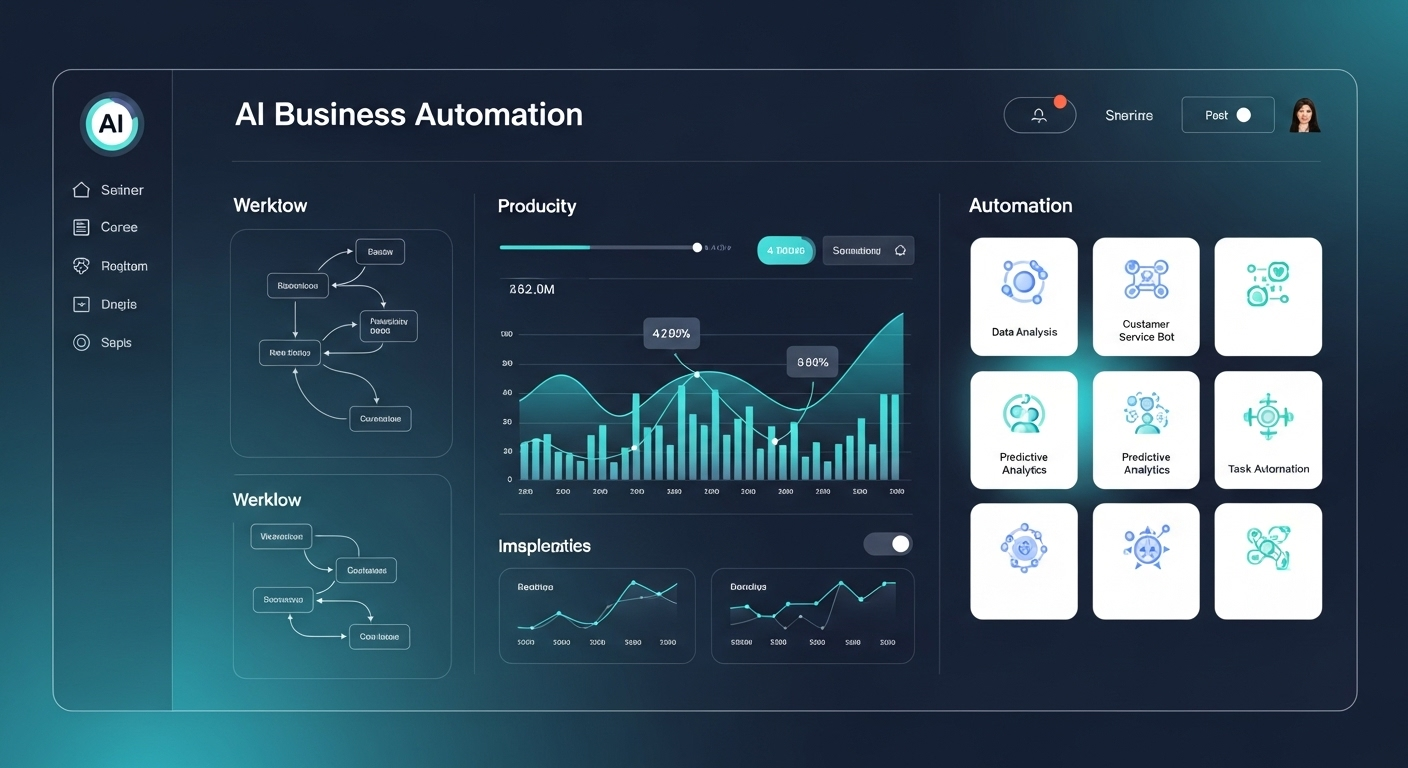
n8n is another recurring part of the RoboNuggets ecosystem. It allows users to connect applications and AI models through visual workflows. For people who do not want to build every integration from scratch, it can make automation easier to understand and maintain.
A workflow can receive data, call a model, transform an output, store information, generate media, and deliver the result. This can support lead handling, research, internal reporting, content preparation, and repetitive administration.
The visual interface can create the impression that automation is simple. A reliable workflow still needs careful logic. What happens when an API fails? What happens when a model returns the wrong format? What happens when credentials expire or a user submits unexpected data?
Most demos focus on the successful path. A production system must also manage failure. It should report errors, protect important data, and prevent accidental external actions. This is one of the most useful questions a WhatAI reader can bring to any automation tutorial.
n8n is best understood as an orchestration layer. It makes integrations more accessible, but the value still depends on process design, exception handling, and maintenance.
Creative AI for video, images, and audio
RoboNuggets has covered combinations involving Claude, Higgsfield, Seedance, Nano Banana, Suno, and other creative products. These videos are valuable because they move beyond isolated generations. The goal is usually a repeatable system.
An AI video workflow may begin with research, move into concept development, produce prompts, generate assets, evaluate consistency, add sound, and prepare material for publishing. Different tools may handle different steps. Jay’s content helps viewers see the whole chain.
The strongest creative workflows do not remove human direction. They increase the number of decisions a creator can test. A person can compare concepts, generate variations, and refine an idea faster. The human still decides what is worth making, which output communicates clearly, and whether the result feels original.
Consistency remains difficult. A single impressive image does not prove that a system can produce an entire campaign. Characters may change, brand elements may drift, text may be incorrect, and visual quality may vary between scenes.
Businesses should also check commercial usage terms, privacy conditions, and the origin of generated assets. The real test is not whether one image looks impressive. It is whether the workflow remains useful across repeated outputs.
Presentations and editable diagrams
Recent RoboNuggets topics have included AI-generated diagrams and code-based presentations. These use cases are less dramatic than cinematic video, but they may be more valuable in everyday work.
A diagram succeeds when it helps someone understand a process. A presentation succeeds when it helps an audience follow an argument. AI can accelerate the first draft, but speed does not guarantee clarity. Poor hierarchy, crowded layouts, weak evidence, and generic language can still make the result ineffective.
Claude with Excalidraw is interesting because the output can remain editable. A static generated image may look polished but become difficult to correct. An editable diagram allows a person to fix labels, move elements, simplify arrows, and adapt the visual to the audience.
Claude Code with MARP offers a different advantage. Presentations can be written in Markdown and rendered through a consistent template. This can help teams that value repeatability, version control, and fast updates. It may be less suitable for projects that require detailed art direction or complex animation.
The broader lesson is that AI often creates more value when it produces structured, editable work rather than a locked final artifact. Editability preserves human control.
Claude and NotebookLM for content systems
Combining Claude with NotebookLM reflects another major theme in useful AI workflows: grounding. Generic content often feels empty because a model is working from broad patterns instead of specific evidence.
A source-grounded system can start from selected documents, transcripts, research, or internal knowledge. NotebookLM can help explore the material, identify themes, and surface contradictions. Claude can then assist with organisation, outlining, and drafting.
Better sources improve the raw material, but they do not automatically create strong content. A writer still needs an angle, judgement, experience, and a clear reader problem. Without those elements, grounded content can still become an accurate but forgettable summary.
A responsible process includes source selection, claim verification, original analysis, and human editing. The goal should not be to publish more pages. The goal should be to improve the quality and speed of editorial decisions.
This distinction matters for WhatAI. Search engines and readers both have enough generic summaries. A useful AI content system should help produce evidence, perspective, and genuine value.
What impressive demos can leave out
Jay’s content is useful, but every tutorial deserves critical questions. The first is cost. A workflow may require several subscriptions, API usage, hosting, storage, and an automation platform. Combined monthly costs can change the economics quickly.
The second issue is setup time. A video may compress hours of configuration into a short explanation. Credentials, permissions, testing, and troubleshooting can take longer than expected. Templates reduce work, but they rarely remove the need to understand the system.
The third issue is maintenance. AI products change rapidly. APIs are updated, model behaviour shifts, and services alter pricing. A workflow that works today may need attention next month.
The fourth issue is quality control. If a system publishes content, sends messages, modifies files, or makes business decisions, human review is important. Automation can multiply an error as easily as it multiplies good work.
The fifth issue is distribution. Building a content engine or app is not the same as acquiring an audience. Marketing, trust, sales, support, and retention remain difficult even when production becomes easier.
These limitations do not make the workflows useless. They define the conditions under which the workflows become valuable.
Who should follow RoboNuggets?
Creators
Creators can learn how to connect research, writing, visuals, audio, and publishing. The strongest value is faster experimentation and a more organised production process.
Automation freelancers and agencies
Service providers can study possible client solutions. They should not sell a workflow until they understand security, maintenance, failure handling, and the client’s actual business process.
Small business owners
Owners may find useful ideas for reporting, lead handling, content preparation, and repetitive administration. The safest first project is a low-risk process that consumes time but does not involve sensitive decisions.
Developers and technical beginners
Developers can study orchestration. Beginners can see how modern systems fit together. New users should reproduce smaller parts of a tutorial before attempting the complete workflow.
People exploring AI careers
RoboNuggets shows the skills behind implementation: process mapping, prompting, automation logic, APIs, quality assurance, and client communication.
Five workflows worth testing
1. An editable AI diagram
Give Claude a clearly described process and ask it to produce an editable Excalidraw diagram. Measure accuracy, spacing, labels, and correction time.
2. A repeatable presentation system
Create a MARP template for a recurring report. Ask Claude Code to update the content while preserving the slide structure.
3. A source-grounded article workflow
Place trusted documents into NotebookLM, extract themes, then use Claude to help develop an outline. Add original analysis manually.
4. A monitored n8n workflow
Automate a low-risk internal task. Add error notifications and manual approval before any external action.
5. A controlled creative campaign
Create three assets for the same campaign. Track cost, consistency, revision time, and whether the system remains useful after the first output.
The best RoboNuggets videos to start with
Choose a video based on the problem you are trying to solve.
- For diagrams: start with the Claude and Excalidraw workflow.
- For presentations: study Claude Code with MARP.
- For grounded content: examine the Claude and NotebookLM workflow.
- For automation: choose one n8n tutorial with a narrow business outcome.
- For AI video: compare the Seedance, Higgsfield, and Claude combinations.
- For agent systems: begin with a Claude Code task that can be tested inside a limited project.
Visit the RoboNuggets YouTube channel to watch the original tutorials.
WhatAI verdict
Jay E and RoboNuggets are worth following because the channel treats AI as a system-building medium rather than a collection of isolated chatbots. The best tutorials show how tools can cooperate to produce diagrams, presentations, content, automations, and creative assets.
The channel is most useful when viewers approach it as a workshop, not a promise. Copying a workflow is only the beginning. Real value depends on choosing the right problem, understanding the process, controlling costs, handling failures, reviewing outputs, and maintaining the system.
For WhatAI readers, the strongest takeaway is practical: start small, preserve editability, measure the real time saved, and never confuse a successful demonstration with a production-ready process.
A practical framework for evaluating any RoboNuggets workflow
RoboNuggets videos often make a new workflow feel immediately actionable. Before adopting one, WhatAI recommends testing it across six practical dimensions.
1. Problem fit
Begin with the task, not the tool. Ask whether the workflow solves a frequent and costly problem. A technically impressive system may still be unnecessary if the task occurs once a month or can already be completed quickly with a simpler product.
Write down the current process before changing it. Record who performs each step, how long it takes, which errors occur, and what a successful result looks like. This creates a baseline that can be compared with the automated version.
2. Output quality
Measure the final result, not only the speed of generation. A presentation that appears in five minutes may still require an hour of rewriting. A diagram may need structural corrections. A content workflow may produce accurate summaries but no original point of view.
Create a simple review checklist. For written work, check accuracy, clarity, usefulness, tone, and repetition. For visual work, check consistency, hierarchy, brand fit, and editability. For automation, check whether the correct action occurs under both normal and unusual conditions.
3. Total cost
Include every subscription, API call, hosting service, automation platform, storage product, and paid model. Also include the cost of setup and maintenance time. A workflow that saves two hours but costs more than those hours are worth may not be a good business decision.
Costs can also grow with usage. A small test may be inexpensive, while a production workflow that processes thousands of records or generates large media files may become much more costly.
4. Reliability
Run the workflow repeatedly. One successful output does not establish reliability. Test different inputs, missing information, incorrect formats, API errors, and permission failures.
Any workflow that affects customers, money, public content, or important files should include logging, error alerts, and a clear human approval point. The more consequential the action, the stronger the controls should be.
5. Maintainability
Ask whether another person could understand and repair the workflow. Good naming, documentation, modular steps, and stored configuration make future maintenance easier.
This is particularly important for agency work. A client should not become dependent on an undocumented system that only one builder understands. A responsible service includes handover information and clear expectations about future updates.
6. Human advantage
Finally, identify the part of the process where human judgement creates value. This might be selecting the idea, interviewing a customer, evaluating evidence, shaping the story, approving a design, or deciding whether an automated action is appropriate.
The strongest AI workflow does not always remove the human. It moves human attention toward the decisions that matter most.
Can RoboNuggets workflows become real services or businesses?
Jay’s audience includes people who want to earn from AI. Tutorials can inspire useful services, but a workflow becomes a business only when someone is willing to pay for a reliable outcome.
An agency should not sell “Claude Code” or “n8n” as the product. Clients usually care about faster lead response, more consistent reporting, lower administration time, better content operations, or a clearer sales process. The technology belongs behind the outcome.
A good first service is narrow and measurable. Examples include preparing a weekly performance report, organising support requests, converting approved source material into an internal summary, or creating editable process diagrams for a consulting team.
Each service should define the input, output, turnaround time, review process, data handling, and responsibility when something fails. This is less exciting than a viral demo, but it is what turns an experiment into dependable work.
Creators can also build products around templates, training, implementation support, or specialised workflow libraries. The strongest products focus on one audience and one repeated problem. A general collection of automations may attract attention, while a specialised system for a particular profession may create more lasting value.
WhatAI readers should therefore treat RoboNuggets as a source of building blocks. The business opportunity comes from understanding a customer deeply enough to assemble the right blocks into a dependable solution.
Continue the discussion on WhatAI
- Can Claude and Excalidraw replace manual diagram tools?
- Are AI-generated presentations good enough for real client work?
- Can Claude and NotebookLM run a reliable content system?
About this guide: WhatAI independently reviews tools, creators, workflows, and community experiences to help people make better AI decisions.