AI Frontiers · A WhatAI editorial pillar

AI Frontiers

AI Frontiers is WhatAI's home for the questions that matter most about artificial intelligence, what it can really do, how it is changing work, where humans still belong, and which tools are actually worth using. Each thread is a discussion starter we research and open; the answers come from the community.

Future of AI

What Will Artificial Intelligence Actually Change Over the Next 10 Years?

AI Frontiers · Big Question

What Will Artificial Intelligence Actually Change Over the Next 10 Years?

“Artificial intelligence is improving faster than almost any technology in modern history. Some changes will reshape entire industries, others will quietly improve everyday tasks, and many predictions today will look exaggerated within a few years.”

Explore how artificial intelligence may transform work, society and daily life over the next decade, based on community insight and current trends.

23 views · 9 comments · 1 likes

What Can AI Do Well Today & What Is Still Mostly Hype?

AI Frontiers · Community Debate

What Can AI Do Well Today & What Is Still Mostly Hype?

“AI marketing often promises more than the tools currently deliver. Some capabilities, like writing assistance, image generation and basic research help, work well in everyday situations. Others remain unreliable, expensive or impractical despite being heavily promoted.”

Share what AI tools actually do well today, which capabilities are oversold, and where you think genuine progress matters most.

19 views · 7 comments · 1 likes

Are We Moving Toward Artificial General Intelligence, or Just Better Tools?

AI Frontiers · Big Question

Are We Moving Toward Artificial General Intelligence, or Just Better Tools?

“AI labs frequently discuss artificial general intelligence as a coming milestone. Others argue the most useful systems are simply increasingly capable specialised tools, not a step toward human-like reasoning.”

Debate whether AI progress is leading toward general intelligence or simply producing better specialised tools for narrower tasks.

21 views · 5 comments · 1 likes

Will AI Make Human Creativity More Valuable or Less Valuable?

AI Frontiers · Living Discussion

Will AI Make Human Creativity More Valuable or Less Valuable?

“As AI makes it easier to produce text, images, audio and video, the value of human creativity itself becomes a live question. Some creators believe taste, voice and craft will matter more; others worry their work is being absorbed into a flood of generated content.”

Discuss whether AI image, writing and video tools strengthen human creativity or reduce its value as machine-generated work becomes common.

18 views · 4 comments · 1 likes

AI and Work

Will AI Replace Jobs, Change Jobs, or Create an Entirely New Economy?

AI Frontiers · Big Question

Will AI Replace Jobs, Change Jobs, or Create an Entirely New Economy?

“The debate about AI and employment is often reduced to one question: will jobs disappear? A more useful question may be which tasks disappear, which roles change and which entirely new opportunities emerge.”

Explore how artificial intelligence may affect employment, careers, wages, productivity and the future of human work.

24 views · 8 comments · 3 likes

What Skills Will Still Matter in a World Where Everyone Has AI?

AI Frontiers · Future Skills

What Skills Will Still Matter in a World Where Everyone Has AI?

“If AI becomes available to almost everyone, access to the tool itself may no longer provide an advantage. Judgment, communication, taste, leadership and original thinking may become more valuable rather than less.”

Discuss the human skills likely to matter most as AI becomes common in workplaces, education, business and creative industries.

20 views · 8 comments · 2 likes

Should Businesses Replace Routine Work With AI Whenever They Can?

AI Frontiers · Community Debate

Should Businesses Replace Routine Work With AI Whenever They Can?

“AI can lower costs and accelerate routine work, but efficiency is not the only business value. Customer trust, accountability, quality control and human judgment still matter.”

Debate when businesses should automate routine work with AI and when human involvement remains essential for quality and trust.

21 views · 6 comments · 1 likes

Agents and Automation

Will AI Agents Replace Traditional Software and Apps?

AI Frontiers · Big Question

Will AI Agents Replace Traditional Software and Apps?

“Today, people open apps to perform tasks. In the future, they may simply tell an AI agent what they want done. Does that make conventional software less important, or merely give it a new interface?”

Explore whether AI agents will replace traditional software interfaces by completing tasks across apps, websites and workflows.

21 views · 7 comments · 1 likes

When Will AI Be Trusted to Complete Real Work Without Supervision?

AI Frontiers · Living Discussion

When Will AI Be Trusted to Complete Real Work Without Supervision?

“Generative AI can help draft, research and organise work, but many users still check every important output. What would need to happen before AI could be trusted to complete valuable work independently?”

Discuss when AI agents may become reliable enough to complete meaningful work without constant human checking or approval.

22 views · 5 comments · 3 likes

Which Tasks Should Be Automated With AI — and Which Should Always Stay Human?

AI Frontiers · Community Debate

Which Tasks Should Be Automated With AI — and Which Should Always Stay Human?

“Not every task that can be automated should be automated. Speed and cost savings can become liabilities when a decision involves emotion, safety, responsibility or significant consequences.”

Share which tasks AI should automate and which decisions should remain human-led because they involve trust, care or accountability.

20 views · 8 comments · 1 likes

Robotics and Physical AI

Are Humanoid Robots the Future of Work or Just Expensive Demonstrations?

AI Frontiers · Big Question

Are Humanoid Robots the Future of Work or Just Expensive Demonstrations?

“Humanoid robots are already being tried in factories and warehouses, but a convincing demonstration is only the beginning. Which jobs genuinely benefit from a human-shaped robot, and what evidence of reliability, safety and cost would justify choosing one over a specialist machine?”

Discuss whether humanoid robots will transform warehouses, factories and homes or remain costly demonstration technology.

19 views · 6 comments · 1 likes

Would You Trust a Robot to Work in Your Home?

AI Frontiers · Community Debate

Would You Trust a Robot to Work in Your Home?

“A robot that cleans, carries objects, monitors a home or assists elderly family members could be enormously useful. It would also operate in one of the most private spaces in human life.”

Join the debate about home robots, privacy, safety, care work and whether people would trust intelligent machines in daily life.

26 views · 11 comments · 2 likes

Trust, Safety and Ethics

How Will We Know What Is Real in a World of AI-Generated Images, Video and Voice?

AI Frontiers · Big Question

How Will We Know What Is Real in a World of AI-Generated Images, Video and Voice?

“When convincing images, voices and videos can be generated quickly, seeing and hearing may no longer be enough to establish truth. What systems, habits or standards will people need in order to trust digital media?”

Discuss deepfakes, AI-generated video, cloned voices and how society can verify authentic information in the AI era.

19 views · 3 comments · 2 likes

Should AI Companies Be Allowed to Train Models on Public Internet Content?

AI Frontiers · Community Debate

Should AI Companies Be Allowed to Train Models on Public Internet Content?

“Much of modern AI has been built using enormous quantities of online material. Creators, publishers and AI developers disagree over whether publicly accessible content should be available for training.”

Debate whether AI companies should train models on online writing, art, images and public web content without direct permission.

20 views · 8 comments · 0 likes

Who Is Responsible When AI Gives Dangerous or Incorrect Advice?

AI Frontiers · Big Question

Who Is Responsible When AI Gives Dangerous or Incorrect Advice?

“AI systems can sound confident even when they are mistaken. When people rely on those answers for significant decisions, responsibility becomes difficult to assign: the user, the developer, the platform or the organisation deploying it.”

Discuss accountability when AI gives incorrect or harmful advice in healthcare, finance, law, education or everyday decisions.

18 views · 6 comments · 1 likes

Should Children and Teenagers Use AI Companion Apps?

AI Frontiers · Community Debate

Should Children and Teenagers Use AI Companion Apps?

“AI companions can offer conversation, entertainment and emotional reassurance. For younger users, that may also raise concerns about privacy, emotional dependence, manipulation and the replacement of human support.”

Discuss the benefits and risks of AI companion apps for children and teenagers, including dependency, privacy and emotional safety.

20 views · 8 comments · 1 likes

Is AI Safety a Real Urgent Problem or an Overhyped Fear?

AI Frontiers · Community Debate

Is AI Safety a Real Urgent Problem or an Overhyped Fear?

“Some people argue that advanced AI creates serious social and technical risks. Others believe much of the fear is exaggerated and driven by speculative scenarios rather than practical reality.”

Debate whether AI safety concerns reflect urgent real-world risks or distract from the practical benefits of artificial intelligence.

18 views · 11 comments · 1 likes

Tools, Decisions and Real Workflows

What AI Tools Are Actually Worth Paying For?

AI Frontiers · Community Recommendations

What AI Tools Are Actually Worth Paying For?

“The number of paid AI subscriptions is growing quickly, but very few people want to pay for five tools that perform similar tasks. Which AI products have earned a permanent place in your workflow?”

Share which AI tools are genuinely worth paying for, what they help you accomplish and which subscriptions you cancelled.

21 views · 6 comments · 2 likes

What Is Your Most Useful Real-World AI Workflow?

AI Frontiers · Share Your Workflow

What Is Your Most Useful Real-World AI Workflow?

“AI becomes valuable when it moves beyond experimentation and consistently helps complete real tasks. What workflow has saved you time, improved your work or helped you do something previously out of reach?”

Share practical AI workflows for business, research, writing, coding, design, marketing, study and everyday productivity.

19 views · 6 comments · 1 likes

What Is the Biggest Problem With AI Tools Right Now?

AI Frontiers · Community Feedback

What Is the Biggest Problem With AI Tools Right Now?

“AI tools are becoming more capable, but capability alone does not make them easy, affordable or trustworthy. What is the biggest issue stopping AI from becoming genuinely useful in your life or work?”

Discuss the biggest problems with current AI tools, from inaccurate outputs and pricing to privacy, complexity and trust.

18 views · 6 comments · 0 likes

The Best AI for Accountants in 2026

AI Frontiers · Editor's Verdict

The Best AI for Accountants in 2026

“We have just published our full guide to AI tools for accountants, bookkeepers, and finance teams, and I am opening this thread for the conversation around it, because the question we got asked most while putting it together was not "which tool is best." It was "I have a few hundred dollars a month, where does the first dollar go?" The full guide with every category, pricing, and our testing methodology is here: <https://whataidoineed.com/best/ai/for/accountants> So here is the answer to that question, plus a couple of things that did not make the guide. **The first dollar goes to document extraction. Every time.** This surprised us during testing. The flashy tools are the advisory AI and the bookkeeping copilots, but the thing that determined whether ANY of the stack worked was whether documents were being converted into clean structured data at intake. A firm running Dext or Tofu at $30 a month got more out of a basic stack than a firm running expensive bookkeeping AI on top of manual document entry. Garbage in still applies, it just applies faster now. If you do nothing else from the guide, fix your document intake pipeline. Intake time dropped 70-90 percent in the first month across every firm we tested it with. **The thing we will not soften: do not trust AI with tax prep yet.** Bookkeeping AI is mature. Audit AI is genuinely impressive. Tax preparation AI still hallucinates tax law, and it does it confidently, which is worse. Every major vendor has bolted AI onto their tax software and every one of them should be treated as a research assistant whose work you verify against primary sources. This is the one category where we would rather you be a year late than a year early. Your PI insurer agrees. **The solo CPA stack that actually held up.** For the solo practitioners asking: Docyt or similar for bookkeeping, Dext at $30, Canopy at $40, and Claude or ChatGPT at $20. Roughly $290 a month plus per-client costs, and the 80-client solo CPA in our test panel said the practice management AI alone bought back about four hours a week of email triage. That is the kind of number that makes the spreadsheet easy. **One thing nobody talks about: the client conversation.** A few practitioners in our testing group were nervous about telling clients AI was involved in their books. The ones who framed it as "we use AI for data processing with human review on everything, which is why your monthly close is faster now" universally got positive reactions. The ones who hid it had nothing bad happen either, but the transparent framing turned a perceived risk into a selling point. Worth thinking about for your engagement letters. **For the thread:** If you are already running AI in your practice, what was your first tool and did it survive? And for the tax practitioners here, has anyone found an AI tax research workflow they actually trust, or are we all still in verify-everything mode? Curious whether the document-extraction-first pattern matches what others are seeing, or whether some practice types break it. If you are a solo or small firm trying to pick a starting point, post your practice mix (bookkeeping vs tax vs advisory split) and the thread can probably point you at the right first subscription.”

Compare the best AI tools for accountants in 2026. See WhatAI's top picks for Botkeeper, Zeni, Docyt, Dext, Vic.ai, FloQast, Karbon, MindBridge, Fathom, and more.

11 views · 0 comments · 1 likes

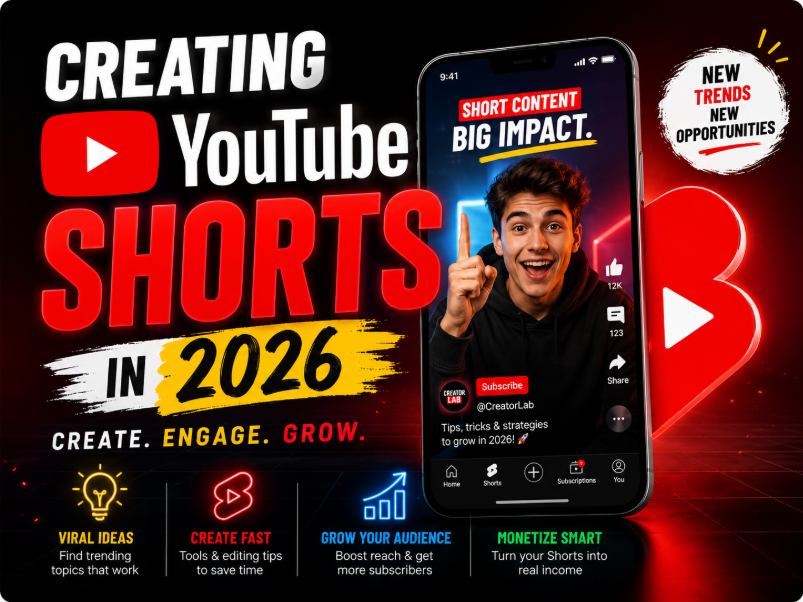
The Best AI for Creating YouTube Shorts in 2026

AI Frontiers · Editor's Verdict

The Best AI for Creating YouTube Shorts in 2026

“The full Shorts guide is live, covering both halves of this category: repurposing long-form into clips, and generating Shorts from scratch for faceless channels. This thread is for the part everyone actually DMs us about, which is the faceless channel economics. Guide with all eight tools, workflows, and the disclosure rules is here: <https://whataidoineed.com/best/ai/for/youtube-shorts> **The realistic faceless channel numbers, since everyone asks.** A well-run AI faceless channel lands somewhere between $500 and $5,000 a month after six to twelve months of consistent publishing. Not the $30K/month the YouTube gurus are selling, and not zero either. The spread between the $500 channels and the $5,000 channels in everything we looked at came down to three things: niche selection, original scripts rather than rewritten Reddit threads, and a human actually reviewing what ships. The market is saturated at the generic layer. It is not saturated at the "actually good in a specific niche" layer. **The startup cost is lower than people think, the time cost is higher.** ImagineArt plus HeyGen plus ChatGPT for scripts runs about $60 a month. That part is cheap. What surprised our testers was the time: a publishable generated Short took 15-30 minutes including script, generation, captions, and upload. At a daily schedule that is real hours every week, and the channels that automated past the review step to save that time are the ones that got flagged or quietly throttled. There is no version of this that is passive income in year one. **If you have ANY long-form content, repurposing beats generating. It is not close.** One podcast episode through OpusClip produced ten clips in the time it took to generate two Shorts from scratch, and the repurposed clips carried something the generated ones could not fake: an actual person saying an actual thing. The Virality Score picked the right top-three clips more often than our human testers did, which was mildly humbling. If you are choosing a path and you have source footage anywhere, start there. **The disclosure thing is not optional anymore.** YouTube tightened enforcement on synthetic content disclosure through 2025 and 2026. Captioning, clipping, and reframing do not need disclosure. Fully generated video, synthetic voices, and AI avatars do. We saw channels eat restrictions for skipping it. Tick the box, it costs nothing, and the algorithm does not punish disclosed synthetic content that performs. **The free path is genuinely viable for month one.** CapCut plus YouTube's native AI tools costs nothing and is enough to learn whether Shorts work for your content before any subscription. We would not run a serious channel on it long term, but as a test bench it is legitimate. **For the thread:** Faceless channel operators: what niche are you in and how long did it take to first payout? Trying to build a clearer picture of which niches are still underserved in 2026 because "saturated" is doing a lot of work in every guide including ours. And for the podcasters: what is your publish ratio from a batch of AI clips? We landed on top three or four out of ten generated. Curious if anyone is profitably publishing more.”

The best AI tools for YouTube Shorts in 2026, separated for creators repurposing long-form and faceless channels generating from scratch.

13 views · 5 comments · 1 likes

The Best AI for Making Videos in 2026

AI Frontiers · WhatAI Editorial

The Best AI for Making Videos in 2026

“Our AI video generation guide is live, and this thread is about the number that decides your actual bill and appears on zero pricing pages: the retry tax. Every vendor advertises cents per second. Nobody advertises how many generations it takes to get one clip you would actually publish, and that ratio is the entire economics of this category. We tracked ours across a quarter of testing. Time to compare notes. Full guide with the model rankings, the generation-first pipeline, the five-dimension self-test, and the responsibility layer is here: <https://whataidoineed.com/best/ai/for/making-videos> **How the retry tax works:** You prompt. The model returns something 80 percent right: the product label is gibberish, the hand has a bonus finger, the camera drifted somewhere you did not ask it to go. You re-prompt. And again. The published price says $0.40 per second; your finished 8-second hero shot cost five generations, so the real price was 5x the sticker, before counting your time. The vendor's showcase reel, meanwhile, is by definition the survivor of retries you never saw, which is why showcase quality and your first-attempt quality live on different planets. **What our tracking showed (the shape, since exact ratios vary wildly by prompt type):** The tax is not uniform across models, and it is not correlated with sticker price. Some cheaper models with lower per-generation costs needed so many attempts on hard prompts that they cost more per keeper than premium models. Some premium models nailed easy prompts in one but burned retries on exactly the same failure cases as everyone else. The tax IS strongly correlated with prompt type. Abstract and atmospheric content: low tax, almost everything is usable because almost nothing is checkable. Text on objects, specific human actions, multi-element prompts, character consistency across shots: the tax climbs steeply, and this is precisely the content commercial work requires. The cruel summary: the retry tax is lowest on the content that matters least. Prompt skill cuts the tax more than model choice does. The single biggest reduction we found came not from switching tools but from better generation plans: reference images as anchors, style blocks reused across prompts, and asking a text AI to write the video prompt before spending a single video credit. A dry run that costs nothing versus a wet run at $0.40 per second is the cheapest optimisation in the category. **The buyer's takeaway:** Evaluate every tool on cost per usable clip, never per-second rates, and measure it yourself during the free tier: one finished video, every generation logged, total spend divided by keepers. The guide's five-dimension test bench has this as the fifth dimension for a reason. It is the only number on the scorecard that is also your invoice. **For the thread:** Post your ratios: tool, prompt type, generations per keeper. Even rough numbers. A community retry-tax table sorted by prompt type would be genuinely unprecedented; no benchmark site publishes this because no vendor wants it published. Share the tax-cutting tricks: the prompt patterns, reference-image workflows, or settings that measurably dropped your retries. Specifics over vibes. And the confession corner: your most expensive single clip. How many generations, what finally fixed it, and was it worth it? The war stories are half the education in this category.”

Compare the best AI video generators in 2026. See WhatAI's top picks for Veo, Runway, Kling, Synthesia, HeyGen, PixVerse, Seedance, and Sora alternatives.

18 views · 6 comments · 4 likes

The Best AI for Generating Images in 2026

AI Frontiers · Buyer's Guide

The Best AI for Generating Images in 2026

“For most people in 2026, the best AI image generator is whichever one comes bundled with the AI subscription you already pay for. GPT Image inside ChatGPT and Gemini's image features inside Google's ecosystem are good enough for the majority of everyday use cases and require no extra spend. For visual quality that genuinely stands apart, Midjourney is still the king. It has been since 2023 and version 7 widened the gap rather than closing it. For images with readable text, logos, marketing graphics, posters, Ideogram is the only serious choice. For developers building image generation into apps at scale, Flux from Black Forest Labs wins on cost. For brands that need commercial licensing certainty, Adobe Firefly is the safest option. Everything else fills a narrower niche.”

Compare the best AI image generators in 2026. See WhatAI's top picks for Midjourney, ChatGPT, Ideogram, Flux, Adobe Firefly, Stable Diffusion, and Canva.

16 views · 12 comments · 2 likes

The Best AI for eCommerce Store Owners in 2026

AI Frontiers · Editorial View

The Best AI for eCommerce Store Owners in 2026

“We just published our full guide to AI tools for store owners and I wanted to open a thread here for the stuff that does not fit neatly into a buying guide. The guide ranks the tools. This thread is for how it actually plays out when you wire them into a real store. Full guide here if you want the tool-by-tool breakdown and pricing: <https://whataidoineed.com/best/ai/for/ecommerce-store-owners> A few things we learned during testing that I think matter more than any individual tool pick. **The order you adopt tools in matters more than which tools you pick.** The most common mistake we saw was small stores buying optimisation AI before they had anything to optimise. A recommendation engine on a store doing 300 sessions a month is just noise with a subscription fee. Same with AOV tools, inventory forecasting, anything that learns from data. They need volume to learn from. The sequence that actually works: content and acquisition AI first (get traffic up), email automation second (Klaviyo free tier is genuinely enough early on), customer service AI once your inbox actually hurts, and only then the conversion and AOV layer. If you are under about $10K a month, your whole AI budget should be roughly $20-30 and most of it should be a general assistant doing your product descriptions and ad copy. **Audit what you already pay for before buying anything.** This one stung during testing. Shopify Magic and Sidekick cover a surprising amount of ground for zero extra dollars, and most store owners we talked to had never opened them. Same with Klaviyo's built-in product recommendations. We watched a store owner nearly buy a $99/month recommendation app that duplicated a feature already sitting in their Klaviyo plan. Check your existing stack first. The gap you think you have might already be filled. **The 90-day rule saved us from a lot of subscription creep.** Every tool got the same test: show a measurable revenue or time impact within 90 days or get cut. Content tools usually proved out in week one. Klaviyo took 60-90 days because the AI needs to learn your customers. The tools that never proved out were almost always the ones bought for a problem the store did not actually have yet. **The one place we'd tell you NOT to use AI: product detail page photos.** AI product photography (Pebblely, [Booth.ai](http://Booth.ai)) is great for ads and social. But customers buying from your PDP want to see the actual product, and AI lifestyle shots on detail pages quietly erode trust even when shoppers cannot articulate why. Marketing photos AI, PDP photos camera. That split held up across every store we tested on. **Honest take on AI customer service.** The 50-70 percent ticket deflection numbers are real, but only after a proper setup period where you feed the AI your actual policies, FAQ, and tone. Stores that switched it on with default settings got the deflection and also got the one-star reviews. Budget two to three weeks of training and review before letting it talk to customers unsupervised, and always leave a clearly visible path to a human. **Questions for the thread:** What is the first AI tool that actually paid for itself in your store? And on the flip side, what did you buy that turned out to be a waste? Genuinely curious whether the Klaviyo-first pattern we saw in testing holds up across more stores, or whether some niches break it. If you are pre-launch or under $10K a month and trying to figure out a starting stack, drop your niche and platform below and the community can probably save you a few hundred dollars of trial and error.”

Compare the best AI tools for eCommerce store owners in 2026. See WhatAI's top picks for Shopify Magic, Klaviyo, Gorgias, Tidio, Rebuy, Claude, and more.

2 views · 0 comments · 1 likes

The Best AI for HR Teams in 2026

AI Frontiers · Buyer's Guide

The Best AI for HR Teams in 2026

“Our full HR AI guide is now live, covering the stack across all nine HR functions from HRIS to employee relations. For this thread I want to focus on the thing the research kept shouting at us during the project: in HR, the rollout fails more often than the tool does. Full guide with all the tools, the rollout roadmap, and the ethics framework is here: <https://whataidoineed.com/best/ai/for/hr-teams> **Every failure story we heard had the same shape.** Tool purchased at the top, announced to employees as a done deal, deployed everywhere at once, no clarity on what it could and could not decide. Within a quarter: rumours that AI was scoring people, managers quietly working around the system, and an engagement dip that cost more than the tool ever saved. The Stanford and MIT research backs this up. Identical tools produce opposite outcomes depending on whether the rollout was transparent. The successful pattern was boring by comparison: one pilot function, employee input on the design, clear public answers to "what does this AI decide about me" (and the answer to anything consequential being "nothing, a human does"), then scale. Boring works. **The question that sorts vendors in one email.** Ask for their bias audit results. Credible HR AI vendors publish them or hand them over fast. Vendors that respond with marketing language about "fairness by design" but no actual audit are telling you something. We used this as a filter throughout testing and it never misled us. For anything touching hiring, promotion, or performance, no audit means no deployment. **The cheapest improvement in the entire guide costs nothing.** Before buying anything, open the AI features in the HRIS you already pay for. Workday Assistant, Rippling AI, BambooHR automation. In two of our three test organisations, features already included in existing contracts covered work the team was about to buy a separate tool for. HR tech budgets leak from duplication more than from overpricing. **One line we held throughout: employee data does not go in consumer AI tools. Ever.** Claude and ChatGPT are genuinely excellent for HR writing work, policy drafts, JD generation, survey theme synthesis. But PII, performance data, comp, and anything investigation-adjacent stays out of consumer tiers entirely. Enterprise tiers with proper data agreements exist for exactly this. It is the least negotiable rule in the guide and the one we saw broken most casually. **For the thread:** If your org has rolled out AI in HR, how was it communicated to employees, and did that match how it landed? Collecting rollout stories, good and bad, because the gap between vendor case studies and what practitioners describe is wider in HR than any other category we have covered. And for the solo people-ops folks at startups: what is the one tool that bought back the most hours? Our test panel said performance cycle automation, but the sample was small.”

Compare the best AI tools for HR teams in 2026. See WhatAI's top picks for Workday, Rippling, BambooHR, Gusto, Deel, Eightfold AI, Lattice, Culture Amp, and more.

12 views · 7 comments · 2 likes

The Best AI for Writing Blog Posts in 2026

AI Frontiers · Editorial

The Best AI for Writing Blog Posts in 2026

“Our guide to AI writing tools is live, and this one deserves a different kind of thread because of an awkward fact we decided to put in the guide itself: we use these tools to write this site. So this is partly a tool discussion and partly us showing our homework. The full guide with all seven tools, the workflow breakdown, and the originality section is here: <https://whataidoineed.com/best/ai/for/writing-blog-posts> **Yes, AI helps draft WhatAI's editorial. Here is exactly how.** Claude drafts most of it, inside a Project loaded with our voice rules and past posts. A human plans every piece, feeds in the actual testing notes and data, argues with the draft, rewrites the parts that sound like an average of the internet, and fact-checks the claims. On cornerstone guides, 30-40 percent of the draft gets rewritten. On shorter pieces, less. We are sharing this because the "is AI content okay" debate usually pretends there are two camps: pure human writing and pushing a button. The real workflow for almost everyone doing this seriously is neither, and we would rather describe it honestly than perform either extreme. **The metric that decided our rankings: editing burden.** Prose quality scores get the headlines, but the number that mattered in practice was how long it took to make each tool's draft publishable. A tool that writes a 7/10 draft needing twenty minutes of editing beats a tool that writes an 8/10 draft needing an hour of restructuring, because the restructuring is where your afternoon goes. This is why Claude won overall and why Surfer, despite excellent SEO output, lost points: well-optimised mechanical prose takes longer to humanise than you expect. **The trap we kept falling into ourselves: asking the model to know things.** Every underperforming post we have published shares one trait: we asked the AI to supply the substance, not just the structure. The model's knowledge is an average of what already exists, so a post built purely from it is by definition an echo of the existing top ten results. The posts that work are the ones where the AI shaped material that came from somewhere else: our testing, our numbers, an actual opinion. If your AI content is not performing, check whether you gave it anything it could not have generated for anyone. **A small tell-spotting exercise.** After months of this, the patterns you learn to catch on sight: every paragraph ending on a tidy summary sentence, conclusions that restate instead of land, hedge words stacked three deep, and the strange absence of any specific sensory or experiential detail. Once you can see them, a twenty-minute edit fixes a draft. We put a fuller list in the guide's editing section. **For the thread:** Two questions. First, for anyone publishing AI-assisted content at volume: what is your rewrite percentage on a typical post, and has it changed as the models improved? Ours has actually gone UP on flagship content over the past year, because the bar for standing out keeps rising faster than the drafts improve. Second, the disclosure question, since it splits every room: do you tell your readers AI is in your workflow? We obviously just did. Curious who else has, and whether anything changed when you did.”

Compare the best AI tools for writing blog posts in 2026. See WhatAI's top picks for long-form writing, SEO content, editing, marketing teams, and budget bloggers.

17 views · 10 comments · 2 likes

The Best AI for Entrepreneurs in 2026

AI Frontiers · Guide

The Best AI for Entrepreneurs in 2026

“Our founder AI guide is live, and the number I cannot stop thinking about from the research is this one: 73 percent of solopreneurs who try AI automation abandon it within 90 days. Everyone has access to the same tools now. Three quarters of founders still bounce off them. This thread is about why, and what the other 27 percent do differently. Full guide with the stacks by founder type, the workflow blueprints, and the integration patterns is here: <https://whataidoineed.com/best/ai/for/entrepreneurs> **The abandonment pattern is boringly consistent.** It is almost never the tool. The pattern we saw repeatedly: founder buys five subscriptions in an enthusiastic weekend, uses each one twice, the tools sit disconnected from each other so every workflow still involves manual copy-paste, the friction wins, and by day 60 the only thing automated is the billing. The subscriptions outlive the usage by months because cancelling feels like admitting it. The 27 percent do something almost embarrassingly simple: one bottleneck, one tool, thirty days of daily use, measure, then decide. The discipline is the moat, not the tooling. **The test that cuts through everything: can you draw your stack as a loop?** This came out of the blueprint work for the guide and it has become my favourite founder diagnostic. The working stacks all form a loop where each tool feeds the next. Customer call → Granola notes → Claude synthesis → build decision → ship → next call. Published post → repurposing → scheduling → engagement data → next topic. If your tools do not connect into a loop, you have a collection, and collections get abandoned. Sit down and try to draw yours. If there are arrows pointing nowhere, those are your cancellation candidates. **The thing that surprised us: meeting notes was the sleeper.** Going in, we expected the app builders to be the dramatic story (and Lovable et al genuinely are remarkable). But the tool that quietly changed founder behaviour most across all three test scenarios was meeting intelligence. Once every customer call had structured notes, customer development stopped being a vibe and started being a dataset. Fathom is free, which removes the only excuse. **The hardest honest advice in the guide: stay free longer than feels comfortable.** Pre-revenue, the free stack (ChatGPT free, Claude free, Canva free, HubSpot free, Zapier free) genuinely covers the exploration phase. The urge to buy tools is mostly the urge to feel like progress is happening. Validation is progress. Subscriptions are overhead. We held the line on this in the guide even though it is bad advice for our affiliate revenue, because it is correct. **For the thread:** Founders who made it past the 90-day mark: what was the loop that finally stuck, and how many tools died before you found it? Building a collection of working loops by business type, because the blueprints in our guide cover three archetypes and there are clearly more. And the uncomfortable question for everyone: go check your subscriptions right now. What are you paying for that you have not opened in 30 days? Confessions welcome, this is a judgement-free zone. Mostly.”

Compare the best AI tools for entrepreneurs in 2026. See WhatAI's top picks for Claude, ChatGPT, Perplexity, Lovable, Bolt.new, Cursor, Canva, Zapier, Gamma, and more.

3 views · 0 comments · 1 likes

The Best AI for Small Business Owners in 2026

AI Frontiers · Buyer's Guide

The Best AI for Small Business Owners in 2026

“Our small business AI guide is live. While we were testing with three real businesses (a solo consultancy, a five-person agency, and an e-commerce store), the owners kept asking us versions of the same handful of questions, and the answers we gave them ended up shaping the guide more than the tool testing did. So this thread is structured around those questions, because if our three owners asked them, most of you are wondering too. Full guide with the complete stack, the rollout roadmap, and the privacy checklist is here: <https://whataidoineed.com/best/ai/for/small-business> **"I don't have time to learn five tools. What's the ONE thing?"** A general assistant, ChatGPT Plus or Claude Pro, $20. Every owner in our test got more from that single subscription than from any specialist tool, because it flexes across whatever the day throws at them: a client email, a pricing decision, a job ad, a contract read-through. Specialist tools beat it at their one job. Nothing beats it at the job of being whatever you need at 9pm on a Tuesday. **"How do I know if a tool is actually working or I just like it?"** This question from the agency owner became our 30-day rule. Write down the metric before you subscribe (hours per week on the task, response time, leads converted). Measure again at day 30. If improvement times your hourly value beats the subscription, keep it. The owner who asked this cancelled two tools she "liked" the week after running the numbers, and kept one she found annoying because it was saving her four hours a week. Liking a tool and a tool working are different facts. **"Is my customer data safe in these things?"** The question every owner asked eventually and none asked first, which is backwards. Our five-minute vendor check: readable data policy, encryption, SOC 2 or equivalent, and an answer to whether your inputs train their models. Then one internal rule, written down, even if it is five lines: customer details and financials never go into free consumer AI tools. Most small business data incidents are not hacks. They are someone helpfully pasting the wrong spreadsheet into the wrong chatbot. **"My staff think I'm trying to replace them."** The consultancy was solo, but the agency hit this immediately. What worked: introducing each tool as removing a specific tedious task ("the AI does the meeting notes now, not the client strategy"), and letting the team nominate the next tedious task to kill. Adoption flipped from resistance to requests within a month. The framing is not spin, it is the actual economics: no business in our test reduced headcount, all three redirected hours to work that bills better. **"When do I stop adding tools?"** The survey median for small businesses is five tools, and our testing agrees with the survey. Under three and you are probably leaving hours on the table. Over seven and you are paying for overlap. The better discipline than counting, though: every tool should map to a bottleneck you can name. If you cannot finish the sentence "this subscription exists because every week I used to...", cancel it at the quarterly review. **For the thread:** Owners: what is the question YOU would have asked our testers? And more usefully, what is the one tool that earned permanent stack status in your business, with the rough hours or dollars it returns? Building a reference list by business type, because "best for small business" hides a lot of difference between a salon, an agency, and a Shopify store. And if you are pre-revenue and itching to subscribe to things: the free tiers of ChatGPT, Claude, Canva, Notion, and HubSpot cover validation completely. Spend the money on customers first. The tools will still be there.”

Compare the best AI tools for small business owners in 2026. See WhatAI's top picks for ChatGPT, Claude, Canva, HubSpot, Zapier, Notion AI, Shopify Magic, QuickBooks, and more.

13 views · 8 comments · 1 likes

The Best AI for Editing Videos in 2026

AI Frontiers · WhatAI Take

The Best AI for Editing Videos in 2026

“Our video editing guide is live, and for this thread I want to share the part of the testing that did not fit the format of a buying guide: the stopwatch data. We ran the same one-hour podcast edit through every major tool and timed each stage, because "saves time" is the claim every AI editor makes and almost none of them quantify. Full guide with all eight tools, the project-type matrix, and the studio adoption section is here: <https://whataidoineed.com/best/ai/for/video-editing> **The same edit, timed.** The job: one-hour two-person interview, cut to roughly 25 minutes, cleaned audio, captions, plus three vertical clips for social. Our editor's traditional Premiere baseline before AI features: around six hours. Descript: roughly 1 hour 45 minutes total. The transcript cut did the structural edit in about 40 minutes, Studio Sound was one click, and most of the remaining time was reviewing the AI's work and picking the social clips. ChatCut: similar territory, around 1 hour 50, with the interesting difference that the first 30 minutes felt like delegating rather than editing ("remove the pauses, cut everything before the intro, find the three strongest quotes"). The review burden was slightly higher. Premiere with the current AI features: about 3 hours. Text-based editing has genuinely closed some of the gap, and the polish stage was the fastest of any tool. The structural cut is still slower than the AI-native editors. CapCut: about 3.5 hours, and the captions needed the most correction of anything we tested. For zero dollars, still remarkable. Resolve: about 4 hours for this job, which is the wrong job for Resolve. Give it the colour-heavy product ad from our other test and it embarrasses everything else. **The number that mattered more than total time: cleanup ratio.** Raw speed is misleading if you spend the savings fixing AI mistakes. The useful metric was how much of the AI's work survived review untouched. Descript's silence and filler removal survived almost entirely. Auto-captions survived 90-something percent in Descript and noticeably less in CapCut. The generative features (extend, inpainting) had the lowest survival rate and the highest wow factor, which is roughly the story of generative AI everywhere. **The two-tool pattern kept winning.** Almost every professional workflow we observed settled into the same shape: an AI-native tool for the labour (the cut, the cleanup, the captions) and a traditional editor for the finish. Descript into Premiere. ChatCut into Resolve. Trying to make one tool do both jobs was consistently slower than the handoff, which surprised us given how much friction a handoff adds. **One unglamorous warning for anyone editing client work.** Most AI editing features are cloud-processed, which means client footage goes to someone else's servers. We read the terms of service so you do not have to, and the short version is: some of them are looser than a standard client NDA. Check before confidential footage goes through, or stay with Premiere and Resolve, which do most AI work locally. **For the thread:** Editors: what is your before-and-after time on a typical project since adding AI to the workflow, and which single feature carries most of the saving? Trying to build a bigger sample than our one editor and three projects. And for anyone who has tried the conversational editors (ChatCut and friends): does describing edits in English actually stick for you, or do you drift back to the timeline? Our tester was split down the middle and I suspect it depends on how your brain holds a cut.”

Compare the best AI video editors in 2026. See WhatAI's top picks for Descript, CapCut, Premiere Pro, DaVinci Resolve, Runway, ChatCut, VEED.IO, and Final Cut Pro.

17 views · 7 comments · 1 likes

The Best AI for Creating Logos in 2026

AI Frontiers · WhatAI Editorial

The Best AI for Creating Logos in 2026

“Our logo guide is live, and this thread is going to work a bit differently. Instead of just telling you what we found, we are handing you our exact test brief and inviting you to run it yourselves, because logo output is the one category where seeing genuinely beats reading, and the more tools and prompt styles this community throws at the same brief, the better the comparison gets. Full guide with all eight tools, the hybrid workflow, and the prompting techniques is here: <https://whataidoineed.com/best/ai/for/logo-design> **The Brew Haven challenge.** Here is the brief we used for every tool in the guide: a fictional café called Brew Haven. Minimalist, warm, slightly vintage. Should work on a storefront sign and a coffee bag. Elements to play with: coffee, steam, cosiness. Run it through any AI tool you like (the ones in our guide or anything we missed), post your best one or two results below, and tell us the tool, the prompt you used, and roughly how many generations it took. Template tools, generative tools, general image models, all welcome. Refined versions count too, just say what you cleaned up by hand. **What our own run taught us, so you have a baseline to beat:** The template tools (Looka, [Design.com](http://Design.com), [Logo.com](http://Logo.com)) were fast and professional and all reached for the literal: cups, beans, steam squiggles. Perfectly usable, instantly recognisable as their platform. Ideogram was the surprise of the whole test. Being the only generator that renders text accurately means it produced actual combination marks with "Brew Haven" spelled correctly, which sounds like a low bar until you watch Midjourney write "Brwe Havne" in beautiful typography for the fifteenth time. Midjourney produced the most striking pure symbols of anything we tested and remains unusable for wordmarks. The winning pro move was Midjourney or Ideogram for the concept, then a vector editor for the finish. The prompt structure mattered more than the tool choice within the generative tier. "Logo for a coffee shop" got us the average of every coffee logo on the internet. "Minimalist coffee logo, flat vector style, two colours, earthy palette, steam as a single curved line, no text, no gradients" got us things we would actually shortlist. The component structure plus negative prompts is the whole trick, and the guide breaks it down fully. **One serious note before anyone uses a challenge result for a real business:** AI tools do not check trademarks. A mark can be aesthetically original and legally radioactive at the same time. Before any AI logo goes on a real business, search existing trademarks in your industry and reverse-image-search the mark. An hour now versus a forced rebrand later. **For the thread:** Post your Brew Haven entries. We will collect the strongest ones into a comparison gallery on the guide page (with credit), which makes this thread the live test bench the guide links to. Secondary question for the designers in here: where is your line on AI logo work for clients? Ideation only, full concepts with manual finish, or not at all? The guide takes a position but the working-designer view from the field is the one readers keep asking for.”

Compare the best AI logo generators in 2026. See WhatAI's top picks for Ideogram, Looka, Logo Diffusion, Design.com, Canva, Midjourney, Logomakerr.ai, and Logo.com.

3 views · 0 comments · 1 likes

The Best AI for Music Generation in 2026

AI Frontiers · WhatAI Sound Check

The Best AI for Music Generation in 2026

“Our AI music guide is live, and this thread tackles the question that dominated our research inbox more than any quality question: "can I actually publish this stuff without getting sued or struck?" The licensing situation in AI music is genuinely confusing right now, because it changed three times while we were writing the guide. So here is the plain-language version, plus where it leaves each tool. Full guide with all eight tools, the workflow breakdown, and the prompting section is here: <https://whataidoineed.com/best/ai/for/music-creation> **The licensing landscape, decoded as of early 2026.** The big lawsuits (RIAA versus Suno and Udio, started 2024) have partially resolved, and the resolutions matter more than the lawsuits did. Warner partnered with both platforms. Universal settled with Udio in October 2025, and a jointly licensed UMG-Udio platform is launching this year. Kobalt and Merlin signed with Udio too. Sony's cases are still active against both. What that means in practice, tool by tool: Udio currently has the cleanest commercial position in the category. Major-label settlements plus a licensed publishing pathway is about as defensible as AI music gets right now. Suno's commercial rights are clear on paid plans (the free tier grants none, do not publish free-tier output), but the training-data question is less resolved than Udio's. Beatoven sidesteps the whole fight: perpetual royalty-free licence on every download, which is why it is our pick for anyone whose only need is background music without drama. Everything can still change. Sony is unresolved and the legal landscape moves quarterly. If you are building a business on AI music, keep receipts of which tool and tier generated what, and when. **The three rules that survive any legal shift:** One: the licence lives on your plan tier, not the product. Free tiers almost universally exclude commercial use, and the difference between tiers on the same tool can be the difference between safe and struck. Two: copyright and commercial rights are different things. In the US, purely AI-generated tracks cannot be copyrighted, so you can publish them but cannot stop others making similar work. Meaningful human input (your lyrics, your arrangement edits) changes that calculus. Three: Spotify's mass takedowns were for artificial streaming, not for being AI. Publish AI music honestly to real listeners and the platforms currently have no rule against you. Run stream farms on it and they very much do. **One finding from testing worth sharing here:** We ran our generated tracks past a small panel of listeners without telling them which were AI. The casual listeners missed almost everything. The two musicians in the panel caught the AI tracks consistently, and when we asked how, the answer was nearly always the same: section transitions. The chorus into the bridge is where the seams show. If you are polishing AI tracks for release, that is where your editing time goes, and Udio's inpainting exists for exactly this. **For the thread:** Anyone publishing AI music commercially right now: which tool and tier, which platforms, and any strikes or takedowns so far? Building a real-world picture because the official policies and the enforcement reality are not always the same thing. And for the musicians here: where do the seams show for YOUR ears? The transitions finding was two people's opinion and I would like a bigger sample.”

Compare the best AI music generators in 2026. See WhatAI's top picks for Suno, Udio, Beatoven.ai, AIVA, Riffusion, PowerDirector, Stable Audio, and MyEdit.

6 views · 0 comments · 1 likes

The Best AI for Summarising PDFs in 2026

AI Frontiers · WhatAI Summary

The Best AI for Summarising PDFs in 2026

“Our PDF AI guide is live, and it has the strangest verdict we have published so far: for most of you, the answer is do not buy anything. The tool you already pay for (Claude or ChatGPT) handles ninety percent of PDF work, and the best tool for people who pay for nothing (NotebookLM) is free. This thread is about the ten percent where that advice breaks, plus the testing data that did not fit the guide format. Full guide with all eight tools, the document-type matrix, and the when-not-to-automate section is here: <https://whataidoineed.com/best/ai/for/pdfs> **The hallucination count, because nobody else publishes one.** We tracked every fabricated claim across our four test documents (a 70-page research paper, a 200-page compliance manual, a legal contract, and a rough scanned journal). The pattern was sharper than expected: Source-grounded tools (NotebookLM, Paperpal, ChatPDF) barely hallucinated at all, because every claim links back to a document section, and that architecture seems to discipline the output itself. The general assistants were clean on summaries and shakier on follow-up questions. The failure mode was never inventing wild facts. It was confidently smoothing over a conditional: a "may, subject to clause 14" becoming a "will." On the legal contract, that class of error is the dangerous one, and it is why the guide sends precision work to Claude and high-stakes citation work to grounded tools. The scanned journal produced the most errors across every tool, and almost all of them traced back to OCR mangling the input. Bad scan in, confident nonsense out. Fix the scan before blaming the model. **Where the don't-buy-anything advice breaks:** Researchers reading dozens of papers a week: Scholarcy's structured flashcards genuinely beat re-prompting a general AI every time, and at $9.99 the time saving is real. Anyone living in tables and forms (finance, compliance): Acrobat AI Assistant's native structure access at $4.99 handles what text-extraction tools fumble. Students: Lynote at $7 or NotebookLM free, and honestly NotebookLM's audio overviews turned our 200-page compliance manual into a commute podcast, which remains the most unexpectedly good feature in the whole category. **The line we ended up drawing, and recommend you steal:** AI for volume, humans for stakes. Everything routine goes through AI at full speed. Anything you are signing, citing, or being examined on gets AI as the highlighter and a human as the reader. The most expensive PDF mistakes we heard about while researching were not from people avoiding AI. They were from people who trusted it one document too far. **For the thread:** What is the worst PDF you have thrown at an AI, and how did it cope? Looking for the edge cases: handwriting, 500-page monsters, multi-language documents, brutal scans. Building a community torture-test list because our four documents only cover so much. And the confessional question: has an AI summary ever actually burned you? A missed clause, a wrong figure, an invented citation that made it into something real? The failure stories teach more than the success stories and this is a safe place for them.”

Compare the best AI tools for summarising PDFs in 2026. See WhatAI's top picks for Claude, ChatGPT, NotebookLM, Scholarcy, Acrobat AI, ChatPDF, Paperpal, and Lynote.

6 views · 0 comments · 1 likes

The Best AI for Building Websites in 2026

AI Frontiers · WhatAI Editorial

The Best AI for Building Websites in 2026

“Our website builder guide is live, and this thread covers the question that should be asked before any other and almost never is: if you want to leave this platform in two years, can you? We built the same five sites in every major tool, and the exit-door audit told us as much as the build quality did. Full guide with all the tools, the decision tree, and the avoiding-the-AI-look section is here: <https://whataidoineed.com/best/ai/for/building-websites> **The lock-in audit, tool by tool.** Full code ownership: Lovable, [Bolt.new](http://Bolt.new), and v0 export real React or Next.js codebases you can take to any host and keep developing in your own IDE. The exported code quality varies (more below), but you genuinely own it. Partial exit: Webflow exports clean HTML and CSS, but the export is a snapshot. The CMS and ongoing editing stay on the platform, so the export is an escape hatch, not a workflow. Platform residents: Wix, Squarespace, Durable, HeyBoss. Your content is yours, the site is theirs. Migrating means rebuilding. This is not a scandal (the all-in-one convenience is precisely what you are paying for), but go in knowing the deal. WordPress via 10Web: the interesting middle case. The output is a real WordPress site, so you inherit WordPress's portability, which is most of why we recommend it to anyone already in that ecosystem. **Why this matters more for AI builds specifically:** The whole pitch of AI builders is speed, and speed makes it easy to be three platforms deep before anyone asked the ownership question. Our rule after this testing: if the site is disposable (validation, a campaign, a placeholder), lock-in is irrelevant, take the fastest tool. If the site IS the business, read the export policy before the pricing page. **The exported-code caveat nobody puts on the landing page:** "You own the code" and "you can maintain the code" are different claims. The Lovable and Bolt exports from our app-build test were deployable, but the codebases had the signature AI traits: features built beyond what was asked, structures that made sense to the model and not obviously to a human. A developer picking one up needs a settling-in period. If you are non-technical and the prototype validates, budget for technical help at the handover rather than assuming the export is the finish line. **One build-test nugget per lane, since people will ask:** The five-minute builders (Durable) genuinely delivered a live service-business site in under five minutes, and the depth ran out exactly when we asked for anything unusual. The design lane split on taste more than capability: Framer rewarded anyone with design instincts and frustrated anyone without them, which is why the guide routes non-designers to Wix and Squarespace instead. The app lane was the most impressive and the most fragile: Lovable built a working authenticated dashboard in an afternoon, and a later edit request quietly broke a feature from the first session. Version-control habits apply even when you never see the code. **For the thread:** Has anyone actually executed a migration off an AI builder? Wix to Webflow, Lovable export to a real dev team, anything. The war stories are thin on the ground because the category is young, and they are exactly what people choosing a platform today need to read. And the pre-build question worth answering for the lurkers: what are you building, and is it disposable or is it the business? Post yours and the thread can lane-sort you faster than the decision tree can.”

Compare the best AI website builders in 2026. See WhatAI's top picks for Wix AI, Framer, Durable, Webflow, Lovable, Bolt.new, v0, 10Web, and more.

16 views · 5 comments · 1 likes

The Best AI for Note Taking in 2026

AI Frontiers · WhatAI Editorial Notes

The Best AI for Note Taking in 2026

“Our note-taking guide is live, and this thread is about the single test that decided more of our rankings than any feature comparison: thirty days after importing the same 2,000-note vault into every app, we tried to find five specific notes from memory in under ten seconds each. The retrieval test. It is brutal, it is fair, and most apps failed it. Full guide with all eight tools, the lifecycle breakdown, the prompt pack, and the thirty-day habit plan is here: <https://whataidoineed.com/best/ai/for/note-taking> **Why retrieval is the test that matters.** Capture is what every app demos. Retrieval is what you actually live with. A note you cannot find in ten seconds functionally does not exist, and a system holding thousands of unfindable notes is not a second brain, it is a very organised landfill. Every abandoned note system we have ever owned died the same death: capture kept working, retrieval quietly stopped, and one day we noticed we had stopped looking things up because we did not believe we would find them. **What the test revealed:** The AI-native apps earned their pitch here. Mem found notes we barely remembered writing, because the auto-linking had quietly built connections we never made manually. Notion AI's workspace search answered "what did I write about Q3 planning" with sourced results rather than a keyword lottery. The classic apps split on setup. Obsidian with Smart Connections matched the AI-natives, but only after the semantic index was configured, which is exactly the deal Obsidian always offers: best-in-class if you do the work. Apple Notes surprised us. The Apple Intelligence search improvements moved it from "scroll and pray" to genuinely usable, which combined with the price (free) and friction (none) explains our verdict that Apple users should not pay for anything until it proves insufficient. The bolted-on AI apps failed in the most revealing way: the chat panel happily answered our questions from training data while having no idea what was in our actual notes. If your "AI notes app" cannot tell you what YOU wrote, it is a chatbot with a text editor attached. **The other finding worth your time: the bottleneck diagnosis.** People buy notes apps for features when they should buy for their bottleneck stage. Meeting-heavy people have a capture problem (Granola). Prolific non-filers have an organisation problem (Mem). Researchers have a synthesis problem (NotebookLM). The guide breaks down the full capture-organise-synthesise lifecycle, but the diagnostic question is one sentence: where do your notes currently die? Buy for that stage and nothing else. **For the thread:** Run the retrieval test on your own system right now. Pick five notes from the last few months from memory and time yourself finding them. Post your app and your score out of five. We are collecting a community leaderboard because our one vault and one set of habits is a sample of one, and I suspect the results vary wildly by how people actually file. And the graveyard question: what is the most elaborate note system you ever built and abandoned, and what killed it? The post-mortems are more instructive than the success stories, and this category has more abandoned cathedrals than any other we have covered.”

Compare the best AI note-taking apps in 2026. See WhatAI's top picks for Notion AI, Mem, Obsidian, NotebookLM, Granola, Apple Notes, Heptabase, and Reflect.

14 views · 4 comments · 1 likes

The Best AI for Making Presentations in 2026

AI Frontiers · WhatAI Editorial Presents

The Best AI for Making Presentations in 2026

“Our presentations guide is live, and this thread starts with a eulogy. Tome, the early darling of AI presentations, the tool every roundup crowned in 2023, exited the market in 2025 and left its users exporting decks in a hurry. We had to write "if you have any decks in Tome, migrate them" into a buying guide, which got us thinking about something bigger than presentations: how do you pick AI tools that will still exist in two years? Full guide with all eight tools, the stakes matrix, and the full deck workflow is here: <https://whataidoineed.com/best/ai/for/presentations> **What Tome's exit teaches about AI tool churn.** The AI tool market is in its high-mortality phase. Categories get invented, a first mover wins the hype cycle, then either the incumbents absorb the feature (Microsoft bolting Copilot into PowerPoint) or a better-capitalised specialist outruns them (Gamma's 70 million users). The early leader frequently ends up neither. Tome will not be the last. The survival signals we now weight in every guide, presentations included: revenue scale and trajectory (Gamma at $100M ARR is a different bet than a seed-stage tool), a parent company with other reasons to exist (Copilot, Canva, NotebookLM are features of giants, not bets), and a paying enterprise base, because enterprise contracts keep lights on through hype winters. **The discipline that makes churn survivable: export hygiene.** Whatever tool you pick, behave as if it could vanish. Keep source material (the brief, the data, the narrative outline) outside the tool, because regenerating a deck from good sources takes minutes while reconstructing sources from a dead tool's export takes days. Export finished decks that matter to PPTX or PDF on completion, not when the shutdown email arrives. And note from our testing: export quality varies wildly, with Gamma decks sometimes breaking in PowerPoint conversion while Copilot never converts at all because it is native. If your organisation lives on PPTX, that fact alone should drive your choice. **Two testing nuggets while we are here:** The 15-to-30-minute rule held across every serious tool: a good first draft still needs that much human editing before it is presentation-ready. Any tool or influencer promising press-button-get-finished-deck is selling the demo, not the workflow. And the stakes inversion surprised us in hindsight but should not have: the higher the stakes of the presentation, the smaller the share of the final deck the AI should own. Gamma's first draft IS the internal stand-up update. For an investor pitch, the AI draft is the starting forty percent and the sixty percent you add is the part the room is actually evaluating. **For the thread:** Who else got burned by a dead or pivoted AI tool, in any category? Tome refugees especially welcome, but the graveyard is bigger than presentations. What died, what did you lose, and what would have saved you? Building a community survival checklist because the guides can only point at signals, and the scars are the better teacher. And the lighter question: what is your honest editing time on an AI-generated deck these days? Our 15-30 minutes was on a clean 10-slide business deck. Curious whether the heavy data and heavy branding crowds are seeing something very different.”

Compare the best AI presentation makers in 2026. See WhatAI's top picks for Gamma, Beautiful.ai, PowerPoint Copilot, Canva, NotebookLM, Plus AI, Pitch, and Genspark.

19 views · 3 comments · 1 likes

The Best AI for Automating Tasks in 2026

AI Frontiers · WhatAI Editorial

The Best AI for Automating Tasks in 2026

“Our automation guide is live, and this thread is about the number nobody puts in their setup tutorial: how often automations break, and what it costs you when they do. We ran the same five workflows on every major platform for 30 days with real production data, and we tracked error rates and time-to-fix alongside the usual setup-time and cost metrics. The maintenance tax is real, it varies wildly by platform, and it should be in your buying decision. Full guide with all eight tools, the two workflow blueprints, the ROI ladder, and the pitfalls section is here: <https://whataidoineed.com/best/ai/for/automation> **What broke, and where.** Almost nothing broke in the middle of a workflow. Things broke at the seams: an app updates its API, an auth token quietly expires, a webhook format shifts. Every connected app is a dependency, and the workflows with the most integrations broke the most, regardless of platform. If you take one design rule from our month: the reliability of an automation is roughly the reliability of its flakiest connected app. Platform differences showed up in time-to-fix, not error count. Zapier's errors were the easiest to diagnose because the linear model means there is only one path to inspect. Make's visual canvas made complex breaks findable but the fix sometimes required understanding routers and iterators you built three weeks ago. n8n gave us the deepest debugging tools and also assumed we knew how to use them, which is the whole n8n deal in one sentence. The AI steps themselves were more reliable than expected, with one giant caveat: they fail soft. A broken integration throws an error you see. A drifting AI classification just quietly starts routing tickets a bit worse, and nothing alerts you. The only defence we found is periodically sampling outputs by hand, which nobody does until the first silent failure teaches them. **The maintenance budget rule we landed on:** For every five workflows in production, expect roughly an hour a month of tending: re-auths, small fixes, output sampling. On no-code platforms anyone can do it. On n8n it needs your technical person, which is fine until they are on leave and the lead-scoring stops. Whoever owns the platform, make it a named person, because "everyone's job" is how automations rot. **Two findings worth stealing even if you skip the guide:** Approval gates are nearly free and save you from the worst outcomes. Our workflows with a human one-click approval before anything customer-facing had a fraction of the incident impact of the fully autonomous versions, at a cost of seconds per item. Automation propagates errors at automation speed; put a human wherever errors touch money or customers. And automate your most expensive repetitive process first, not your most convenient one. The industry data says only 20 to 30 percent of automation productivity gains convert to financial impact, and the gap is mostly people automating what was easy instead of what was costly. **For the thread:** What is your automation horror story? The 2am workflow failure, the silent misroute that ran for a month, the API change that took out your lead pipeline. War stories wanted, with the platform named and what would have caught it sooner. And the practical poll: how many workflows do you have in production right now, and how much time do they actually take to maintain monthly? Our hour-per-five-workflows estimate comes from one month of testing and I want to see how it holds against people running these things for years.”

Compare the best AI tools for automating tasks in 2026. See WhatAI's top picks for Zapier, Make, n8n, Power Automate, Lindy, Relevance AI, Pabbly Connect, and Pipedream.

19 views · 11 comments · 1 likes

The Best AI for Students in 2026

AI Frontiers · WhatAI Classroom

The Best AI for Students in 2026

“Our students guide is live, and this thread is the budget edition: we ran an entire semester of real coursework (a 90-page physiology chapter, three recorded lectures, a lit review, a chemistry problem set, and a 20-source research paper) on free tiers only, to find out exactly where $0 stops being enough. The answer surprised us: free covers more than anyone selling subscriptions wants you to know, and the places it breaks are very specific. Full guide with all ten tools, the research paper pipeline, the active-learning techniques, and the integrity playbook is here: <https://whataidoineed.com/best/ai/for/students> **The $0 stack that survived the semester:** NotebookLM (free, no paid tier even exists) carried the heaviest load: lecture materials in, exam revision out, zero hallucinations because it only answers from your sources. If a student can have one tool, this is it. ChatGPT and Claude free tiers handled the tutoring and draft-critique work fine. The limits pinch during crunch weeks, which is the honest pressure point. Quizlet free plus Grammarly free covered active recall and editing without complaint. Wolfram Alpha free solved the chemistry set, though it withheld the step-by-step working, which matters (more below). Perplexity free handled the research paper's source-finding with citations intact. **Where free actually broke:** Crunch-week message limits on the general AIs. The free tiers are sized for steady use, and finals are not steady. This is the strongest argument for the one paid upgrade ($20 ChatGPT Plus or Claude Pro) and it is a timing problem, not a capability problem. Step-by-step solutions in Wolfram Alpha. Free tells you the answer; Pro at $7.25 student pricing shows the working, and the working is the part you are examined on. For STEM students this is the best seven dollars in the entire category. That is genuinely the list. Everything else held. **The finding that matters more than any pricing:** The gap between students who get smarter with AI and students who get dependent on it is not the tool or the tier. It is one habit: who does the retrieval. Summaries read like studying and are not. The version that works is making the AI quiz you, attack your explanations, and generate problems you solve yourself. Same tools, opposite outcomes, and the guide's active-learning section breaks down the exact prompts. And the integrity self-check we now recommend over any AI detector: could you defend every paragraph of your submission in office hours, unannounced? If yes, the work is yours regardless of how much AI assisted. If no, you already know. **For the thread:** Students and recent grads: what does your actual stack look like, and what do you genuinely pay for? Especially interested in anyone who paid for something on our list and regretted it, or found a free tool we missed. And for anyone teaching: where have you landed on AI policy this year? The student side of this conversation is everywhere and the educator side is weirdly quiet, and this forum could use both.”

Compare the best AI tools for students in 2026. See WhatAI's top picks for research, studying, writing, notes, editing, flashcards, STEM work, presentations, and PDFs.

14 views · 3 comments · 2 likes

The Best AI for SEO in 2026

AI Frontiers · WhatAI Editorial

The Best AI for SEO in 2026

“The Best AI for SEO in 2026 Overview SEO has fundamentally changed in 2026, and not because of another algorithm update. The shift is bigger than that. Sixty percent of Google searches now end without a click. ChatGPT accounts for roughly twenty percent of search-related traffic. AI Overviews appear on most commercial queries. The job of "ranking on Google" still matters, but it now sits alongside a second job: getting cited inside the AI answers that increasingly replace clicks. This means there are now two SEO categories that matter, not one. Traditional SEO (keyword research, content optimisation, backlinks, technical audits) and AI search visibility (also called AEO or GEO, Answer Engine Optimisation or Generative Engine Optimisation, depending on who is writing). The best AI tools in 2026 handle both. The ones that only handle one are already obsolete. This guide breaks the category down by job and tells you which tool to pick for each. It also covers the strategy underneath the tools: how to optimise for ranking and citation at the same time, three stack blueprints matched to team size and budget, and how to use AI in SEO without contributing to the content sludge that gets sites penalised. Editor's Verdict There is no single best AI tool for SEO in 2026 because SEO is now two disciplines stitched together. The right answer is a stack of two to four tools that cover research, content optimisation, AI visibility, and (optionally) workflow automation. For most teams, the foundational stack is Semrush or Ahrefs for research and traditional SEO data, Surfer SEO for content optimisation, and either Profound or HubSpot AEO for AI search visibility tracking. This combination costs roughly $250 to $400 per month for solo operators and $500 to $1,500 per month for marketing teams. It covers ninety percent of what serious SEO work requires in 2026. For solo creators and small teams on tight budgets, Frase at $49 per month is genuinely the best value option that covers both SEO and AI visibility in a single tool. For enterprise content teams with multiple writers, Clearscope or Rankability is worth the investment for the workflow benefits. The dirty truth: any "best AI for SEO" list that does not include AI visibility tracking is out of date. Brands that are not measuring their ChatGPT, Perplexity, and Gemini citations are flying blind in one of the fastest-growing traffic sources in 2026. At a Glance CategoryPickPricingBest all-in-one for research and AI visibilitySemrush OneFrom $199 per monthBest for backlink data and competitive researchAhrefsFrom $129 per monthBest for content optimisationSurfer SEOFrom $99 per monthBest budget all-in-one (SEO + GEO)FraseFrom $49 per monthBest for enterprise content teamsClearscope or RankabilityFrom $129 per monthBest dedicated AI visibility trackingProfound or AthenaHQFrom $295 per monthBest for small business AEOHubSpot AEOFrom $50 per monthBest for SEO workflow automationAirOps or GumloopFrom $97 per monthBest free optionGoogle Search Console + HubSpot AEO GraderFree How We Tested We tested each tool with three real SEO operations over a quarter. A content-led B2B SaaS site publishing 12 articles per month, a niche affiliate site producing 30-plus pieces, and an agency managing SEO for five clients. Five criteria mattered for SEO use specifically. **Data quality.** SEO tools live and die by the accuracy of their data. We compared keyword volumes, ranking accuracy, and backlink data across providers using known test cases. **AI search coverage.** Which AI platforms does the tool track? ChatGPT, Perplexity, Gemini, and Claude all have meaningful share now. Tools that only track Google AI Overviews are missing the bigger picture. **Workflow integration.** SEO is a multi-step process. Tools that handle research, briefing, optimisation, and monitoring in one place beat fragmented stacks for most teams. **Output quality on AI content.** Many SEO tools now include AI writers. We tested whether the output ranks, gets cited in AI answers, and reads as human. **Pricing transparency.** SEO tools have notorious add-on pricing. We weighted toward tools that include core features in base plans rather than gating them. Top Picks Semrush One **Best All-in-One for Research and AI Visibility** Semrush One bundles the full SEO Toolkit with the AI Visibility Toolkit in one platform: keyword research, backlink intelligence, competitive analysis, content optimisation, technical audits, and AI prompt tracking all in a single subscription. For most marketing teams in 2026, this is the right consolidated stack. The strength is integration. You can see that ChatGPT mentions a competitor more often than your brand, then trace it back to the web signals behind that answer and identify what content gap to fix. No other major platform connects the AI visibility data this tightly to traditional SEO signals. The Starter plan at $199 per month includes 50 prompts tracked daily, one domain for AI brand performance, and 300 AI visibility reports per day alongside the core SEO toolkit. The Advanced plan at $549 per month scales to 200 prompts daily, 5,000 keywords tracked, and expanded API access. The trade-off is total cost. For teams of three or more, Semrush One can reach $500 per month quickly once seats and add-ons are factored in. For solo operators, the value is harder to justify versus more focused tools. **Pricing:** From $199 per month **Best for:** In-house marketing teams, agencies managing multiple clients, anyone who wants traditional SEO and AI visibility in one platform. Ahrefs **Best for Backlink Data and Competitive Research** Ahrefs remains the standard for backlink research and competitive analysis in 2026. The database of over 22 billion keywords and the depth of backlink data are still industry-leading. The AI features added through 2024 and 2025 layer on top of the existing data. Ahrefs AI streamlines keyword research and content brief generation. Brand Radar tracks user-generated mentions of your brand in ChatGPT and other AI platforms. The AI Content Helper supports on-page optimisation without over-optimising. For competitive intelligence, Ahrefs is genuinely irreplaceable. Identifying which competitors are gaining traffic, which keywords they rank for, which sites link to them, and which pages they are updating: Ahrefs gives you visibility that no other tool matches. Pricing starts at $129 per month for the Lite plan. The Brand Radar add-on for AI visibility tracking costs $398 to $699 per month on top, which is the major weakness compared to Semrush's bundled approach. **Pricing:** From $129 per month **Best for:** SEO professionals where backlink research is critical, competitive intelligence specialists, agencies serving competitive niches. Surfer SEO **Best for Content Optimisation** Surfer SEO has been the content optimisation standard for years, and in 2026 the tool has expanded into AI visibility tracking while maintaining its core strength. The Content Editor still analyses top-ranking pages and provides real-time guidance on terms, structure, and word count. The 2025-2026 evolution adds AI Tracker (tracking your brand in ChatGPT prompts), Topical Map (showing the topical coverage you need for authority), and Auto-Optimize (rewriting low-scoring sections instantly). The Humanizer feature makes AI-generated text sound natural, which matters for teams using ChatGPT or Claude alongside Surfer. The Content Editor remains the best in the category. Surfer's score correlates more closely with Google rankings than any competitor we tested. The trade-off is that focusing only on the score can produce content that feels mechanical. Use Surfer as a guide, not as a target. Pricing starts at $99 per month for the Essential plan, which includes optimising 30 pieces of content and tracking 25 prompts daily. The Pro plan at $219 per month adds more prompts and AI Overview tracking. **Pricing:** From $99 per month **Best for:** Content marketers, SEO writers, individual site owners, agencies producing volume content for organic search. Frase **Best Budget All-in-One** Frase has emerged as the best-value option for solo creators and small teams in 2026. At $49 per month for the Starter plan, it covers all six stages of the SEO content pipeline (research, strategy, writing, audit, monitoring, and fixing) with no add-on pricing. The standout feature is dual SEO and GEO scoring. Frase grades your content for both Google rankings and AI search citations simultaneously, in the same editor. The Content Watchdog feature monitors your published content and generates fix recommendations when rankings drop. The trade-off is depth. Frase's content scoring is less accurate than Surfer's for highly competitive SERPs. The keyword research is less comprehensive than Semrush or Ahrefs. For solo creators and small teams, the consolidation and price justify the trade-offs. For enterprise teams, dedicated tools at higher tiers produce better results. Pricing starts at $49 per month for the Starter plan. The Pro plan at $99 per month adds more content briefs and team features. **Pricing:** From $49 per month **Best for:** Solo creators, freelancers, small blogs, anyone who wants 80 percent of premium tool value at 20 percent of the price. Clearscope or Rankability **Best for Enterprise Content Teams** For enterprise teams with multiple writers and established editorial workflows, Clearscope and Rankability are the two strongest dedicated content optimisation tools. Clearscope grades content against top-ranking competitors with a simple letter-grade system. The unlimited users on every plan is unique in the category. Most competitors charge per seat. Integration with Google Docs and WordPress fits into established editorial workflows. Pricing starts at $129 per month for 20 reports, scaling to enterprise tiers. Rankability is the newer entrant that unifies research, briefs, content creation, on-page optimisation, and monitoring in one workflow. The focus on AI search visibility alongside traditional SEO makes it the more future-proof choice for teams just building their stack. Both lack the breadth of Semrush or Ahrefs. They are content optimisation specialists, not full SEO platforms. For enterprise teams that already have research tools in place, pairing one of these with Semrush or Ahrefs is the standard combination. **Pricing:** From $129 per month **Best for:** Enterprise content teams with three or more writers, editorial teams with established workflows, content-led organisations where the writing process matters more than the keyword research. Profound or AthenaHQ **Best Dedicated AI Visibility Tracking** For brands where AI search visibility is a primary concern, dedicated AEO/GEO platforms go deeper than the visibility add-ons in traditional SEO tools. Profound focuses specifically on AI search visibility, measuring traffic influenced by AI results, tracking which pages get cited in AI answers, and providing guidance on optimising for AI agents and answer engines. For brands where ChatGPT and Perplexity citations are a major channel, Profound provides intelligence that general SEO tools cannot match. AthenaHQ is built by former Google Search and DeepMind engineers, with native Shopify and Google Analytics integrations that tie AI visibility directly to revenue. The GEO Score unifies measurement across ChatGPT, Claude, Perplexity, and Gemini. Self-serve plans start at $295 per month with credit-based pricing. These tools are not for everyone. For brands where AI traffic is less than 20 percent of strategy, the visibility features in Semrush or Ahrefs are sufficient. For brands where AI is a major channel, the specialist tools pay back quickly. **Pricing:** From $295 per month **Best for:** Enterprise brands, B2B companies with high AI traffic share, ecommerce brands where AI-driven recommendations matter, anyone serious about generative engine optimisation. HubSpot AEO **Best for Small Business AEO** HubSpot AEO is the most accessible dedicated AI visibility tool in 2026, starting at $50 per month. The platform tracks brand visibility across ChatGPT, Perplexity, and Gemini and provides recommendations to fix the gaps. The standout feature is integration with HubSpot's CRM and Content Hub. For businesses already in the HubSpot ecosystem, the AEO tracking ties directly into broader marketing and sales data. Recommendations are powered by your actual business data rather than generic SEO advice. The free HubSpot AEO Grader is genuinely useful for businesses just starting to think about AI visibility. It checks how your brand appears in searches like "best CRM software for small businesses" across major AI platforms and gives you a performance score. The trade-off is depth. HubSpot AEO is less comprehensive than Profound or AthenaHQ. For brands where AEO is a strategic priority, the dedicated tools have more capability. For most small and mid-sized businesses, HubSpot AEO is the right starting point. **Pricing:** From $50 per month **Best for:** Small to mid-sized businesses, HubSpot users, anyone just beginning to track AI search visibility. AirOps or Gumloop **Best for SEO Workflow Automation** For SEO teams running content production at scale, workflow automation has become the differentiator between teams that publish twenty pieces per month and teams that publish two hundred. AirOps is purpose-built for SEO and content operations. The platform lets you design automated workflows for keyword research, content briefs, drafting, optimisation, and updates using pre-built templates or custom drag-and-drop logic. The "Refresh Existing Content" workflow alone can reprocess hundreds of articles in a single batch. Gumloop is the more general AI workflow tool but is heavily used by SEO teams. Connecting LLMs to internal tools and data sources, Gumloop handles competitive intelligence gathering, content brief generation from keyword data, and personalised outreach at scale. Pricing starts at $97 per month for Gumloop's Starter plan. AirOps pricing varies by use case and team size, typically starting in the $200 to $500 per month range. **Pricing:** From $97 per month **Best for:** SEO teams running high-volume content production, agencies serving multiple clients, anyone where automation can unlock 2x to 10x output without proportional headcount. Google Search Console + HubSpot AEO Grader **Best Free Options** If you cannot pay for SEO tools yet, the free stack is genuinely useful in 2026. Google Search Console is the only place to see your actual search performance data: impressions, clicks, average position, query coverage. No third-party tool replaces this. The Performance report is genuinely all you need to understand whether your SEO is working. HubSpot AEO Grader checks your brand visibility in ChatGPT, Perplexity, and Gemini with no signup required. For small businesses validating whether AI search matters for their category, this is the right diagnostic. For free keyword research, the People Also Ask boxes in Google itself, plus the related searches at the bottom of SERPs, provide more practical intent insight than most paid tools. ChatGPT or Claude can help you cluster and expand these into a content plan. This free stack covers about sixty percent of what serious SEO requires. The remaining forty percent (accurate keyword volumes, backlink data, content scoring against top performers) is where the paid tools earn their cost. **Pricing:** Free **Best for:** Solo bloggers, side projects, anyone testing whether SEO is the right channel before investing in paid tools. Playing Both Games: Ranking and Getting Cited The dual nature of search in 2026 sounds like double the work, but the deeper finding from a year of watching both channels is that the two games share most of their rules, and the work splits into three layers: what stays the same, what shifts emphasis, and what is genuinely new. **What stays the same: the authority fundamentals.** Helpful content, topical depth, technical health, and backlinks from trusted sources drive both games, and they correlate hard: Perplexity's citations match Google's top 10 domains in over 91 percent of cases, which means the AI engines are largely drinking from the same authority well Google built. A site with no traditional SEO foundation will not be rescued by GEO tactics, full stop. **What shifts emphasis: from keywords to questions answered.** AI engines synthesise rather than list, so the content that gets cited is the content that cleanly answers a specific question with evidence attached. The practical moves, backed by the Princeton GEO research: open sections with the answer rather than building to it, cite authoritative sources (.edu, .gov, peer-reviewed work lifted citation rates by around 40 percent), include statistics and named-expert quotes, and cover topics comprehensively enough that the AI does not need a second source to complete the picture. Notice that every one of these also makes the content better for humans, which is not a coincidence: the answer engines were trained on what humans found useful. **What is genuinely new: measurement.** You cannot see your AI citations in Search Console, which is why the visibility tools earn their category. The minimum viable practice: run the free HubSpot AEO Grader, manually prompt ChatGPT and Perplexity with the five questions your customers actually ask, and note whether you appear. If AI traffic is real for your niche, graduate to tracked prompts in Semrush, Surfer's AI Tracker, or a dedicated platform. The strategic conclusion that keeps this simple: do not run two strategies. Run one strategy (authoritative, answer-shaped, comprehensively covered content) and measure it on two scoreboards. Three Stack Blueprints by Scale The right AI SEO stack depends on team size and budget more than on ambition, and the most expensive mistake at every scale is buying the next tier's stack. Three blueprints, built from the tools above. **Blueprint one: the solo operator and small site (under $100/month).** PhaseWhat AI changesToolsResearchTopic clustering and intent analysis instead of manual keyword listsFrase, plus Google's own People Also Ask mined with ChatGPT or ClaudeContentAI-assisted drafts against a brief, human rewrite for voiceFrase editor, Claude for the proseOptimisationDual SEO and GEO scoring, meta generation, monitoringFrase Content Watchdog, Google Search Console, free HubSpot AEO Grader Total: $49/month plus free tools. The discipline at this scale is consistency over tooling: weekly publishing against this stack beats sporadic publishing against an enterprise one. **Blueprint two: the growing team (roughly $300-700/month).** PhaseWhat AI changesToolsResearchPredictive content gap analysis, competitor tracking, semantic coverage mapsSemrush One or AhrefsContentBrief-to-draft pipelines with brand voice, SERP-scored optimisationSurfer SEO, with Claude or ChatGPT for rewritingOptimisationTechnical audits, internal linking at scale, AI visibility trackingSemrush audits, Surfer AI Tracker or HubSpot AEO This is the verdict stack, and the upgrade trigger from blueprint one is concrete: you have more content opportunities identified than capacity to execute, and the gap is data quality, not effort. **Blueprint three: the enterprise operation ($2,000-5,000/month).** PhaseWhat AI changesToolsResearchTrend forecasting, audience segmentation, market-level intelligenceSemrush or Ahrefs enterprise tiersContentMulti-writer governance, content at scale across markets and languagesClearscope or Rankability for workflow, AirOps for batch production and refreshesOptimisationDedicated answer-engine tracking tied to revenue, automated monitoring agentsProfound or AthenaHQ, Gumloop for custom workflows The enterprise trap to avoid: buying this blueprint's measurement layer before the content engine exists to measure. Sequence content capability first, dedicated GEO tracking second. AI SEO Without the Sludge AI made SEO content cheap to produce, and the visible result is an internet filling with technically-optimised pages that say nothing. This matters to your strategy for a selfish reason before any ethical one: Google's quality systems and the AI engines' citation behaviour are both actively selecting against that material, which means responsible AI use and effective AI use have converged. **Human oversight is the ranking strategy, not the tax on it.** Every penalised "AI content" site we examined was really penalised for unreviewed content: unverified claims, generic coverage, no original perspective. The working pipeline keeps humans at two gates: the brief (deciding what unique angle and evidence the piece carries) and the edit (fact-checking, voice, and the experience signals that EEAT actually rewards). AI fills the middle. Skip either gate and you are publishing sludge with extra steps. **Audit what the AI asserts, not just how it reads.** AI drafting tools inherit the biases and errors of their training data, which in SEO content shows up as confident wrong statistics, outdated claims presented as current, and perspectives skewed toward whatever dominated the training set. A fact-check pass on every statistic and a deliberate check on who the content speaks to (and who it accidentally excludes) is cheap insurance against both rankings damage and brand damage. **Be straight about how the content is made.** Search engines do not require AI disclosure, but the trust economics increasingly reward it: audiences are developing sludge-detectors, and brands caught passing off unedited AI volume as expertise pay in credibility that no ranking recovers. The defensible position is the honest one: AI-assisted, human-verified, and editorially accountable, with a real entity standing behind the content. That is also, not coincidentally, the profile of content that both Google and the answer engines keep choosing to surface. The one-line version: the sludge strategy is a melting iceberg, and the same investment that makes AI content ethical (verification, originality, accountability) is what makes it rank and get cited. There is no fork in this road. Use Case Scenarios **If you are a solo blogger or content creator**, start with Frase at $49/month plus the free Google Search Console and HubSpot AEO Grader. This stack covers research, optimisation, and AI visibility tracking for $49/month. **If you are an in-house SEO at a B2B SaaS company**, the right stack is Semrush One at $199/month plus Surfer SEO at $99/month. Add Profound or HubSpot AEO if AI traffic is more than 15 percent of your channel mix. **If you are an SEO agency serving multiple clients**, Semrush One Advanced at $549/month plus Clearscope at $129/month for unlimited users gives you the data depth and editorial workflow you need. Add AirOps for client-specific workflow automation. **If you are running an affiliate site producing volume content**, Surfer SEO at $99/month plus Ahrefs at $129/month plus AirOps for batch processing is the standard high-volume affiliate stack. The Ahrefs backlink data plus Surfer content scoring plus AirOps automation is what enables genuine scale. **If you are an enterprise marketing leader**, the stack is Semrush or Ahrefs at enterprise tier, Clearscope or Rankability for editorial workflow, and Profound or AthenaHQ for dedicated AI visibility tracking. Total spend often lands at $2,000 to $5,000/month, with the ROI justified by improvements in qualified pipeline. **If you are doing local SEO for a service business**, the priorities are different. Local-focused tools like BrightLocal at $39/month plus Google Business Profile management plus the free HubSpot AEO Grader cover most needs. The general SEO platforms are usually overkill for local. **If you are just exploring whether SEO is worth investing in**, use the free stack for two months. Set up Google Search Console, publish content consistently, check the HubSpot AEO Grader weekly. If the data shows traction, upgrade to Frase at $49/month. If it does not, SEO may not be the right channel for your business. Frequently Asked Questions **What is the difference between SEO, AEO, and GEO?** SEO (Search Engine Optimisation) is the traditional discipline of ranking on Google and Bing. AEO (Answer Engine Optimisation) is optimising to appear in featured snippets, voice search, and AI Overviews. GEO (Generative Engine Optimisation) is optimising to get cited inside the answers from ChatGPT, Perplexity, Gemini, and Claude. The best tools in 2026 handle all three because the lines between them have largely dissolved. **Will AI replace SEO?** No, but it has changed what SEO means. The job of getting found by humans searching for solutions has not gone away. The mechanics have shifted, from "rank on Google" to "rank on Google AND get cited in AI answers". The strategic principles (helpful content, topical authority, technical health, backlinks from trusted sources) still apply. The tactics have evolved. **Does Google penalise AI-generated content?** Google has stated that AI content is not penalised by default. What gets penalised is unhelpful, low-quality, or mass-produced content regardless of how it was written. The practical rule: AI-assisted content with genuine human expertise, original perspective, and proper editing usually performs fine. AI sludge published at volume does not. The sludge section above covers the working pipeline that keeps you on the right side of this. **How can AI find content gaps that traditional tools miss?** Traditional gap analysis compares keyword lists: terms competitors rank for that you do not. AI gap analysis works at the semantic layer: analysing competitor content, related entities, sub-topics, and the questions users actually ask to surface gaps that no keyword list contains, like an unanswered intent inside a topic you already cover, or a related entity your authority piece never mentions. The practical workflow: Surfer's Topical Map and Semrush's AI-driven analysis surface the structured gaps, and feeding your existing article plus the top three competitors into Claude with "what questions does this topic raise that none of these pieces answer?" surfaces the unstructured ones. The semantic gaps matter double in 2026, because comprehensive topic coverage is one of the strongest predictors of getting cited by answer engines. **How do I get cited by ChatGPT and Perplexity?** The Princeton GEO research from 2024 found three factors with the biggest impact on AI citation rates: citing authoritative sources (.edu, .gov, peer-reviewed studies) increases citations by 40 percent, including statistics and quotes from named experts, and structuring content with clear answer-first openings. The traditional SEO principles still help. Perplexity matches Google's top 10 domains in over 91 percent of cases. **Which AI search platform should I optimise for first?** Look at your actual referral data. For most B2B brands, ChatGPT drives the most AI-influenced traffic. For consumer brands, Perplexity and Google AI Overviews tend to dominate. The Semrush AI Visibility Toolkit or Profound dashboard shows you which platforms drive what share of your AI visibility, which is the right starting point. **Can I do SEO without paid tools?** Yes, but with effort. Google Search Console plus consistent publishing of genuinely useful content covers the basics. The trade-off is time spent guessing versus paying for tools that show you the answers. For most operators, the break-even on paid tools happens within the first month if you are publishing weekly. **Which is more important in 2026: backlinks or AI visibility?** Both, and they correlate. Backlinks are still the strongest ranking signal in traditional search, and they also correlate with AI citation rates because both Google and the AI platforms use similar authority signals. Brands that build authoritative backlinks tend to see lift in both Google rankings and AI visibility. The two are not competing priorities. **How much should I budget for SEO tools?** A solo operator can run a credible stack for $49 to $150 per month. A small in-house team typically spends $300 to $700 per month. A serious agency or enterprise team lands at $1,000 to $5,000 per month including AI visibility tracking. The ROI on SEO tools is usually obvious. If you publish content regularly and track ranking improvements, paid tools pay for themselves within the first quarter. Related Guides - The Best AI for Writing Blog Posts - The Best AI for Marketing - The Best AI for Creating Social Media Posts - The Best AI for Building Websites - The Best AI for Small Business Owners”

Compare the best AI SEO tools in 2026. See WhatAI's top picks for Semrush, Ahrefs, Surfer SEO, Frase, Clearscope, Profound, HubSpot AEO, AirOps, and more.

13 views · 8 comments · 1 likes

The Best AI for Coding in 2026

AI Frontiers · WhatAI Editorial

The Best AI for Coding in 2026

“Our coding guide is live, and this thread is about the number that should be tattooed on every AI coding tool's marketing page: roughly 48 percent of AI-generated code contains security flaws. We spent six weeks generating code on production codebases for the guide, and we kept a tally of what the security review actually caught. The failure patterns are consistent enough to be a checklist, so here it is. Full guide with all eight tools, the lifecycle map, the security deep dive, and the stack decision logic is here: <https://whataidoineed.com/best/ai/for/coding> **The four flaws that kept appearing, every tool, every model:** One: injection by concatenation. User input string-concatenated into SQL queries, user content interpolated into HTML without escaping. The models are not careless. They are faithfully reproducing twenty years of the internet's bad example code at generation speed. This was the single most common catch. Two: stale dependencies. AI suggests packages and versions from its training snapshot, which means confidently importing libraries with known CVEs and reaching for auth patterns the ecosystem abandoned. Every AI-suggested dependency needs the same freshness check a human suggestion would get. Three: security theatre. The subtle one. Generated code that includes validation, but the wrong validation. Error handling that swallows the error. A hardcoded credential sitting exactly where a config variable belongs. It looks defensive, which is precisely why it survives a skim review. Four: the missing why. With human code you can ask the author why they did it that way. With generated code there is no author to ask, so the diagnostic burden shifts entirely to the review. **The review pipeline that caught them:** No fast lane. AI code enters the exact same pipeline as human code. Static analysis plus AI-aware scanning (GitHub Advanced Security, Snyk) as the automated floor. Mandatory human review on anything touching auth, money, user input, or data boundaries. And the stat worth internalising: 75 percent of senior developers still review every AI snippet before merging. That is not the overcautious tail. That is the benchmark. **The reframe that stops this being doomer content:** AI did not invent insecure code. It industrialised the production of average code, and average code was always about half problematic. The productivity gains in the guide are real and large. They just arrive with a condition attached: industrialise your review to match your generation, or you are shipping the internet's bad habits faster than ever. One pleasant surprise from testing: the same tools that create the problem help solve it. Claude Code running a dedicated security audit pass over its own earlier output caught a meaningful share of the issues, and AI-generated edge-case tests flagged behaviour the happy-path tests missed. Generator and reviewer can be the same tool wearing different prompts. **For the thread:** What has AI-generated code gotten past your review and into production? The confessions are the most valuable posts this thread can collect: the flaw, the tool, how long it lived, and what caught it eventually. And for the teams that have solved the review-scaling problem: what does your pipeline look like? Specifically interested in whether anyone has CI rules that treat AI-attributed commits differently, or whether the no-fast-lane approach is the consensus.”

Compare the best AI coding tools in 2026. See WhatAI's top picks for Cursor, Claude Code, GitHub Copilot, Codex, Windsurf, Aider, OpenCode, Sourcegraph Cody, and JetBrains AI.

18 views · 10 comments · 2 likes

The Best AI for Customer Service in 2026

AI Frontiers · WhatAI Editorial

The Best AI for Customer Service in 2026

“Our customer service guide is live, and this thread is about the deployment finding that surprised us most across a quarter of testing with three real support operations: the biggest predictor of AI resolution rates was not the platform. It was the quality of the company's help documentation before the AI ever switched on. Your AI support agent is exactly as good as your knowledge base, and most knowledge bases are quietly terrible. Full guide with all ten platforms, the resolution-first workflow, the readiness assessment, and the native-vs-bolted-on breakdown is here: <https://whataidoineed.com/best/ai/for/customer-service> **Why the knowledge base is the actual product.** Every resolution-capable platform on the market works the same way at its core: it grounds answers in your documentation and your data. Which means three uncomfortable translations. An outdated help article does not get ignored, it gets delivered to customers as a confident, sourced, wrong answer. A gap in your docs becomes either a hallucination or an instant escalation. And a brilliant AI reading broken documentation produces broken support at machine speed. In our testing, the team that audited and fixed their knowledge base before deployment hit their resolution targets within weeks. The team that deployed first and planned to fix docs later spent their entire first quarter teaching an expensive AI from stale materials, then attributed the disappointing numbers to the tool. **The pre-deployment audit that costs nothing:** Pull your last quarter of tickets. Categorise the top fifty real queries. Check each one against your current documentation and score it: answered accurately, answered but stale, or not answered at all. The stale and missing lists are your pre-launch work order, and doing it is the single cheapest resolution-rate improvement available in this entire category. Cheaper than any platform upgrade, cheaper than any tier change. **Two more findings from the quarter worth stealing:** The escalation experience matters as much as the resolution rate. The fastest way to burn customer trust is the bot that will not let go. The deployments customers actually liked had sentiment-triggered escapes (frustration detected, human summoned, full context handed over, customer never repeats themselves). Test your candidate platform's failure mode before its success mode. And audit the vendor's resolution claims by sampling, not by dashboard. "Resolved" on a vendor dashboard sometimes means "customer stopped replying," which is not the same thing. We hand-reviewed samples of AI-resolved tickets, and the gap between dashboard-resolved and actually-resolved varied meaningfully between platforms. The guide's line stands: vendors who do not publish resolution data are usually hiding low numbers, and vendors who do still deserve a sample check. **For the thread:** Run the fifty-query audit on your own docs and report the damage: how many of your top queries does your documentation actually answer accurately today? Predicting the numbers will be humbling and the thread will be better for the honesty. And for anyone already running AI support in production: what did your deployment teach you that the sales process did not mention? Resolution rates by ticket type, the queries that looked routine and were not, the escalation horror stories. The production experience in this community is worth more than any vendor benchmark.”

Compare the best AI customer service tools in 2026. See WhatAI's top picks for Intercom Fin, Gorgias, Lorikeet, Zendesk AI, Salesforce Agentforce, Decagon, Sierra, Tidio, Help Scout, and more.

16 views · 5 comments · 0 likes

The Best AI for Marketers in 2026

AI Frontiers · WhatAI Editorial

The Best AI for Marketers in 2026

“Our marketers guide is live, and this thread is dedicated to the single line in it that explains most AI disappointment in this profession: most AI marketing tools produce generic output unless you train them on your brand, and the first month of any new tool is teaching it your voice. Marketers who skip that month blame the tool. Marketers who do the work get output that actually sounds like their brand. We watched both happen across a quarter of testing with three real marketers, so here is what the training month actually involves. Full guide with the complete stack, the funnel map, the three buying filters, and the where-the-job-is-going section is here: <https://whataidoineed.com/best/ai/for/marketers> **The training kit. Assemble this before you prompt anything:** Your five best-performing pieces ever, with a note on why each worked. Not your favourites, your performers. The AI learns more from a converting email than from your brand book. Your brand voice guide if one exists, and if not, an hour writing the ugly version: three adjectives you are, three you are never, five phrases you use, five you ban. Real customer language. Pull it from reviews, support tickets, sales call notes, interview transcripts. The gap between how brands describe themselves and how customers describe them is where generic AI copy comes from, and customer language closes it. Your positioning in one paragraph: who it is for, what it replaces, why you over the obvious alternative. **Where the kit goes:** Claude Projects or a Custom GPT for your general AI (upload once, every draft inherits it). Jasper IQ if you are running multi-brand agency work, which is essentially this kit productised per client. Even Canva's brand kit is the visual version of the same idea. The mechanism differs per tool; the principle never does: context in, brand out. **What we saw in testing:** The marketer who built the kit before touching the tools was getting publishable-with-light-edits drafts inside week two. The marketer who prompted cold spent the quarter in an edit-heavy loop and concluded the tools were overhyped. Same tools. Same $20. The difference was an afternoon of preparation, which makes the training kit the highest-ROI afternoon in this entire category. One more pattern worth naming: the kit decays. Quarterly refresh with your newest best-performers and current positioning, or the AI drifts toward who your brand was a year ago. Voice training is maintenance, not setup. **For the thread:** What is in YOUR training kit? Specifically interested in the unconventional inputs: anyone feeding in competitor copy as negative examples, sales objection logs, churned-customer feedback? The standard kit above works, and the edge probably lives in the inputs nobody standardised yet. And the honest poll: how long did it take your AI output to stop sounding like everyone else's AI output, and what was the change that flipped it? One answer per tool, build the community cheat sheet.”

Compare the best AI tools for marketers in 2026. See WhatAI's top picks for Claude, ChatGPT, Perplexity, Canva, Surfer, Frase, Jasper, Zapier, HubSpot AEO, and more.

11 views · 8 comments · 0 likes

The Best AI for Consultants in 2026

AI Frontiers · WhatAI Editorial

The Best AI for Consultants in 2026

“Our consultants guide is live, and this thread is for the question the guide deliberately leaves open, because it is genuinely contested and the answer will reshape the profession: AI is saving consultants 10-plus hours a week, and consulting bills by the hour. So who gets that money? You, or your client? Full guide with the complete stack, the engagement lifecycle map, the client-trust section, and the consultant-of-2027 outlook is here: <https://whataidoineed.com/best/ai/for/consultants> **The paradox, stated plainly.** A solo consultant at $250 an hour running the $90/month stack recovers, conservatively, 8-10 hours a week. That is $8,000-10,000 of monthly billable capacity created by ninety dollars of software. Four things can happen to it, and consultants are currently doing all four: Keep the margin: bill the same hours, deliver the same work, pocket the efficiency. Maximises short-term profit, and it is quietly betting that clients never figure out the work got cheaper to produce. Deliver more depth: same fee, dramatically better work. More scenarios stress-tested, more sources, sharper deliverables. The quality moat play, and probably the most defensible long-term position. Take more clients: convert the hours into capacity and grow revenue. Works brilliantly for independents, breaks the leverage model at firms built on pyramids of junior hours. Cut fees: pass the savings through and compete on price. Almost nobody volunteers for this one, and yet it is what market competition does to efficiency gains eventually, whether anyone volunteers or not. **Why this is urgent rather than theoretical:** Procurement departments are learning what AI does to consulting cost structures at the same speed consultants are. The first time a client asks "how much of this engagement was AI-assisted, and why am I paying pre-AI rates for it," the consultant without a thought-through answer is negotiating from the floor. The defensible answers all live in the same place: the fee buys judgement, accountability, and outcomes, not hours of production, which is also the argument for value-based pricing that consulting has been half-having for twenty years. AI may finally force the conclusion. **One more pressure point from the guide worth this thread's attention:** The junior problem. AI does the work that trained juniors for decades (the research grind, the first-draft analysis), and our testing found juniors often produce WORSE work with AI than without it, because they cannot yet judge when the output is wrong. The apprenticeship pipeline that produces seniors runs through exactly the work AI is eating. Firms that solve junior development in an AI world will own the talent market in five years, and nobody we spoke to has confidently solved it. **For the thread:** Consultants and advisors: which of the four paths are you actually on, and has a client raised AI in a fee conversation yet? Real stories preferred over positions. And for anyone at a firm: what is happening to your leverage model and your juniors? The independents in this thread can pivot in a week. The pyramids cannot, and that view from inside is the one this discussion is missing.”

Compare the best AI tools for consultants in 2026. See WhatAI's top picks for Perplexity, Claude, ChatGPT, Granola, Gamma, Team-GPT, AlphaSense, Loopio, and more.

1 views · 0 comments · 0 likes

The Best AI for Recruiters in 2026

AI Frontiers · WhatAI Editorial

The Best AI for Recruiters in 2026

“Our recruiters guide is live, and this thread comes with homework that takes twenty minutes and changes how you see your own hiring pipeline: apply to one of your own jobs. Go through your AI-assisted funnel exactly as a candidate does, from job ad to whatever happens (or does not happen) after submission. We did this across our three test operations while researching the guide, and it was the single most revealing exercise of the quarter. Full guide with all the tools by workflow stage, the bias mechanics, the never-decide boundaries, and the 90-day rollout plan is here: <https://whataidoineed.com/best/ai/for/recruiters> **Why mystery-shop your own funnel:** Recruiters see their AI stack from the dashboard side: deflection rates, time saved, requisitions per recruiter. Candidates see it from the other side, and the two views can describe completely different products. Tools that scored brilliantly on recruiter efficiency in our testing sometimes delivered candidate experiences we would not wish on anyone, and the recruiters running them had no idea, because no dashboard shows "how it feels." **What our own mystery shop found:** The silence problem was the biggest. Several AI-assisted funnels simply went quiet after submission. No acknowledgement, no timeline, no rejection, nothing. The automation was deflecting work by deflecting candidates into a void, and the dashboard called it efficiency. The uncanny-bot problem was second. Conversational AI that pretended a little too hard to be human, then broke character on the first unusual question. Candidates are fine talking to a clearly-labelled assistant. They are not fine being deceived by one, and they tell their networks. The good deployments shared two traits: instant acknowledgement with honest timelines, and clean escape hatches to a human when the conversation exceeded the bot. Paradox-style deployments at their best felt like talking to a very fast, very honest scheduling assistant, which is exactly what they are. **The twenty-minute audit, step by step:** Apply to one live role via a fresh email. Time every response. Ask the chatbot one question off its script and see what happens. If your funnel includes AI screening, note whether you were told. Then check what a rejected candidate receives, because that message is your employer brand talking to someone who will discuss you online. Score yourself the way you would score a vendor demo. One legal note that makes this more than brand hygiene: transparency about AI in the hiring process is now a legal requirement in a growing list of jurisdictions (EU AI Act, several US states), so if your mystery shop reveals candidates are not told, that is a compliance finding, not a style preference. **For the thread:** Run the audit and report back: response time, bot honesty, silence or not, and the one thing you are fixing first. Anonymise as needed, but real findings only. And the flip side: candidates and recently-hired members, what is the best and worst AI-driven hiring experience you have personally had? Name the patterns, not necessarily the companies. The recruiter side of this forum needs to hear it from the receiving end.”

Compare the best AI recruiting tools in 2026. See WhatAI's top picks for SeekOut, Fetcher, Paradox, HireVue, Sapia.ai, Greenhouse, Manatal, Eightfold AI, and more.

5 views · 0 comments · 1 likes

The Best AI for Real Estate Agents in 2026

AI Frontiers · WhatAI Editorial

The Best AI for Real Estate Agents in 2026

“Our real estate agents guide is live, and this thread is about the single number that decided more outcomes than any tool feature across our quarter of testing: minutes to first response. Real estate has quietly become a response-time arms race, and AI is how the race is being won, because the agents losing it are not losing to better agents. They are losing to faster systems. Full guide with all the tools by lane, the lead qualification deep dive, the property analysis section, and the Fair Housing obligations is here: <https://whataidoineed.com/best/ai/for/real-estate-agents> **The five-minute reality.** The industry stat that should be tattooed on every CRM: a lead contacted within five minutes is dramatically more likely to convert than one contacted in thirty, and the curve falls off a cliff after an hour. Meanwhile the average agent response time is measured in hours, because agents are at showings, in negotiations, at their kid's game, asleep. The lead does not wait. They submitted the same inquiry to three other agents and an iBuyer, and the iBuyer's system answered in eleven seconds. That is the actual competitive landscape: not you versus the other agents in your market, but your response system versus theirs. **What we measured across the test operations:** The solo agent running manual follow-up had a median first-response time of just over four hours. After deploying conversational intake plus SMS follow-up (Perspective AI on the site, Structurely behind the form), median time to first meaningful engagement dropped under one minute, around the clock. The agent did not get faster. The system did, and the agent's first human touch now landed on a lead that was already qualified, already warm, and already booked. The detail that surprised us: after-hours was where the gap mattered most. A meaningful share of inquiries arrived between 8pm and 8am, exactly when manual response is at its worst and exactly when a motivated browser is sitting on the couch making decisions. The voice AI and SMS layers essentially bought the agent a night shift. **The quality objection, answered honestly:** The pushback is always "speed without substance just annoys leads faster," and it is half right. A 2018-era chatbot responding instantly with canned nonsense converts no better than silence. The 2026 difference is that instant response now comes WITH qualification: the AI that answers in seconds also probes timeline, financing, and motivation, so speed and substance arrive together. That combination, not speed alone, is what moved the conversion numbers. **The cheap version anyone can run this week:** Audit your own response time honestly. Pull your last twenty leads and calculate median minutes to first response, including the weekend ones. Most agents have never computed this number, and most are unpleasantly surprised by it. Then price the fix against one lost deal: a single missed $400K transaction is roughly $10K of commission, which buys a lot of months of intake tooling. **For the thread:** Post your honest median response time before any AI, and after if you have deployed something. Building a community baseline would be genuinely useful here, because the vendor case studies all cherry-pick. And the contrarian corner is open: anyone deliberately running slower, high-touch response and winning anyway? Luxury and referral-heavy agents, this probably looks different for you, and the thread should capture where the speed rule does and does not apply.”

Compare the best AI tools for real estate agents in 2026. See WhatAI's top picks for lead intake, CRM, listing copy, virtual staging, follow-up, video, and market research.

2 views · 0 comments · 0 likes

The Best AI for Teachers in 2026

AI Frontiers · WhatAI Editorial

The Best AI for Teachers in 2026

“Our teachers guide is live, and this thread is for the most contested call we made in it. The guide takes a side in the biggest argument in education right now: when it comes to student AI use, redesign your assessments instead of trying to detect your way out. We know plenty of educators disagree, so here is our reasoning, and the floor is open. Full guide with the complete stack (most of it free), the planning, differentiation, and assessment workflows, and the classroom ethics section is here: <https://whataidoineed.com/best/ai/for/teachers> **Why we came down on the redesign side:** The detection numbers do not support the weight being put on them. Turnitin's AI detection (the most established option) produces both false positives and false negatives, and a false positive is not a minor error: it is a formal accusation against a student who did the work, sometimes a student whose writing style (ESL students are over-represented here) simply pattern-matches to AI. Several universities have pulled detection from their disciplinary processes for exactly this reason. A tool that cannot be relied on for the accusation cannot carry the policy. Meanwhile the detection arms race only runs one direction. Students paraphrase, humanise, and iterate faster than detectors update, and every detector improvement teaches the workaround. Betting your academic integrity policy on winning that race is betting against the trend line. **What redesign looks like in practice (not theory):** In-class writing for the work that must be verifiably the student's own. Oral defenses: five minutes of "walk me through your argument" reveals more about authorship than any percentage score. Process-based assessment, where the outline, draft, and revision are each visible (Brisk's Inspect Writing makes the document history readable, which is observation rather than accusation). And for at-home work, the honest adjustment: assume AI is in the room and design tasks where using it well is the skill being assessed, because that IS the skill their adult lives will assess. **The position we want pushback on:** We are not claiming detection is useless. As one signal among many, opening a conversation rather than closing a case, it has a place. We are claiming it cannot be the foundation, and that the hours spent on the detection arms race buy more learning when spent on assessment redesign instead. **For the thread:** Teachers who redesigned: what actually worked, what flopped, and what did it cost you in prep time? The in-class-writing pivot has real trade-offs (class time, slower writers, accessibility) and honest accounts of those trade-offs are worth more than the success stories. Teachers who still run detection: make the case. Especially if your context (large lectures, fully remote, institutional mandate) makes redesign genuinely impractical, because the guide's advice assumes options not everyone has. And the question underneath all of it: what does academic integrity even mean for students who will spend their careers working with AI? Genuinely curious where this community lands.”

Compare the best AI tools for teachers in 2026. See WhatAI's top picks for MagicSchool AI, Brisk Teaching, Curipod, Diffit, Gradescope, Khanmigo, NotebookLM, and more.

0 views · 0 comments · 0 likes

The Best AI for Students in 2026 (Study Smarter, Not Faster)

AI Frontiers · WhatAI Editorial

The Best AI for Students in 2026 (Study Smarter, Not Faster)

“Our study workflows guide is live, and this thread is about the most counterintuitive finding from a semester of testing: the AI study tools that FELT the best produced the worst exam results, and the tools that felt like work produced the best. If your AI studying feels smooth and pleasant, there is a decent chance it is not working. Full guide with the five-stage semester system, the retention engine, and the integrity line is here: <https://whataidoineed.com/best/ai/for/students-study-workflows> **The experiment that convinced us.** Same physiology chapter, same total study hours, two approaches. Approach one: AI summaries, clean notes, highlighted key points, re-read twice. It felt fantastic. Organised, efficient, fluent. Approach two: AI-generated quiz questions attempted cold, wrong answers fought through, flashcards reviewed on the spacing algorithm. It felt slow, effortful, and honestly a bit demoralising, because getting things wrong is unpleasant. On the assessment a week later, approach two was not slightly better. It was not close. And the summary-reader's confidence going in had been HIGHER, which is the cruel part: the smooth method produces fluency (this all looks familiar) that masquerades as knowledge (I can produce this under pressure). The exam tests the second thing. **Why this happens (the thirty-second version):** Learning science calls it desirable difficulty. Memory strengthens when you retrieve information, not when you re-expose yourself to it. Re-reading a summary is recognition, which is easy and shallow. Answering a question cold is retrieval, which is hard and durable. The effort IS the encoding. Tools that remove the effort remove the learning, while keeping the feeling of progress fully intact. **Which means the AI study market has a perverse incentive:** The easiest products to sell are summarisers, simplifiers, and "learn this chapter in 10 minutes" tools, because they optimise for how studying feels. The tools that actually work (quiz generators, Socratic tutors that refuse to just answer, spaced repetition that surfaces exactly what you are forgetting) optimise for how studying performs, and they are a harder sell because the user experience is, by design, mildly uncomfortable. Judge study tools by your test scores, not by your study sessions. **The one-prompt fix for any general AI:** "Quiz me on this material one question at a time. Do not show me the answer until I attempt it. When I get one right, make the next one harder. When I get one wrong, do not explain immediately, ask me a guiding question first." That single prompt converts ChatGPT or Claude from a summary machine into a retrieval engine, free. **For the thread:** Run your own version: next test, split your prep between your usual comfortable method and a forced-retrieval method, and report which half of the material held up. Honest results only, including the ones where comfort won, because the research is about averages and your mileage is data. And the confession corner: what is the study method you KNOW does not work but keep using because it feels productive? Highlighting fans, this is a safe space. Mostly.”

Compare the best AI study tools for students in 2026. See WhatAI's top picks for NotebookLM, Khanmigo, Claude, ChatGPT, Anki, Knowt, Wolfram Alpha, and more.

1 views · 0 comments · 0 likes

The Best AI for Developers in 2026

AI Frontiers · Editorial Guide

The Best AI for Developers in 2026

“Our developers guide is live, and this thread is for the uncomfortable question buried in its risks section, because it deserves more than a subsection: is AI quietly making us worse at the job? Not in output, which is plainly up, but in the underlying skill, especially the one that has always separated good developers from great ones: debugging. Full guide with the complete stack, the delivery-pipeline map, the DIY test bench method, and the risks-nobody-benchmarks section is here: <https://whataidoineed.com/best/ai/for/developers> **The atrophy argument, stated as strongly as we can:** Debugging skill is built by suffering. You write the code, it breaks, you form a mental model of why, you are wrong, you refine the model, and after a few thousand cycles of that you become someone who can look at a stack trace and feel where the problem is. AI interrupts that loop at both ends: you did not write the code, so you have no mental model of it, and when it breaks you ask the AI why, so you never build one. The output ships. The skill does not form. And the effect is brutally uneven by career stage. A senior reviewing AI output is exercising judgement built over a decade of those cycles. A junior accepting AI output is skipping the cycles entirely, at exactly the stage when they were supposed to happen. The seniors of 2030 are the juniors whose reps are being automated away right now, and almost no team has a plan for that. **The counter-argument, also stated fairly:** Every abstraction generation heard this speech. Assembly programmers said it about compilers, C programmers said it about garbage collection, everyone said it about Stack Overflow. The skill did not die; it moved up a level. Maybe debugging-by-mental-model becomes a niche skill the way register allocation did, and the new core skill is what the guide calls the full loop: specifying precisely, reviewing critically, and interrogating AI output for where it is wrong. On this view, juniors are not skipping reps, they are doing different reps, and the panic is generational reflex. **Where our testing left us:** Somewhere uncomfortable in the middle. The compiler analogy half-works: compilers are deterministic and trustworthy, AI output is neither, which means the review skill genuinely requires the underlying skill it is supposedly replacing. You cannot critically review code you could not have written. That asymmetry is why the seniors in our testing got faster with AI and some juniors got worse, producing more code and understanding less of it. **The practical middle path we landed on (steal it or fight it):** Deliberate reps stay in the budget: regularly implement things the hard way, and debug without AI first, asking it second. AI explanations as the second opinion, never the first resort. And for teams: pair juniors on the gnarly debugging, not just the feature work, because the gnarly debugging is the curriculum. **For the thread:** Seniors: have you watched your own debugging sharpness change in two years of heavy AI use? Honest self-assessment, not vibes. Juniors and recent grads: does the atrophy framing match your experience, or does it read as gatekeeping from people who romanticise their own suffering? You are the actual experiment here and your data matters most. And team leads: what, concretely, are you doing about the 2030 problem? "We mentor" is not an answer. Curricula, debugging rotations, AI-free exercises, anything real.”

Compare the best AI tools for developers in 2026. See WhatAI's top picks for Cursor, Claude Code, CodeRabbit, Mintlify, Snyk, Semgrep, Warp AI, Postman, Phind, and more.

2 views · 0 comments · 0 likes

The Best AI for Designers in 2026

AI Frontiers · Designers Guide

The Best AI for Designers in 2026

“Our designers guide is live, and this thread is about the problem the tools created while solving the old one: everything is starting to look the same. When every product team prompts the same three generators trained on the same corpus of "good design", the output converges on one aesthetic, and you can already name it on sight: the friendly gradient, the rounded sans, the floaty 3D blob, the bento grid, the same eight illustration styles. AI raised the floor of design quality dramatically. It also flattened the landscape, and distinctiveness just became the scarcest asset in the field. Full guide with the complete stack, the workflow map, the design systems section, and the skills-that-compound breakdown is here: <https://whataidoineed.com/best/ai/for/designers> **Why the convergence is structural, not lazy:** Generative tools regress toward their training data's mean. Prompt for "a clean SaaS dashboard" and you get the statistical average of every clean SaaS dashboard the model ate, which is why ten teams prompting independently land within a stone's throw of each other. The tools are not broken. Averaging is what they do, and average is precisely what a brand cannot afford to look like. NN/g's lukewarm "marginally better" verdict and the 89 percent of designers who love these tools are both right: the tools are great at producing competence and structurally incapable of producing distinction. **What we watched the strong designers do differently:** They use AI for the floor and reserve themselves for the ceiling. Generation handles structure, variants, and production; the designer injects the parts no model averages well: a typeface choice with an actual point of view, a color system that did not come from a generator's comfort zone, illustration or photography direction with specificity, motion and microinteraction character, and copy that sounds like a person from somewhere. They feed the machines their OWN references. Style references in Midjourney built from the brand's actual visual world, Figma Make running against a genuinely distinctive component system, Khroma trained on a deliberately weird palette. The same tools produce non-average output when the inputs are non-average, which moves the craft upstream into curation. They de-AI as a deliberate pass. After generation, a named step: break one expected symmetry, replace the generic illustration, kill the gradient, swap the default type pairing. Twenty minutes of violating the average, applied to an AI-generated base, was consistently the fastest route to work that looked designed rather than generated. **The uncomfortable business angle:** When competent design is nearly free, clients stop paying for competence. What survives on the invoice is exactly what the generators cannot ship: a point of view. Which means the sameness problem is not just an aesthetic complaint, it is the repricing of the entire profession in real time. **For the thread:** Post your de-AI-ing moves: the specific edits you make to generated output to kill the generated look. Building a community checklist of these would be genuinely valuable, because nobody has written it yet. Call out the tells: what instantly reads as "AI-designed" to your eye in 2026? The bento grids and blob mascots are the obvious ones. The subtle tells are more interesting. And the contrarian seat is open: is convergence actually fine? Usability patterns converged for good reasons long before AI. Maybe sameness in structure plus distinctiveness in brand expression is just the mature equilibrium, and the panic is aesthetic snobbery. Make the case.”

Compare the best AI tools for designers in 2026. See WhatAI's top picks for Figma AI, Galileo, UX Pilot, Framer, Relume, Midjourney, Firefly, Motiff, v0, and more.

0 views · 0 comments · 0 likes

The Best AI for Small Business Owners in 2026: What's Actually Worth Your Time and Money

AI Frontiers · WhatAI Editorial

The Best AI for Small Business Owners in 2026: What's Actually Worth Your Time and Money

“Our small business AI investment guide is live, and this thread starts with a piece of math most owners have never actually done, even though every AI decision they make secretly depends on it: what is one hour of your time worth to your business? We have watched owners agonise over a $20 subscription while spending six hours a week on email that the subscription would eliminate. The agonising costs more than the subscription. Let's fix the math publicly. Full guide with the five-step investment framework, the worked example, the what-going-right pattern, and the three self-sabotage pitfalls is here: <https://whataidoineed.com/best/ai/for/small-business-owners> **Do the calculation. It takes sixty seconds:** Annual revenue divided by your actual annual working hours. A $400K business at 55 hours a week is roughly $140 an hour. A $500K business at 50 hours is $192. And that is the FLOOR, because it values your inbox hour the same as your close-the-big-deal hour. The opportunity-cost version (what the hour is worth spent on the work only you can do: relationships, strategy, sales) typically runs 2-3x higher. **Now reprice every AI decision you have made this year:** That $20 assistant you trialled and let lapse because "it wasn't perfect"? It needed to save you nine minutes a month to break even at $140 an hour. The $80 scheduling tool you decided was too expensive? It costs half an hour of you per month, against the four hours of calendar ping-pong it kills. The pattern is consistent and a little embarrassing: owners apply retail-purchase instincts (is $80 a month a lot?) to what is actually a labour decision (would I hire someone at fifty cents an hour to do my scheduling?). **Why owners systematically get this wrong:** Your own time arrives free at the point of use. The subscription sends an invoice; the six hours of email do not. So the visible cost gets scrutinised and the invisible one compounds, which is exactly backwards, because the hours are the scarce resource and the dollars are the renewable one. The owners in our research who pulled ahead were not the ones who found cheaper tools. They were the ones who priced their hours honestly and then treated every recurring task as a hiring decision. **The honest counterweight, before the thread fills with "so buy everything":** The math justifies the first two or three well-chosen tools overwhelmingly. It does NOT justify subscription bloat, because tools you do not adopt save zero hours at full price, and adoption capacity (your attention) is even scarcer than your time. The framework in the guide holds: one tool, thirty days, measure, then the next. The hour-value math tells you the budget is not the constraint. Adoption is. **For the thread:** Post your number. Revenue band, hours, the resulting hourly rate, and the one recurring task that number says you should have automated a year ago. Anonymise the revenue to a range if you like, but do the math in public, because the accountability is half the value. And the reverse confession: what did you NOT buy because the monthly price felt high, that the math now says was a bargain? The collective regret list will be a better buying guide than any review site, ours included.”

Discover which AI tools are genuinely worth the cost for small business owners in 2026. Compare high-ROI uses, avoid wasted spend, and build a focused AI stack.

3 views · 0 comments · 0 likes

The Best AI for Content Creators in 2026

AI Frontiers · WhatAI Editorial

The Best AI for Content Creators in 2026

“Our content creators guide is live, and this thread is about the number nobody in the repurposing gold rush talks about: of the 10-20 clips your AI extracts from every long-form piece, how many actually perform? We tracked this across a quarter of testing, and the honest answer reshapes how the whole one-to-ten pipeline should be run. Full guide with the complete stack, the creator pipeline, the prompt pack, and the lean-stack spend rules is here: <https://whataidoineed.com/best/ai/for/content-creators> **What we tracked.** Every clip the AI tools extracted from our test creators' long-form content for a quarter, with the tool's own performance prediction (OpusClip's Virality Score and equivalents) logged against what the clip actually did after publishing. **What we found, in three uncomfortable parts:** The hit rate is real but lumpy. Most published clips did roughly nothing, a healthy middle did fine, and a small handful did the overwhelming majority of the total views. That distribution is not a failure of the tools. Short-form is a lottery with better and worse tickets, and the pipeline's actual job is buying more tickets cheaply. But it means judging the workflow by average clip performance is the wrong frame; judge it by whether the monthly batch reliably produces a few outliers. The virality scores are a rough sort, not an oracle. High-scored clips outperformed low-scored ones on average, so the ranking has signal. But several of the quarter's biggest outliers carried mediocre scores, and some top-scored clips flopped completely. The scores measure clip-shaped properties (a hook, a complete thought, face time, pacing). They cannot measure whether your specific audience cares about that specific moment, which is the part that decides everything. The creator's pick beat the machine's pick, narrowly but consistently. When our test creators overrode the rankings and pushed clips they personally believed in, those overrides outperformed the AI's top choices more often than not. The working interpretation: the AI knows what clips look like, the creator knows what their audience feels like, and the second knowledge is worth more. **The workflow we landed on (steal it):** Let the AI extract everything: the volume is the point and the cost is near zero. Then a ten-minute human pass over the batch: kill the clips that misrepresent the source or cut a thought in half (the tools still do both), publish the AI's top picks AND your own gut picks, and tag which was which. A month of that tagging gives you something no virality score has: data on whether your instinct or the algorithm knows your audience better. For everyone we tested, the answer was "both, combined." **One warning from the quarter:** Clip volume without that human pass degrades the channel. The misleading clip that goes semi-viral attracts an audience the long-form content then disappoints, which shows up later as cratered retention on your actual work. The pipeline multiplies whatever you let through it. **For the thread:** Post your ratio: clips published per month, and how many you would call genuine performers. Building a community baseline for realistic repurposing expectations would be worth more than every tool landing page combined. And the override stories: the clip your AI scored low that you published anyway and it ran. What did you see that the score did not? That pattern list is the actual edge in this game.”

Compare the best AI tools for content creators in 2026. See WhatAI's top picks for Claude, ChatGPT, Descript, OpusClip, Vizard, Canva, Riverside, CapCut, Buffer, and more.

0 views · 0 comments · 0 likes

The Best AI for Writers in 2026

AI Frontiers · WhatAI Editorial

The Best AI for Writers in 2026

“Our writers guide is live, and this thread is built around the experiment we kept returning to during testing, because the results surprised everyone involved: blind reading tests. Human prose, AI prose, and AI-assisted-then-rewritten prose, unlabelled, in front of readers asked one question: which of these was written by a person? What fooled people, and what gave the machine away instantly, turns out to be a working map of where the craft actually lives. Full guide with the stacks by writing discipline, the workflow map, the prompting craft section, and the writers' room argument is here: <https://whataidoineed.com/best/ai/for/writers> **What fooled readers consistently:** Voice-trained AI on competent non-fiction. Claude trained on a writer's 20 best pieces, producing explanatory or analytical prose, passed as human most of the time. Readers could not reliably tell, and several confidently picked the AI passage as the human one because it was "cleaner." The hybrid. AI structural draft, heavily rewritten by the writer, fooled essentially everyone, which makes sense: by the time a writer has rewritten every sentence in their own rhythm, it IS their prose. The AI contributed the scaffolding, and scaffolding leaves no fingerprints. **What gave the machine away, reliably:** The uniform paragraph. AI prose has suspiciously even sentence lengths and paragraph weights. Human writing lurches: a long winding sentence, then a short one. Like that. Readers picked up the rhythm difference without being able to name it. The absent specific. Humans write "the diner on Route 9 with the broken jukebox." Untrained AI writes "a small local restaurant with a charming atmosphere." The missing concrete, lived detail was the single most-cited tell, and it is the one thing voice training only partially fixes, because the AI has not lived anywhere. Emotional flattening in fiction. AI fiction prose was grammatically superior to some human samples and emotionally inert next to all of them. Readers described it as "writing that describes feelings instead of producing them." Fiction readers caught AI at much higher rates than non-fiction readers, which says something about where the deepest human signal in prose lives. The too-smooth take. AI arguments are reasonable, balanced, and hedge-shaped. Human arguments have a stake in the ground and a slightly unfair edge. Several readers identified human passages by their willingness to be wrong on purpose. **The conclusion we did not expect:** The blind test is not really a test of AI. It is a test of what readers value, and what they flagged as "human" maps almost perfectly onto what the guide calls the work AI cannot do: lived specificity, rhythmic risk, emotional transfer, and a point of view with skin in it. Which means the tells are also a revision checklist: if your own draft has uniform rhythm, generic detail, and a hedge where the stake should be, it will read as AI whether a machine touched it or not. **For the thread, let's run it live:** Post two short passages (under 100 words each) on the same topic: one yours, one AI-generated or AI-heavy. Do not label them. The community guesses, you reveal after a day. Tag entries #BlindTest so they are findable. And readers, log your reasoning when you guess: WHAT made you pick? The accumulating list of tells, validated by actual reveals, becomes the most useful style document this community could produce, and nobody can write it alone.”

Compare the best AI tools for writers in 2026. See WhatAI's top picks for Sudowrite, Claude, Perplexity, ProWritingAid, Grammarly, Jasper, Copy.ai, DeepL, and more.

12 views · 6 comments · 0 likes

The Best AI for Sales Teams in 2026

AI Frontiers · WhatAI Editorial

The Best AI for Sales Teams in 2026

“Our sales teams guide is live, and this thread is about the elephant in every B2B inbox: the AI outreach arms race. Every sales team now has AI personalisation, which means every buyer now receives "personalised" outreach at unprecedented volume, which means response rates on AI-assisted email are falling toward where template response rates used to be. When everyone has the same weapon, the weapon stops being an advantage. So what still works? Full guide with the complete stack, the stage-by-stage motion map, the pipeline ROI math, and the where-this-is-heading section is here: <https://whataidoineed.com/best/ai/for/sales-teams> **How the arms race actually escalated:** Round one: AI wrote emails faster, so volume exploded. Round two: AI personalised at scale ("I noticed your company recently..."), so buyers learned the pattern. Round three, where we are now: buyers run their own filters, human and increasingly AI, that detect machine-personalisation instantly, because machine-personalisation has tells: the suspiciously relevant-but-shallow observation, the compliment that could apply to any company in the industry, the signal cited without any actual understanding of what it means. The cruel result: AI made the average outreach email dramatically better-written and dramatically less likely to be read. **What our quarter of testing found still converts:** Specificity that proves work. Not "congrats on the funding round" (AI says that to everyone who raised) but a sentence demonstrating you understood what the funding implies for THEIR specific situation. The test buyers apply, consciously or not: could this sentence have been written about anyone else? If yes, deleted. The human-owned line. The workflow that beat everything: real signals in (Clay-grade research, not just a name and title), AI draft out, then the rep verifies the signal is real and writes or rewrites the one line only a person who actually looked could write. Scalable AND true is the entire game, and the true part cannot be skipped. Earned channels over cold ones. As cold email degrades, the routes that bypass the arms race appreciate: warm intros (Sales Navigator's relationship surfacing finally earning its fee), genuinely useful content that makes buyers come to you, and the demo-before-the-call motion (Guideflow/Storylane) that lets interest qualify itself. Fewer, better. The teams whose response rates held were the ones who pointed AI at depth (more research per prospect, fewer prospects) instead of breadth (same research, more prospects). The arms race punishes volume players first. **The uncomfortable strategic question:** If AI keeps making outreach cheaper to send and buyers keep getting better at filtering it, the equilibrium might be that cold outreach as a channel just... deflates, and pipeline shifts structurally toward inbound, community, and relationship channels. Some of the smartest RevOps people we spoke to are quietly planning for exactly that. Others think the filters and the generators just keep leapfrogging forever and the channel stabilises at a lower but real conversion rate. **For the thread:** Sellers: post your honest reply-rate trend over the past 18 months, and what you changed that actually moved it. Vendor-benchmark numbers are banned; your real numbers are the value. Buyers (everyone here is also one): what makes you actually reply to cold outreach in 2026? The receiving end knows things the sending end keeps guessing at. And the strategy debate: is cold outbound structurally dying or just repricing? Place your bets with reasoning. We will revisit this thread in six months and see who read it right.”

Compare the best AI tools for sales teams in 2026. See WhatAI's top picks for Apollo, ZoomInfo, Clay, Outreach, Gong, Sybill, HubSpot, Salesforce, and more.

2 views · 0 comments · 0 likes

The Best AI for Creating Social Media Posts in 2026

AI Frontiers · WhatAI Editorial

The Best AI for Creating Social Media Posts in 2026

“Our social media guide just got a major upgrade (the full content loop, a measurement framework, and the authenticity playbook are now in it), and this thread is about the experiment from the rework that produced the clearest result: the platform-native test. We took identical source content and published it three ways: copy-pasted to every platform, AI-reformatted per platform, and AI-rewritten platform-native. The gaps were not subtle. Full upgraded guide is here: <https://whataidoineed.com/best/ai/for/social-media-posts> **The three treatments, so you can replicate:** Treatment one, the lazy default: one caption, posted identically to Instagram, LinkedIn, and X. Hashtags and all. Treatment two, the reformat: the same caption run through AI with "adapt this for \[platform\]": length adjusted, hashtags swapped, line breaks changed. This is what most scheduler AI buttons do. Treatment three, the native rewrite: the AI given the IDEA rather than the caption, with the prompt "write this for \[platform\], in my voice, native to how this platform actually works": the LinkedIn version opening with a story-shaped hook for readers, the Instagram version built around the visual, the X version compressed to the single sharpest claim. **What six weeks of alternating treatments showed:** Treatment one underperformed everywhere except its home platform. No surprise, but the size of the penalty was: cross-posted captions did not perform slightly worse on the away platforms, they performed dramatically worse, and the engagement they did get skewed toward bots and mutuals. Audiences smell content that was not written for the room. Treatment two recovered maybe half the gap. The reformatted posts looked native at a glance but kept the source platform's rhetorical skeleton (a LinkedIn-shaped argument in TikTok clothing), and engagement reflected the awkwardness. Treatment three was not just better, it was different content. Same idea, but the LinkedIn version sparked comments, the Instagram version got saves, the X version got reposts: each platform's own currency. The kicker: treatment three took barely more time than treatment two, because the AI did the rewriting either way. The entire difference was what we fed it (the idea versus the artifact) and one sentence of prompt. **Why this matters for the AI-volume era:** The great temptation of AI social tools is one-click cross-posting, and the tools sell it hard because it demos beautifully. But the test says the multiplier you want is one IDEA to five native posts, not one POST to five platforms. The first scales reach; the second scales evidence that you do not understand the rooms you are posting in. **For the thread:** Run your own version: one idea, your usual cross-post versus a native rewrite, alternated for two weeks, and post your numbers here. Different niches will produce different gap sizes and the spread itself is the interesting data. Also collecting: your best "native to this platform" prompt phrasings per platform. The wording that gets the AI to actually shift register (not just reformat) varies by tool, and a community prompt list per platform would be genuinely valuable. And the contrarian corner is open: anyone running a cross-post-everything strategy that WORKS? If identical content performs everywhere for you, tell us what niche and why you think it holds. Exceptions teach more than rules.”

The best AI tools for creating social media posts in 2026, tested on real accounts across Instagram, LinkedIn, TikTok, X, and Facebook.

24 views · 13 comments · 3 likes

The Best AI for Customer Support Teams in 2026

AI Frontiers · WhatAI Editorial

The Best AI for Customer Support Teams in 2026

“Our support teams guide is live, and this thread is for the conversation the vendor demos skip: when AI scores 100 percent of your calls, reads your sentiment, and watches your screen for coaching moments, is that coaching or surveillance? The honest answer from our quarter of testing is "it depends entirely on implementation," and the difference between the two outcomes is worth getting specific about, because the same tool produces both. Full guide with the three-layer stack, the rollout pattern, and the three deployment killers is here: <https://whataidoineed.com/best/ai/for/support-teams> **The case that it's surveillance, steelmanned:** Every word you say at work is now transcribed, scored, and stored. Sentiment analysis judges your tone on the call where you had just gotten bad personal news. Rubric scoring flattens the judgement calls good agents make (bending a policy to keep a furious customer) into compliance violations. And the same dashboard that "surfaces coaching opportunities" can rank-stack agents for the next layoff round. Agents are not paranoid for noticing that the technical capability for all of this ships in the box, whatever the vendor slides say about empowerment. **The case that it's fairer than what it replaced:** Traditional QA sampled 2-3 percent of interactions, which meant your quarterly review hinged on which three calls happened to get pulled. Have a bad morning land in the sample and your score craters; do brilliant work on the other 97 percent and nobody ever sees it. Agents in our testing who initially hated the idea of 100 percent coverage often flipped after a quarter, for one reason: the full picture is less arbitrary than the lottery. Several also pointed at a benefit nobody markets: when a customer falsely complains about an agent, the complete record protects the agent. **What separated the good deployments from the toxic ones (this was remarkably consistent):** Findings feed coaching, never ambush. In the healthy teams, a QA flag became a conversation with a team lead about a specific moment, with the recording reviewed together. In the toxic ones, flags accumulated silently into scores that appeared at review time. Agents helped build the rubric. Teams where agents co-designed what "good" looks like trusted the scores. Teams where the rubric arrived from above treated every score as management's opinion wearing a robot costume. Transparency about what is and is not monitored, in writing. The deployments that went sideways almost all involved agents discovering a capability (screen monitoring, idle tracking) they had not been told about. Trust does not survive that discovery, and adoption dies with it. The metrics stayed team-improvement metrics. The moment individual AI scores got wired into disciplinary processes or stack rankings, agents started gaming the rubric (long holds to avoid AHT hits, scripted empathy phrases the sentiment model rewards), and the data became worthless precisely because it became dangerous. **The question underneath:** The same technology, deployed with different intent, produces either the best coaching infrastructure support teams have ever had or a morale incinerator with a dashboard. Which means the evaluation question for any of these tools is not really about the AI. It is about whether your management culture can be trusted with this much visibility, and agents already know the answer before the pilot starts. **For the thread:** Agents: your honest experience. Did AI monitoring make your job better, worse, or just different? Specifics protect everyone reading, so name the patterns (not necessarily the employers). Team leads and managers: what did you change about HOW you deployed after seeing agent reactions? The mid-course corrections are the most useful intel in this category. And the hard question for everyone: should agents have the right to see their own complete AI scoring data, the same way they can see their tickets? Argue it either way. We think the answer reveals which side of the coaching/surveillance line a deployment actually sits on.”

Compare the best AI tools for customer support teams in 2026. See WhatAI's top picks for agent assist, automated QA, coaching, workforce management, knowledge bases, and support operations.

2 views · 0 comments · 1 likes

The Best AI for Writing Emails in 2026

AI Frontiers · WhatAI Editorial

The Best AI for Writing Emails in 2026

“The Best AI for Writing Emails in 2026 Our email guide is live, and this thread is about the absurd loop we kept noticing during testing, because once you see it you cannot unsee it: you brief an AI to expand your one-line thought into three polite paragraphs, you send it, and the recipient's AI compresses it back into a one-line summary they skim in their inbox. An AI inflated the message so another AI could deflate it. Two language models did ceremonial work and two humans exchanged a sentence. What, exactly, is email for now? Full guide with the tool rankings, the three-pass workflow, and the recipient-brief prompt framework is here: <https://whataidoineed.com/best/ai/for/writing-emails> **How we got here:** The compose-side AI (Gemini, Copilot, Claude) made it effortless to turn "running late, push to 3?" into a properly structured, courteous, professionally padded email. Simultaneously, the read-side AI (Gmail summary cards, Superhuman's Auto Summarize, Copilot's thread digests) made it effortless to never read that padding. Both features are genuinely useful in isolation. Together they reveal something uncomfortable: a large share of professional email was always ceremony, and we have now automated the ceremony on both ends. **Three places this is heading, and you can already pick your side:** The deflation thesis: email norms compress. Once everyone knows everyone summarises, the padding loses its function, and the brave start sending the one-liner directly. We are seeing early signs: senior people increasingly send blunt two-sentence emails that would have read as rude in 2019 and read as respectful of your time in 2026. The politeness layer migrates from prose into reputation. The arms race thesis: the ceremony persists because it still signals effort to the humans who DO read closely, and you never know which email gets the close read. So everyone keeps inflating defensively, everyone keeps deflating defensively, and the LLMs in the middle quietly become the largest consumers of business prose in history. The substitution thesis: email itself loses the routine traffic to channels that were never prose-shaped (Slack, shared docs, scheduling links, structured requests), and what remains of email is the stuff that genuinely needs paragraphs: the careful explanation, the difficult message, the persuasion. Email gets smaller and better. **The practical takeaways we landed on regardless of which thesis wins:** Front-load like everything will be summarised, because it will be: your ask in the first line, context after. Summary AIs and skimming humans both reward this, and it costs nothing. Write the important emails like nothing will be summarised: the difficult message, the negotiation, the apology. These deserve human prose and a human read, and they are increasingly the only emails that do. And the test from the guide holds everywhere between: would you be comfortable if the recipient knew exactly how this email was produced? **For the thread:** Confess your loop moments: the AI-written email you received and fed straight to your AI summariser, or better, the time you recognised an AI email AND knew yours back was AI too. The mutual-automation handshake stories are the time capsule this forum deserves. Pick your thesis (deflation, arms race, or substitution) and defend it with what you are actually seeing in your industry's inboxes. We will check back on this one. And the etiquette question splitting our own team: is sending an obviously AI-padded email to a colleague now mildly rude, the way a calendar invite with no note used to be? Or is objecting to it the new "typed letters lack soul"? Argue it out.”

The best AI tools for writing emails in 2026, separated by use case: inbox triage, sales outreach, and marketing campaigns.

14 views · 5 comments · 1 likes

The Best AI for Social Media Managers in 2026

AI Frontiers · WhatAI Editorial

The Best AI for Social Media Managers in 2026

“Our social media managers guide is live, and this thread is dedicated to the category of content every manager secretly screenshots: when the robot replies. The brand auto-response that thanked a customer for sharing their house fire. The sentiment bot that replied "We love to hear it! 🎉" to a complaint. The DM automation that pitched a discount code to someone announcing a bereavement. Every one of these is a deployment decision, not an AI failure, and the pattern behind them is worth taking apart. Full guide with the manager's command loop, the prompt kit, and the three failure modes is here: <https://whataidoineed.com/best/ai/for/social-media-managers> **Why these failures keep happening (the anatomy is always the same):** A sentiment or keyword trigger fires on the wrong signal: the model reads "I can't believe how amazing your customer service ISN'T" as positive, or keys on "birthday" in a message about a birthday that went wrong. The auto-response pipeline has no human between trigger and publish. And the brand finds out from the quote-tweets, because the only review process was the audience. Note what is NOT in that anatomy: a bad AI model. The sentiment models are actually decent. The failure is architectural: someone wired a probabilistic classifier directly to a publish button on a public channel, which no manager would do with a human intern either ("just reply to everything immediately without showing anyone, trust your gut"). **The line our testing kept confirming:** AI triage, human reply. Let the AI sort the inbox (it is genuinely good at flagging urgency, sentiment, and the high-value customer), let it draft response options, and keep a human between every draft and every send on anything that is not a pure FAQ. The guide's response-draft prompt has a clause worth stealing for exactly this reason: "flag anything in this complaint that suggests it should escalate beyond social." The AI as spotter is excellent. The AI as spokesperson is a screenshot waiting to happen. **The defence of automation, fairly stated:** The teams running full auto-reply are not stupid: they are drowning. A two-person team with 50,000 monthly inbound messages cannot human-review everything, and a slow reply is also a failure mode customers punish. The honest version of the trade-off: automate the genuinely unambiguous (order status, store hours, link requests), set the confidence threshold high enough that the bot abstains rather than guesses, and accept slower responses on everything ambiguous, because in social, a late good reply embarrasses nobody and a fast wrong reply trends. **The deeper point under the funny screenshots:** Audiences have learned to test brand bots. People now deliberately send sarcasm, edge cases, and bait to brand accounts specifically to harvest the screenshot. Your auto-reply system is not operating in front of customers; it is operating in front of adversaries with a sense of humour. Design for that audience and the customer experience takes care of itself. **For the thread:** Share the fails: the auto-replies you have seen in the wild (or, anonymously, shipped yourself). Redact the brand if you must, keep the mechanics, because the trigger-to-disaster chain is the educational part. Managers running automation that WORKS: what is your threshold logic? Which message types did you decide were safe to fully automate, and what made the cut surprisingly hard? And the design question for the room: should brand auto-replies be required to identify themselves as automated? Some brands do it voluntarily and report it actually defuses anger. Others say it invites the bait. Real experiences either way are worth more than theory here.”

Compare the best AI tools for social media managers in 2026. See WhatAI's top picks for Sprout Social, Hootsuite, Buffer, Canva, Jasper, Brandwatch, Opus Clip, and more.

2 views · 0 comments · 1 likes

The Best AI for Lawyers in 2026

AI Frontiers · Editorial

The Best AI for Lawyers in 2026

“Our legal AI guide is live, and this thread is built around the objection every sceptical partner raises in every AI pitch meeting, because it deserves a real answer: if professional responsibility requires a lawyer to verify everything the AI produces, where exactly is the time saved? Call it the verification paradox. If checking the work takes as long as doing the work, the AI bought you nothing except a new liability surface. Our quarter of testing says the paradox is real in some workflows and an illusion in others, and knowing which is which is the entire game. Full guide with the rankings, the matter lifecycle map, the risk-adjusted adoption checklist, and the selection matrix is here: <https://whataidoineed.com/best/ai/for/lawyers> **Where the paradox is an illusion (most of the time saved survives verification):** Verification is faster than creation, structurally. Reading a drafted memo against its linked sources takes a fraction of the time researching and writing it took, the same way reviewing an associate's draft beats writing it yourself. The citation-grounded platforms widen this gap deliberately: when every proposition arrives pre-linked to a retrievable, validated authority (KeyCite, Shepard's), verification becomes click-and-confirm rather than re-research. This is the actual argument for paying legal-platform prices over $20 general AI: you are not buying better prose, you are buying cheaper verification. Consistency checking barely needs verifying at all. Definitions analysis, missing-provision flags, deviation-from-precedent reports: the AI's output here is a list of pointers into a document you check directly. The machine says "clause 14.2 uses an undefined term," you look at clause 14.2. Thirty seconds confirms or dismisses it. This is why transactional tools show the cleanest ROI in the category. Volume work changes the math entirely. In eDiscovery, nobody verifies a million relevance calls individually; you validate the system statistically through sampling, which is how the profession already handled human review teams. The verification model scaled before AI arrived. **Where the paradox bites for real:** Unguided general AI on substantive questions. A confident, citation-free answer from a consumer chatbot must be re-researched from scratch to be relied on, which means the AI produced a hypothesis, not work product. Total time saved: often negative, because now you are also anchored to its framing. This is the Avianca trap in slow motion, and it is why "just use ChatGPT, it's cheaper" is the most expensive advice in legal tech. Anything where the error is invisible in the output. A hallucinated citation is checkable. A subtly wrong characterisation of a holding, a missed contrary authority, an analysis that is plausible and incomplete: these require the verifying lawyer to know the area well enough to notice absence, which means verification quality depends on exactly the expertise the AI was supposed to economise. Junior lawyers verifying AI in areas they do not yet know is the profession's quiet new risk, and nobody has a clean answer for it yet. **The honest synthesis:** The verification paradox is not an argument against legal AI. It is a selection criterion: the right question for any tool is not "how good is the output" but "how cheap is the verification," and the tools winning in practice are the ones engineered to make checking fast (grounded citations, linked sources, pointer-style outputs) rather than the ones with the most impressive demos. **For the thread:** Practitioners: your real numbers. For one AI-assisted task you did this month, roughly how did the time split between generation and verification, and would the old way have been faster? Honest accounting only; the marketing numbers exist elsewhere. The junior lawyer question deserves its own debate: can an associate competently verify AI output in an area they have not yet practised in, and if not, what does supervision need to look like now? Partners and associates will answer this differently, which is the point. And the confession corner, with appropriate anonymity: the AI output that almost made it into something filed or sent before verification caught it. What was wrong, and what caught it? Those near-misses are the most valuable risk education this community can produce, and the legal press only reports the ones that got through.”

Compare the best AI tools for lawyers in 2026. See WhatAI's top picks for CoCounsel, Lexis+ AI, Bloomberg Law, vLex Vincent, Spellbook, Harvey, Clio, and more.

15 views · 4 comments · 0 likes

The Best AI for Project Managers in 2026

AI Frontiers · WhatAI Editorial

The Best AI for Project Managers in 2026

“Our project managers guide is live, and this thread is for the most heretical question our testing kept raising: if AI now generates accurate, real-time status from the actual work (the tickets, the commits, the task movement), why does the weekly status meeting still exist? The information function of that meeting is dead. The tools killed it. So either the meeting dies too, or it was never really about information, and it is time the profession admitted which. Full guide with the platform rankings, the lifecycle map, the two-seats-two-stacks comparison, and the three adoption blockers is here: <https://whataidoineed.com/best/ai/for/project-managers> **The case for the funeral:** Run the math on a typical weekly status meeting: eight people, one hour, and the content is each person reciting what the PM platform already knows. AI-generated status (Jira's standup summaries, ClickUp Brain's project digests, auto-updates from actual task movement) is more accurate than the human recitation, because the tickets do not forget what they did on Tuesday and do not perform optimism for the room. Every hour of recited status is now eight person-hours spent narrating a dashboard. Teams in our testing that replaced the recitation with an async AI digest plus a fifteen-minute exceptions-only call recovered hours weekly and reported the exceptions call was MORE useful, because it contained only the things worth a conversation. **The case for the stay of execution:** The status meeting was never only about status, and everyone quietly knows it. It is where the PM reads the room: the engineer who says "fine" in a tone that means "not fine", the silence after a dependency gets mentioned, the side-glance between two leads that reveals a conflict no ticket will ever contain. It is the team's one synchronous heartbeat in remote-heavy work. And it is where soft commitments happen: saying "it'll be done Thursday" to colleagues' faces creates an accountability that a dashboard field does not. Kill the meeting and you do not lose the status (the AI has that). You lose the sensor array. **The synthesis our testing pointed to:** The recitation deserves the funeral. The gathering may not. The pattern that worked: AI digest replaces the go-around entirely (everyone reads it before, or the first two minutes are silent reading), and the meeting shrinks to exceptions, decisions, and the human read. Shorter, less frequent for stable projects, and the PM's role in the room changes from collector to interrogator: not "what is your status" but "the digest says the API work stalled Tuesday, what is actually going on". Which is, not coincidentally, the same seniority shift the whole guide describes: AI does the collection, the human does the judgement. **The uncomfortable corollary:** If your status meeting survives this transition unchanged, one of two things is true: your workspace data is too messy for the AI digest to be trustworthy (the guide's adoption blocker number one, and fixable), or the meeting is performing a ritual function nobody wants to name, in which case the hour is being spent on theatre. Both are diagnosable. Neither is a reason to keep the recitation. **For the thread:** Teams that killed or shrank the status meeting: what replaced it, what improved, and what did you lose that you did not expect to? The unexpected losses are the most valuable data here. Defenders of the traditional meeting: make the case with specifics. What does your meeting catch that the platform plus an exceptions call would miss? Genuine question, because our testing was not unanimous. And the spiciest version for the comments: how much of YOUR calendar is meetings whose information function AI has already replaced, and what is actually keeping them alive? Audit honestly. Post the percentage. We suspect the number will start a few difficult conversations, which is rather the point.”

Compare the best AI tools for project managers in 2026. See WhatAI's top picks for ClickUp, Asana, monday.com, Wrike, Jira, Linear, Motion, Granola, and more.

3 views · 0 comments · 0 likes

The Best AI for Marketing in 2026

AI Frontiers · WhatAI Editorial

The Best AI for Marketing in 2026

“Our marketing guide just got a major upgrade (the stack builder framework, the insight-to-activation campaign loop, and the responsible-AI playbook are now in it), and this thread launches the experiment the rework convinced us this community should run together: the parallel campaign challenge. One campaign optimised the way you have always done it. One campaign optimised with your AI stack. Same budget, same duration, same offer. Then we compare the receipts. Full upgraded guide is here: <https://whataidoineed.com/best/ai/for/marketing> **Why this experiment, and why in public:** Every AI marketing tool claims lift. Almost nobody isolates it. When a team adopts five tools in a quarter and revenue goes up, the dashboard cannot tell you whether the AI did it, the seasonality did it, or the one good creative your intern made did it. The only honest answer is a controlled comparison, and the package vendors will never run one in public, because a fair test risks a boring result. We are not vendors. Boring results are findings. **The protocol (keep it simple enough that people actually do it):** Pick one campaign type you run regularly: an email sequence, a paid social push, a content cluster. Split it honestly: same budget, same audience quality (split the list or the audience randomly, do not give the AI arm your warm segment), same offer, same window (30 days is the sweet spot). Arm A runs your standard process. Arm B runs your AI-optimised version: AI subject lines and send-time prediction, AI creative variants, AI-personalised copy, whatever your stack actually does. Log the levers you used in arm B, because "AI campaign" means nothing without the specifics. Measure what pays: conversion rate, cost per acquisition, revenue per send, not opens and impressions, which AI inflates easily and banks never accept. **Our predictions, posted in advance so we can be wrong in public:** Email will show the clearest AI lift (subject lines and send timing are mature, measurable, and low-variance). Paid creative will show lift driven mostly by variant volume rather than variant brilliance: AI wins by buying more lottery tickets. Long-form content will be the murkiest: 30 days is short for SEO effects, and the AI arm's advantage there is production speed, which this test design partly hides. And at least a few participants will find no significant difference, which will be the most useful posts in the thread, because the conditions under which AI does NOT lift performance are exactly what no vendor will ever publish. **One fairness rule, both directions:** No sandbagging either arm. The manual arm gets your genuine best practice, not a strawman. The AI arm gets human review per the guide's standing rule (AI volume, human judgement), not raw machine output, because nobody actually ships raw machine output and testing it proves nothing. **For the thread:** Declare your entry: campaign type, channel, the AI levers in arm B, and your start date. Public declaration is half the discipline. Post results with the numbers that matter, winners AND ties AND losses. Tag them #ParallelCampaign so the collection is findable. And while results accumulate, the prediction market is open: which AI levers do you expect to show real lift, and which do you suspect are dashboard theatre? Reasoning required. In 60 days this thread will be the only vendor-independent dataset on AI marketing lift that we know of, which seems like a thing this community should simply have.”

Compare the best AI marketing tools in 2026. See WhatAI's top picks for Claude, ChatGPT, Surfer SEO, Jasper, HubSpot, Klaviyo, Zapier, Canva, Clay, Apollo, and more.

4 views · 0 comments · 1 likes

Related discovery modules

Tools · Compare · Articles · Videos