Claude logo

Claude Review: Best for Long Documents, Writing, and Complex Work?

AI workspace for long-context analysis, controlled writing, research, and coding

AI Models: LLMs, Multimodal Systems, and More
Visit Claude → Join Discussion
WHATAI LATEST · JUL 16, 2026

Claude Sonnet 5 shifts Claude's advantage from long context to sustained work

Anthropic's new default model strengthens coding, agents, and complex knowledge work while Claude Code continues to turn the product into a serious development environment.

By WhatAI Editorial Team ·

Anthropic released Claude Sonnet 5 on June 30, 2026 and made it the default model for Free and Pro users. It is also available across Max, Team, Enterprise, Claude Code, and the Claude Platform. The release matters because Sonnet is the model most users encounter, so improvements to coding, agents, long-running work, and knowledge tasks affect the everyday product rather than only a premium model tier.

Anthropic paired the model release with higher rate limits across Claude Chat, Cowork, Claude Code, and the Claude Platform. Users can select different effort levels depending on the task. That creates a practical tradeoff: stronger effort can improve difficult work, but it also uses more tokens and plan capacity. The right setting is increasingly part of the workflow rather than a hidden model decision.

Claude Code is now central to Claude's positioning. It works across terminals, IDEs, desktop, browser, and supported integrations, and can inspect a repository, edit files, run commands, and coordinate development tasks. Anthropic's July account of how Claude Code evolved from an internal command-line tool reinforces that this is no longer an experimental side feature. It is one of the clearest reasons to choose Claude for work that crosses writing, analysis, and software development.

The buying question is therefore not simply whether Claude can accept a longer document than another model. It is whether Claude maintains the structure of the job across reading, reasoning, revision, and implementation. For users working on one substantial problem over time, that sustained coherence is Claude's strongest argument. For quick everyday tasks or a wider range of consumer tools, another assistant may remain the better default.

ℹ️

WhatAI Decision Box

Best for:

Writers, researchers, analysts, developers, and teams that need sustained reasoning across long documents, careful control over prose, or agentic work inside an existing codebase.

Not for:

Users whose main need is live social-media intelligence, the broadest consumer integration ecosystem, or unlimited high-volume work at a low fixed price.

⇆ Often compared with

ℹ️ WhatAI Field Note

  • Claude's strongest advantage appears when the task has many constraints or a large source set. For short generic prompts, the difference from other frontier assistants may be much smaller.
  • Plan capacity matters more than the headline context window. Long documents, higher effort settings, Claude Code, and Cowork can consume allowance much faster than ordinary chat.

Claude is Anthropic's AI workspace for long-context analysis, professional writing, research, coding, and multi-step work. It is most compelling when a task requires sustained attention across large files, detailed instructions, or an existing codebase.

What Claude is actually best at

Claude is best at work where coherence matters more than speed. It can read large document sets, hold detailed constraints through multiple revisions, compare arguments, and turn source material into structured writing or analysis. Claude Code applies the same strength to software projects by reading files, editing code, running commands, and working across development tools.

Where Claude falls short

Claude is not automatically the best option for live social conversation, broad consumer integrations, or unlimited high-volume work. Its usage limits can become noticeable during long sessions, and its cautious behavior can slow tasks that sit near policy boundaries. Large context windows also do not remove the need to verify quotations, calculations, legal interpretation, or code changes.

About Claude

Claude is Anthropic's AI workspace for sustained reasoning across long documents, careful writing, research, coding, and multi-step knowledge work. Its clearest advantage is how well it maintains instructions and context while working through large bodies of material. Claude also extends into software development through Claude Code and into delegated desktop work through Cowork, although usage limits and model access vary by plan.

Use Cases

Review a long contract, report, or research pack while maintaining instructions across the full document setDraft and revise professional writing while preserving a controlled voice, structure, and set of constraintsAnalyze competing sources and build a reasoned research brief with explicit uncertaintyExplore, modify, test, and document an existing codebase with Claude CodeCreate reusable project workspaces containing reference files, instructions, and related conversationsTurn analysis into an Artifact such as a working document, prototype, visualization, or interactive toolDelegate multi-step desktop or workplace tasks through Cowork where supportedUse Claude as a careful second reader for plans, arguments, specifications, and consequential decisions

Key Features

  • Claude Sonnet 5 as the default model across Free and Pro
  • Claude Opus 4.8 and Fable 5 access on eligible higher plans
  • Long-context document and file analysis
  • Projects for persistent files, instructions, and related conversations
  • Artifacts for creating and refining documents, code, and interactive outputs
  • Claude Code for codebase-level software development
  • Cowork for delegated multi-step work across supported apps
  • Web search and research workflows
  • Memory across conversations where available
  • Voice conversations on supported devices
  • Desktop, browser, iOS, and Android access
  • Extensions and integrations for Slack, Chrome, Excel, PowerPoint, Word, and Google Workspace

Pricing

Free

$0

  • • Limited Claude usage for occasional work
  • • Claude Sonnet 5 as the default model
  • • Core chat, file analysis, web search, Projects, and supported creation tools
  • • Web, desktop, iOS, and Android access

Pro

$20 per month or $200 per year

  • • Higher usage limits than Free
  • • Claude Sonnet 5 plus access to additional models and features
  • • Claude Code, Cowork, Research, Projects, and supported workplace extensions
  • • Annual billing available at a discount

Max 5x

$100 per month

  • • Five times the Pro usage capacity per session
  • • Designed for frequent users working across demanding tasks
  • • Higher availability and access to advanced models and features

Max 20x

$200 per month

  • • Twenty times the Pro usage capacity per session
  • • Designed for daily users who rely on Claude for much of their work
  • • Higher output capacity and priority access during busy periods

Team

$25 monthly or $20 annually per standard seat

  • • Shared workspace for organizations
  • • Higher usage than Pro
  • • Centralized billing and administrative controls
  • • Shared Projects and collaboration features
  • • Pricing varies by seat type and billing interval

Enterprise

Custom plus usage

  • • Enterprise access with usage billed separately
  • • SSO, domain controls, administrative features, and advanced security
  • • Custom retention and organization-level governance
  • • Contract-based support and deployment options

Pricing varies by plan and region — see current pricing.

Plan features change — last updated: 2026-07-16.

Details

Categories: AI Models: LLMs, Multimodal Systems, and MoreAI Writing & ContentFrontier LLMs & Chat ModelsProductivityResearch & Knowledge Work
Skill Level: intermediate
Access Methods: browser, api

Tags

AI assistantconversational AIcode generationtext analysisimage analysisAI productivity toolAnthropic Claudeweb search AIproject organization AItask automation AIvoice mode AIfile creation AI

Claude Community Discussions

Explore community discussions. Ask and answer questions on Claude to grow and learn together.

aria188 · Claude AI Models: LLMs, Multimodal Systems, and More

The Claude feature list from this video is genuinely longer than I expected

I thought I was reasonably up to date on Claude. Then I watched this and spent the next hour reconfiguring how I work with it: The sheer number of features that have shipped is hard to track unless you follow the release notes obsessively. The ones that changed my actual workflow: Scheduled Tasks in Cowork running automatically without me initiating them is the one I would not have predicted mattering as much as it does. A daily code review that runs while I am asleep is a different category of tool from one I have to remember to ask. The morning email summary being ready before I open my inbox has already changed my first twenty minutes each day. Auto-Memory storing my debugging patterns and preferred approaches across sessions is the compound benefit. The tool learning how I work rather than me re-explaining my preferences every session is slow to… Read full discussion →
♥ 1 💬 3 👁 10 View 3 replies →
gabriel.boyd · Claude AI Models: LLMs, Multimodal Systems, and More

The layered Claude guide that properly separates beginner, power user and agentic capabilities is the one to share

I keep sending to people who asked me how to get more out of Claude because it is the first guide that structures the capabilities in a way that actually maps to how most people would naturally progress through the tool. Level 1 covering Web Search, Artifacts, Memory and Projects as the foundation is right. These change daily use before you get into anything complicated. The Memory import from ChatGPT being available is a detail I had not seen covered elsewhere and it matters for anyone switching who has built up significant context over months of use. Level 2 covering Connectors, Skills, Extended Thinking and Research Mode is where the real productivity differentiation lives. Skills as reusable modules that encode a specific repeatable task is the workflow architecture most users have not explored. Building a YouTube metadata generation skill once and applying it to every script rather than reprompting the… Read full discussion →
♥ 0 💬 2 👁 7 View 2 replies →
robin.knigh · Claude AI Models: LLMs, Multimodal Systems, and More

Claude Cowork as the midpoint between chat and code is the framing that finally makes the whole product make sense

I kept trying to understand what Cowork was relative to the chat interface and Claude Code without a clear mental model. Watching finally gave me the framing that made it legible. Claude Chat for conversational AI assistance. Claude Cowork for autonomous task execution on your computer for general users. Claude Code for developer-facing codebase work. Three distinct products for three user types at three levels of autonomy. Once that structure is clear the individual feature list makes much more sense. The Cowork features that define what the midpoint enables in practice: Folder Instructions setting specific guidance for what Claude should expect and how it should work within a particular folder context is the scoping that makes autonomous work reliable. Open-ended autonomy is less useful than scoped autonomy with clear expectations. Computer Control being available is the biggest capability in the list and also the one that requires the most deliberate… Read full discussion →
♥ 1 💬 2 👁 9 View 2 replies →
ian98 · Claude AI Models: LLMs, Multimodal Systems, and More

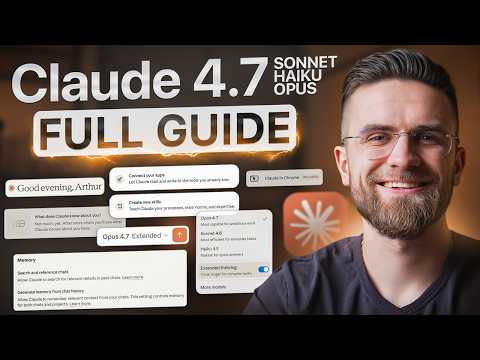
Claude's three-model structure finally makes sense after watching this breakdown

I had been defaulting to Sonnet for almost everything without thinking about it. Watching made me realise I was leaving performance on the table in both directions. The framing that actually landed: Haiku 4.5 for speed and bulk when depth is not what you need. Sonnet 4.6 as the everyday workhorse for writing, coding and analysis. Opus 4.6 reserved for the genuinely difficult problems where multi-layered reasoning is what produces the right answer rather than just a fast one. The 1 million token context window on both Sonnet and Opus is the number that changes the scope of what you bring into a session. Entire codebases, long document libraries, extensive research archives. The retrieval accuracy claim at that scale is worth testing on your specific documents rather than taking on faith, but the capability itself opens workflows that were not practical before. Extended Thinking being specifically valuable for decisions with… Read full discussion →
♥ 0 💬 2 👁 4 View 2 replies →
adrian24 · Claude AI Models: LLMs, Multimodal Systems, and More

Full Claude Code Tutorial for Non-Technical Beginners in 2026 (step-by-step)

Is anyone else using claude code for full production applications? I understand that claude code works well on the desktop, but how do you take the code and deploy it for everyone to use? --- Read full discussion →
♥ 2 💬 0 👁 8 Reply →
View All Claude Discussions
Gallery

Claude Showcase

4 items
The Claude feature list from this video is genuinely longer than I expected

The Claude feature list from this video is genuinely longer than I expected

aria188

The layered Claude guide that properly separates beginner, power user and agentic capabilities is the one to share

The layered Claude guide that properly separates beginner, power user and agentic capabilities is the one to share

gabriel.boyd

Claude Cowork as the midpoint between chat and code is the framing that finally makes the whole product make sense

Claude Cowork as the midpoint between chat and code is the framing that finally makes the whole product make sense

robin.knigh

Claude's three-model structure finally makes sense after watching this breakdown

Claude's three-model structure finally makes sense after watching this breakdown

ian98

👍 👎

Claude Pros & Cons

Long Documents and Context

👍 Pro

Strong at maintaining instructions and relationships across large files, document sets, and extended conversations

👎 Con

A large context window does not guarantee that every clause, figure, or citation will be interpreted correctly

Writing and Editing

👍 Pro

Produces controlled, readable prose and responds well to detailed style, structure, and audience constraints

👎 Con

Output can become restrained or overly polished unless the user supplies examples and asks for stronger editorial choices

Research and Analysis

👍 Pro

Useful for comparing sources, exposing assumptions, organizing evidence, and building structured analytical briefs

👎 Con

Web research still requires inspection of sources and may miss evidence outside the retrieved material

Claude Code

👍 Pro

Can understand codebases, edit multiple files, run commands, and work through development tasks in existing environments

👎 Con

Agentic code changes can introduce regressions, security issues, or unnecessary complexity without testing and review

Projects, Artifacts, and Cowork

👍 Pro

The surrounding workspace supports persistent context, reusable instructions, working outputs, and delegated tasks

👎 Con

Feature availability and behavior vary across plans, platforms, integrations, and rollout stages

Safety and Predictability

👍 Pro

Anthropic documents its safety approach and Claude often surfaces uncertainty or risk rather than pretending certainty

👎 Con

Claude can be more cautious than users expect and may refuse or redirect requests that competing assistants attempt

Pricing and Capacity

👍 Pro

Free, Pro, two Max levels, Team, and Enterprise provide clear steps for different usage patterns

👎 Con

Long-context and high-effort work can consume allowance quickly, making heavy usage substantially more expensive

Best Overall Fit

👍 Pro

A leading choice for users whose work depends on close reading, controlled writing, sustained reasoning, or codebase-level development

👎 Con

Less compelling when the priority is live social information, the widest consumer tool ecosystem, or one narrow specialist workflow

How to Get Results with Claude: Step-by-Step Workflow

  1. Create a Project for the work

    Place the reference files, standing instructions, terminology, examples, and desired output format in one Project before beginning.

    Decision point: For a one-off lightweight question, a normal chat is sufficient. Use a Project when context must persist across several sessions.

  2. Define the evidence hierarchy

    Tell Claude which documents are authoritative, which are background only, and which claims require external verification.

    Decision point: When sources conflict, require Claude to show the conflict rather than silently choose one.

  3. Ask for a working map first

    Before requesting the final output, ask Claude to identify the main issues, missing information, assumptions, and proposed structure.

    Decision point: For simple rewriting, skip this step. For analysis or consequential decisions, review the map before continuing.

  4. Choose the appropriate effort level

    Use higher effort for multi-variable reasoning, architecture, difficult debugging, or evidence synthesis. Use standard effort for routine drafting and extraction.

    Decision point: Do not spend high-effort capacity on formatting changes or straightforward summaries.

  5. Work in controlled stages

    Move from extraction to analysis to draft to critique. Preserve a running list of constraints and unresolved questions between stages.

    Decision point: If Claude begins losing a requirement, restate the constraint table rather than restarting the entire project.

  6. Use Artifacts or Claude Code for implementation

    Move documents, prototypes, visualizations, or code into the appropriate working surface so changes can be reviewed in context.

    Decision point: Use Claude Code only when repository access and command execution are appropriate for the task.

  7. Verify before release

    Check quotations against source files, test code, recalculate important figures, and review any external actions before publishing or deploying.

    Decision point: For legal, financial, medical, security, or production work, require qualified human review.

Claude Gotchas and Limits to Know Before You Start

  • Usage depends on plan, model, effort level, context length, and task complexity. A few long sessions can consume much more capacity than many short chats.
  • A large context window improves scope but does not guarantee perfect recall, quotation accuracy, or correct interpretation of every uploaded page.
  • Claude may preserve the tone of a draft so well that weak assumptions or factual errors survive several revisions unless the user asks for adversarial review.
  • Claude Code can edit files and run commands. Review permissions, diffs, tests, dependencies, and security implications before accepting changes.
  • Cowork and workplace integrations can act across external tools. Confirm the scope of access and inspect consequential actions.
  • Web search improves currency but does not make every answer complete. Follow claims back to primary sources.
  • Some advanced models and features may require Max, Team, Enterprise, usage credits, or staged rollout access.
  • Claude can be more cautious than competing assistants, especially for requests near safety or policy boundaries.

Which Claude Feature Fits Your Use Case

Feature Good for Common mistake Fix
Projects Ongoing research, writing, legal review, product planning, and work that reuses the same files and instructions Creating separate chats and repeatedly uploading the same context Create one Project with standing instructions, authoritative files, examples, and a clear naming system
Long-context analysis Reviewing large reports, contracts, research packs, transcripts, and multi-document evidence sets Uploading everything without explaining which documents matter or what decision the analysis must support Define the evidence hierarchy, required output, and questions Claude must answer before analysis begins
Artifacts Documents, prototypes, visualizations, code, and interactive outputs that need iterative refinement Keeping every revision buried in the conversational transcript Move the working output into an Artifact and use the chat for critique, decisions, and instructions
Claude Code Understanding repositories, implementing features, debugging, refactoring, testing, and development automation Allowing broad changes before Claude has mapped the codebase and explained its plan Ask for a repository map and proposed change set, then review diffs and run tests after each meaningful stage
Cowork Delegated multi-step knowledge work across supported files and workplace applications Treating it as a fully autonomous employee with unrestricted authority Define the allowed tools, checkpoints, completion criteria, and actions that require approval
Higher effort reasoning Complex analysis, difficult coding, planning, architecture, and decisions with competing constraints Using the highest effort for routine edits, extraction, or formatting Match effort to task difficulty and reserve higher settings for work where deeper reasoning changes the outcome
Web search and Research Current background research, source discovery, and comparing public claims Treating the generated synthesis as a substitute for reading the cited primary sources Ask Claude to separate sourced facts, inference, and uncertainty, then inspect the primary evidence

How Well Claude Fits Common Use Cases

Long-document analysis and evidence synthesis — 5/5

Claude is particularly strong when instructions, evidence, and relationships must remain coherent across a large source set

Consider instead: ChatGPT for a broader all-purpose workspace

Professional writing and controlled revision — 5/5

Claude responds well to detailed voice, structure, audience, and constraint requirements

Consider instead: Dedicated grammar or publishing tools for final production controls

Existing codebase development — 5/5

Claude Code can inspect repositories, edit files, run commands, and work across multiple development surfaces

Consider instead: Specialist IDE agents where deeper IDE-native controls are required

Current research and analytical briefs — 4/5

Claude can synthesize sources and reason through evidence, but retrieval coverage and citations still require inspection

Consider instead: Perplexity or specialist databases for source-first discovery

Delegated knowledge work — 4/5

Cowork and connected tools support multi-step work, but permissions, limits, and oversight remain important

Consider instead: Dedicated workflow automation platforms for deterministic production processes

Live social-media intelligence — 3/5

Claude can search the web, but it does not have Grok's distinctive access to live public conversation on X

Consider instead: Grok

Broad everyday consumer assistant — 3/5

Claude handles everyday tasks well, but ChatGPT offers a broader integrated consumer and creative ecosystem

Consider instead: ChatGPT

Starter Prompts for Claude

Long document evidence review

Review the attached documents as one evidence set. First create a table of the main claims, supporting passages, contradictions, missing evidence, and confidence level. Do not draft conclusions until I approve the evidence map.

Controlled professional rewrite

Rewrite this document for [audience] while preserving every factual claim and required section. Match the supplied writing sample for sentence length, tone, and level of directness. Flag any claim that cannot be preserved confidently.

Adversarial decision review

Act as a critical second reviewer of this plan. Identify hidden assumptions, failure modes, evidence gaps, irreversible decisions, and the strongest argument against proceeding. Then propose the smallest test that would reduce the most uncertainty.

Repository change plan

Inspect this repository and map the components relevant to [feature or bug]. Before editing anything, explain the current data flow, identify likely files to change, list risks, and propose a test plan. Wait for approval before implementation.

Research brief with uncertainty

Research [question] and produce a brief that separates confirmed facts, source disagreement, reasonable inference, and unresolved uncertainty. Prefer primary sources and include the evidence needed to verify each important conclusion.

Prompt pattern: [Role and task]. Use these sources: [files, links, or project context]. Treat [source] as authoritative and [source] as background only. Preserve these constraints: [list]. First produce [evidence map or plan]. Then create [output format]. Separate facts, assumptions, uncertainty, and recommendations.

Iteration tip: After the first response, ask Claude to restate the constraints it is following and identify which parts of its answer are based on source evidence versus inference. This catches drift before later revisions.

WhatAI verdict on Claude

Claude is the clearest choice when the central problem is maintaining coherence across a large amount of information. It is particularly effective for reading long documents, revising serious writing, comparing competing arguments, and carrying detailed instructions through a multi-stage task. Its advantage over ChatGPT is not universal. ChatGPT offers a broader all-purpose workspace and a larger consumer ecosystem. Grok has a clearer live-information advantage around X. Claude earns its place when the work depends on close reading, controlled prose, explicit reasoning, or an existing codebase rather than rapid switching between unrelated tasks. Claude Code materially expands the product beyond document work. It can inspect repositories, edit files, run commands, and work through software tasks with user supervision. That makes Claude unusually strong for users whose writing, analysis, and development work overlap. The main constraint is capacity: long contexts, higher effort settings, and agentic workflows consume usage quickly, so the correct plan matters.

Claude — Frequently Asked Questions

What is Claude best used for?

Claude is best used for long-document analysis, careful writing and revision, research synthesis, complex reasoning, and software development across existing codebases.

Which model does Claude use by default?

As of July 2026, Claude Sonnet 5 is the default model on Free and Pro and is available across Max, Team, and Enterprise plans. Higher plans may also provide access to models such as Claude Opus 4.8 and Fable 5, subject to plan and usage conditions.

How much does Claude cost?

Claude has a free plan. Pro costs $20 per month or $200 per year. Max costs $100 per month for 5x Pro capacity or $200 per month for 20x. Standard Team seats are listed at $25 monthly or $20 per month when billed annually. Enterprise pricing and usage are contract-based.

Is Claude better than ChatGPT for long documents?

Claude is often a better fit when the task depends on close reading, maintaining detailed constraints, or revising a large body of text. ChatGPT may be a better default when the user prioritizes a broader set of integrated consumer and creative tools.

What is Claude Code?

Claude Code is Anthropic's agentic coding tool. It can read a codebase, edit files, run commands, and work with development tools through terminal, IDE, desktop, browser, and supported integrations.

Does Claude have usage limits?

Yes. Limits vary by plan, model, task size, context length, and demand. Paid users can use plan capacity and may be able to continue through usage credits at pay-as-you-go rates.

Can Claude search the web?

Yes. Claude supports web search and research workflows, but important claims should still be checked against the underlying primary sources.

Can Claude work with sensitive business information?

Anthropic offers Team and Enterprise controls for organizational use, but suitability depends on the workspace agreement, retention settings, security requirements, and the user's own compliance obligations.

Related AI Models: LLMs, Multimodal Systems, and More Tools

5 tools
ChatGPT logo

ChatGPT

$0/mo – Custom

Google Gemini logo

Google Gemini

$0–$199.99/mo

Grok AI logo

Grok AI

$0 – Custom

Lynote logo

Lynote

$0–$99.99/mo

Perplexity logo

Perplexity

$0/mo – Custom

Explore the Network

People discussing Claude also discuss...

Alternatives to Claude

ChatGPT ChatGPT $0/mo – Custom Compare Google Gemini Google Gemini $0–$199.99/mo Compare Grok AI Grok AI $0 – Custom Compare Lynote Lynote $0–$99.99/mo Compare

Pairs well with Claude

Sources & References

  1. Official Claude plans and pricing ↗
  2. Official guide to choosing a Claude plan ↗
  3. Official Claude Sonnet 5 announcement ↗
  4. Official Claude Opus 4.8 announcement ↗
  5. Official Fable 5 availability update ↗
  6. Official Claude Code product page ↗
  7. Official Claude Code overview ↗
  8. Official Claude Team plan information ↗
  9. Official Claude Enterprise plan information ↗

Try Claude

Visit the official website to get started with Claude today.

Visit Claude →

Explore More

More AI Models: LLMs, Multimodal Systems, and More Tools

Browse similar AI tools in this category

Compare AI Tools

Side-by-side comparison of features

Community Forum

Discuss Claude with other users