LALAL.AI logo

Lalal.ai: AI Stem Splitter & Vocal Remover

Lalal.ai is an AI audio stem splitter that separates vocals, drums, bass, and other instruments from songs and recordings. Simple browser-based tool with paid plans for more minutes.

AI in Business
Visit LALAL.AI → Join Discussion
ℹ️

WhatAI Decision Box

Best for:

Musicians, producers, DJs, and content creators needing fast, high-quality separation of vocals and instruments from mixed audio tracks.

Not for:

Professional studio-grade multitrack mastering or projects requiring extremely precise isolation of complex layered recordings.

⇆ Often compared with

Moises.ai Audionamix Spleeter

ℹ️ WhatAI Field Note

  • Best results are achieved with clear, modern productions; older or heavily compressed recordings often produce more artifacts or bleed between stems.
  • Processing time increases with file length and chosen model quality; longer tracks on higher-quality settings can take several minutes.

Lalal.ai is a web-based AI audio processing tool that uses advanced neural networks to separate mixed audio tracks into individual stems. Users upload a song or recording, and the AI extracts clean vocals, drums, bass, piano, guitar, and other instruments, allowing for remixing, karaoke creation, or stem-based production without needing original multitrack files.

Features and Capabilities

Lalal.ai provides high-accuracy stem separation with multiple models (including Rock, Pop, Electronic, and advanced Split modes), vocal remover, instrumental extraction, and support for up to 10+ separate stems. It handles various audio formats (MP3, WAV, FLAC, etc.), offers batch processing on higher plans, and includes a preview player for each stem. Additional elements include noise reduction, stem editing tools, and fast cloud processing.

About LALAL.AI

Lalal.ai assists users by separating mixed audio files into isolated stems using AI. The workflow involves uploading an audio file, selecting the desired separation mode or model, processing the track, previewing individual stems, and downloading the separated files. It supports both single-track and batch processing on higher plans. Additional functions include vocal removal for karaoke and instrumental-only extraction. Plans differ primarily in the number of processing minutes per month and available model quality.

Use Cases

Musicians separate stems for remixing with Lalal.aiProducers create instrumentals or acapellas using Lalal.aiDJs extract clean vocals or drums via Lalal.aiContent creators make karaoke versions with Lalal.aiPodcasters clean up audio recordings using Lalal.ai

Pricing

Free Trial

$0

  • • Limited minutes
  • • Watermarks on exports

Basic

$15/mo

  • • 90 minutes/month
  • • Standard quality

Pro

$35/mo

  • • 300 minutes/month
  • • Higher quality models
  • • More stems

Unlimited

$99+/mo

  • • Unlimited processing
  • • Priority queue
  • • All advanced features

Pricing varies by plan and region — see current pricing.

Plan features change — last updated: 2026-03-28.

Details

Categories: AI in BusinessAudio & VoiceMultimodal AI (Image/Video/Audio)Productivity
Skill Level: beginner
Access Methods: browser

Tags

ai stem splittervocal remover ailalal aiaudio stem separationai music splitterinstrumental extractorkaraoke ai toolai audio separatorsong stem splittervocal isolation ai

LALAL.AI Community Discussions

Explore community discussions. Ask and answer questions on LALAL.AI to grow and learn together.

dan.cook · LALAL.AI AI in Business

The Andromeda network being LALAL's sixth-generation AI engine is the architecture claim worth understanding

The LALAL.AI Andromeda network overview covers the sixth-generation AI engine and what specifically the generation claim means for separation quality. Trained on years of data for human-like voice replication is the training foundation claim. Unmatched precision in vocal nuances, diction subtleties and tonal qualities is the quality output claim. Real-time processing is the performance claim. These three together define the Andromeda proposition: better quality and faster than previous generations. The practical test of any vocal separation engine is on the specific types of audio that your workflow produces. Studio recordings with clean separation between tracks respond well to most modern engines. Live recordings with bleed between microphones, heavily processed vocals sitting close to instrumental frequencies, and complex arrangements with many simultaneous elements are where the generation improvements matter and where you can actually perceive the quality difference. The human-like voice replication specifically being emphasised for the Andromeda engine tells you… Read full discussion →
♥ 1 💬 2 👁 8 View 2 replies →
abby_hall · LALAL.AI AI in Business

LALAL.AI Voice Cloner supporting all languages with good results from short samples is the claim worth testing on your specific language

The LALAL.AI Voice Cloner overview covers the core capabilities: generating natural-sounding voice clones from uploaded audio recordings, supporting all languages with consistent quality. The all-languages claim is the one worth testing against your specific target language before building a workflow around it. Voice cloning quality varies significantly by language not just because of the model's training data distribution but because of the acoustic characteristics of different languages and dialects. A clone that is convincing in English may have characteristic artifacts in Japanese or Arabic that make it unsuitable for professional use. The audio quality requirements being well-understood, minimal background noise, consistent microphone distance, clean recording environment, are the input constraints that determine output quality more than the model's capability in many cases. The recommendation of specific sample length and recording conditions is worth following precisely rather than approximating. The use cases spanning content creation, accessibility tools, multilingual business communications and… Read full discussion →
♥ 1 💬 0 👁 5 Reply →
drew86 · LALAL.AI AI in Business

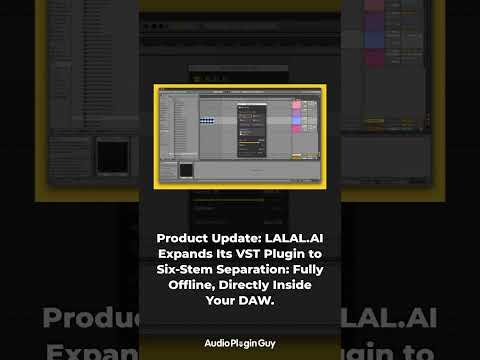
LALAL.AI's VST Plugin doing six-stem separation fully offline changes how producers use it in a session

The LALAL.AI VST Plugin update covers two changes that together change the tool's position in a professional production workflow. Six-stem separation rather than the previous four stems means drums, bass, vocals, piano, guitar and other can each be isolated independently rather than requiring multiple processing passes or accepting that some stems are combined. For remixing, sample extraction and arrangement work, the additional separation granularity matters practically. The fully offline functionality doing local processing without cloud dependency is the professional studio requirement that previously made web-based stem separation tools unsuitable for secure or latency-sensitive work. A plugin that runs the separation locally in a DAW session without sending audio to a cloud service changes the workflow for producers working with unreleased or client-confidential material. The combination of six-stem separation and offline operation in a VST rather than a standalone web app is what makes this a production tool rather than a… Read full discussion →
♥ 0 💬 2 👁 4 View 2 replies →
riley.parke · LALAL.AI AI in Business

LALAL.AI extracted clean vocals from a track I had given up on, here is what else it does

I produce music as a hobby and I occasionally need to work with stems from existing recordings, isolate a vocal, pull out a bassline to sample, remove the drums from a reference track to analyze the arrangement underneath. Stem separation tools have been around for a while but the quality has always been the limiting factor. LALAL.AI is the first one I have used where the separation is clean enough to actually use in a finished project. The Stem Splitter handles vocals, drums, bass, guitar and synths. You upload the audio or video file and it separates them out. The quality on the vocal extraction in particular is noticeably better than the free alternatives I had been using. Less bleed, less artifacts, cleaner output. The Voice Cleaner is useful for a different purpose entirely. If you have a recording with background noise, microphone rumble or vocal plosives it removes them… Read full discussion →
♥ 1 💬 5 👁 7 View 5 replies →
View All LALAL.AI Discussions
Gallery

LALAL.AI Showcase

3 items
The Andromeda network being LALAL's sixth-generation AI engine is the architecture claim worth understanding

The Andromeda network being LALAL's sixth-generation AI engine is the architecture claim worth understanding

dan.cook

LALAL.AI Voice Cloner supporting all languages with good results from short samples is the claim worth testing on your specific language

LALAL.AI Voice Cloner supporting all languages with good results from short samples is the claim worth testing on your specific language

abby_hall

LALAL.AI extracted clean vocals from a track I had given up on, here is what else it does

LALAL.AI extracted clean vocals from a track I had given up on, here is what else it does

riley.parke

👍 👎

LALAL.AI Pros & Cons

Separation Quality

👍 Pro

Generally high accuracy for modern productions; clean vocal and instrumental isolation in many cases.

👎 Con

Noticeable artifacts or bleed in complex, dense, or older recordings; not studio-mastering quality.

Speed & Ease of Use

👍 Pro

Fast cloud processing with a very simple browser interface; no software installation needed.

👎 Con

Processing time increases significantly with longer tracks or higher-quality modes.

Feature Set

👍 Pro

Good variety of models and stem options; useful preview player for quality checking.

👎 Con

Advanced features and more stem options locked behind higher-tier plans.

Pricing

👍 Pro

Free trial available; reasonable pricing for casual use.

👎 Con

Minute-based plans can be costly for heavy or professional use; minutes expire monthly.

How to Get Results with LALAL.AI: Step-by-Step Workflow

  1. Sign up and upload

    Go to lalal.ai, create an account, and upload your audio file (MP3, WAV, etc.).

  2. Choose separation mode

    Select the appropriate model (e.g., Rock, Pop, or advanced Split mode) based on the music genre.

  3. Process the track

    Click to start separation and wait for processing to complete.

  4. Preview stems

    Listen to individual stems (vocals, drums, bass, etc.) and check quality.

  5. Download or refine

    Download the desired stems or re-process with a different model if needed.

  6. Use in your project

    Import separated stems into your DAW for remixing, karaoke, or production.

  7. Monitor usage

    Check remaining processing minutes and upgrade plan if approaching limits.

LALAL.AI Gotchas and Limits to Know Before You Start

  • Processing is limited by monthly minutes on all plans; longer tracks and higher-quality modes consume minutes faster.
  • Free trial offers only a small number of minutes with watermarks or limited exports.
  • Separation quality is not perfect — some bleed between stems is common, especially in dense or older recordings.
  • Very long tracks (over 10-15 minutes) may require splitting or higher-tier plans.
  • The tool is entirely cloud-based; no offline or local processing is available.
  • Advanced stem options (e.g., more than 5-6 stems) are restricted to higher subscription levels.

Which LALAL.AI Feature Fits Your Use Case

Feature Good for Common mistake Fix
Vocal Remover Creating karaoke tracks Expecting 100% clean removal Use on modern, well-produced tracks
Multiple Stem Models Genre-specific separation Using default model only Choose Rock/Pop/Electronic models accordingly
Batch Processing Handling multiple files Processing one by one Upgrade to higher plans for batch support

Starter Prompts for LALAL.AI

Create instrumental for practice

Upload full song → select Vocal + Instrumental split → download clean instrumental for practice.

Isolate vocals for remix

Upload live recording → use advanced Split mode → isolate vocals for remix.

Clean podcast audio

Upload podcast episode → extract voice stem → clean up for better listening.

Prompt pattern: Upload [audio type e.g. full song / live recording / podcast] → choose [model e.g. standard / advanced split] → extract [desired stems e.g. vocals only / drums and bass] → download and import into DAW.

Iteration tip: If the first model gives artifacts, try a different genre-specific model — Rock and Pop modes handle different frequency patterns better.

Discuss Lalal.ai

Lalal.ai is an AI stem splitter and vocal remover that quickly separates mixed audio into clean individual tracks. It is widely used for music production, karaoke, remixing, and content creation with a simple browser-based interface. Join the conversation below to share your experience, ask questions, post reviews, suggest new features or integrations, or discover similar AI audio tools. All feedback is welcome.

LALAL.AI — Frequently Asked Questions

How does Lalal.ai work?

Upload an audio file, choose a separation model, and the AI splits it into individual stems (vocals, drums, bass, etc.) in seconds to minutes.

What stems can it separate?

Common stems include Vocals, Drums, Bass, Piano, Guitar, and other instruments depending on the model.

Is Lalal.ai free?

A free trial with limited minutes is available; full usage requires a paid subscription based on processing minutes.

How accurate is the separation?

Results are generally high quality for modern productions, though complex or older recordings may have some bleed or artifacts.

Can I process multiple files?

Yes — batch processing is available on higher subscription plans.

Related AI in Business Tools

8 tools
Murf logo

Murf

$0/mo – Custom

Beatoven.ai logo

Beatoven.ai

Pay per track or subscription

Designrr logo

Designrr

$27–$249/mo

ElevenLabs logo

ElevenLabs

$0/mo – Custom

Fireflies.ai logo

Fireflies.ai

$0–$39/mo

Fliki logo

Fliki

$0 – Custom

HubSpot logo

HubSpot

$0–$4700/mo

Lindy.ai logo

Lindy.ai

$10 – Custom

Explore the Network

People discussing LALAL.AI also discuss...

Alternatives to LALAL.AI

Murf Murf $0/mo – Custom Compare Beatoven.ai Beatoven.ai Pay per track or subscription Compare Designrr Designrr $27–$249/mo Compare ElevenLabs ElevenLabs $0/mo – Custom Compare

Pairs well with LALAL.AI

Sources & References

  1. Official Lalal.ai website ↗
  2. Lalal.ai pricing page ↗
  3. Help and documentation ↗

Try LALAL.AI

Visit the official website to get started with LALAL.AI today.

Visit LALAL.AI →

Explore More

More AI in Business Tools

Browse similar AI tools in this category

Compare AI Tools

Side-by-side comparison of features

Community Forum

Discuss LALAL.AI with other users