Manus logo

Manus Review: Pricing, Credits, Agent Features, API and August Data Backup

Delegate research, analysis, browser work, presentations, apps, websites, and cross-app workflows to a general AI agent.

AI in Business
Visit Manus → Join Discussion
WHATAI LATEST · AUG 15, 2026

Manus Is Separating From Meta, and Some Users Must Back Up Data Before August 23

Affected accounts face a firm backup deadline, data deletion on August 23 and 24, and restoration from August 25 as Manus returns to independent operation.

By WhatAI Editorial Team ·

Manus published an unusual and time-sensitive notice on August 11, 2026: the AI agent company is separating from Meta and returning to independent operation. To comply with regulatory requirements in specific jurisdictions, Manus says data for certain users must be deleted during August 23 and 24. Those users have a limited window to create backups before 7:59 a.m. Singapore Time on August 23, then can restore their saved data after the restoration portal opens at 8:00 a.m. Singapore Time on August 25.

This does not apply to every Manus user. The company says affected people will receive an email and an in-app notice. Unaffected accounts will receive an in-app notice confirming that no action is required. Anyone with several personal accounts, or both personal and team identities, must check each account separately. Users who registered through Apple ID or Facebook should pay particular attention to in-app notifications because Manus may not hold their email address.

Why the deletion is happening

Meta acquired Manus on December 29, 2025. Manus now says it will resume operating independently. The company explains that data generated by some users on or after the acquisition date needs to be deleted as part of the separation and regulatory compliance in particular jurisdictions. Manus explicitly says the action is not the result of a data breach or security incident. It also says data for the independent service is stored in the United States and Singapore.

The distinction matters. This is not a general recommendation to export data because a service might close. It is a specific deletion and restoration process for notified accounts. The official help centre divides affected personal accounts into Types A, B, and C. The category depends on when the account was created or changed, and when its subscription started. The app or email notice should be treated as the source of truth for an individual account.

The deadline and timeline

The backup window runs from August 11 until 7:59 a.m. Singapore Time on August 23, 2026. Affected users can continue using Manus during this period. From 8:00 a.m. on August 23 until 7:59 a.m. on August 25, Manus will delete the specified data and affected users or regions may lose access. The restoration portal opens at 8:00 a.m. Singapore Time on August 25.

The company says there is no stated deadline for restoration after the portal opens. That does not make the backup deadline flexible. A user who fails to save the required files before the August 23 cutoff can lose task data, generated artifacts, connector authorisations, subscriptions, account information, or the complete account, depending on the assigned category. A backup can be restored later, but data that was never backed up cannot be recreated through the restoration system.

What affected individual users should do

First, sign in directly to Manus and read the notice for that exact account. Do not infer the result from a colleague, subscription receipt, country, or another login. If the account is Type A or B, Manus says the account itself is retained, but task data generated or updated on or after December 29, 2025 and enabled connectors may be deleted. Those users need a Task Data Backup and must restore it after August 25 if they want the deleted material back.

Type C has a wider impact. This category includes an affected account created on or after the acquisition date, or an older account whose email or other linked user information changed on or after that date. Manus says the account, task data, subscription, and associated data will be fully deleted. A Type C user must create the Account Data Backup first, then the Task Data Backup. Without the account backup, the task backup cannot be restored. During restoration, the account must be restored before its tasks.

The backup tool supports multiple backups. That is important because affected users can keep working until the cutoff. Any task, artifact, or connector created after the first backup will not exist inside that earlier file. Manus recommends backing up promptly, then checking again before the deadline. A sensible procedure is to create the initial backup now, store it in two controlled locations, keep the original filename and checksum, and run a final backup after the last critical task before the window closes.

Team owners have additional responsibility

Team restoration can depend on the team owner. An affected team member should notify the owner immediately rather than assuming a personal backup preserves shared team work. When an owner is Type A or B, the team can be retained while post-acquisition task data and affected member information are deleted. The owner performs the team task backup and later restores it. When the owner is Type C, the entire team and its data can be deleted, so account and task backups become necessary.

If the owner is not affected but one or more members are, the members' data can still fall within the deletion scope. The official guide says the owner should back up and restore the relevant team data. Teams should therefore create a small register of every member's notice status, required backup, responsible owner, completion time, stored backup path, and restoration result. This is not a task that should be left to informal chat messages.

Subscriptions, balances, and refunds

Subscription treatment depends on account type and purchase timing. Manus says certain subscriptions started after the acquisition date will be cancelled and receive a partial pro-rata refund. Affected users whose paid status is cancelled receive temporary equivalent access until the deletion period begins. Type C users can also receive automatic refunds for remaining WebDev usage, Cloud Computer balances, Stripe balances, and add-on credits.

Manus aims to initiate eligible refunds within seven days of the August 11 notification. Arrival time depends on the payment provider and can take longer. Stripe and Google Play refunds return to the original payment method. Manus says Apple granted an exception allowing batch refunds for this event. If a refund fails, the company provides an encrypted receipt and a manual claim route. Users should preserve the notice, invoices, refund email, encrypted receipt, and payment statement until the matter is resolved.

Welcome-back offers vary. Depending on prior status, an affected Free user may receive 50% off the first $200 of a first monthly subscription, while a cancelled Pro user may receive 90% off the first $200. An annual alternative offers 12 months for the price of 9. Users whose Pro plan remains active can receive add-on credits equal to a monthly allowance after restoration. These offers have eligibility and combination rules, so they should not be confused with the normal public price.

The product continues to change during the transition

The operational notice arrives after a rapid product expansion. Plan Mode, released July 22, gives users an editable plan and explicit approval checkpoint before Manus executes. Native PowerPoint Mode, released July 14, produces PPTX files with editable charts, tables, and underlying data. Branch lets a user explore parallel directions from one context. Auto-Publish can keep a Manus-built website updated. An August 3 ElevenLabs connector adds speech generation, transcription, voice cloning, audio processing, and voice-powered application workflows through an authorised ElevenLabs account.

The broader platform includes Projects, Skills, Wide Research, data analysis, Slides, scheduled tasks, Mail Manus, meeting minutes, Collab, cloud browsing, Browser Operator, desktop access, app building, managed infrastructure, GitHub synchronisation, MCP connectors, Zapier, Slack, and API v2. That range makes backups more important because a Manus account can hold more than chat text. It can contain websites, presentations, task files, code, knowledge resources, connector authorisations, and deployed application state.

Current pricing and credit rules

Manus Free provides initial registration credits and a claimable daily allowance. Current help documentation describes 1,000 initial credits and 300 daily-refresh credits. Daily credits work only with Manus 1.6 Lite, expire each day, do not accumulate, and are limited to 1,500 consumed daily-refresh credits per month for Free users. Pro starts at $20 per month with 4,000 monthly credits. A $40 configuration starts at 8,000 credits and advertises a seven-day free trial. Annual billing is advertised at a 17% discount. Team starts at $20 per seat per month.

Credit cost depends on model tokens, virtual machines, third-party APIs, complexity, and task duration. Monthly credits expire at the cycle reset. Add-on credits can carry forward only while a paid subscription remains active. Building a website consumes agent credits, but running the deployed application has separate pay-as-you-go charges for hosting, databases, AI, integrations, and API calls. Buyers should therefore measure a real workflow instead of comparing only headline credit totals.

What WhatAI recommends

If Manus says an account is unaffected, no transition action is required. It is still prudent to keep independent copies of business-critical outputs, source files, code, and credentials because that is good operational practice for any cloud agent. If the account is affected, complete the required official backup now. Verify whether it is Type A, B, or C, repeat the process for every login, involve the team owner, and make a final backup before the deadline if work continues.

After August 25, restore the account before tasks where required, reconnect integrations deliberately, and validate every project, website, presentation, file, schedule, balance, and subscription. Do not assume successful login means all data returned. Record missing assets and contact Manus support with the account notice and backup details. The separation does not erase the value of Manus as a broad action agent, but for affected users the immediate priority is continuity: save the data first, then evaluate the next independent version of the product.

ℹ️

WhatAI Decision Box

Best for:

Professionals and teams that want one agent to research, analyse, browse, code, create presentations, build applications, connect business tools, and deliver finished artifacts, especially when the task is complex enough to benefit from planning, reusable context, and human approval.

Not for:

High-stakes or irreversible work without human review, deterministic rule-based automation, tightly regulated data without a negotiated agreement, predictable fixed-cost workloads, or any affected user who cannot complete the August 2026 backup and restoration process.

⇆ Often compared with

ℹ️ WhatAI Field Note

  • Pilot Manus on three representative tasks and record factual accuracy, source quality, plan adherence, tool choice, side effects, retries, credits, runtime fees, latency, human correction, and final business value. A polished deliverable is not evidence that the underlying work is correct.
  • Before connecting email, CRM, payments, browser sessions, cloud storage, or a local computer, use the smallest permissions, activate Plan Mode, require approval before writes and external actions, test revocation, export important artifacts, and document a rollback owner. Affected August 2026 accounts must complete the vendor's backup process first.

Manus is a general AI agent designed to take action and deliver completed work. It operates through a sandboxed virtual computer that can browse the web, manage files, run code, install software, analyse data, create presentations, build and deploy applications, use connected business tools, and return finished artifacts. Projects provide persistent instructions and knowledge. Skills encode reusable procedures. Wide Research distributes large item sets across parallel agents. Plan Mode adds a review and approval step before execution. Browser Operator and My Computer extend work into authenticated websites and a user's desktop, while scheduled tasks, Mail Manus, Slack, Zapier, MCP connectors, and the API support recurring and programmatic workflows.

Manus pricing, free credits, Pro plans, WebDev charges, and team controls

Free users receive 1,000 initial registration credits and can claim 300 daily-refresh credits, but the daily balance expires each day, works only with Manus 1.6 Lite, and is capped at 1,500 consumed daily-refresh credits per month. Pro starts at $20 per month with 4,000 monthly credits. A $40 configuration starts at 8,000 credits and advertises a seven-day trial. Annual billing is advertised at a 17% discount. Team starts at $20 per seat and pools credits. Monthly credits expire each billing cycle. Add-on credits remain usable only while a paid subscription stays active. Deployed applications have separate pay-as-you-go WebDev runtime charges, so the cost of building an app is not the full cost of operating it.

Who must back up Manus data before August 23, 2026

Manus announced that it is separating from Meta and returning to independent operation. Some users notified in-app or by email must back up relevant data before 7:59 a.m. Singapore Time on August 23, 2026. Specified data will be deleted during August 23 and 24, and the restoration portal opens at 8:00 a.m. Singapore Time on August 25. Unaffected users do not need to act. Affected people with multiple accounts must check each account separately, while affected team members should contact the team owner. Manus says the action is required for regulatory separation and is not a security incident. The backup deadline is firm even though restored backups can be uploaded later without a stated deadline.

About Manus

Manus is a cloud-based general AI agent that plans, executes, and delivers multi-step work rather than only answering questions. Each task can use a sandboxed virtual computer with internet access, a persistent file system, software installation, code execution, browser automation, and custom tools. Current capabilities include Agent Mode, free Chat Mode, Plan Mode with approval before execution, Projects with shared instructions and files, reusable Skills, Wide Research with parallel agents, data analysis and visualisation, native PowerPoint generation, image and multimedia work, scheduled tasks, email-based delegation, meeting minutes, Browser Operator, cloud browsing, desktop control, real-time task collaboration, website and app building, managed hosting, payments, custom domains, GitHub synchronisation, connectors, custom MCP servers, Zapier, Slack, and a REST API. The Free plan provides initial registration credits plus 300 claimable daily credits for Manus 1.6 Lite, but daily credits expire each day and free users can consume only 1,500 daily-refresh credits per month. Pro starts at $20 per month with 4,000 monthly credits. A $40 configuration starts at 8,000 monthly credits and advertises a seven-day trial. Annual billing is advertised at a 17% discount. Team starts at $20 per seat per month, pools credits, and adds administration, SSO, access controls, usage analytics, shared resources, audit logs, and stronger data controls. Task cost varies with model tokens, virtual machines, third-party APIs, complexity, and duration. Monthly credits expire each cycle. Add-on credits can roll forward only while a paid subscription stays active. Deployed WebDev applications create separate usage-based hosting, database, AI, integration, and API charges. The most important current issue is operational: Manus announced on August 11, 2026 that it is separating from Meta and returning to independent operation. Certain affected users must back up relevant account or task data before 7:59 a.m. Singapore Time on August 23, 2026. Specified data will be deleted during August 23 and 24, and restoration opens at 8:00 a.m. Singapore Time on August 25. Manus says this is a regulatory separation measure, not a security incident. Only notified accounts are affected, but users with multiple personal or team accounts must check each one separately.

Use Cases

autonomous-task-executiondeep-researchwide-researchmarket-researchcompetitive-intelligenceliterature-reviewlead-researchdata-extractiondata-analysisspreadsheet-analysisreport-generationpresentation-generationnative-powerpoint-generationwebsite-buildingfull-stack-app-buildingprototype-developmentbrowser-automationdesktop-automationrecurring-workflowscross-app-automationmeeting-minutesemail-delegationmultimedia-processingvoice-app-buildingteam-collaborationapi-agent-orchestration

Key Features

  • Autonomous Agent Mode for multi-step task execution
  • Free Chat Mode for conversational assistance
  • Sandboxed virtual computer with internet access and persistent files
  • Task planning, execution, tool use, and finished deliverables
  • Plan Mode with editable plans and approval before execution
  • Plan Mode activation before or during a task
  • Projects with persistent master instructions and knowledge files
  • Reusable file-system-based Manus Skills
  • Wide Research with parallel agents for large item sets
  • Research synthesis into reports, tables, datasets, and files
  • Web browsing, information extraction, and browser automation
  • Cloud Browser for isolated web tasks
  • Browser Operator extension for authenticated local browser sessions
  • Desktop and My Computer workflows on macOS and Windows
  • Code execution, software installation, and custom tool creation
  • Data analysis, spreadsheets, charts, and visualisation
  • Manus Slides with research, visuals, structure, and speaker notes
  • Native PowerPoint generation with editable charts and tables
  • Standard, image-led, and PowerPoint presentation modes
  • Image generation, image editing, video, voice, and speech workflows
  • ElevenLabs connector for speech, transcription, voice cloning, and audio apps
  • Website and full-stack application generation
  • Managed backend, database, file storage, and deployment
  • Natural-language editing and live preview for applications
  • Custom domains, access control, notifications, analytics, and SEO
  • Stripe payments, Shopify, Google Maps, and REST API connections
  • GitHub export and two-way project synchronisation
  • Auto-Publish for continuous website updates
  • Branch for parallel variations from one task context
  • Version rollback, site duplication, and hosting modes
  • Mobile app publishing support
  • Scheduled Tasks for recurring or future work
  • Mail Manus for email-based task delegation
  • Meeting Minutes for transcript, summary, and action extraction
  • Manus Collab for real-time shared task interaction
  • Only the task owner consumes credits in Collab
  • MCP connectors with OAuth-based app access
  • Custom MCP servers for internal and proprietary systems
  • Zapier access to thousands of applications
  • Slack integration for prompts, progress, and deliverables
  • Premium third-party data sources for research and enrichment
  • Manus API v2 for tasks, projects, skills, agents, files, webhooks, connectors, browser, and websites
  • Structured API output and real-time task webhooks
  • Web, desktop, iOS, and Android access
  • Team credit pooling, usage analytics, permissions, and SSO
  • SOC 2 Type II, ISO 27001, and ISO 27701 security claims

Pricing

Free

$0 per month

  • • Chat Mode and Manus 1.6 Lite in Agent Mode
  • • Initial 1,000 registration credits according to current desktop credit guidance
  • • Claim 300 daily-refresh credits by logging in
  • • Daily credits expire at the next daily reset and do not accumulate
  • • Free users can consume no more than 1,500 daily-refresh credits per month
  • • Daily credits work only with Manus 1.6 Lite
  • • One concurrent task
  • • Two scheduled tasks
  • • Projects are available
  • • Free credits do not expire, but daily and event credits have separate rules

Pro 4,000

Starts at $20 per month

  • • 4,000 monthly credits
  • • About $17 per month when billed annually under the advertised 17% discount
  • • Chat Mode plus Manus 1.6 Lite, Manus 1.6, and Manus 1.6 Max in Agent Mode
  • • Advanced Research and Wide Research
  • • Professional website deployment
  • • Slides and native PowerPoint generation
  • • Twenty concurrent tasks
  • • Twenty scheduled tasks
  • • Beta feature early access
  • • Monthly credits reset and do not roll over

Pro 8,000

Starts at $40 per month

  • • 8,000 monthly credits
  • • Seven-day free trial advertised for this configuration
  • • About $34 per month when billed annually under the advertised 17% discount
  • • Same core Pro capabilities with a larger monthly allowance
  • • Twenty concurrent tasks and twenty scheduled tasks
  • • Monthly credits reset and do not roll over
  • • Confirm trial conversion, tax, credit allowance, and cancellation in live checkout

Higher Pro Configurations

Configurable; verify live pricing

  • • Additional monthly credit configurations can be selected
  • • A Manus-authored February comparison listed $200 per month with 40,000 credits as an extended configuration
  • • The public pricing page is dynamic and account or region specific
  • • Only users at the highest available monthly-credit tier can purchase add-on credits according to current help guidance
  • • Do not assume an older configuration remains available without checking the account

Team

Starts at $20 per seat per month

  • • Advertised 17% annual billing discount
  • • Includes Pro capabilities
  • • Credits are pooled across billed team members
  • • Shared projects, skills, instructions, and slide templates
  • • Admin dashboard with usage tracking and access control
  • • SSO integration and granular sharing controls
  • • Audit logs and enterprise compliance features
  • • Current Team page states model providers are prohibited from training on Team and Enterprise customer data
  • • Add-on credits remain usable while the Team subscription stays active
  • • Actual price depends on seats and selected credit pool

WebDev Runtime

Separate pay-as-you-go usage

  • • Subscription credits pay for building and agent interaction
  • • Live application hosting is billed separately
  • • Runtime charges can include hosting, database, AI features, integrations, and API calls
  • • Costs scale with real application usage
  • • Website usage and billing are tracked separately in the Usage area

API and Enterprise

Contact Manus or verify API console

  • • REST API v2 for programmatic agent tasks and resources
  • • API keys or OAuth2 authentication
  • • Projects, files, agents, skills, connectors, browser tools, websites, webhooks, and structured output
  • • Rate limits and usage rules apply
  • • Enterprise contracts can add identity, security, support, data, and commercial controls
  • • Confirm API credits, included calls, model availability, retention, service levels, and overage before production

Credits and Add-Ons

Variable by account and configuration

  • • Task cost varies with LLM tokens, virtual machines, third-party APIs, complexity, and duration
  • • Only active processing consumes task credits
  • • Completed tasks and stored outputs do not consume task credits
  • • Manus states credits are refunded when a task fails due to a Manus technical issue
  • • Monthly subscription credits expire at the end of the cycle
  • • Add-on credits roll forward only while an active paid subscription remains
  • • Add-on credits become inactive if the account returns to Free or the subscription lapses
  • • Credit balances can briefly go negative when the final action exceeds the remaining balance

Pricing varies by plan and region — see current pricing.

Plan features change — last updated: 2026-08-15.

Details

Categories: AI in BusinessAgents & AutomationProductivity
Skill Level: Intermediate
Access Methods: Web, macOS, Windows, iOS, Android, Browser Extension, Email, Slack, API

Tags

ai-agentautonomous-agentgeneral-ai-agenttask-automationdeep-researchwide-researchmulti-agentbrowser-automationdesktop-agentdata-analysispresentationspowerpointwebsite-builderapp-buildercode-generationprojectsskillsconnectorsmcpzapierslackapicredit-based-pricingteam-collaboration

Manus Community Discussions

Explore community discussions. Ask and answer questions on Manus to grow and learn together.

hermund_dgt · Manus AI in Business

Manus running complex tasks asynchronously while you do other things is the capability that changes how you think about delegation

The Manus AI capabilities video covers autonomous asynchronous execution, deep web research and full-stack website building from a single prompt. The asynchronous execution detail is the one that changes the practical value proposition. Deep research that runs while you are in a meeting, a full-stack application built while you are reviewing other work, a structured dataset compiled while you sleep, are the use cases where asynchronous execution changes the economics of using an agent versus asking an AI assistant for help with each step manually. The data structuring capability being highlighted as outperforming ChatGPT in research depth is the quality benchmark worth testing against your specific research requirements. Complex multi-source research that requires synthesising information across many pages and extracting structured insights rather than summarising individual documents is the use case category where Manus's autonomous browsing adds the most value. The development and prototyping capability building full-stack websites and applications… Read full discussion →
♥ 1 💬 2 👁 5 View 2 replies →
halvard_bld2 · Manus AI in Business

Manus My Computer for local desktop integration and Meeting Minutes for intelligent meeting observation are the 2026 updates that extend what it can access

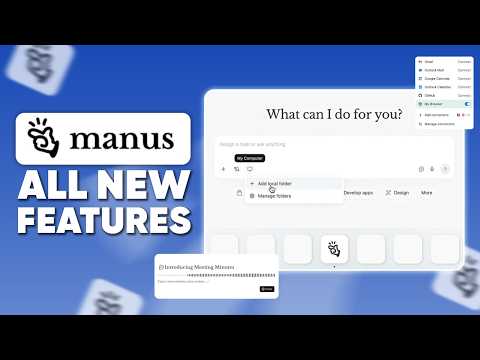
The Manus AI new features video covers My Computer for desktop integration and Meeting Minutes as two additions that change the scope of what Manus can work with. My Computer allowing Manus to interact with local files and applications for tasks like organising folders or executing code is the local operation layer that extends the agent beyond web-based tasks into your actual working environment. The difference between an agent that can research the web and an agent that can also read, write and organise your local files is the gap between a research assistant and a genuine operational assistant. Meeting Minutes providing intelligent meeting observation with summary and action item extraction is the meeting intelligence feature that joins a crowded category but adds it within the Manus context where the action items can be automatically fed into subsequent agent tasks rather than requiring manual transfer. The MCP integration for extending… Read full discussion →
♥ 1 💬 2 👁 10 View 2 replies →
borgny_builds · Manus AI in Business

Manus controlling a computer and browser to complete multi-step tasks without technical skills is where agent autonomy gets real

The Manus 24/7 autonomous agent video covers the computer and browser control capability in enough detail to understand what distinguishes it from a research assistant that summarises information. Controlling a computer and browser means navigating interfaces, filling forms, clicking through multi-step processes and executing workflows that require visual interaction with software rather than just processing text. The use cases that require this, travel booking, data entry across multiple systems, form submission workflows, are the ones that have been resistant to automation because they require human-like interface interaction. The Mail Manus feature for receiving task instructions via email is the asynchronous operation channel that changes how you interact with the agent. Sending an email with a task and receiving the completed work back as a response is a different workflow from opening an agent interface and waiting for completion. The multi-channel access via web, app or Telegram bot is the accessibility… Read full discussion →
♥ 1 💬 2 👁 6 View 2 replies →
IndieResearcher_Sol · Manus AI in Business

I gave Manus a research task that involved five different websites and it came back with a structured report

Concrete example because I think abstract descriptions of AI agents do not tell you what actually happens. I was trying to compile a competitive landscape overview across five companies in a specific niche. Normally that means: visit each site, find the relevant pages, take notes, pull pricing information, check their social presence, look for recent news, compile everything into a structure I can work with. An hour of fairly tedious work. I gave Manus the task in plain language. Told it the five companies, told it what I wanted to know about each, and asked it to produce a comparative report. It navigated to each site autonomously, found the relevant pages including some that were not obvious from the homepage, extracted pricing and feature information, checked recent news mentions and compiled everything into a structured document with a comparison table. The whole thing ran while I did other work. The… Read full discussion →
♥ 0 💬 3 👁 9 View 3 replies →
AgentObsessed_Tomas · Manus AI in Business

Manus AI does things I have not seen other agent platforms handle, here is an honest look

I have been experimenting with AI agent platforms for about six months. Most of them handle simple task automation reasonably well and fall apart the moment you ask them to do something that requires multiple steps of real reasoning. Manus is different enough that I think it warrants a proper write-up. The Deep Research and Scheduling combination is the feature I use most. You can set up a research task, say monitoring mentions of your brand across the web, and schedule it to run at regular intervals automatically. The output is structured and actionable rather than a wall of raw text. For competitive intelligence or brand monitoring this replaces a manual process that I was spending real time on. Data Visualization from uploaded spreadsheets is another area where it genuinely surprised me. You upload a CSV or Excel file and it analyzes it, generates charts, builds an executive summary and… Read full discussion →
♥ 0 💬 4 👁 6 View 4 replies →
View All Manus Discussions
Gallery

Manus Showcase

5 items
Manus running complex tasks asynchronously while you do other things is the capability that changes how you think about delegation

Manus running complex tasks asynchronously while you do other things is the capability that changes how you think about delegation

hermund_dgt

Manus My Computer for local desktop integration and Meeting Minutes for intelligent meeting observation are the 2026 updates that extend what it can access

Manus My Computer for local desktop integration and Meeting Minutes for intelligent meeting observation are the 2026 updates that extend what it can access

halvard_bld2

Manus controlling a computer and browser to complete multi-step tasks without technical skills is where agent autonomy gets real

Manus controlling a computer and browser to complete multi-step tasks without technical skills is where agent autonomy gets real

borgny_builds

I gave Manus a research task that involved five different websites and it came back with a structured report

I gave Manus a research task that involved five different websites and it came back with a structured report

IndieResearcher_Sol

Manus AI does things I have not seen other agent platforms handle, here is an honest look

Manus AI does things I have not seen other agent platforms handle, here is an honest look

AgentObsessed_Tomas

👍 👎

Manus Pros & Cons

End-to-end execution

👍 Pro

Manus can research, browse, code, analyse, create files, use apps, and deploy outputs inside one task rather than stopping at advice.

👎 Con

Greater autonomy creates more ways to take an incorrect action, consume credits, expose connected data, or deliver a polished but unsupported result.

Plan Mode

👍 Pro

An editable plan and explicit approval gate can catch missing requirements and wrong assumptions before expensive execution begins.

👎 Con

Plan Mode is manual, and an approved plan can still contain technical, factual, security, privacy, or business errors.

Wide Research

👍 Pro

Parallel agents can process large lists without forcing every item through one crowded context window.

👎 Con

Parallel scale multiplies source, identity, duplication, quality, compliance, and credit risk, while uniform formatting does not prove uniform accuracy.

Presentations and files

👍 Pro

Manus can research and generate native PPTX decks with editable charts, tables, visuals, and speaker notes.

👎 Con

Generated facts, citations, calculations, chart scales, layout, accessibility, speaker notes, and client claims still require slide-by-slide verification.

Website and app building

👍 Pro

One agent can create code, infrastructure, database, authentication, payments, deployment, domains, analytics, and integrations.

👎 Con

Live applications introduce separate runtime charges plus security, privacy, uptime, moderation, payment, backup, dependency, and ownership obligations.

Browser and desktop operation

👍 Pro

Cloud Browser, Browser Operator, and My Computer can bridge research into action on real websites and local files.

👎 Con

Authenticated browsing and desktop control expose sensitive sessions and can create irreversible side effects unless permissions and approvals are tightly limited.

Integrations and API

👍 Pro

MCP connectors, custom MCP, Zapier, Slack, REST APIs, premium data, and API v2 support broad orchestration.

👎 Con

Each connected provider adds permissions, retention, billing, rate limits, schema changes, failure modes, and its own terms.

Credit pricing

👍 Pro

Free evaluation, usage logs, multiple Pro allowances, pooled Team credits, and technical-failure refunds provide several cost controls.

👎 Con

Variable task cost, expiring monthly credits, inactive add-ons after cancellation, separate WebDev charges, and third-party usage make forecasting workload dependent.

Team governance

👍 Pro

Team adds pooled credits, shared resources, SSO, access control, analytics, sharing permissions, audit logs, and stated no-training protection.

👎 Con

Plan-specific contract terms, administrator powers, retention, model providers, support, regions, and service levels still need verification.

2026 operational transition

👍 Pro

Manus published a detailed affected-user timeline, backup and restoration tools, refund rules, and compensation routes before the deletion event.

👎 Con

Affected users face a hard August 23 backup deadline, possible data and account deletion, two days of lost access, connector reauthorisation, and team-owner dependencies.

How to Get Results with Manus: Step-by-Step Workflow

  1. Check the August account notice

    Sign in to every Manus personal and team account. Record whether each is unaffected or affected as Type A, B, or C. If affected, complete the required official account and task backups before the August 23 deadline and involve the team owner.

  2. Choose one measurable task

    Define one real workflow with an owner, source set, privacy class, desired files, acceptance tests, deadline, maximum credits, WebDev budget, and explicit list of actions Manus may or may not take.

  3. Create a controlled Project

    Add a narrow master instruction, current approved files, source hierarchy, output template, brand rules, refusal conditions, and review date. Do not upload sensitive data that the chosen plan and agreement do not cover.

  4. Activate Plan Mode

    Require Manus to identify assumptions, dependencies, connectors, data movement, expected outputs, side effects, cost drivers, failure handling, and validation steps. Edit the plan until it matches the real process, then approve only the first stage.

  5. Connect minimum permissions

    Use dedicated test accounts or low-privilege credentials. Allow only necessary read tools first. Separately gate writes, sends, payments, publishing, deletion, account changes, bulk operations, and local-computer access.

  6. Run a bounded pilot

    Limit item count, parallel agents, retries, runtime, credits, and external actions. Keep Browser Operator and Auto-Publish off until the read-only output passes factual, technical, privacy, and security review.

  7. Verify the deliverables

    Open every file, test every cited source, recalculate figures, inspect data rows, run code and security checks, review slide structure, compare deployed behaviour with the plan, and log unsupported or missing work.

  8. Measure total cost

    Record task credits, add-on usage, third-party charges, WebDev runtime, human review, retries, latency, incidents, and final value. Model monthly peaks and failed runs before selecting a larger plan or enabling automation.

  9. Release with controls

    Move from read-only to draft-only, then approved writes for a small scope. Use version control, backups, a staging environment, manual publication, monitoring, owner alerts, an emergency stop, and a documented rollback.

  10. Review and export

    Review sources, permissions, connectors, project files, skills, API keys, schedules, costs, and vendor changes on a recurring cadence. Export critical artifacts and code so the workflow can be recovered outside Manus.

Manus Gotchas and Limits to Know Before You Start

  • Certain notified users must back up required data before 7:59 a.m. Singapore Time on August 23, 2026.
  • Affected data can be deleted during August 23 and 24 as Manus separates from Meta.
  • The restoration portal opens August 25, but it cannot recover data that was not backed up before the deadline.
  • Users with multiple accounts must check and back up each affected account separately.
  • Affected team members may depend on the team owner to back up and restore shared data.
  • Type C affected users must back up account data before task data and restore the account first.
  • A backup becomes stale if new tasks, artifacts, or connectors are created afterward, so a final backup may be needed.
  • Affected users can lose access for two days during deletion and restoration operations.
  • Manus says the transition is regulatory and not a security incident, but it remains a material continuity event.
  • Free daily credits must be claimed by logging in, expire each day, and do not accumulate.
  • Free users can consume only 1,500 daily-refresh credits per month.
  • Daily-refresh credits work only with Manus 1.6 Lite.
  • Monthly subscription credits expire at each billing-cycle reset and do not roll over.
  • Add-on credits remain active only while a paid subscription is active.
  • Only the highest available monthly-credit tier can buy add-on credits according to current help guidance.
  • Task credits vary with tokens, virtual machines, third-party APIs, complexity, and duration.
  • A final task action can temporarily make the credit balance negative and block new tasks until refresh.
  • A seven-day trial is tied to a stated Pro configuration and may convert to paid service under checkout terms.
  • Web, Apple, and Google subscriptions must be managed on the platform where they were purchased.
  • Building a website and running it use different balances.
  • Live WebDev applications create separate usage-based hosting, database, AI, integration, and API charges.
  • Agent-generated code can contain security, privacy, accessibility, performance, dependency, or data-loss defects.
  • Auto-Publish can send incorrect or breaking changes live without an independent release gate.
  • Authenticated Browser Operator and desktop access can create external side effects in real accounts.
  • Cloud browsing and local browser operation have different session, cookie, and credential exposure.
  • Plan Mode reduces misalignment but does not verify that the approved plan is correct or safe.
  • Wide Research multiplies source, identity, duplication, compliance, and cost risk across many agents.
  • Manus documentation includes strong vendor claims about speed, scale, and uniform quality that require independent testing.
  • Generated citations, calculations, contacts, product facts, and conclusions can be wrong or outdated.
  • Native PPTX output still requires checking every fact, chart, data table, layout, note, and source.
  • Voice cloning and audio generation require rights, consent, disclosure, and compliance with ElevenLabs terms.
  • Third-party connectors bring separate permissions, billing, retention, availability, and provider terms.
  • OAuth access can be revoked, but users should test revocation and connector cleanup before sensitive deployment.
  • Collaboration exposes prompts and responses to invited participants and may require re-authentication for logged-in browser tasks.
  • Only the task owner consumes Collab credits, which can obscure internal cost allocation.
  • Project instruction changes can affect an existing task, while updated project files apply only to new tasks.
  • API v1 is deprecated and will be removed, so integrations should use API v2.
  • API keys, webhooks, connectors, browser tools, and custom agents require least-privilege security and monitoring.
  • Rate limits and provider changes can interrupt scheduled, batch, or production workflows.
  • Team no-training, SSO, audit, retention, model, and support protections should be confirmed for the purchased contract.
  • Security certifications do not guarantee output accuracy, correct permissions, or safe customer configuration.
  • A polished deliverable can conceal unsupported research, incorrect code, fabricated data, or incomplete work.
  • High-stakes financial, legal, medical, employment, safety, or compliance outputs need qualified human review.
  • Irreversible actions, payments, publication, account changes, and bulk messages should always require approval.

Which Manus Feature Fits Your Use Case

Feature Good for Common mistake Fix
Plan Mode Complex builds and research where requirements, architecture, sources, and side effects need review before execution Approving a detailed plan because it looks professional without checking assumptions, permissions, cost, and failure cases Add acceptance tests, source rules, prohibited actions, stage gates, credit limits, rollback, and a named reviewer before confirming
Projects and Skills Recurring workflows that need persistent instructions, shared files, specialised procedures, and consistent outputs Leaving stale or contradictory knowledge and assuming updates affect every old task the same way Version instructions and files, set owners and review dates, start new tasks after file updates, and run a regression set after material changes
Wide Research Researching, extracting, comparing, or transforming many independent items in parallel Scaling to hundreds of items before testing identity resolution, source quality, duplication, field rules, and cost Validate a ten-item sample, define exact columns and sources, deduplicate entities, cap agents and credits, then audit a random sample of the full result
PowerPoint Mode Research-backed business decks with editable charts, structured tables, visuals, and speaker notes Treating editable charts and polished slides as proof that data, citations, scale, narrative, or claims are correct Reconcile every number with its source, inspect embedded tables, check slide masters and accessibility, and require subject-matter approval
Website and App Builder Prototypes and production apps requiring code, database, storage, authentication, integrations, payments, hosting, and domains Publishing an agent-built application without threat modelling, tests, backups, privacy terms, runtime budget, or ownership plan Use staging, export to GitHub, review code and dependencies, test auth and payments, set runtime caps and monitoring, then release with rollback
Browser Operator and Desktop Tasks that require authenticated websites, local files, desktop software, or actions unavailable in a cloud sandbox Granting the agent an everyday browser profile or computer session containing broad personal and business access Use a dedicated profile and test machine, limit sessions and folders, require confirmation for every side effect, and revoke access after the task
Integrations and MCP Cross-app workflows using Gmail, Notion, Slack, Stripe, HubSpot, Google services, custom systems, and other providers Assuming OAuth connection means all exposed reads and writes are least privilege, supported, reversible, and correctly scoped Inventory every permission and data field, connect test accounts, separate read and write tools, test revocation, and log each external action
Scheduled Tasks and Mail Manus Recurring research, reports, monitoring, reminders, and delegation initiated by schedule or email Allowing an ambiguous inbound message or recurring job to trigger expensive, duplicate, sensitive, or external actions Authenticate senders, validate inputs, deduplicate runs, set timezones and budgets, route outputs to draft, and alert an owner on exceptions
Manus API v2 Embedding agent tasks, projects, files, skills, webhooks, connectors, browser work, and structured outputs in software Using broad keys, unbounded retries, unverified webhooks, or deprecated v1 behaviour in a production integration Use v2, least-privilege credentials, secret storage, idempotency, signature checks, bounded backoff, schema validation, spend alerts, and a kill switch
Collab and Team Shared task review, pooled credits, reusable resources, permissions, analytics, SSO, and controlled team adoption Inviting collaborators without checking task visibility, browser re-authentication, administrator access, cost ownership, or backup responsibility Define owners, roles, data scope, credit attribution, sharing rules, account backups, offboarding, and approval rights before inviting the team

Starter Prompts for Manus

Activate Plan Mode for a WhatAI monthly tool-record update. Read the current approved record and official product sources, identify changed pricing, features, policies, and news, propose an exact 70-field JSON plan, keep every varchar(50) field at 50 characters or fewer, and do not execute until I approve the plan.
Create a Manus Project for recurring WhatAI article updates. Store the editorial rules, no-em-dash constraint, HTML structure, citation policy, source hierarchy, 900-word minimum, acceptance checks, and an inventory of articles. New tasks must produce drafts and change logs only, never publish.
Use Wide Research to compare these 50 AI tools. Resolve each official identity first, collect only current primary-source pricing and capabilities, label every vendor claim, return one row per tool with fixed columns, record conflicts and unknowns, cap the run at 8,000 credits, and audit 10 random rows before finalising.
Turn this approved research report and spreadsheet into a native PowerPoint deck. Use the spreadsheet as the source of truth, keep charts editable, cite each external claim, include speaker notes, apply the supplied master style, and provide a slide-by-slide data reconciliation table before delivery.
Build a read-only competitor monitoring workflow using Similarweb, public websites, and Google Sheets. Run weekly, deduplicate domains, record source timestamps, draft a report, and require approval before any CRM, email, Slack, or website write. Alert the owner if cost exceeds 500 credits or sources conflict.
Use Browser Operator with this dedicated test profile to collect invoices from the approved vendor list. Do not change account settings, purchase, cancel, send, or delete anything. Save files to the named folder, produce a manifest, flag missing invoices, and pause for approval before opening any unexpected domain.
Build a staging version of this membership landing page. Use Plan Mode, export code to a private GitHub repository, implement analytics events and accessibility checks, keep Stripe in test mode, set a $20 WebDev runtime cap, and never enable Auto-Publish or the production domain without written approval.
Create a support triage agent using Gmail and Notion read access only. Classify topic and urgency, cite the approved knowledge article, draft a reply, and escalate billing, privacy, legal, safety, angry-customer, missing-source, and low-confidence cases. Never send messages automatically.
Design a Manus API v2 integration for batch research. Use scoped keys, idempotency, validated webhooks, typed structured output, bounded retries, rate limits, cost alerts, and an emergency stop. Return the architecture, threat model, test cases, worst-case spend, and rollback procedure before writing code.
Check this Manus account's August 2026 service-change status. If it is unaffected, make no changes. If affected, explain whether it is Type A, B, or C, list the exact required backups, involve the team owner where needed, create an evidence checklist, and stop before downloading or restoring until the account owner approves.

Manus — Frequently Asked Questions

What is Manus?

Manus is a general AI agent that plans and executes multi-step tasks inside a sandboxed virtual computer. It can research, browse, analyse data, run code, create presentations, build and deploy websites or apps, use connected services, automate recurring work, and deliver finished files rather than only conversational answers.

How much does Manus cost?

Manus has a Free plan. Pro starts at $20 per month with 4,000 monthly credits, while a $40 configuration starts at 8,000 credits and advertises a seven-day trial. Annual billing is advertised at a 17% discount. Team starts at $20 per seat per month. Higher credit configurations, add-ons, API use, cloud computer capacity, and deployed WebDev applications can add separate charges.

How do free Manus credits work?

Current help guidance describes 1,000 initial registration credits plus 300 daily-refresh credits claimed by logging in. Daily credits work only with Manus 1.6 Lite, expire at the daily reset, and do not accumulate. Free users can consume only 1,500 daily-refresh credits per month. Free credits have separate non-expiry treatment.

What consumes Manus credits?

Credits vary with LLM tokens, virtual machine use, third-party APIs, task complexity, and duration. Only active task processing consumes task credits. Completed tasks and stored or deployed outputs do not consume task credits, although a deployed website or app creates separate runtime charges.

Do unused Manus credits roll over?

Monthly subscription credits do not roll over and reset each billing cycle. Daily credits expire each day. Add-on credits can roll forward while an active paid subscription remains, but become inactive if the account returns to Free or the subscription lapses. Event credits expire under their event terms, while ordinary free credits do not expire.

What is Manus Plan Mode?

Plan Mode makes Manus pause before executing, check feasibility, ask for missing context, and create an editable Markdown plan. The user must confirm or dismiss the plan before work continues. It can be activated at the start of a task or midway through one and is available on web and mobile.

Can Manus create editable PowerPoint files?

Yes. PowerPoint Mode generates a native PPTX file rather than converting a web deck at export. It supports editable charts with embedded data tables, structured tables, standard slide layouts, research, Google Sheets data, uploaded files, URLs, and meeting notes. The feature is currently described as beta for Manus 1.6 and Max users.

Can Manus build and host a website or application?

Yes. Manus can build full-stack applications with frontend, backend, database, file storage, authentication, integrations, payments, managed hosting, custom domains, analytics, SEO, GitHub sync, and publishing controls. Building uses subscription credits, while a live application's hosting, database, AI, integrations, and API consumption are billed separately through WebDev usage.

Does Manus have an API?

Yes. Manus API v2 can create and manage tasks, projects, files, skills, custom agents, connectors, browser work, websites, webhooks, and structured output. It uses API keys or OAuth2 and has endpoint rate limits. API v1 is deprecated and is planned for removal.

Who must back up Manus data in August 2026?

Only accounts identified as affected by Manus through email or an in-app notice must act. Check every personal and team account separately. Affected users must save the required account or task backups before 7:59 a.m. Singapore Time on August 23, 2026. Affected team members should contact the team owner because team backups and restoration can depend on that owner.

Why is Manus deleting some user data?

Manus says it is separating from Meta, returning to independent operation, and must delete specified data for certain users to meet regulatory requirements in particular jurisdictions. The company says this is not a data breach or security incident. Data for the independent service is stated to be stored in the United States and Singapore.

What happens if an affected user misses the backup deadline?

Specified task data, generated artifacts, connector authorisations, and possibly the account itself can be permanently deleted during August 23 and 24. The restoration portal opens August 25 and has no stated closing date, but only data saved before the backup deadline can be restored. Type C users who do not restore remain deleted and would need a new account.

Related AI in Business Tools

8 tools
ChatGPT logo

ChatGPT

$0/mo – Custom

Genspark logo

Genspark

$0/mo – Custom

Relevance AI logo

Relevance AI

$0/mo – Custom

Gumloop logo

Gumloop

Paid

Replit AI logo

Replit AI

$0/mo – Custom

Lindy.ai logo

Lindy.ai

$10 – Custom

Zapier logo

Zapier

$0/mo – Custom

Buzz

Free

Explore the Network

People discussing Manus also discuss...

Alternatives to Manus

ChatGPT ChatGPT $0/mo – Custom Compare Genspark Genspark $0/mo – Custom Compare Relevance AI Relevance AI $0/mo – Custom Compare Gumloop Gumloop Paid Compare

Pairs well with Manus

Sources & References

  1. Manus official website ↗
  2. Manus plans and pricing ↗
  3. Current Manus membership pricing ↗
  4. Manus credit consumption and expiry rules ↗
  5. Manus WebDev billing ↗
  6. Manus documentation introduction ↗
  7. Manus documentation index ↗
  8. Manus Projects documentation ↗
  9. Manus Wide Research documentation ↗
  10. Manus Browser Operator documentation ↗
  11. Manus integrations documentation ↗
  12. Manus API v2 introduction ↗
  13. Introducing Plan Mode ↗
  14. Introducing PowerPoint Slides on Manus ↗
  15. Introducing ElevenLabs on Manus ↗
  16. Manus Team plan ↗
  17. Manus security overview ↗
  18. Manus notice about independent operations ↗
  19. Manus service change and affected-user guide ↗
  20. Manus service-change refund guide ↗

Try Manus

Visit the official website to get started with Manus today.

Visit Manus →

Explore More

More AI in Business Tools

Browse similar AI tools in this category

Compare AI Tools

Side-by-side comparison of features

Community Forum

Discuss Manus with other users