Miro is turning the canvas into a shared context layer for AI
Sidekicks, Flows, Prototypes and MCP are pushing Miro beyond whiteboarding, while August's Enterprise pricing change makes AI part of the core platform.
By WhatAI Editorial ·
Miro is no longer positioning itself as a digital whiteboard
For years, the simplest explanation of Miro was also the most useful one. It was an infinite collaborative canvas where teams could brainstorm, run workshops, map processes, plan products and leave a shared visual record behind.
That description is now incomplete.
Miro's 2026 product direction is built around a larger idea: the canvas should become the collaboration layer between people, AI agents and the systems where work already happens. The company now describes Miro as an AI Innovation Workspace and has reorganized much of the product around AI Workflows, Sidekicks, Prototypes, structured formats, connectors and an MCP server that lets outside AI systems read from and write to Miro.
The underlying whiteboard has not disappeared. Sticky notes, diagrams, workshops and visual thinking remain central to the product. What has changed is what Miro expects to happen after the brainstorm.
The current platform is trying to turn the canvas from a place where teams discuss work into a place where teams and agents can help produce the next artifact, update the next system and carry context into the next stage of a project.
That is a more ambitious role, and it changes how Miro should be evaluated.
The canvas is becoming shared context for AI
Generative AI has created an awkward collaboration problem inside many organizations. Individuals can produce drafts, code, research and analysis much faster, but the reasoning behind that work often lives inside private chat histories. The rest of the team sees the output without necessarily seeing the context that produced it.
Miro is betting that a shared visual workspace can solve part of that problem.
Its current AI platform treats the canvas itself as context. A board can contain research, sticky notes, diagrams, product requirements, screenshots, workshop results, tables and external content. Sidekicks can work against that material. Flows can turn it into repeatable AI processes. Prototypes can turn early ideas into interactive screens. External AI tools can connect through Miro's MCP server.
This is materially different from adding a chatbot to a whiteboard.
The more important idea is that the team's existing work becomes the prompt.
That can be useful because context is usually the expensive part of a serious AI task. A generic assistant has to be told the problem, the constraints, the product state and the decisions already made. A Miro board may already contain much of that information in a form the whole team can inspect.
The risk is that visible context is not always complete context. Miro's own AI documentation notes that AI primarily works with content available on the canvas, and some integration content is understood through what is rendered rather than through unrestricted access to the source system. Teams should therefore be careful about assuming that an agent has seen every relevant Jira ticket, document, metric or design decision just because an integration appears on the board.
Sidekicks are becoming agents rather than assistants
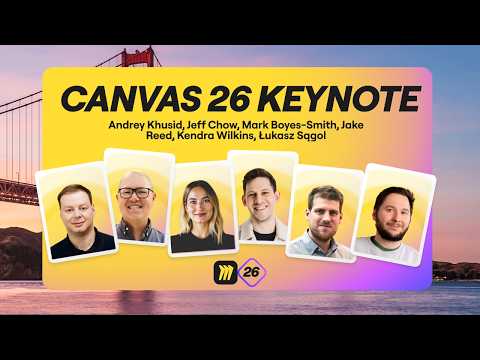
Miro Sidekicks started as specialized AI helpers that could analyze and create content on the canvas. At Canvas 26 in May, Miro showed the next step: Sidekicks that can tackle more open-ended work, ask clarifying questions, build a plan and create a multi-part deliverable after the user approves the approach.
That direction matters more than the word "agent."
A useful collaborative agent needs to show its work in a form other people can inspect. Miro has a natural advantage here because the output does not have to remain inside a chat transcript. The agent can create diagrams, frames, documents, timelines, tables, kanbans and other visual artifacts directly on the shared canvas.
That makes the review process easier.
A product manager can see the roadmap the Sidekick created. A workshop facilitator can inspect an agenda before running it. A technical team can review a generated architecture diagram. The team can comment, edit and reorganize the result rather than treating the AI response as a finished answer.
Miro announced deeper agentic Sidekick behavior and voice interaction at Canvas 26, but availability should be checked feature by feature. Miro's own May release material distinguished between capabilities available immediately and capabilities that were still coming.
The important lesson for buyers is not to treat every keynote demonstration as generally available on every plan.
Flows make automation visible
Flows are Miro's answer to repeatable AI work.
Instead of hiding a workflow behind an automation backend, Miro represents the process on the canvas. The team can see the sequence, understand what information enters the workflow and inspect the resulting artifacts.
By early 2026, Flows and Sidekicks could work with content from public URLs placed on a board. Miro also added one-click Flow execution and continued expanding the kinds of content Flows can create.
At Canvas 26, Miro announced a broader connector model designed to pull context from systems such as Slack, Jira, Confluence, GitHub, Granola, Amplitude and Notion, then send decisions or outputs back into those systems.
The concept is compelling because automation is often difficult to govern precisely because only the person who built it understands what it does.
A visible Flow can be discussed by a product team in the same place where the underlying work lives.
The tradeoff is that visual transparency does not guarantee operational safety. A Flow that writes back to Jira or another production system still needs permissions, testing and a clear definition of what can be changed automatically. A diagram of an automation is easier to understand than invisible backend logic, but it can still perform the wrong action.
Miro Prototypes moves the product closer to Figma
One of the most consequential changes is Miro Prototypes.
Miro now allows teams to generate interactive prototypes from prompts, screenshots, board content and other early artifacts. Users can create single or multi-screen flows, refine screens through additional prompts, add manual components and preview clickable interactions.
The current Business plan includes interactive prototypes as part of the core plan, and Miro's August 2026 Enterprise pricing update similarly moved more AI capabilities into the Enterprise license rather than keeping them as separate add-ons.
This does not turn Miro into a replacement for Figma in every design workflow.
Miro is explicitly positioning Prototypes earlier in the product-development process. The point is to help a cross-functional team decide what should be built before the work becomes a polished design system or production interface.
That distinction is important.
A product manager can turn sticky notes or a PRD into a clickable concept without waiting for a designer. A designer can compare several directions quickly. Engineers can inspect the reasoning and flow before implementation. The prototype becomes a decision artifact rather than a final design deliverable.
For teams that already use Miro heavily during discovery, that can remove a handoff.
For teams that need high-fidelity component libraries, detailed interaction design, production design systems and mature developer handoff, Figma or another specialist tool will still play a larger role.
MCP connects the board to external AI tools
Miro's MCP server may be the most strategically important feature for technical teams.
The server allows supported AI clients to read and act on Miro boards while respecting the user's existing permissions. Miro currently documents connections for tools including Claude Code, Cursor, GitHub Copilot, Gemini CLI, Replit, Lovable, Windsurf, ChatGPT and OpenAI Codex.
The use cases move in both directions.
An AI coding tool can read requirements or architecture decisions from a board and use them as context for implementation. It can also create diagrams and other artifacts in Miro. A codebase can become an architecture diagram. A board can become input for code. Agent conversations can be translated into shared visual work.
That closes a common gap between planning and implementation.
The warning is permissions.
MCP is not a passive export. Miro's documentation says connected AI systems can create and update boards, diagrams, documents, tables and code widgets, and can interact with comments. Users should understand which team they authenticate into and which scopes they grant.
Miro also applies plan-specific daily MCP limits. The current pricing page lists 100 calls per day on Free, 500 on Starter, 2,000 on Business and 10,000 on Enterprise.
Those are generous enough for many workflows, but they are still limits that matter if an organization begins relying on automated agents at scale.
AI credits add another usage layer
Miro's paid plans are still priced primarily per seat, but AI introduces a second capacity system.
The Free plan currently includes 10 AI credits per month. Starter provides 25 credits per license per month. Business provides 50. Enterprise uses a pooled allocation that scales with the license tier and currently starts at 2,500 credits per month.
Credits are shared across the organization and reset monthly. Unused credits do not roll over.
Different actions cost different amounts.
Miro currently documents one credit for tasks such as a sticky note or text action, two for a document, three for an image, five for a diagram, five per prototype screen and five per generated slide. Sidekicks and some prompt-based work can vary depending on context and model use.
The practical implication is that Miro's AI is not unlimited simply because a team has a paid plan.
A Business workspace with ten members would receive a larger shared allowance than a two-person workspace because the included credits scale with paid seats. A team building multiple prototype screens or generating large slide decks can consume credits substantially faster than a team that mainly summarizes notes.
Miro allows paid organizations to purchase additional credit packages.
Buyers should therefore evaluate AI usage as a pooled team resource rather than assuming every member receives an isolated personal allowance.
The pricing reset in August is important
Miro changed its Enterprise packaging on August 17, 2026.
The company said it had simplified Enterprise pricing so that capabilities teams were already reaching for, including AI Workflows, Prototypes and Engage, were built into Enterprise licenses rather than sold as separate add-ons. Existing Enterprise customers were told they would receive more capability without a change to their current contract price or renewal date.
That announcement is significant because it shows where Miro wants AI to sit commercially.
AI is moving from an optional experiment into the core product.
The self-serve pricing now follows the same direction. Free provides limited AI exploration. Starter adds more credits and stronger collaboration. Business is explicitly sold around end-to-end workflows with AI and includes the full AI suite, advanced integrations and prototypes. Enterprise adds governance, data residency, AI administration, larger MCP capacity and organization-scale controls.
Current annual pricing is $8 per member per month for Starter and $20 for Business. Miro says annual billing saves 20 percent, which implies higher effective monthly pricing for customers who choose month-to-month billing. Enterprise remains custom and starts from 30 members.
The Business plan also has a 14-day free trial.
Free is useful, but the collaboration model has limits
Miro's Free plan remains meaningful.
Teams can have unlimited members, use three editable boards, access thousands of templates, work with Docs, Tables, Slides and Kanban formats, connect integrations and experiment with AI.
The biggest limitation is not only the three-board cap.
Free boards are accessible to team members by default, and the Free plan does not provide the same visitor and guest controls available on paid tiers. That matters for consultants or teams that need to separate client work.
Starter is therefore often the real minimum for professional use because it adds private boards, unlimited editable boards, visitor editing, project spaces, facilitation controls and stronger AI and MCP limits.
Business becomes the more interesting plan when the team wants agents, deeper integrations, advanced diagrams, prototypes, structured data tables, unlimited guests and more substantial AI use.
Miro's breadth is becoming both its advantage and its risk
Miro now covers brainstorming, diagramming, workshops, research synthesis, roadmaps, project tracking, documents, slides, tables, prototypes, AI workflows and external agent connections.
That consolidation can be valuable.
A team can move from rough research to a decision, then to a diagram, a prototype and a development handoff without leaving the shared workspace every time.
The problem is that broad platforms can become cluttered.
A board that contains every artifact from every stage of a project can become difficult to navigate. AI can generate more content faster than a team can organize it. Structured formats help, but teams still need conventions for naming, archiving, ownership and where the authoritative version of a decision lives.
Miro should not become a visual dumping ground simply because it can hold almost anything.
The most successful teams will probably use the canvas as a decision layer while allowing specialist systems to remain authoritative where appropriate. Jira can still own tickets. GitHub can own code. Figma can still own production design. Miro can connect those systems around the reasoning and collaborative work that sits between them.
Data governance is stronger on Enterprise
Miro's current Enterprise plan includes controls such as enforced SSO, audit trails, domain control, SCIM provisioning, organization-wide integration controls and data residency options in the EU, US, Australia and Japan.
Enterprise administrators also receive controls for AI capabilities and usage.
Miro states on its pricing page that customer data is not used to train Miro AI models. Its March 2026 subprocessor and AI-provider list identifies several third-party model providers, including Anthropic, Microsoft-hosted OpenAI models, Google, Amazon-hosted models and Stability AI depending on the feature.
Those two facts are not contradictory.
Not using customer data to train Miro AI does not mean every AI feature is processed only by Miro's own infrastructure. Enterprise buyers should still review the current subprocessor list, data residency behavior and feature-specific AI documentation for the workloads they intend to enable.
The same applies to third-party Marketplace apps. Miro's Help Center distinguishes between Miro-built apps and external apps, whose use can be governed by separate third-party terms.
WhatAI's view
Miro is becoming much harder to classify as a whiteboard, and that is the point.
The strongest version of the product is now a collaborative context layer. People bring research, diagrams, plans, product requirements and workshop output onto the canvas. Miro AI can help synthesize and transform that material. Sidekicks and Flows can extend the work. Prototypes can turn ideas into something interactive. MCP can pass context between the board and coding agents.
That gives Miro a useful position in an AI stack because it focuses on a problem that individual AI assistants do not solve particularly well: shared organizational context.
The buying decision still depends on how a team actually works.
If Miro is only being used for the occasional brainstorm, the Free or Starter plan may be enough and many of the new AI features will be unnecessary.
If a product, design, engineering or consulting team already lives in Miro and repeatedly moves from research to workshop to decision to prototype to implementation, the Business plan is much more compelling than it was a year ago.
Enterprise becomes relevant when the collaboration layer itself needs governance, regional hosting, identity control and organization-wide AI administration.
The most useful trial is therefore not to open an empty board and ask Miro AI to generate something impressive.
Take one real project. Put the research, requirements and existing decisions onto the canvas. Use a Sidekick to synthesize the problem. Build one Flow for a repeated task. Generate a prototype. Connect an external AI tool through MCP if that reflects the team's actual workflow. Then measure whether Miro preserved context and reduced handoffs.
If it does, the product is doing something more valuable than replacing a whiteboard.
It is becoming the place where human and AI work becomes understandable to the rest of the team.
Miro has evolved from a collaborative whiteboard into a broader visual workspace for research, workshops, roadmaps, diagrams, prototypes, AI workflows, and agent-connected work. Its strongest 2026 additions are Sidekicks, Flows, Miro Prototypes, and an MCP server that connects the canvas with external AI and coding tools.
What Miro is actually best at
Miro is strongest when several people need to understand and shape the same problem together. It gives teams a shared visual context for research, decisions, planning, diagrams, prototypes, and workshops, then increasingly lets AI agents work against that context rather than keeping important reasoning inside an individual chatbot session.
Where Miro falls short
Miro's breadth can create crowded workspaces, duplicated artifacts, and unclear sources of truth if teams do not establish structure. It also does not replace specialist systems for every workflow: Figma remains stronger for high-fidelity production design, Jira can remain authoritative for engineering work, and dedicated project or data tools may offer deeper controls.
About Miro
Miro is a collaborative visual workspace that combines an infinite canvas with diagrams, workshops, research synthesis, roadmaps, tables, docs, slides, prototypes, project planning, AI workflows, and integrations. Its 2026 direction goes well beyond digital whiteboarding: Sidekicks and Flows bring AI agents and repeatable workflows onto the shared canvas, Prototypes turns early ideas into interactive concepts, and Miro's MCP server lets external AI tools such as Claude Code, Cursor, GitHub Copilot, Gemini CLI, ChatGPT, and OpenAI Codex read from and act on Miro context.
Use Cases
Key Features
- ✓ Infinite multiplayer visual canvas
- ✓ Sticky notes, mind maps, diagrams, flowcharts, process maps, and technical diagrams
- ✓ Docs, Tables, Timelines, Kanban, and Slides on the canvas
- ✓ Miro AI for generation, synthesis, clustering, diagrams, images, documents, tables, and slides
- ✓ Sidekicks AI assistants and agent-style collaborative workflows
- ✓ Flows for visible, repeatable AI workflows
- ✓ Miro Prototypes for prompt, screenshot, and board-content-to-prototype generation
- ✓ Interactive prototype previews and multi-screen flows
- ✓ Miro MCP server for connecting external AI and coding agents
- ✓ Research synthesis and AI search
- ✓ Roadmapping, portfolio, planning, and structured data tables
- ✓ Workshop facilitation with voting, timers, private mode, polls, and Engage activities
- ✓ Talktrack asynchronous board walkthroughs
- ✓ More than 250 apps and integrations
- ✓ Developer platform with APIs, SDKs, apps, widgets, and custom integrations
- ✓ Enterprise security, identity, governance, and regional data residency options
Pricing
Free
$0
- • Unlimited team members
- • Three editable boards
- • 10 AI credits per month
- • 100 MCP calls per day
- • Docs, Tables, Slides, Timeline, Kanban, and diagram formats
- • Limited access to AI workflows and Sidekicks
- • 250+ integrations
- • Free boards are accessible to team members by default and do not include Guest roles
Starter
$8 per member/month billed yearly
- • Unlimited editable and private boards
- • 25 AI credits per paid member per month, pooled across the team
- • 500 MCP calls per day
- • Visitor editing without sign-in
- • Unlimited project spaces and blueprints
- • High-resolution exports
- • Timer, voting, private mode, and facilitation controls
- • Custom fonts and styles
Business
$20 per member/month billed yearly
- • 14-day free trial
- • Unlimited workspaces and signed-in guests
- • 50 AI credits per paid member per month, pooled across the team
- • 2,000 MCP calls per day
- • AI Workflows and agents
- • Miro Prototypes and interactive prototyping
- • Advanced technical and process diagramming
- • Nested data tables and portfolio planning
- • Two-way integrations with Jira, Asana, Linear, ClickUp, Azure, and other supported systems
- • Single Sign-On
Enterprise
Custom, from 30 members
- • Enterprise licensing and custom pricing
- • AI Workflows, Prototypes, and Engage included in the current Enterprise packaging
- • AI credits pooled across the organization, starting from 2,500 per month
- • 10,000 MCP calls per day
- • Enforced SSO, audit trails, domain control, and SCIM
- • Regional data residency options in the EU, US, Australia, and Japan
- • Organization-wide integration controls
- • AI administration and usage analytics
- • Sandbox and enterprise customer-success options
- • Optional Enterprise Guard and premium support
Pricing varies by plan and region — see current pricing.
Plan features change — last updated: 2026-08-26.
Details
Tags
WhatAI verdict on Miro
Miro — Frequently Asked Questions
What is Miro?
Miro is a collaborative visual workspace for brainstorming, diagrams, workshops, research, planning, roadmaps, documents, slides, tables, prototypes, and AI-assisted team workflows.
Is Miro free?
Yes. The Free plan supports unlimited team members and three editable boards. It also includes limited AI usage, 100 MCP calls per day, templates, structured formats, and integrations.
How much does Miro cost?
As of August 26, 2026, annual pricing is $8 per member per month for Starter and $20 per member per month for Business. Miro says annual billing saves 20 percent, so month-to-month pricing is higher. Enterprise pricing is custom and starts from 30 members.
How many AI credits does Miro include?
The current allocations are 10 credits per month on Free, 25 per paid member on Starter, 50 per paid member on Business, and a pooled Enterprise allowance that starts at 2,500 credits per month and scales by license tier.
Do Miro AI credits roll over?
No. Included and purchased AI credits refresh monthly and unused credits do not roll over.
What are Miro Sidekicks?
Sidekicks are AI-powered assistants that work against canvas context to analyze problems, provide guidance, and create Miro artifacts. Miro is expanding them toward more agentic, multi-step workflows.
What are Miro Flows?
Flows are visible multi-step AI workflows on the Miro canvas. They can transform board context into outputs such as documents, diagrams, tables, prototypes, and other structured artifacts.
Can Miro create prototypes?
Yes. Miro Prototypes can generate interactive single-screen and multi-screen concepts from prompts, screenshots, and board content, then let teams refine and preview them on the canvas.
What is the Miro MCP server?
Miro's MCP server lets compatible AI tools securely read from and act on Miro boards. Current documented clients include Claude Code, Cursor, GitHub Copilot, Gemini CLI, Replit, Lovable, Windsurf, ChatGPT, and OpenAI Codex.
Does Miro use customer data to train Miro AI?
Miro currently states that customer data is not used to train Miro AI models. Some AI functionality is provided through third-party model providers, so enterprise buyers should also review the current subprocessor and AI-provider documentation.
Is Miro a replacement for Figma?
Not generally. Miro Prototypes is designed for early concept exploration and cross-functional decision-making. Figma remains better suited to high-fidelity production design, detailed design systems, and mature design handoff workflows.
Does Miro have an affiliate program?
WhatAI did not verify a current public creator-style affiliate program. Miro does operate formal partner and referral programs for approved business partners, with current referral policies describing a 20 percent fee on eligible registered subscription opportunities.
Sources & References
- Official Miro AI Innovation Workspace overview ↗
- Official Miro pricing ↗
- Official Miro AI platform overview ↗
- Official Miro AI Workflows overview ↗
- Official Miro AI Workflows documentation ↗
- Official Miro Sidekicks documentation ↗
- Official Miro AI documentation ↗
- Official Miro AI credit documentation ↗
- Official Miro Prototypes overview ↗
- Official Miro Prototypes documentation ↗
- Official Miro MCP server overview ↗
- Official Miro MCP developer documentation ↗
- Official Miro Marketplace ↗
- Official Miro Developer Platform ↗
- Miro February 2026 product update ↗
- Miro March 2026 product update ↗
- Miro Canvas 26 product announcements ↗
- Official Canvas 26 AI platform announcement ↗
- Miro August 2026 Enterprise pricing update ↗
- Current Miro subprocessors and third-party AI model providers ↗
- Official Miro Solutions Partner referral policies ↗
- WhatAI Recommended Watch: Canvas 26 Miro Keynote ↗
- Miro Canvas 26 Prototypes deep dive ↗
- Official 2026 Miro Prototypes tutorial ↗
- Simplilearn Miro beginner tutorial 2026 ↗
Try Miro
Visit the official website to get started with Miro today.
Visit Miro →