Runway Dev turns the media platform into one API for models and workflows
The July 2026 developer platform combines Runway models, selected third-party models, Recipes, custom Workflows, real-time Characters, and enterprise controls.
By WhatAI Editorial Team ·
Runway launched Runway Dev in July 2026 as a separate AI media platform for developers and enterprise teams. It brings proprietary models such as Gen-4.5, Aleph 2.0, and Act-Two together with selected third-party image, video, audio, and voice models through one integration.
The platform is more than a model gateway. Recipes package common production outcomes such as ad localization, product ads, product swaps, multi-shot video, and marketing stock images into pre-built API endpoints. Workflows let teams chain several models and tasks into a private pipeline that can be triggered repeatedly from their own systems.
Characters is the other important surface. Runway's real-time video agents can combine a visual character, custom voice, knowledge, vision, tool calling, meeting participation, and an embeddable web widget. This makes Runway relevant to customer support, training, games, entertainment, and interactive product experiences as well as media generation.
Runway Dev should not be confused with an ordinary Creative subscription. It uses separate developer billing and adds enterprise commitments such as spend controls, no-training restrictions, zero-data-retention options, content moderation, SOC 2 Type II controls, IP indemnification, and a stated 99.9 percent uptime commitment.
Runway now spans three distinct platforms: Runway Creative for media production, Runway Dev for APIs and real-time Characters, and Runway Robotics for GWM-1-powered robot learning. The regular creator subscription centres on Agent 2.0, Gen-4.5, Aleph 2.0, image, audio, editing, and third-party media models.
What makes Runway different from a single AI video model?
Runway combines several models and production surfaces rather than selling access to one generator. Creators can develop a campaign with Agent 2.0, generate shots with Gen-4.5 or another available model, preserve visual references, edit existing footage through Aleph 2.0, create audio, upscale outputs, and deliver variants from one workspace. Developers can separately use Runway Dev Recipes, Workflows, APIs, and Characters.
Where Runway still requires production judgment
Strong demo footage does not guarantee a reliable final campaign. Models can produce visual drift, broken physics, unstable text, inappropriate edits, or misleading product details. Credits can be exhausted during iteration, monthly allowances may expire, and the built-in traditional editor is not intended to replace a maintained long-form post-production system.
About Runway
Runway is an AI media platform for generating, editing, and scaling video, images, audio, advertising, and interactive character experiences. Runway Creative combines proprietary models such as Gen-4.5 and Aleph 2.0 with selected third-party models inside one browser and mobile workflow. Creators can generate video from text or images, preserve subjects and styles across shots, animate performances, edit existing footage by changing selected elements, upscale outputs, create audio, and assemble finished multi-shot work. Agent 2.0 extends the product into campaign planning, ad analysis, localization, platform-specific variants, and conversational production. Runway Dev is a separate developer platform offering APIs, Recipes, custom Workflows, and real-time Characters. Runway Robotics is a separate custom-access platform using GWM-1 for robot policies, simulation, evaluation, and synthetic data. Runway is strongest for filmmakers, advertisers, agencies, marketers, VFX teams, product-content teams, and developers. It still requires review: credits can disappear quickly, generated motion and continuity can fail, model availability changes, the traditional video editor is no longer actively maintained, and commercial work needs licensing, disclosure, brand, and production checks.
Use Cases
Key Features
- ✓ Runway Creative browser workspace for video image and audio generation
- ✓ Agent 2.0 for planning analysing and producing ads videos social content and campaigns
- ✓ Conversational multi-shot video creation with concepts story beats voiceover dialogue and music
- ✓ Gen-4.5 text-to-video and image-to-video generation
- ✓ Gen-4 world-consistent characters objects locations and visual references
- ✓ Gen-4 Turbo for faster lower-cost image-to-video iteration
- ✓ Aleph 2.0 in-context video editing
- ✓ Edit Studio for frame-guided edits across clips and multi-shot sequences
- ✓ Targeted object product wardrobe background lighting and style changes
- ✓ Aleph 2.0 support for clips up to thirty seconds at 1080p
- ✓ Act-Two performance-driven character animation
- ✓ Seedance 2.0 multi-shot generation with text image video and audio inputs
- ✓ Access to selected third-party video image and audio models
- ✓ Reference-image workflows for character object location and style consistency
- ✓ Text-to-image and image transformation models
- ✓ Video upscaling including 4K export workflows
- ✓ Topaz AI upscaling access on qualifying plans
- ✓ Text-to-speech custom voices and generative audio tools
- ✓ Lip-sync and performance tools
- ✓ Timeline and generative-session refinement
- ✓ Platform-specific aspect ratios and campaign variants
- ✓ Advertising localization and product-swap workflows
- ✓ Creative analysis using uploaded campaign and engagement data
- ✓ Mobile applications for iOS and Android
- ✓ Workspace collaboration and editor access
- ✓ Runway Academy training for video VFX advertising games and creative workflows
- ✓ Runway Dev API for image video audio and real-time character models
- ✓ Runway Dev Recipes for product ads localization swaps and multi-shot video
- ✓ Runway Dev custom Workflows exposed through private API endpoints
- ✓ Runway Characters for real-time conversational video agents
- ✓ Characters knowledge bases tool calling custom voices vision and embeddable widgets
- ✓ Runway Dev spend visibility zero-data-retention options and enterprise controls
- ✓ Runway Robotics policy inference offline evaluation synthetic data and model licensing
- ✓ Enterprise SSO workspace analytics teamspaces onboarding and priority support
Pricing
Free
$0
- • 125 one-time credits that do not expire
- • Gen-4 Turbo image-to-video access
- • Gen-4 image generation and selected image models
- • Text-to-speech and audio apps
- • Three video editor projects
- • 5GB asset storage
- • Limited model access and restricted export options
- • No credit purchases on the Free plan
Standard
$15 monthly or $12 monthly billed annually
- • 625 credits each month
- • Access to all Creative image and video models
- • Gen-4.5 Aleph Veo Seedance Kling and other available models
- • 4K upscaling
- • No watermarks
- • Up to five paid editors in a workspace
- • Monthly credits do not roll over
- • Purchased credit top-ups available
Pro
$35 monthly or $28 monthly billed annually
- • Everything in Standard
- • 2250 credits each month
- • Custom voices for lip sync and text-to-speech
- • 500GB asset storage
- • Higher practical generation volume
- • ProRes and PNG-sequence export options where supported
- • Up to ten paid editors in a workspace
- • Monthly credits do not roll over
Max
$95 monthly or $76 monthly billed annually
- • Everything in Pro
- • 9500 credits each month
- • Up to one month of unused credits can roll forward
- • First access to selected new models
- • Highest listed generation volume
- • Up to ten paid editors in a workspace
- • Replaces Unlimited for new subscribers
- • Existing Unlimited subscriptions transition to Max in September 2026
Enterprise
Custom
- • Everything in Max
- • Custom credit packages
- • Single sign-on
- • Workspace Analytics
- • Configurable teamspaces
- • Enterprise-wide onboarding
- • Priority support
- • Custom team sizes
- • Contract-specific security support and integrations
Pricing varies by plan and region — see current pricing.
Plan features change — last updated: 2026-07-22.
Details
Tags
Runway Community Discussions
Explore community discussions. Ask and answer questions on Runway to grow and learn together.




Runway Showcase



WhatAI verdict on Runway
Runway — Frequently Asked Questions
What is Runway best used for in 2026?
Runway is best used for AI-assisted video and media production that combines generation, targeted editing, campaign workflows, audio, image tools, mobile access, and optional developer integrations.
Is Runway ML now called Runway?
Yes. The company currently brands the product as Runway. The older Runway ML name remains widely used, so the existing WhatAI identifier and aliases are preserved.
What is Runway Agent 2.0?
Agent 2.0 is a conversational creative and marketing agent that can analyse campaign material and metrics, develop concepts, generate ads and videos, localize assets, and create variants for different platforms.
What is Gen-4.5?
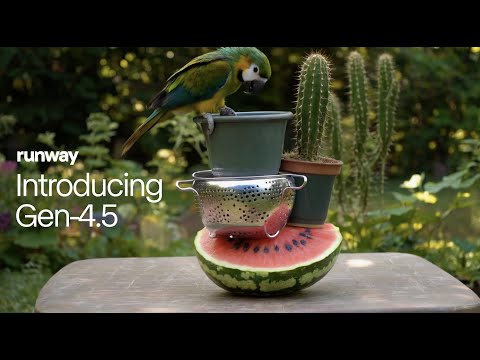
Gen-4.5 is Runway's flagship video-generation model focused on motion quality, prompt adherence, visual fidelity, and text-to-video or image-to-video creation.
What is Aleph 2.0?
Aleph 2.0 is Runway's in-context video-editing model. A user can edit or describe a change to a frame and apply that targeted change across the relevant parts of a video while preserving other details.
How much does Runway cost?
Runway has a Free plan, Standard at fifteen dollars monthly, Pro at thirty-five dollars monthly, Max at ninety-five dollars monthly, and custom Enterprise pricing. Annual billing reduces the effective monthly price.
Is Runway Max unlimited?
No. Max includes 9500 credits per month and allows up to one month of unused credits to roll forward. It replaces the old Unlimited plan for new subscribers but does not provide unlimited full-speed generation.
Do Runway credits roll over?
Standard and Pro monthly credits expire at the billing reset. Max can roll forward up to one month of unused credits. Purchased top-up credits do not expire.
Is Runway Dev included with a Creative subscription?
Runway Dev is a separate developer platform. Creative web-app credits and Runway Dev API credits are billed separately even when the same company provides both services.
Can Runway replace a professional video editor?
Not completely. Runway is strong for generation, short-form editing, VFX, variants, and campaign production, but Runway states that its traditional video editor is no longer actively maintained. Long-form finishing is better handled in a maintained editor.
Sources & References
- Official Runway platform overview ↗
- Official Runway Creative pricing ↗
- Official Runway credit documentation ↗
- Official Runway plan comparison ↗
- Official Runway Agent 2.0 announcement ↗
- Official Gen-4.5 announcement ↗
- Official Aleph 2.0 overview ↗
- Official Runway Dev announcement ↗
- Official Runway Characters engineering overview ↗
- Official Runway Robotics overview ↗
Try Runway
Visit the official website to get started with Runway today.
Visit Runway →