Descript uses generative video to repair ordinary recording problems
The June 2026 update adds jump-cut smoothing, lighting correction, image cleanup, effects, and YouTube thumbnail generation to Descript's transcript-based editing workflow.
By WhatAI Editorial Team ·
Descript's June 2026 release focuses less on generating a complete artificial video and more on repairing the footage creators already have. Video Regenerate can synthesize a natural bridge across a jump cut created when filler words, retakes, or pauses are removed from the transcript.
Portrait Lighting and Uplighting address poor recording conditions by separating the speaker from the background or brightening dark footage. New visual effects add stylized treatments, while Edit with AI lets users circle an unwanted region in an image and remove or replace it without opening a separate photo editor.
Descript also added a YouTube thumbnail generator that can use a frame from the project, a chosen style, and a title to produce a designed thumbnail. These tools sit alongside Studio Sound, Eye Contact, Green Screen, Regenerate Speech, and Underlord.
The product direction is important because it strengthens Descript's original buying argument. The platform is not trying only to replace the camera with generation. It is using AI to make ordinary recorded video easier to fix, edit, repurpose, and publish.
ℹ️
WhatAI Decision Box
✓
Best for:
Podcasters video creators educators marketers and teams that want recording transcript editing enhancement repurposing publishing and automation in one accessible workspace.
✗
Not for:
Advanced cinematic editing complex motion graphics deterministic compositing fully offline production or teams unwilling to manage media-minute AI-credit and per-editor costs.
Descript's defining advantage is continuity from recording and transcription through text editing AI enhancement clips publishing API automation and assistant control.
Evaluate time to an approved publishable asset, including correction and credit use, rather than measuring only how fast the rough cut appears.
Descript now combines transcript-based editing with Underlord, remote Rooms recording, Automatic Multicam, AI video enhancement, generated media, publishing, API automation, and MCP connections. Its strongest value is turning spoken-word production into one connected workflow rather than one isolated editing feature.
What makes Descript different from a traditional video editor?
Descript treats the transcript as the main editing surface. Deleting words removes the corresponding media, while AI tools can clean audio, remove retakes, smooth jump cuts, correct speech, generate clips, add captions, and create supporting visuals. Rooms and screen recording also move capture into the same production environment.
Where Descript still requires editorial and technical judgment
Fast transcript editing can hide visual continuity problems, incorrect transcriptions, weak cuts, or generated media that does not fit the story. Underlord can perform many actions, but its output needs review and its credit cost varies. Advanced cinematic finishing, compositing, sound design, and deterministic motion work still suit specialist software better.
About Descript
Descript is an AI audio and video production platform that lets creators record, transcribe, edit, enhance, generate, collaborate, automate, and publish media from one text-based workspace. Its defining workflow remains editing audio and video by editing the transcript, but the product now extends far beyond simple cuts. Underlord acts as an agentic co-editor that can remove filler words and retakes, clean audio, generate scenes and clips, create supporting visuals, write scripts and show notes, translate content, and apply multi-step edits through conversation. Rooms records remote guests locally in separate tracks at up to 4K, while Automatic Multicam can switch layouts based on the active speaker. Descript also provides screen recording, Studio Sound, Eye Contact, Green Screen, AI Speech, voice cloning, captions, generated images and video, avatars, layout packs, Smart Transitions, Brand Studio, API access, Zapier automation, and MCP connections for assistants such as ChatGPT, Claude, Cursor, and Codex. Descript is strongest for spoken-word video and podcast workflows, but it is less suitable for advanced cinematic editing, complex motion graphics, deterministic compositing, or fully offline production.
Use Cases
Record and edit a podcast by editing the transcriptRecord remote video interviews with separate local participant tracksImport Zoom cloud recordings for transcript-based editingAutomatically switch speakers in a video podcast through Automatic MulticamRemove filler words retakes pauses and repeated sectionsRepair spoken mistakes without re-recording the complete takeClean noisy or inconsistent audio through Studio SoundSmooth visible jump cuts after transcript editsCorrect eye contact lighting and backgrounds in talking-head videoCreate short clips for TikTok Reels Shorts and LinkedInGenerate B-roll images avatars and supporting video from promptsProduce tutorials screen recordings product demos and course videosCreate captions subtitles show notes and YouTube descriptionsTranslate and dub video for international audiencesMaintain branded layouts templates and publishing pages across a teamAutomate media import AI edits and publishing through API or ZapierControl Descript projects from AI assistants through MCPCreate marketing sales support education and internal-communication video
Key Features
✓Text-based audio and video editing through an automatically generated transcript
✓Underlord agentic co-editor for conversational multi-step media editing
✓Underlord model picker for supported reasoning and generation models
✓Automatic transcription in twenty-five supported languages
✓Speaker detection for multi-person recordings
✓Remote recording in Descript Rooms
✓Local high-quality multitrack recording for each Rooms participant
✓Up to 4K remote video recording
✓Guest file recovery for interrupted uploads
✓Timestamped recording comments that sync into the project
✓Zoom cloud-recording import and automatic project setup
✓Automatic Multicam switching for Rooms recordings
✓Screen webcam and microphone recording
✓Text-based removal of sections retakes pauses and mistakes
✓Remove Filler Words
✓Remove Retakes
✓Edit for Clarity
✓Studio Sound voice and noise enhancement
✓Eye Contact correction
✓Green Screen background removal
✓Regenerate Speech for correcting spoken words with AI
✓Custom AI voice clones and stock AI voices
✓Jump-cut smoothing through Video Regenerate
✓Portrait Lighting and Uplighting correction
✓Skin-smoothing and video-enhancement tools where available
✓Visual effects and AI-assisted image editing
✓AI-generated YouTube thumbnails
✓Generated images and video using selectable media models
✓AI avatars generated from stock assets photos or text on qualifying plans
✓Create Clips for short-form highlights
✓AI-generated captions and subtitle styling
✓Video translation and dubbing
✓Scenes and professionally designed layout packs
✓Smart Transitions between scenes and layouts
✓Unlimited royalty-free stock library on qualifying plans
✓Brand Studio for shared templates and visual guardrails
✓Show notes summaries YouTube descriptions and social copy generation
✓Real-time project collaboration comments and review
✓Descript web publishing and shareable project pages
✓Direct exports to YouTube and supported podcast or video platforms
✓Descript API for imports Underlord edits project management and publishing
✓Zapier integration for import and Edit with AI workflows
✓Descript MCP connections for ChatGPT Claude Cursor Codex and custom assistants
✓Command-line and direct HTTP API access
✓Enterprise SSO SCIM audit logs retention controls and AI governance
Pricing
Free
$0
• 60 media minutes each month
• 100 one-time AI credits
• Text-based audio and video editing
• Automatic transcription
• Basic recording and mixing
• Limited AI tool access
• No credit card required
Hobbyist
$24 monthly or $16 monthly billed annually
• 10 media hours each month
• 400 AI credits each month
• 1080p watermark-free export
• Access to Underlord
• Studio Sound Remove Filler Words Create Clips and other AI tools
• AI Speech with custom voice clones
• Video Regenerate
• Designed for occasional individual production
Creator
$35 monthly or $24 monthly billed annually
• 30 media hours each month
• 800 AI credits each month
• 4K watermark-free export
• Full Underlord access and more than twenty AI tools
• Generated video with supported premium models
• Unlimited royalty-free stock media
• Top-ups for media hours and AI credits
• Up to three separately billed editor seats
Business
$65 monthly or $50 monthly billed annually
• 40 media hours each month
• 1500 AI credits each month
• Everything in Creator
• Team-wide Brand Studio
• Translation and dubbing in more than thirty languages
• Proofread localization workflows
• Custom avatars from photo upload or text
• Priority support with service-level response
• Top-ups for media hours and AI credits
• Up to five separately billed editor seats
Enterprise
Custom
• Custom media-minute and AI-credit allocations
• Text-based editing and team collaboration
• Brand Studio with company-wide visual guardrails
• SSO SCIM and audit logs
• AI and data controls
• Model-training opt-out and custom retention options
• Custom legal terms MSA and flexible billing
• Dedicated customer success onboarding and priority support
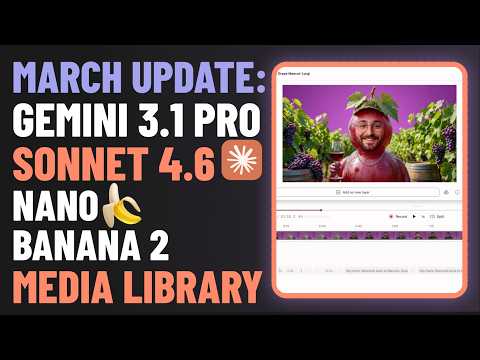
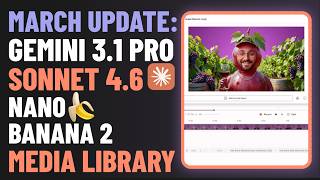
The update video covers several changes but the Media Library is the one that addresses a genuine workflow problem that accumulates for anyone using Descript with a team. Every team using Descript regularly has the same problem: frequently used files get uploaded multiple times across different projects because there is no central accessible location for shared assets. Intro clips, logo animations, standard lower thirds, background music tracks. The Media Library providing permanent centralised storage with folder organisation that any team member can access without re-uploading changes the operational workflow for anyone managing a content library. The new AI models being added are worth noting: Claude Sonnet 4.6 for multi-step editing workflows, Gemini 3.2 Pro for audio and effects navigation, and Nano Banana 2 for image generation with improved consistency. Having model options calibrated to specific editing task types rather than a single general model is the right architecture for a… Read full discussion →
I use Descript regularly but had been treating it as a transcription and text-based cutting tool. Watch and you will see what I mean, it showed me it has become substantially more capable. Smart Filling Layers automatically populating text layers like titles, quotes and bullet lists based on your video content eliminates one of the most tedious parts of post-production. The manual process of transcribing a key quote, typing it into a text layer and positioning it is something I have done hundreds of times. Having it happen automatically changes the workflow meaningfully. Image Generation and Video Generation from text prompts directly within Descript using the Underlord AI assistant is the capability I had not expected to find here. Being able to generate visual content without leaving the editing environment is the context-switch reduction that matters for rapid content production. AI Templates for automating repetitive workflows including generating YouTube descriptions… Read full discussion →
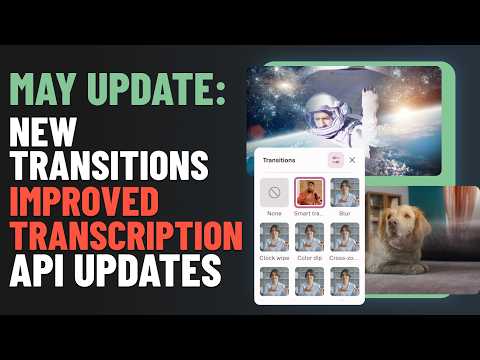
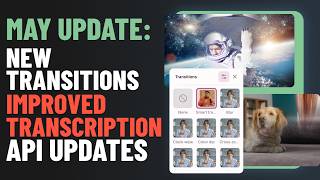
I use Descript primarily for podcast editing and the transcription accuracy on difficult audio has always been the limitation I work around rather than through. The update video covers the transcription engine change and the shift to ElevenLabs Scribe V2 by default addresses this directly. The specific improvement areas are the ones that matter: different accents, audio recorded in less than ideal conditions and proper nouns being correctly identified. All three are where previous Descript transcription produced corrections I had to make manually before the text-based editing workflow became useful. The 16 transitions with animated previews and bulk application across multiple scenes changes the production workflow for video content. Seeing the transition animation before committing to it eliminates the iterate-and-preview cycle that made transition decisions slow. The API update enabling triggered web exports and returning URLs for MP4 files is the programmatic output capability that makes Descript usable in automated… Read full discussion →
I want to write this for people who have wanted to start a podcast but have been put off by the editing step, because Descript changed my assumption about how long that takes. I recorded my first episode. Fifty-two minutes of raw audio with filler words, long pauses, a few restarts, a section I rambled through and wanted to cut. In a traditional audio editor I would have been in there for the better part of a day, scrubbing through a waveform, cutting clips, trying to make the edits sound seamless. Descript transcribes the recording automatically. What you see is a text document of everything that was said. To edit the audio you edit the text. Delete a sentence and that sentence is cut from the audio. Move a paragraph to a different position and that audio moves. That is the whole principle and it works. The Underlord AI suite… Read full discussion →
Makes spoken-word editing as direct as deleting and rearranging text
👎 Con
Transcript changes can create visual or audio discontinuities that still need inspection
Underlord
👍 Pro
Automates multi-step edits repurposing generation and project assistance
👎 Con
Agent behavior and credit consumption vary with the project model and requested work
Remote Recording
👍 Pro
Rooms records separate local tracks in high quality and flows directly into editing
👎 Con
Guest devices recording conditions and uploads can still affect final quality
Automatic Multicam
👍 Pro
Switches layouts according to the active speaker for faster video-podcast editing
👎 Con
Full capability depends on separate video tracks recorded through Rooms
AI Enhancement
👍 Pro
Repairs noise lighting filler words jump cuts backgrounds and spoken mistakes
👎 Con
Synthetic repairs can introduce visual or vocal artifacts and require frame-level review
Automation
👍 Pro
API Zapier CLI and MCP access connect Descript to external workflows and assistants
👎 Con
The API is still limited and cannot directly export completed media files
Pricing
👍 Pro
Plans provide clear media and AI pools with top-ups on Creator and Business
👎 Con
Both pools expire monthly and paid editors add per-seat cost
Overall Fit
👍 Pro
Strong all-in-one choice for podcasts talking-head video tutorials and content repurposing
👎 Con
Less suitable for advanced motion design cinematic finishing or complex compositing
How to Get Results with Descript: Step-by-Step Workflow
Define the final asset
Specify the audience, channel, duration, aspect ratio, recording format, source rights, deadline, and evidence that will make the podcast or video ready to publish.
Decision point: Use Descript when spoken words drive the edit. Use a specialist editor when visual timing, compositing, or motion design drives the project.
Choose the recording source
Record locally, capture the screen, use Rooms for separate remote tracks, import a Zoom cloud recording, or upload existing media.
Decision point: Use Rooms when separate participant video tracks and Automatic Multicam matter. Use Zoom import when the meeting platform cannot change.
Check the transcript first
Correct names, terminology, speaker labels, numbers, and important quotations before using the transcript as the editing surface.
Create the structural edit
Remove irrelevant sections, repeated takes, filler words, long pauses, and digressions by editing the transcript. Preserve a recoverable version.
Use Underlord for bounded tasks
Ask Underlord to perform one clear job such as selecting strong takes, creating a short clip, improving clarity, or building scenes.
Decision point: Use manual controls when the edit depends on subtle pacing, legal wording, or precise visual continuity.
Repair sound and speech
Apply Studio Sound selectively, verify noise removal, and use Regenerate Speech only for approved corrections in an authorized voice.
Inspect every transcript cut
Watch the boundaries created by deletions. Use Video Regenerate, B-roll, a layout change, or a manual cut when movement visibly jumps.
Export manually, publish a Descript web page, send to a supported platform, or use API, Zapier, CLI, or MCP for repeatable workflows.
Decision point: Remember that the API cannot currently export finished media files directly.
Measure usage and rework
Track media minutes, AI credits, top-ups, editor seats, transcript corrections, rejected AI edits, review rounds, and time to approved publication.
Descript Gotchas and Limits to Know Before You Start
Free includes sixty media minutes per month but only one hundred one-time AI credits
Unused monthly media minutes do not roll over
Unused monthly AI credits do not roll over
Creator and Business can purchase top-ups while lower plans have fewer usage options
Each paid Editor seat contributes to and charges for the shared drive resource pool
Underlord messages consume AI credits even when the user is only chatting
Underlord can charge for both agent reasoning and each tool it applies
Generated media costs depend on the selected model and output
Studio Sound and Remove Filler Words have capped per-file credit costs but still consume credits
Transcription can misidentify names speakers numbers and specialist language
Removing words can create visible jump cuts and unnatural speech timing
Video Regenerate can smooth a cut but may introduce synthetic facial or motion artifacts
Regenerate Speech should only use authorized voices and can sound inconsistent across long passages
Automatic Multicam requires separate video feeds from Rooms for its full workflow
Zoom imports provide separate audio tracks when configured but not separate participant video files
The API can publish web links but cannot directly export finished media files
API tokens are drive scoped and anyone holding one can consume usage
YouTube URLs are not supported as import sources through the current API
Brand Studio custom avatars and stronger governance require Business or Enterprise
Descript remains cloud dependent and is not a fully offline editor
Which Descript Feature Fits Your Use Case
Feature
Good for
Common mistake
Fix
Text-Based Editing
Removing and rearranging spoken sections quickly
Assuming a clean transcript always produces clean picture and sound edits
Review every cut boundary and repair with B-roll Video Regenerate or manual timing
Underlord
Automating bounded editing generation and repurposing tasks
Giving one vague instruction for an entire high-stakes production
Break the job into inspectable steps and review each resulting change
Rooms
Remote interviews podcasts and video conversations with separate tracks
Ignoring guest microphone camera lighting and local-device quality
Run a technical check and record a short sample before the session
Automatic Multicam
Speaker-driven switching in video podcasts and interviews
Leaving every automatic switch without reviewing pacing and reactions
Use the generated cut as a first pass and refine important moments manually
Studio Sound
Improving speech recorded in imperfect acoustic environments
Applying maximum processing to every speaker
Compare processed and original audio for artifacts and inconsistent room tone
Regenerate Speech
Correcting a small spoken mistake without re-recording
Replacing long emotional passages with synthetic speech
Use short corrections in an approved voice and compare tone at both boundaries
Video Regenerate
Smoothing jump cuts caused by transcript edits
Using it without inspecting hands mouth background and movement
Review the generated bridge frame by frame and use B-roll when repair is unreliable
Create Clips
Finding and formatting highlights for social distribution
Publishing clips that lose context or misrepresent the speaker
Verify the surrounding conversation and rewrite captions for the destination platform
API and MCP
Automating imports Underlord edits project management and web publishing
Building a workflow that assumes direct finished-media export
Design around current endpoint limits and include job polling usage controls and manual export
Translation and Dubbing
Localizing approved spoken-word video for other markets
Publishing the first automated version without native review
Check terminology pronunciation timing culture captions and the original meaning
How Well Descript Fits Common Use Cases
Podcast and spoken-word audio editing — 5/5
Transcript editing filler removal Studio Sound voice correction and publishing reduce routine production work
Consider instead: Adobe Audition or Hindenburg for deeper traditional audio control
Talking-head and educational video — 5/5
Descript combines recording script editing captions layouts screen footage and AI correction
Consider instead: Camtasia for a more traditional screen-recording and tutorial workflow
Remote video podcast production — 5/5
Rooms separate tracks and Automatic Multicam flow directly into transcript editing
Consider instead: Riverside when recording reliability and capture are more important than integrated editing
Content repurposing and social clips — 5/5
Descript creates clips captions copy thumbnails and edited masters from the same source project
Consider instead: OpusClip for a more specialized automated clipping workflow
Team marketing and enablement video — 4/5
Business and Enterprise add Brand Studio localization collaboration and production controls
Consider instead: Canva for broader visual campaign creation across formats
Automated media workflows — 4/5
API Zapier CLI and MCP expose useful imports edits project operations and publishing
Consider instead: A custom cloud media pipeline for deeper endpoint and render control
Cinematic and effects-heavy video editing — 2/5
Descript prioritizes spoken-word speed rather than deep compositing grading motion and timeline precision
Consider instead: DaVinci Resolve Adobe Premiere Pro or Final Cut Pro
Fully offline deterministic editing — 1/5
Transcription collaboration AI generation and automation depend on cloud services
Consider instead: A local professional editor and owned storage workflow
Starter Prompts for Descript
Podcast Rough Cut
Create a conservative rough cut of this interview. Remove false starts, duplicated answers, long off-topic sections, and filler words that do not affect meaning. Preserve every important claim and quotation. Mark uncertain cuts for review instead of deleting them.
Video Enhancement Pass
Review this talking-head video for poor audio, visible jump cuts, weak lighting, eye contact, empty pauses, and distracting backgrounds. Propose the lowest-risk fix for each issue before applying anything. Do not generate or replace the speaker's words without approval.
Social Clip Package
Identify three self-contained moments from this approved episode for LinkedIn, YouTube Shorts, and Instagram Reels. Each clip must preserve the speaker's meaning, open with a clear hook, include accurate captions, and end without cutting off necessary context.
API Automation Plan
Design a Descript API workflow that imports a recording URL, creates a project in a named folder, applies Studio Sound and filler-word removal, generates a thirty-second highlight, publishes a Descript web link, and records media-minute and AI-credit usage. Include job polling, retries, token security, errors, and the manual step required for final file export.
Localized Training Video
Translate and dub this approved training video into Indonesian. Keep product names in English, preserve mandatory policy language, generate captions, and flag terminology or timing that requires native review. Do not change the instructional sequence.
Prompt pattern: Using [recording or project], create [approved output] for [audience and channel]. Preserve [meaning claims words and rights]. Apply [specific edits]. Flag [uncertainty and artifacts]. Verify [transcript audio visual continuity credits and publication requirements].
Iteration tip: Approve the structural transcript edit before adding enhancement, generated media, clips, translation, or synthetic speech.
WhatAI verdict on Descript
Descript remains one of the clearest productivity gains in spoken-word media because the transcript is both a document and an edit decision list. A podcaster, educator, marketer, or product team can record, transcribe, remove mistakes, clean sound, add visuals, create clips, publish, and collaborate without mastering a traditional timeline first.
The product has expanded around that foundation. Underlord can inspect a project and perform multi-step edits. Rooms records remote guests locally in separate tracks, while Automatic Multicam chooses layouts according to the active speaker. Recent video-enhancement tools can smooth jump cuts, improve poor lighting, clean images, and create YouTube thumbnails. Descript also exposes imports, Underlord edits, project management, and web publishing through an API, Zapier integration, command line, and MCP connections.
Free is useful for evaluation but includes only sixty monthly media minutes and one hundred one-time AI credits. Hobbyist suits occasional individual work. Creator is the practical professional plan because it adds thirty media hours, eight hundred monthly AI credits, 4K export, premium generation, stock media, and top-ups. Business adds Brand Studio, translation, dubbing, custom avatars, more credits, and team support. Enterprise is for organizations that need SSO, SCIM, audit logs, custom retention, AI controls, legal terms, and dedicated support.
Choose Descript over Riverside when editing and repurposing are more important than recording alone. Choose Adobe Premiere Pro, Final Cut Pro, or DaVinci Resolve when advanced visual and audio control matter more than transcript speed. Choose ElevenLabs when voice generation, dubbing, or conversational audio infrastructure is the primary need.
Evaluate Descript using one real episode or business video. Record multiple speakers, remove mistakes, apply Studio Sound, create a clip, smooth one jump cut, correct one spoken line, publish through the intended channel, and measure media minutes, AI credits, correction time, transcript errors, and the amount of specialist editing still required.
Descript — Frequently Asked Questions
What is Descript best used for in 2026?
Descript is best used for spoken-word audio and video production, including podcasts, interviews, tutorials, screen recordings, social clips, marketing videos, training, and internal communication.
How much does Descript cost?
Descript has a Free plan, Hobbyist at twenty-four dollars monthly, Creator at thirty-five dollars monthly, Business at sixty-five dollars per person monthly, and custom Enterprise pricing. Annual billing reduces the effective price.
What are Descript media minutes?
Media minutes measure uploaded or recorded audio, video, Rooms sessions, screen recordings, and other media. Unused monthly media minutes do not roll over.
What are Descript AI credits?
AI credits pay for features such as Underlord, Studio Sound, filler-word removal, Green Screen, Eye Contact, AI Speech, avatars, and generated video. Unused monthly AI credits do not roll over.
What is Underlord?
Underlord is Descript's agentic editing assistant. It can understand a project, answer questions, apply edits, clean audio, remove mistakes, generate scenes and clips, write supporting copy, and use other Descript tools.
What are Descript Rooms?
Rooms is Descript's remote recording environment. It can record participants locally in separate high-quality tracks, support video up to 4K, recover interrupted guest uploads, and send the recording directly into a project.
What is Automatic Multicam?
Automatic Multicam uses separate Rooms video tracks to switch scenes and layouts according to who is speaking. It reduces the manual camera switching required for interviews and video podcasts.
Can Descript fix jump cuts and bad lighting?
Yes. Descript's newer enhancement tools include Video Regenerate for smoothing jump cuts, Portrait Lighting, Uplighting, Studio Sound, visual effects, and AI-assisted image cleanup.
Does Descript have an API?
Yes. The current API can import media, trigger Underlord edits, manage projects, track jobs, and publish to Descript web links. Direct finished-media file export is not currently supported through the API.
Can Descript connect to ChatGPT or Claude?
Yes. Descript provides an MCP server for ChatGPT, Claude, Cursor, Codex, and compatible assistants. API and MCP activity can consume the drive's media minutes and AI credits.