HeyGen logo

HeyGen Review: Digital Twins, Avatar V, Video Agent and Translation

Identity-first AI video platform with Digital Twins Video Agent localization API and MCP

Marketing
Visit HeyGen → Join Discussion
WHATAI LATEST · JUN 16, 2026

HeyGen moves beyond talking heads with Avatar V and cinematic multi-avatar Shots

The June 2026 releases add persistent human identity, automatic avatar-engine selection and generated scenes with as many as three avatars, camera movement, dynamic backgrounds and AI audio.

By WhatAI Editorial Team ·

HeyGen's June 2026 avatar updates expand the platform in two directions. Avatar V improves persistent human identity, while Avatar Shots turns reusable avatars into participants inside more cinematic generated scenes.

Avatar V is built from a short reference video of a real person. It captures gestures, expressions and mannerisms, then lets the user animate different photos of that identity. HeyGen recommends Avatar V for realistic video-based human avatars. Avatar IV remains the better fit for photo-based characters, 2D or 3D designs, virtual identities and non-human presenters. Video Agent can select between the engines automatically according to the avatar type.

Avatar Shots, built with Seedance 2, supports as many as three avatars in one scene. A user describes the action and environment, selects the avatars and lets the model generate camera movement, backgrounds and audio. This makes debates, interviews, product interactions and narrative scenes possible without filming every participant.

The opportunity is broader creative range with identity continuity. The risk is reduced determinism. Multi-avatar generated scenes can introduce inconsistent hands, objects, timing, dialogue, product details or character behavior. Teams should use standard AI Studio or Quick Avatar workflows when precise instructional delivery matters, and reserve Avatar Shots for scenes where expressive generation is worth the additional review and credit cost.

ℹ️

WhatAI Decision Box

Best for:

Creators marketers sales learning and global teams that need a reusable presenter or Digital Twin across multilingual video social content localization automation and developer workflows.

Not for:

Projects requiring unrestricted cinematic editing documentary authenticity live-action emotional nuance or AI-generated identity content without consent disclosure localization and human review.

⇆ Often compared with

ℹ️ WhatAI Field Note

  • HeyGen's defining advantage is reusable identity: Digital Twins Photo Avatars Avatar IV Avatar V translation and Video Agent can keep one recognizable presenter across formats languages and automated workflows.
  • Estimate credits from a representative workflow because avatar engine translation B-roll visual generation and retries can cost more than the final video duration suggests.

HeyGen has expanded from scripted talking-avatar videos into an identity-first video platform. Its current product includes Avatar IV and V, Digital Twins, Video Agent, AI Studio, cinematic Avatar Shots, localization, interactive learning, mobile creation, LiveAvatar, direct API, Skills and MCP.

What makes HeyGen different from Synthesia and general AI video models?

HeyGen focuses on preserving and scaling a presenter or character identity across video. It combines reusable Digital Twins, photo avatars, realistic human motion, multilingual lip sync, agentic video assembly and creator-oriented visual generation. Synthesia is generally stronger for governed enterprise training and knowledge delivery, while general video models provide broader cinematic generation without the same persistent presenter workflow.

Where HeyGen still requires consent, performance and editorial judgment

A realistic avatar can confidently deliver incorrect, outdated or inappropriate material. Teams must verify identity consent, script accuracy, pronunciation, localization, visual claims, generated B-roll, disclosure, licensing and the final emotional performance. Higher realism increases the responsibility to prevent deception and unauthorized use.

About HeyGen

HeyGen is an identity-first AI video creation, localization, and avatar platform rather than only a text-to-talking-head tool. Users can create videos from a prompt, script, image, audio file, PDF, presentation, URL, or template through Video Agent, Quick Avatar Video, AI Studio, mobile shortcuts, or developer integrations. The platform supports stock avatars, reusable Photo Avatars, consent-based Digital Twins, Avatar IV for photo and virtual characters, and Avatar V for realistic video-based human identities. Avatar Shots extends the format into generated scenes with camera movement, dynamic environments, AI audio, and multiple avatars. HeyGen also provides voice cloning, expressive text-to-speech, multilingual dubbing, lip-synced video translation, brand controls, screen recording, interactive video, quizzes, links, SCORM export, LMS connections, team review, and workspace administration. Developers and external agents can use Video Agent, generation, translation, TTS, template, and avatar services through direct API, Skills, CLI, or HeyGen's remote MCP server. LiveAvatar is a separate real-time platform for two-way interactive avatar experiences and uses avatar models that are not currently interchangeable with the main HeyGen app. HeyGen is strongest for creators, marketers, sales teams, learning teams, educators, agencies, and global organizations that need a recognizable presenter or digital identity across high-volume video. It is less suitable for unrestricted cinematic post-production, documentary truth, live-action performance nuance, or workflows that cannot support consent, brand, localization, credit, and human-review controls.

Use Cases

Create presenter-led product explainers without filmingBuild onboarding and compliance videos from approved scriptsLocalize one source video into many languages and dialectsCreate consent-based Digital Twin videos for founders executives and subject expertsGenerate personalized sales outreach and account-based videosProduce social clips and creator content from promptsTurn PDFs presentations webpages and long text into videosCreate multilingual product launches without re-recording the presenterProduce internal announcements and executive communicationsCreate course lessons with quizzes links branching and SCORM exportBuild screen-recorded software tutorials with avatar narrationGenerate branded campaign videos with automatic visual treatmentCreate multi-avatar debates interviews and scripted scenes with Avatar ShotsCreate virtual-character or non-human presenter videos with Avatar IVCreate highly realistic human identity videos with Avatar VBuild real-time customer support training or conversational experiences with LiveAvatarGenerate videos from Claude Cursor Gemini or another MCP clientAutomate recurring video production through n8n Make Zapier or HubSpotEmbed avatar video generation and translation inside a product through APICreate programmatic localized video variants for markets products or customers

Key Features

  • Video Agent for prompt-to-finished-video generation
  • Video Agent script creation scene planning voiceover visual selection and rendering
  • Video Agent multi-turn chat and one-shot generation modes
  • Automatic brand typography colors and visual treatment in Video Agent
  • AI Studio text-based video editor
  • Quick Avatar Video for streamlined avatar script voice and motion generation
  • Video Creation Shortcuts on mobile
  • Creation from text images audio PDFs presentations URLs and templates
  • More than five hundred stock Digital Twins on the current Free plan
  • Consent-based custom Digital Twins
  • Photo Avatars with reusable generated looks
  • Personal Model training for more consistent avatar looks
  • Avatar III for standard avatar-video generation
  • Avatar IV photo-to-video and virtual-character generation
  • Avatar V persistent human identity from a short reference video
  • Automatic Avatar IV or V model selection inside Video Agent
  • Avatar Shots powered by Seedance 2
  • Up to three avatars in one Avatar Shots scene
  • Avatar Shots camera movement dynamic backgrounds and generated audio
  • Product placement inside generated avatar scenes
  • Gesture control for mapped hand and facial movement
  • Voice Mirroring for delivery style emphasis and intonation
  • Realistic previews before final generation
  • Voice cloning
  • Expressive text-to-speech through HeyGen voice models
  • Thirty-plus languages on Free
  • One hundred seventy-five-plus languages and dialects on paid plans
  • Video translation with dubbing and optional lip sync
  • Translation script editing and proofreading on qualifying plans
  • Audio-only translation and lip-synced translation modes
  • Automatic captions and on-screen text
  • Generated and uploaded B-roll
  • AI asset and image generation
  • Templates for training marketing sales social and explainers
  • Brand Kit and centralized brand assets
  • Screen recording for demonstrations and knowledge sharing
  • Videos up to thirty minutes on Creator and Pro
  • Videos up to sixty minutes on Business
  • No published duration maximum on Enterprise
  • 1080p export on Creator
  • 4K export on Pro Business and Enterprise
  • Workspace collaboration
  • Video draft comments and collaborative editing
  • Interactive videos with links quizzes and branching
  • SCORM export
  • Learning Management System integrations
  • Centralized billing and team management
  • SAML single sign-on on Business
  • SCIM provisioning and team-member MFA on Enterprise
  • Multi-workspace control on Enterprise
  • iOS and Android mobile applications
  • Mobile Video Agent and one-tap creation shortcuts
  • LiveAvatar real-time two-way avatar interaction
  • LiveAvatar public and custom interactive avatars
  • LiveAvatar Knowledge Bases
  • Video Agent API
  • Video Generation API
  • Video Translation API
  • Text-to-Speech API
  • Photo Avatar and template APIs
  • Pay-as-you-go developer wallet from five dollars
  • Remote MCP server with OAuth authentication
  • MCP usage charged against the connected web plan credits
  • HeyGen Skills and CLI integrations for coding agents
  • Direct API authentication through API keys
  • Separate API balance from web subscription credits

Pricing

Free

$0

  • • Three videos per month under the current global pricing page
  • • Videos up to one minute
  • • Access to Avatar IV and Video Agent
  • • Standard processing
  • • More than five hundred stock Digital Twins
  • • One custom Digital Twin
  • • Thirty-plus languages
  • • Free-plan output and feature limits apply

Creator

$29 monthly or $24 per month billed annually

  • • Six hundred credits each month
  • • Videos up to thirty minutes
  • • 1080p export
  • • Extended Avatar IV generation
  • • Fast processing
  • • Unlimited Photo Avatars
  • • Multiple custom Digital Twin slots under current plan documentation
  • • Voice cloning
  • • One hundred seventy-five-plus languages and dialects
  • • Generate Photo Looks
  • • Brand Kit
  • • Watermark removal
  • • Eligible credit rollovers
  • • No one-time credit packs

Pro

Starts at $49 monthly

  • • One thousand credits each month at the entry tier
  • • Configurable credit tiers up to one hundred thousand credits monthly
  • • Everything in Creator
  • • Videos up to thirty minutes
  • • 4K export
  • • Faster processing
  • • Multiple custom Digital Twin slots
  • • Translation-script editing and proofreading
  • • Access to advanced AI models
  • • More capacity for Avatar IV Avatar V Video Agent translation and generated assets
  • • Higher Pro tiers replace one-time top-ups

Business

$149 monthly plus $20 per additional seat

  • • One thousand five hundred shared credits each month
  • • Videos up to sixty minutes
  • • 4K export
  • • Faster processing
  • • Twice the Pro concurrency under the public pricing page
  • • Multiple custom Digital Twin slots
  • • Workspace collaboration
  • • Draft comments and editing
  • • Centralized billing and team management
  • • SAML single sign-on
  • • Flexible credit top-ups and auto-reload
  • • Interactive videos with quizzes links and branching
  • • SCORM export
  • • LMS integrations
  • • Screen recording
  • • n8n Make HubSpot and Zapier integrations
  • • Additional seats do not automatically add credits

Enterprise

Custom

  • • Flexible high-volume generation
  • • No published video-duration maximum
  • • 4K export
  • • Fastest processing and highest concurrency
  • • Everything in Business
  • • Multi-workspace control
  • • Proofreader seats for localization workflows
  • • Centralized roles and access
  • • SCIM user provisioning
  • • Team-member MFA
  • • Enterprise-grade security and privacy
  • • Commercial terms and invoice billing
  • • Priority support
  • • Dedicated customer success manager
  • • Tailored onboarding

Developer API

Pay as you go from $5

  • • Separate balance from the HeyGen web subscription
  • • Video Agent API
  • • Video Generation API
  • • Video Translation API
  • • Text-to-Speech API
  • • Photo Avatar creation
  • • Template generation
  • • Avatar voice and template libraries
  • • HeyGen Skills
  • • MCP server access through an eligible web plan
  • • Enterprise API contracts available

Pricing varies by plan and region — see current pricing.

Plan features change — last updated: 2026-07-24.

Details

Categories: MarketingMultimodal AI (Image/Video/Audio)Video & Animation
Skill Level: beginner
Access Methods: browser, mobile, api, mcp, cli

Tags

heygenai video generatordigital twinavatar vavatar ivvideo agentvideo translationavatar shotsliveavatarheygen api

HeyGen Community Discussions

Explore community discussions. Ask and answer questions on HeyGen to grow and learn together.
brian130 · HeyGen Marketing

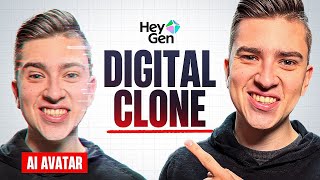
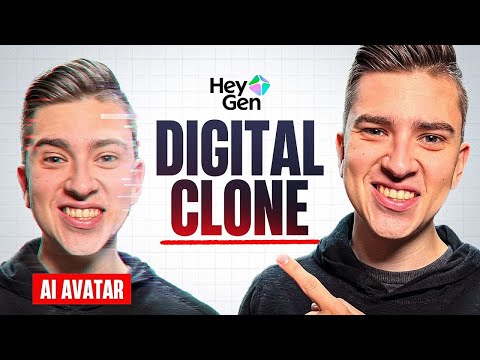
HeyGen Digital Twin from a single short video sample is the feature that changes the enterprise training video economics

The HeyGen three-tool overview covers Digital Twin, Photo to Video and Video Agent but Digital Twin is the one worth examining separately for enterprise use cases. Creating a digital replica of yourself from a single short video sample that can then generate future videos with any typed script, maintaining natural motion and voice, changes the content production model for leaders and trainers who need to produce regular video communications. A ninety-minute training session to create a Digital Twin that then produces unlimited video scripts on demand is a different time investment from recording every individual video. The recurring content production, monthly training updates, policy change communications, new employee onboarding, that currently requires scheduling and recording each session becomes a typing task rather than a production task. Photo to Video with Avatar IV turning a single photograph into a speaking avatar for quick content without recording is the lower-barrier version of… Read full discussion →
♥ 1 💬 2 👁 9 View 2 replies →
hunterevans · HeyGen Marketing

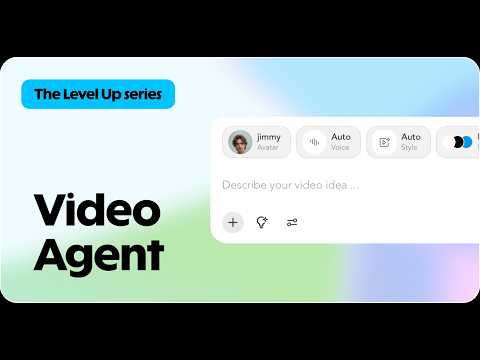
HeyGen's Video Agent building a complete video from a text prompt is the feature that changes the time-to-video calculation

The 2026 HeyGen tutorial covers the Video Agent as the production workflow that generates a complete video plan from a simple text prompt, selects an avatar, writes a script, creates scene transitions and produces a ready-to-publish video. That production workflow: from text prompt to complete video plan to rendered output without manual scene construction, script writing or avatar selection, is the time compression that changes what volume of video content is practically producible by one person. The AI-generated custom backgrounds removing the greenscreen requirement alongside the automated voice cloning to match lip movements with translated scripts are the production quality features that change the output from clearly AI-generated to professional enough for client and commercial use. The template library for quick starts on common video types is the starting point variety that determines whether the tool fits your specific content categories without requiring template customisation for every project. For anyone… Read full discussion →
♥ 1 💬 2 👁 11 View 2 replies →
yusuf8 · HeyGen Marketing

HeyGen is what I use for client explainer videos now, here is my actual experience after three months

I do marketing for a handful of small business clients. Explainer videos used to mean either hiring someone or convincing one of the business owners to get in front of a camera, which was always a struggle. HeyGen changed that workflow for me and I want to give an honest account of how. The Video Agent is the starting point. You type a basic description of what you want, a product explainer, a company intro, a social media ad, and it generates a full plan including script, avatar selection and background music. From that plan you go into the AI Studio to customize. The avatar library has a wide range of realistic options and the quality is good enough that clients who see the videos are generally not bothered by the fact that it is not a real person. You can also create a custom avatar from a short video… Read full discussion →
♥ 2 💬 4 👁 7 View 4 replies →
kevin22 · HeyGen Marketing

We use HeyGen's Photo Avatar feature for internal training videos and it solved a specific problem we had

Context for why this specific feature matters for us. We produce internal training content for a company with regional offices across four countries. The training needs to feel relevant and not generic. Generic stock avatars undermine that. Having a real presenter for every module is not scalable at the volume we produce. And getting senior leaders in front of a camera regularly is a coordination problem we have never fully solved. HeyGen's Photo Avatar solves this for a specific subset of our training content. You submit a set of photos of the person, the platform builds a Photo Avatar, and that person can then be the presenter in as many training videos as you need without them recording anything beyond the initial photo session. For content where leader presence matters, compliance messaging, culture communications, strategic updates, we now have a way to feature the right person without scheduling a recording… Read full discussion →
♥ 0 💬 3 👁 8 View 3 replies →
View All HeyGen Discussions
Gallery

HeyGen Showcase

4 items
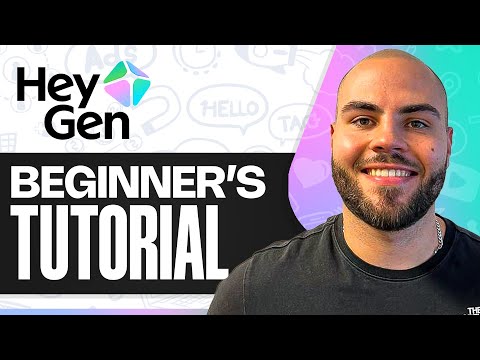
HeyGen Digital Twin from a single short video sample is the feature that changes the enterprise training video economics

HeyGen Digital Twin from a single short video sample is the feature that changes the enterprise training video economics

brian130

HeyGen's Video Agent building a complete video from a text prompt is the feature that changes the time-to-video calculation

HeyGen's Video Agent building a complete video from a text prompt is the feature that changes the time-to-video calculation

hunterevans

HeyGen is what I use for client explainer videos now, here is my actual experience after three months

HeyGen is what I use for client explainer videos now, here is my actual experience after three months

yusuf8

We use HeyGen's Photo Avatar feature for internal training videos and it solved a specific problem we had

We use HeyGen's Photo Avatar feature for internal training videos and it solved a specific problem we had

kevin22

👍 👎

HeyGen Pros & Cons

Digital Identity

👍 Pro

Creates reusable presenter identities from photos or consent-based video footage

👎 Con

Higher realism increases consent impersonation disclosure and brand-safety risk

Avatar Models

👍 Pro

Avatar IV and V serve different human photo virtual and character workflows

👎 Con

Choosing the wrong engine can produce weaker motion identity consistency or unnecessary credit use

Video Agent

👍 Pro

Creates script scenes voice visuals captions and B-roll from one prompt

👎 Con

Agentic assembly can introduce generic storytelling factual errors and irrelevant visuals

Localization

👍 Pro

Scales dubbing lip sync and presenter identity across many languages

👎 Con

Pronunciation tone cultural fit and translated claims still need native review

Creative Range

👍 Pro

Avatar Shots adds multi-character scenes camera movement dynamic environments and generated audio

👎 Con

Generative scenes are less predictable than standard avatar videos and offer less control than professional editing

Learning and Teams

👍 Pro

Business adds comments interactive video SCORM LMS integrations SSO and centralized assets

👎 Con

The shared credit pool can be consumed quickly by a large team even when more seats are purchased

Developer Access

👍 Pro

Supports API Skills CLI and OAuth-based MCP integrations

👎 Con

Web credits MCP credits and direct API balance are separate commercial systems

Pricing

👍 Pro

Free supports realistic evaluation while Creator Pro Business and API options scale by use case

👎 Con

The credit transition makes cost less predictable than older unlimited plans

How to Get Results with HeyGen: Step-by-Step Workflow

  1. Define the video outcome

    Specify the audience, message, distribution channel, target duration, language, presenter identity, call to action, evidence standard, disclosure requirement and final approval owner.

    Decision point: Use HeyGen when a reusable presenter identity matters. Use a general video model when the project is primarily cinematic scenery or effects.

  2. Choose the correct creation path

    Use Video Agent for a prompt-to-draft workflow, Quick Avatar Video for a fast scripted presenter, AI Studio for detailed scene control, Avatar Shots for generated multi-character scenes, or API and MCP for automation.

  3. Select the avatar model

    Use Avatar V for a realistic video-based human identity, Avatar IV for a photo or virtual character, Avatar III for economical standard production, and LiveAvatar only for real-time interaction.

    Decision point: Do not choose the most advanced engine automatically. Match realism, control and credit use to the actual job.

  4. Confirm identity consent

    Verify that the presenter or rights holder authorized the Digital Twin, voice, generated looks, translations, commercial use and all intended channels.

  5. Prepare the approved source

    Provide a verified script, brief, PDF, deck, webpage, audio file or structured data. Mark every fact, product detail, pronunciation, legal claim and visual that must remain exact.

  6. Generate a short test

    Create a representative thirty-to-sixty-second sample before committing credits to the full project.

    Decision point: Change the avatar, engine, voice, pace or script when the sample does not meet the required identity and delivery standard.

  7. Refine script and performance

    Break long sentences into conversational phrasing, correct pronunciations, control pauses and emphasis, and align gestures, expression and tone with the content.

  8. Review scenes and generated assets

    Replace irrelevant B-roll, inaccurate product visuals, weak captions, unsafe generated elements and scenes that distract from the message.

  9. Localize from the approved master

    Translate only after the source video is approved. Review terminology, voice, lip sync, subtitles, timing, cultural fit and local disclosure with a native reviewer.

  10. Add interaction and integrations

    For learning or team workflows, configure quizzes, links, branching, SCORM, LMS, comments, automation, API or MCP access with least-privilege permissions.

  11. Complete final quality review

    Watch the full video with sound and captions. Verify consent, claims, pronunciation, lip sync, identity, visuals, branding, accessibility, links, aspect ratio and export quality.

  12. Measure cost and outcome

    Record credits, API spend, revisions, rendering time, translation corrections, viewer completion, comprehension, response, conversion and whether the reusable identity actually reduced production effort.

HeyGen Gotchas and Limits to Know Before You Start

  • HeyGen replaced the former unlimited-plan structure with credit-based plans in 2026
  • Free plan availability can vary by region and current global pricing lists three one-minute videos per month
  • Creator includes six hundred credits per month and does not support one-time credit packs
  • Pro starts at one thousand credits and can scale to higher monthly credit tiers
  • Business includes one thousand five hundred shared credits and extra seats do not automatically add credits
  • Business credit top-ups are separate from seat purchases
  • Eligible unused paid credits roll over only under current plan and billing rules
  • Cancelling or moving to Free can remove unused paid-credit rollover
  • Avatar IV and Avatar V currently consume twenty credits per generated minute
  • Video Agent B-roll translation generated assets and retries can add substantial credit use
  • Direct API balance is separate from HeyGen web-plan credits
  • MCP uses the connected web subscription credits through OAuth
  • Skills CLI and direct API use API-key authentication and the separate API wallet
  • Official plan pages can change quickly during the credit-plan transition
  • Custom Digital Twin allowances should be confirmed in the current checkout or contract
  • Avatar V is optimized for real human video-based identities rather than every character type
  • Avatar IV is generally better for photo-based virtual 2D 3D and non-human characters
  • Avatar Shots are more generative and less deterministic than standard Studio videos
  • Multiple-avatar scenes can produce inconsistent hands objects interactions timing and audio
  • Digital Twin quality depends heavily on filming conditions performance and consent footage
  • Generated Looks must remain the same authorized identity
  • Voice cloning and translation require rights and consent beyond technical access
  • Video translation can preserve source mistakes across every target language
  • Lip sync does not guarantee correct pronunciation meaning tone or cultural appropriateness
  • AI-generated B-roll can misrepresent products locations processes or regulated claims
  • Free and paid output quality duration language and watermark rules differ
  • Business interactive-video and LMS capabilities require plan and workflow configuration
  • SCORM export does not guarantee compatibility with every LMS configuration
  • LiveAvatar is a separate platform and HeyGen avatars are not currently cross-compatible
  • Real-time LiveAvatar experiences require knowledge design latency testing and escalation controls
  • Higher realism makes disclosure impersonation and moderation controls more important
  • No avatar model can reproduce every emotional nuance of a real filmed performance
  • Rendered videos require internet access and processing time
  • Processing speed varies with plan length model complexity queue and generated assets

Which HeyGen Feature Fits Your Use Case

Feature Good for Common mistake Fix
Video Agent Creating a complete first draft from an idea or approved source Providing a broad topic with no audience evidence or visual constraints Define audience duration structure approved claims brand assets and prohibited content
Avatar V Realistic video-based human Digital Twins with persistent identity Using weak reference footage or expecting perfect performance in every new look Record strong consent footage test a short sample and curate looks before scaling
Avatar IV Photo avatars stylized characters virtual identities and non-human presenters Using a low-quality or inconsistent image with an unrealistic motion request Use a clear reference image and describe motion that matches the character and framing
Avatar Shots Generated multi-avatar scenes debates interviews and expressive marketing clips Using it for precise instructional or product demonstrations Reserve it for creative scenes and use standard Studio workflows for factual precision
Digital Twin Scaling an authorized founder expert teacher salesperson or spokesperson Treating one consent recording as permission for every future message and channel Define the approved identity uses subjects markets duration disclosure and revocation process
Video Translation Localizing approved videos while preserving presenter identity Publishing every language as soon as lip sync looks convincing Use native reviewers for meaning terminology pronunciation timing subtitles and disclosure
Interactive Video Training checks branching resources and learner engagement Adding interaction without a learning objective or LMS compatibility test Map each quiz link and branch to a defined outcome and test the SCORM package in the target LMS
LiveAvatar Real-time conversational experiences with a visual AI representative Assuming the rendered-video Digital Twin can be reused directly Create and test the separate LiveAvatar identity knowledge prompts latency and escalation flow
MCP Generating videos from Claude Cursor Gemini and other compatible agents Giving an external agent an open brief and no credit or publication controls Scope the request require approved sources monitor credits and keep human review before distribution
Direct API Embedding personalized avatar generation translation and templates in products Confusing API wallet charges with the web-plan credit balance Track the separate API balance validate every request and sample outputs before bulk generation

How Well HeyGen Fits Common Use Cases

Founder creator or expert Digital Twin content — 5/5

HeyGen combines consent-based identity voice gestures generated looks and repeatable scripted production

Consider instead: Traditional filming for maximum authenticity and performance control

Multilingual presenter-video localization — 5/5

Translation lip sync Digital Twins and script proofreading keep one presenter across languages

Consider instead: ElevenLabs plus professional video editing when voice and dubbing are more important than avatar generation

AI-generated marketing and sales video — 5/5

Video Agent creator workflows expressive avatars B-roll and mobile shortcuts favor fast commercial content

Consider instead: Synthesia for more formal enterprise training and governed instructional production

Programmatic personalized avatar videos — 5/5

API MCP Skills templates translation and Digital Twin services support automated generation

Consider instead: A custom video rendering pipeline for complete deterministic control

Interactive employee or customer training — 4/5

Business adds quizzes links branching SCORM LMS integrations screen recording and collaboration

Consider instead: Colossyan or Synthesia for learning-first scenario and enterprise training workflows

Creative multi-avatar social scenes — 4/5

Avatar Shots combines persistent HeyGen identities with generated camera environments and audio

Consider instead: Runway Veo or Seedance for general cinematic video generation

Real-time avatar customer interaction — 3/5

LiveAvatar provides real-time visual interaction but runs separately and needs knowledge latency and safety design

Consider instead: Dedicated conversational-agent platforms with voice or human escalation infrastructure

Undisclosed impersonation or unauthorized identity cloning — 1/5

Realistic identity generation requires consent rights disclosure governance and responsible use

Consider instead: Use authorized presenters clearly disclosed synthetic characters or conventional production

Starter Prompts for HeyGen

Video Agent Product Explainer

Create a sixty-second landscape product explainer for [audience] using the approved source document. Open with the customer problem, demonstrate the three verified capabilities, include the stated limitation, and end with [call to action]. Use [Digital Twin or avatar], approved brand colors, restrained B-roll and captions. Do not invent metrics.

Digital Twin Performance Test

Create a thirty-second test using my authorized Digital Twin. Use short conversational sentences, one emotional shift, one product name with difficult pronunciation and one natural gesture. Produce Avatar III, IV and V versions where available so I can compare realism, identity consistency, credit use and rendering time.

Localized Video Review

Translate this approved master video into [language]. Preserve product names, numbers, legal wording and speaker identity. Use lip sync, subtitles and the approved target-language glossary. Flag phrases that require native judgment and do not publish until pronunciation tone timing and cultural fit are reviewed.

Interactive Training Module

Create a five-minute onboarding video with an authorized presenter, a short software demonstration, two knowledge-check questions, one branching remediation path, resource links and a final completion screen. Prepare it for SCORM export and list the LMS tests required before release.

Safe MCP Video Workflow

Using HeyGen through MCP, generate a draft thirty-second weekly update from the approved notes. Use the assigned avatar and brand kit. Return the project link and credit estimate, but do not publish, translate or distribute the video until a human reviewer approves the script, visuals and identity use.

Prompt pattern: Create a [duration format and channel] video for [audience] using [authorized avatar and approved source]. Structure it as [hook evidence explanation and action]. Preserve [facts identity and brand rules]. Use [avatar model voice language and visuals]. Flag [uncertainty consent and localization issues] before [generation translation or publishing].

Iteration tip: Approve identity, script and delivery in a short test before spending credits on long videos, translations, generated B-roll or multi-avatar scenes.

WhatAI verdict on HeyGen

HeyGen is now best understood as an identity-production system. The platform can turn a person, presenter, character or brand spokesperson into a reusable video asset, then apply that identity across scripts, languages, campaigns, training, social content, sales outreach and automated developer workflows. The avatar engine matters. Avatar V is designed for realistic video-based human identities and attempts to preserve a person's gestures, expressions and mannerisms while animating different looks. Avatar IV remains particularly useful for photo-based avatars, stylized characters, 2D or 3D identities and non-human presenters. Standard Avatar III generation offers lower-cost production for straightforward scripted videos. Video Agent changes the starting point. Instead of assembling every scene manually, a user can describe the intended video and let the agent create the script, choose an avatar, select visuals, generate B-roll, add voiceover, apply brand styling, pace the scenes and render a draft. AI Studio then provides more controlled editing of scripts, scenes, delivery, gestures and voice. Avatar Shots moves further toward generative filmmaking by placing as many as three avatars in one scene with camera motion, generated backgrounds and audio. The commercial model is now credit based. Free is useful for short tests. Creator is the practical entry plan for regular 1080p production. Pro adds 4K, scalable credit tiers, advanced models and translation-script control. Business is the team plan, with collaboration, interactive learning, LMS functions, SSO and a shared credit pool. Enterprise adds stronger administration, provisioning, concurrency and support. API usage is billed separately from web-plan credits, while MCP uses the connected HeyGen web plan. Choose HeyGen over Synthesia when personal identity, creator content, localization, visual expressiveness and API or agent automation matter most. Choose Synthesia when structured enterprise training, governance and repeatable instructional video are the central requirement. Choose Colossyan for learning scenarios and role-based training. Choose Runway, Veo or another general video model when cinematic scene generation matters more than a persistent speaking identity. A serious evaluation should create one Digital Twin, one Avatar IV or V video, one translated version, one Video Agent project and one automated output. Compare credit use, time to acceptable performance, script corrections, pronunciation, visual replacement, localization accuracy, consent handling and whether viewers trust and understand the final video.

HeyGen — Frequently Asked Questions

What is HeyGen best used for in 2026?

HeyGen is best used for creating, localizing and automating presenter-led video with reusable stock avatars, Photo Avatars or consent-based Digital Twins. It is particularly strong for marketing, sales, training, social content, multilingual communication and API-driven video.

How much does HeyGen cost?

HeyGen Free costs zero dollars. Creator is twenty-nine dollars monthly or twenty-four dollars with annual billing. Pro starts at forty-nine dollars monthly. Business is one hundred forty-nine dollars monthly for the first seat plus twenty dollars for each additional seat. Enterprise is custom.

How do HeyGen credits work?

Creator includes six hundred monthly credits, entry-level Pro includes one thousand, and Business includes one thousand five hundred shared credits. Credits fund features such as Avatar IV and V, Video Agent, translation, generated B-roll and other AI assets. Direct API billing uses a separate balance.

What is the difference between Avatar IV and Avatar V?

Avatar V is optimized for realistic human identities created from video and is designed to preserve personal expressions and mannerisms. Avatar IV is stronger for photo-based, stylized, 2D, 3D and non-human characters. Both currently use twenty credits per generated minute.

What is a HeyGen Digital Twin?

A Digital Twin is a consent-based video avatar trained from footage of a real person. It can reproduce the person's appearance, voice, gestures and delivery across new scripts and generated looks without filming every video again.

What does HeyGen Video Agent do?

Video Agent turns a prompt into a complete draft. It can write the script, select an avatar, choose or generate visuals, add voiceover, captions, B-roll, pacing and brand styling, then render the video for further review.

Can HeyGen place multiple avatars in one video?

Yes. Avatar Shots, powered by Seedance 2, can currently place up to three avatars in one generated scene with camera movement, dynamic backgrounds and AI-generated audio.

Can HeyGen translate existing videos?

Yes. HeyGen supports multilingual dubbing and lip-synced video translation. Paid plans support more languages, and Pro or higher can edit and proofread the translated script. Every translated version still needs native review.

What is the difference between HeyGen and LiveAvatar?

HeyGen mainly creates rendered videos. LiveAvatar is a separate real-time platform where an avatar listens and responds during an interactive session. HeyGen and LiveAvatar avatars are not currently cross-compatible.

Can Claude or another AI agent generate HeyGen videos?

Yes. HeyGen provides a remote MCP server for compatible clients such as Claude, Cursor, Gemini CLI, Manus and others. MCP uses OAuth and consumes the connected web plan's credits. Skills and direct API integrations use a separate API balance.

Related Marketing Tools

8 tools
Synthesia logo

Synthesia

$0/mo – Custom

Runway logo

Runway

$0 – Custom

ElevenLabs logo

ElevenLabs

$0/mo – Custom

Adobe Firefly logo

Adobe Firefly

$0/mo – Custom

Dream by WOMBO logo

Dream by WOMBO

$0–$89.99/mo

Fliki logo

Fliki

$0 – Custom

Vizard logo

Vizard

$0/mo – Custom

Canva AI logo

Canva AI

$0/mo – Custom

Explore the Network

People discussing HeyGen also discuss...

Alternatives to HeyGen

Synthesia Synthesia $0/mo – Custom Compare Runway Runway $0 – Custom Compare ElevenLabs ElevenLabs $0/mo – Custom Compare Adobe Firefly Adobe Firefly $0/mo – Custom Compare

Pairs well with HeyGen

Sources & References

  1. Official HeyGen platform overview ↗
  2. Official HeyGen pricing ↗
  3. Official HeyGen pricing and product FAQ ↗
  4. Official HeyGen credit-plan documentation ↗
  5. Official HeyGen credit usage guide ↗
  6. Official HeyGen Video Agent overview ↗
  7. Official HeyGen AI Studio overview ↗
  8. Official HeyGen Avatar V announcement ↗
  9. Official HeyGen Avatar IV guide ↗
  10. Official HeyGen Digital Twin guide ↗
  11. Official HeyGen Avatar Shots guide ↗
  12. Official HeyGen API pricing ↗
  13. Official HeyGen developer documentation ↗
  14. Official HeyGen MCP documentation ↗
  15. Official LiveAvatar introduction ↗
  16. Official LiveAvatar FAQ ↗

Try HeyGen

Visit the official website to get started with HeyGen today.

Visit HeyGen →

Explore More

More Marketing Tools

Browse similar AI tools in this category

Compare AI Tools

Side-by-side comparison of features

Community Forum

Discuss HeyGen with other users