Kittl AI Has Become a Full Creative Production System
The 2026 story is not another image model. It is the disappearing distance between an idea, an editable design, a product mockup, and a campaign asset.
By WhatAI Editorial Team ·
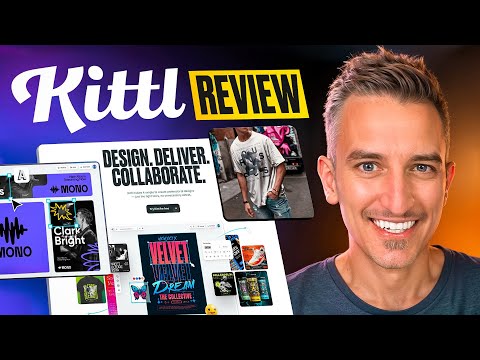
Kittl is no longer just the fast design app
Kittl used to be easy to explain. It was the browser tool with unusually good typography, polished templates, mockups, and a clear affection for merchandise design. That description is still true, but it now misses the centre of gravity. In 2026, Kittl presents itself as an AI-first design platform for creators and product businesses. Image generation is only one door into a much broader production system.
The practical promise is that an idea can remain inside one workspace from first prompt to sellable asset. A creator can generate an image, turn a raster reference into vectors, edit the shapes and type, place the work on a mockup, create campaign variants, and animate the result without rebuilding the project in a second application. That continuity is more important than any individual model on Kittl's menu.
This also changes the most useful way to evaluate the product. Kittl is not trying to win a pure image-generation beauty contest. It is competing on the distance between a generated idea and something a brand can actually publish, print, present, or sell. The strongest parts of the platform are the handoffs that disappear.
The canvas is the product
Generative tools often produce a striking result and then leave the user with a file. The next hour happens elsewhere: removing a background, repairing text, rebuilding a layout, finding a mockup, checking dimensions, and exporting the right format. Kittl's answer is to make generation one action inside a real design canvas rather than the destination.
That canvas brings together vectors, raster images, text, layers, templates, mockups, project colours, guides, and effects. It is friendly enough for a shop owner who does not speak fluent Illustrator, but it is not merely a template picker. Generated vectors can be recoloured and recomposed. Typography can be curved, warped, outlined, textured, and fitted to a design. Product visuals can be placed into realistic scenes before anyone commits to a photoshoot or print run.
The result is a particular kind of speed. Kittl does not make every design decision for you, and it should not. It removes the administrative friction around those decisions. A weak concept can still become a weak poster more quickly. A good visual direction, however, can travel from exploration to a coordinated set of assets with far fewer exports, imports, and format conversions.
This is why Kittl feels most convincing when the brief has a destination. A t-shirt graphic needs clean edges, suitable dimensions, a product mockup, a listing image, and perhaps a short promotional clip. A candle label needs legible type, a repeatable palette, packaging context, and commercial rights. Kittl understands these as connected jobs rather than isolated moments of generation.
Models become ingredients
Kittl now gathers a long list of leading image models into the same workspace. Its current model menu spans systems from OpenAI, Google, ByteDance, Ideogram, Black Forest Labs, and others. The names will keep changing. The more durable advantage is that creators can test different visual engines without moving the surrounding design work or paying for a separate interface every time a new model becomes fashionable.
This abundance is useful, but it introduces a new design problem: model choice. One engine may be better at readable lettering, another at product photography, another at controlled edits, and another at illustration. Token costs can also differ substantially. The smartest Kittl workflow is not to choose a favourite model for everything. It is to choose the cheapest or fastest model that can answer the current question, then reserve expensive generations for the final direction.
Kittl's Agentic AI is an attempt to hide that complexity for people who do not want to become model librarians. A user describes a t-shirt design, product photo, candle label, social post, or other deliverable in ordinary language. Kittl then selects a model, constructs the prompt, and applies settings for that category. It is a sensible on-ramp because most small businesses care about the output, not the routing logic.
Experienced creators may still prefer direct control, especially when a campaign has strict art direction or when small changes in model behaviour affect the final look. Agentic AI should be treated as a capable starting point, not an invisible guarantee. Review the result, inspect the details, and keep the brief close. Automation is most valuable when it reduces setup without erasing judgment.
Workflows trade blank prompts for repeatability
Kittl Workflows may be the more consequential feature for everyday production. Instead of beginning with an empty prompt field, a user chooses a workflow designed for a recognisable outcome, adds a product, image, design, or idea, and receives a result that can be edited in Kittl. The library covers jobs such as apparel graphics, product visuals, mockups, listing videos, logos, labels, social content, and vectors.
The distinction sounds small until you watch how much time creative teams lose to prompt archaeology. A promising generation appears, nobody records the exact settings, and the next asset drifts. Workflows package a tested route so the same kind of job can begin from a known structure. For sellers producing many listings or seasonal variations, consistency is often worth more than surprise.
There is also a humane design decision here. A Workflow shows the intended result before asking the user to master its machinery. People who understand their product but do not understand sampler settings can still move forward. The output is not trapped in the workflow either. It opens in the editor, where colours, text, layout, and styling remain adjustable.
Workflows will not make an incoherent brand coherent. A team still needs decisions about audience, tone, palette, typography, photography, and acceptable variation. The better use is to encode those decisions into a repeatable production rhythm. Start with one high-value deliverable, refine it until the output feels recognisably yours, and then reuse the route for the next launch rather than scattering attention across every template in the library.
Vectors keep the promise of editability
Kittl's vector tools remain one of its clearest points of difference. The AI Vector Generator turns text descriptions into scalable artwork for icons, stickers, labels, logos, packaging, merchandise, and launch graphics. Kittl says those results can be edited for colour, composition, typography, borders, opacity, and shadows inside the platform. Its separate Vectorizer converts raster images into scalable paths.
That matters because a generated PNG is often only the beginning of a commercial design. A printer may need clean edges at a larger size. A product range may need five colourways. A client may ask for a simplified one-colour mark. With editable vectors, those requests become design changes rather than another round of image generation.
The word vector should not be mistaken for finished identity work. AI can make an attractive emblem that looks plausible at first glance and still contains awkward geometry, derivative motifs, or details that collapse at small sizes. Logo work also raises trademark questions that a visual generator cannot settle. Kittl provides a strong construction environment, but originality checks, legibility tests, and legal clearance remain human responsibilities.
For merchandise and packaging, the combination is particularly effective. Generate the rough visual language, simplify it, refine the type, test it at actual print size, and place it on a mockup. The mockup is not proof of manufacturability, but it is an excellent way to catch proportion and placement problems before a sample is ordered.
Motion arrives without a timeline
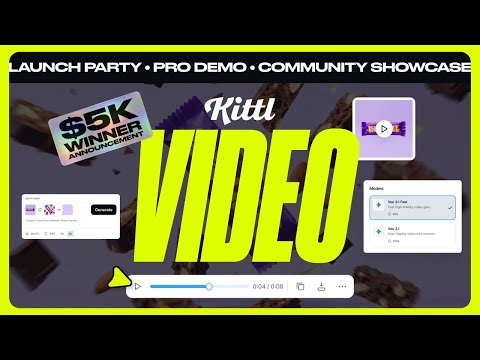
Kittl's AI video tools extend the same canvas-first philosophy. A static mockup, packaging design, product image, or campaign layout can become a short promotional clip. The user can define a start frame, optionally set an end frame, and describe movement, camera behaviour, and mood in a prompt. Kittl positions this as motion without timelines or keyframes.
That is a useful boundary. The feature is not a replacement for a full motion-design suite, nor does it need to be. Its natural territory is short product videos, listing clips, launch reels, animated social posts, and brand moments that would otherwise be skipped because opening another application feels disproportionate to the job.
Video also makes token economics more visible. Kittl's own guidance shows that models consume different numbers of tokens per second, with premium options costing materially more than lighter ones. A few exploratory clips can therefore use a monthly allowance quickly. Plan the still frame first, test motion with an economical model, keep clips short, and spend on the final render only after the direction is settled.
The same restraint applies creatively. Motion cannot rescue a confused layout. A simple camera move on a strong product image often communicates more than a busy sequence full of synthetic movement. Kittl lowers the barrier to animation; good taste still determines whether the result deserves attention.
Pricing is really a token and rights decision
Kittl can be started free, and the current Free plan includes five projects, a one-time allocation of 200 AI tokens, and access to a large library of photos, graphics, fonts, and templates. It is enough to understand the editor and make personal work. It is not the correct basis for a commercial merchandise or client workflow.
The current monthly prices shown by Kittl are $19 for Pro and $45 for Expert. Annual billing lowers the effective monthly prices to $14 for Pro and $34 for Expert, billed as yearly commitments. Pro includes unlimited projects, 2,000 monthly AI tokens, 10 GB of storage, and premium templates and mockups. Expert raises the monthly allocation to 6,000 tokens and storage to 100 GB, while adding a much larger curated asset library and faster AI-oriented workflows.
The plan table is only half of the buying decision. Kittl states that unused monthly tokens do not roll over. Expert also receives 200 daily tokens, and Kittl's pricing information refers to higher tiers with larger daily allowances and top-up options. Anyone using video or generating at high volume should measure a real week of activity before choosing a plan. The relevant metric is not how many tokens appear in the headline. It is how many approved assets emerge from them.
Commercial rights require equal attention. Kittl says the Free plan is for personal use, while Pro and Expert include commercial licensing with a limit of 500,000 copies or expected viewers for an individual design. Its licensing terms distinguish a user's own uploads and AI-generated images from Kittl Content such as templates, fonts, illustrations, and other library assets. Paid users receive broad rights to their AI-generated images, but they still carry responsibility for avoiding third-party infringement.
That distinction deserves a pause. Paying for a plan does not turn every visible ingredient into unrestricted intellectual property, and AI output is not automatically safe because it looks original. Before a large print run, client handoff, or trademark filing, review the exact asset sources, the current license, and the intended distribution. Kittl's licensing is relatively legible, but it is still a set of conditions, not a magic shield.
Where Kittl earns its place
Kittl is at its best for founders, ecommerce teams, print-on-demand sellers, merch designers, and brand generalists who repeatedly move from concept to product-facing artwork. Its typography, vectors, mockups, templates, and generative tools share the same visual workspace. That makes it unusually good at turning one direction into the many practical assets surrounding a launch.
It is less compelling as a universal replacement for specialist software. Complex photo retouching, long-form video editing, intricate animation, advanced vector engineering, data-heavy layouts, and large publishing systems still belong in more focused tools. Teams with strict colour-management, prepress, or enterprise-governance requirements should test the complete path to production rather than assuming a browser export covers it.
The platform also rewards a little discipline. Name projects clearly. Preserve approved brand colours and type choices. Keep source uploads private unless they are meant to be published. Record which model and workflow produced an accepted direction. Export masters in an editable format where the plan allows it. Run a small physical sample before scaling a merchandise design. These habits are not glamorous, but they are what turn creative speed into reliable output.
The most interesting thing about Kittl in 2026 is that it treats AI as connective tissue. Models generate possibilities, Workflows organise repeatable jobs, Agentic AI removes setup, vectors preserve editability, mockups provide context, and video gives a finished design movement. None of those pieces is entirely new on its own. Their proximity is the point.
The WhatAI verdict
Kittl has grown into one of the more coherent creative AI workspaces for people who make things to sell. It does not ask users to choose between generation and design control. It gives them a path from a brief to a visual, from a visual to an editable composition, and from that composition to product imagery and short motion.
The best reason to choose it is not access to a particular model. Model rankings change too quickly for that. Choose Kittl if your work benefits from keeping typography, vectors, mockups, templates, generation, and lightweight motion together, and if the commercial plan fits the way you distribute the result.
Start with a real product rather than a demonstration prompt. Build one complete launch asset set, count the generations, inspect the exports, read the licence for the ingredients you used, and see how much work stayed inside Kittl. If that project reaches the finish line with fewer handoffs and no loss of control, the platform has made its case.
Kittl AI brings image generation, editable vectors, AI Workflows, mockups, typography, templates, and short video into one browser canvas. This 2026 review examines where the platform saves real production time, how its token plans work, and what commercial users need to know.
Kittl AI Features, Workflows, Vectors, and Video
The platform now supports direct model selection as well as Agentic AI, which chooses a model and settings from an ordinary-language brief. Guided Workflows target repeatable jobs such as apparel graphics, product scenes, labels, mockups, listing videos, and campaign assets, while vector tools keep important elements editable.
Kittl Pricing, Commercial Rights, and Practical Fit
Kittl starts with a personal-use Free plan. Pro costs $19 monthly and Expert costs $45 monthly, with lower effective prices on annual billing. Paid commercial rights, monthly token allowances, export needs, asset licensing, and expected distribution should all be checked before committing production work.
About Kittl AI
Kittl AI is a browser-based creative production platform that combines leading image models, editable vector generation, guided AI Workflows, agentic model selection, typography, templates, mockups, and short-form video inside one design canvas. It is built for creators, product brands, ecommerce teams, and print-on-demand sellers who need to move from an idea to brand-ready assets without repeatedly changing tools.
Use Cases
Key Features
- ✓ AI image generation with multiple leading models
- ✓ Agentic AI for automatic model and setting selection
- ✓ Guided AI Workflows for repeatable design jobs
- ✓ Editable text-to-vector artwork
- ✓ Raster-to-vector conversion
- ✓ AI video generation inside the design canvas
- ✓ Background removal, upscaling, and reframing
- ✓ Advanced typography and editable text effects
- ✓ Product mockups and customizable templates
- ✓ Infinite canvas and real-time collaboration
- ✓ PNG, JPG, PDF, SVG, and MP4 export options
- ✓ Commercial licensing on eligible paid plans
Pricing
Free
$0
- • Five projects
- • 200 one-time AI tokens
- • Professional templates
- • More than one million photos, graphics, and fonts
- • Personal use only
Pro Monthly
$19 per month
- • Unlimited projects
- • 2,000 AI tokens per month
- • 10 GB file storage
- • Premium templates and mockups
- • Vector exports and commercial licensing
Pro Annual
$14 per month, billed yearly
- • Billed as $168 per year
- • Same core Pro benefits
- • Lower effective monthly price
Expert Monthly
$45 per month
- • 6,000 AI tokens per month
- • 200 additional daily tokens
- • 100 GB file storage
- • More than 100 million curated assets
- • Expert annual option is $34 per month
Pricing varies by plan and region — see current pricing.
Plan features change — last updated: 2026-08-17.
Details
Tags
Kittl AI Community Discussions
Explore community discussions. Ask and answer questions on Kittl AI to grow and learn together.


Kittl AI Showcase



Kittl AI — Frequently Asked Questions
What is Kittl AI?
Kittl AI is a browser-based design platform that combines generative image and video models with vectors, typography, templates, mockups, editing, and collaboration in one canvas.
Is Kittl free?
Yes. The Free plan currently includes five projects and 200 one-time AI tokens. Kittl states that the Free plan is intended for personal use rather than commercial work.
How much does Kittl Pro cost?
Kittl currently lists Pro at $19 per month, or an effective $14 per month when billed as $168 annually.
How much does Kittl Expert cost?
Kittl currently lists Expert at $45 per month, or an effective $34 per month when billed as $408 annually.
What are Kittl AI tokens?
Tokens are usage units consumed by AI actions such as image generation, product backgrounds, Workflows, and video. Monthly tokens do not roll over to the next billing cycle.
Can Kittl generate editable vectors?
Yes. Its AI Vector Generator creates scalable artwork from prompts, and generated vectors can be edited for colour, composition, typography, borders, opacity, and shadows in Kittl.
Can Kittl convert an image to a vector?
Yes. Kittl Vectorizer converts PNG and JPG raster images into scalable vector paths that can be used for print, merchandise, branding, and other design work.
What is Kittl Agentic AI?
Agentic AI interprets a plain-language design request, selects an appropriate model, writes the generation prompt, and applies settings so the user can begin without model or prompt expertise.
What are Kittl AI Workflows?
Workflows are tested, guided production paths for outcomes such as apparel graphics, product visuals, labels, logos, mockups, listing videos, and social content. Results open in the editor for refinement.
Can I use Kittl designs commercially?
Eligible paid plans include commercial rights, subject to Kittl's current licensing terms and distribution limits. Users must also respect third-party rights and rules covering Kittl Content.
Does Kittl make AI video?
Yes. Kittl can animate designs, mockups, packaging, and product visuals into short clips. Video uses plan tokens, and consumption varies by model and clip duration.
What can Kittl export?
Kittl supports common design exports including PNG, JPG, PDF, and SVG, while its video workflow can export short clips as MP4. Availability can depend on the plan.
Sources & References
- Official Kittl platform overview ↗
- Official Kittl pricing and plan details ↗
- Official Kittl AI Workflows guide ↗
- Official Kittl Agentic AI overview ↗
- Official Kittl AI Image Generator page ↗
- Official Kittl AI Vector Generator page ↗
- Official Kittl Vectorizer page ↗
- Official Kittl AI Video Generator page ↗
- Official Kittl licensing terms ↗
- Official Kittl editor overview ↗
- Official Kittl template library ↗
Try Kittl AI
Visit the official website to get started with Kittl AI today.
Visit Kittl AI →