MeetGeek in 2026: Meeting Notes Are Becoming an Execution Layer
MeetGeek still records and summarizes calls, but its more important direction is turning meeting context into searchable knowledge, automated workflows and AI agents that can act.
By WhatAI Editorial ·
MeetGeek is becoming harder to describe with the phrase AI meeting notetaker.
That is still where the workflow begins. Connect a calendar and MeetGeek can join Zoom, Google Meet or Microsoft Teams, record the conversation, produce a transcript, summarize what happened and extract action items.
But the 2026 product increasingly treats the transcript as raw material rather than the finished product.
AI Chat lets users ask questions across meetings. Chat with Apps can draft emails, create calendar events and move information into connected tools. Meeting Skills can automatically run after the right type of meeting or on a schedule. The MCP Server exposes meeting context to external AI systems such as ChatGPT and Claude. Voice Agents can now join selected meetings and speak rather than only listen.
That shift changes how MeetGeek should be evaluated.
The question is no longer simply whether the transcript is accurate.
The more useful question is whether the conversation becomes reliable work after everyone leaves the call.
Transcription is becoming infrastructure
Meeting transcription used to be the product.
A system that could distinguish speakers, produce a searchable transcript and generate decent meeting minutes saved real administrative time.
Those capabilities still matter, but they are increasingly expected across the category.
MeetGeek currently supports more than 100 languages and can automatically detect spoken language. It can record through a conventional meeting bot, through a browser or desktop recorder without adding a bot, through the mobile app for in-person conversations, or by processing an uploaded audio or video file.
All of those capture methods eventually feed the same basic asset: structured meeting knowledge.
The accuracy of that knowledge still sets the ceiling for everything built on top.
If an action item is attributed to the wrong person, the automated workflow does not fix the mistake. It spreads it faster.
This is why WhatAI would test MeetGeek first as a transcription and extraction system before testing it as an autonomous workflow system.
Take ten meetings that represent the actual environment. Include accents, interruptions, technical language and poor audio. Check names, numbers, deadlines and action-item ownership.
Only automate what survives that test.
The strongest current differentiation is what happens after the meeting
MeetGeek's product is increasingly organized around the idea that a meeting should be one input into a company's automation pipeline.
That is more useful than treating the meeting summary as another document to file away.
A sales call can update a CRM. A project meeting can create Jira or ClickUp tasks. A customer call can be summarized into Slack. A recruiting interview can become structured notes for an ATS. A weekly leadership meeting can contribute to a recurring digest of open actions.
The current integrations page covers CRM systems such as HubSpot, Salesforce, Pipedrive, Attio and Zoho; project systems including Jira, Asana, Monday.com and ClickUp; collaboration products including Slack, Notion and WhatsApp; and automation platforms including Zapier, Make and n8n.
MeetGeek's own public pages currently disagree on the exact size of the extended integration ecosystem. Depending on the page, the number can appear as 7,000+, 10,000+ or 20,000+ connected applications.
The precise marketing number matters less than the practical fact.
MeetGeek connects to thousands of downstream applications through several automation ecosystems. Buyers should verify the specific system and action they need rather than choosing the product because of an integration count.
Meeting Skills make automation more specific
Meeting Skills are one of the features that best illustrates the direction of the product.
Instead of asking a generic assistant to process every conversation the same way, Skills can be tied to a meeting type and a trigger.
A sales-call skill might score the opportunity immediately after the call. A client-call skill might produce a follow-up draft. A daily or weekly skill might aggregate unresolved actions across meetings.
MeetGeek automatically detects meeting type so a candidate-screening workflow can remain inactive during an unrelated internal call.
That is important because good automation is selective.
The easiest way to make an AI workflow annoying is to let it generate output after every event whether the output is useful or not.
The best Meeting Skill should correspond to a job someone already performs repeatedly.
Start with the sentence: after every customer onboarding call, somebody on our team currently spends fifteen minutes doing this.
That is the automation candidate.
Do not begin with the fact that MeetGeek can create an agent.
AI Chat is becoming an action interface
MeetGeek AI Chat originally made meeting archives easier to query.
That alone is valuable. A long-running customer relationship can contain months of scattered decisions, concerns and commitments. Searching transcripts manually is technically possible but operationally unlikely.
A natural-language question such as when did the customer first raise the integration problem can collapse that search into seconds.
The current Chat with Apps capability goes further.
Users can instruct MeetGeek to send material to Slack, write into Notion, upload files to Google Drive, manage Gmail drafts or create and update Google Calendar events.
This is where meeting intelligence starts to become an execution layer.
It is also where the cost of a wrong answer increases.
If AI Chat incorrectly summarizes a discussion on screen, a human can notice. If the same interpretation becomes a CRM update or an email sent to a customer, the mistake has crossed into another system.
WhatAI would therefore separate draft actions from execution actions.
Draft the email automatically. Let a person approve sending it until the workflow has proven reliable. Propose the CRM field update with evidence from the transcript. Automate the final write only for low-risk fields after repeated validation.
Agentic AI should earn permissions gradually.
Voice Agents are a bigger change than they first appear
MeetGeek's beta Voice Agents move the product from passive observation to active participation.
These agents can enter Google Meet, Zoom and Microsoft Teams calls, listen, speak and follow a defined prompt. MeetGeek provides example roles including a sales qualification agent, recruiting screener, scrum master and customer-success agent.
This is materially different from an AI notetaker.
A notetaker can summarize a bad conversation after it happens.
A voice agent can change the conversation while it is happening.
That means the prompt becomes part of the operating policy.
A sales qualification agent should know whether it may discuss pricing. A recruiting agent should know what questions it must not ask. A customer-support agent needs a handoff rule when the issue involves safety, refunds, legal threats or account security.
MeetGeek's own example template for an inbound sales agent is appropriately narrow. It says not to quote pricing or make technical promises and positions the agent around qualification rather than closing the deal itself.
That is the right direction.
The current feature remains beta and has platform limitations. MeetGeek's help documentation notes, for example, that Zoom can require manually unmuting the Voice Agent microphone in some meetings.
The correct evaluation is not whether the agent sounds impressive in one demo.
It is whether the agent can complete a narrowly defined conversation consistently, disclose itself appropriately, avoid prohibited commitments and hand off to a person when the boundary is reached.
MCP makes the meeting archive useful outside MeetGeek
MeetGeek now provides MCP access alongside direct ChatGPT and Claude integrations.
This is strategically important because meeting knowledge does not have to stay inside MeetGeek's own AI interface.
A user can connect an external assistant and make past conversations part of a larger workflow. ChatGPT can use meeting context while drafting a report. Claude can analyze patterns across transcripts. An internal agent can retrieve summaries or actions while working with other company systems.
The value of this approach is context reuse.
Teams already spend hours producing conversational data every week. If every assistant starts from zero, that information remains trapped in recordings.
MCP can turn the meeting archive into a knowledge source.
The risk is permissions.
A connector that can search a person's meeting history potentially exposes executive discussions, employee conversations, customer negotiations and sensitive internal information to whatever assistant is querying it.
Workspace access rules should therefore follow the meeting data into the AI connector.
Do not treat the ability to connect a model as a reason to give that model every meeting.
Privacy is stronger than many consumer AI products, but recording is still the user's responsibility
MeetGeek currently has a relatively mature security posture for its category.
Its Security Portal lists SOC 2 Type II, GDPR and HIPAA support through a Business Associate Agreement for qualifying use cases. Current documentation says data is encrypted in transit using TLS 1.2 or later and at rest using AES-256.
MeetGeek offers EU and US residency. Its current data-residency documentation says European production data remains within the EEA and that LLM analysis for European customers also runs through an EU-resident instance.
The same documentation says meeting content is not used to train external AI models and that its LLM subprocessor operates under a zero-retention configuration.
These are meaningful controls.
They do not solve recording consent.
MeetGeek's terms place responsibility on the user to collect required participant consent before recording. The product can display recording notifications, send pre-meeting notices and require explicit opt-in. MeetGeek also states that it does not encourage incognito recording or surveillance.
That matters particularly because MeetGeek supports bot-free recording.
Technical invisibility should never be confused with legal or ethical permission.
A company should have one recording policy that applies regardless of whether participants can see a bot in the attendee list.
Pricing now maps fairly clearly to meeting volume and automation depth
MeetGeek's Basic plan is genuinely useful for evaluation.
The current pricing table gives free users three hours of transcription per month, three months of transcript storage, one month of audio storage, AI summaries, meeting analytics, AI Chat, uploads, mobile and browser capture, and API and MCP access.
The constraint is volume.
Pro increases transcription to twenty hours per month on the current annual-pricing table and adds templates, integrations, AI Chat with tools, workflows, downloads and administration. The current effective annual rate is $9.99 per user per month, while MeetGeek's public homepage shows $15.99 for monthly billing.
Business is the meaningful step for heavier teams. Current pricing is $27 per user on monthly billing or $17 per user per month at the displayed annual rate. It includes unlimited transcription and transcript storage, HD video, team spaces, team analytics, unlimited AI Chat with tools, unlimited agentic workflows, branding and stronger recording controls.
Enterprise adds organization-wide governance, SSO, SCIM, custom retention, on-premise storage options and custom Voice Agent work.
The practical pricing question is not simply which plan has the lowest seat cost.
Count who actually needs to record meetings, how many hours they capture and which colleagues only need access to the resulting knowledge. MeetGeek specifically supports mixing free and paid licenses inside an organization.
That can make the economics better than buying the same paid tier for every employee.
The public review signal is reasonably strong
Unlike some young AI tools with only a handful of reviews, MeetGeek has a meaningful public review base.
G2 currently shows a 4.6 out of 5 seller rating across roughly 490 reviews. Recent 2026 reviews praise transcription, summaries, ease of integration and Claude connectivity. A common mild criticism is that summaries can occasionally miss smaller details or could offer more customization.
Trustpilot has a smaller pool but recent reviews also highlight time saved on meeting minutes, action-item extraction and integrations.
Independent 2026 reviews provide a more useful counterweight than star ratings alone.
AISO Tools tested MeetGeek across more than forty meetings and described the zero-friction recording and structured summaries positively while pointing out that Fathom can be stronger for a free-first user and Gong remains a deeper choice for enterprise sales intelligence.
MeetingCompare similarly treats MeetGeek as more than a notetaker because of its AI Voice Agent direction.
Those comparisons help define the boundary of the product.
MeetGeek versus Fathom, Fireflies and Otter
If the main job is record this call and give me a clean summary, the category is highly competitive.
Fathom has built a strong reputation around a generous free experience. Fireflies has a mature meeting-intelligence and integration ecosystem. Otter remains one of the most recognizable transcription brands.
MeetGeek becomes more distinctive as the workflow expands beyond note taking.
Meeting Skills, cross-meeting AI Chat, automated app actions, MCP and Voice Agents create more reasons to choose it for an organization where meeting information should drive work automatically.
The downside is that every layer adds configuration and governance.
A solo user who only wants transcripts may not need the automation platform.
MeetGeek versus Gong
MeetGeek includes sales-specific features such as objection detection, competitor mentions, deal signals, coachability scores and CRM updates.
That does not automatically make it a substitute for Gong.
Gong is a dedicated revenue-intelligence platform built around sales coaching, deal inspection, forecasting and enterprise revenue workflows. The scope and economics are different.
MeetGeek can be the better fit for a general team that wants meeting automation with some sales intelligence rather than a sales organization buying a dedicated revenue operating system.
This distinction protects buyers from comparing feature labels without comparing depth.
A practical MeetGeek evaluation
Use the free plan first.
Record ten representative meetings across the environments that matter. Use the meeting bot for some and bot-free recording where appropriate for others.
Measure transcript accuracy. Check action ownership. Check numbers. Check whether summaries preserve the actual decision rather than simply the topic discussed.
Then automate one downstream job.
If the team currently spends ten minutes after every customer call copying notes into HubSpot, build that workflow. Keep it in review mode at first. Measure how many fields are right without correction.
Next, test retrieval.
Ask AI Chat questions you already know the answers to. Can it find an old commitment? Can it distinguish what the customer said from what your salesperson proposed? Does it surface the right meeting?
Only after those layers work should you evaluate Voice Agents or autonomous app actions.
This sequence matters because automation amplifies whatever quality already exists underneath it.
The affiliate opportunity is strong for WhatAI
MeetGeek currently runs a formal affiliate program through PartnerStack.
The current partner page advertises 30 percent recurring commission on every referred sale for 12 months, along with affiliate reporting and marketing resources.
There is also a separate customer referral program inside the MeetGeek application. That program currently pays $50 for each referred person who becomes a paying subscriber, distributed as $10 per month for five months.
These should not be confused.
For WhatAI, the PartnerStack affiliate program is the relevant publishing relationship because it is designed for audiences and partners rather than one-to-one customer referrals.
The presence of a commission should remain separate from the editorial verdict.
MeetGeek should earn recommendation through the workflow first.
Who should shortlist MeetGeek
Sales, customer-success, recruiting and project teams are obvious fits because meetings repeatedly produce structured follow-up work.
Executives and operations teams can benefit from cross-meeting retrieval and action tracking. Agencies can use client-call summaries and automated sharing. Healthcare and regulated teams may find the security and BAA options relevant if the complete deployment satisfies their compliance requirements.
Individual professionals can also get substantial value if meeting minutes currently consume part of every working day.
Who should look at simpler alternatives
If you have two meetings a week and only need a transcript, the broader automation layer may not matter.
If external customers reject meeting bots and your organization does not approve bot-free capture, the workflow becomes harder.
If your company needs deep revenue forecasting and dedicated sales coaching, compare specialist conversation-intelligence platforms.
And if the business is not prepared to define recording, retention and AI-action policies, adding Voice Agents will create governance faster than it creates productivity.
The WhatAI view
MeetGeek is moving from meeting documentation toward meeting execution.
That is the most important product change.
The transcript is still the foundation. But the value increasingly comes from what can happen next: search the conversation, identify the commitment, draft the follow-up, update the system, create the task or let an agent handle a narrowly defined call.
This direction makes MeetGeek more useful and more consequential at the same time.
Every additional action requires more trust in the transcription, the extraction and the permission model.
Know what is available. Use only what earns a place in your workflow.
For MeetGeek, begin by proving that it understands the meeting. Then let it automate the work that understanding makes possible.
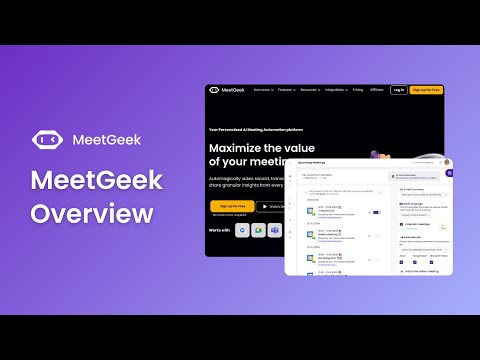
MeetGeek is an AI meeting assistant that records, transcribes and summarizes conversations, then turns what was said into searchable knowledge and automated work. Its current platform includes meeting analytics, AI Chat, Meeting Skills, CRM workflows, MCP access and beta Voice Agents.
Where MeetGeek Earns Its Place
MeetGeek is strongest when meeting notes need to travel somewhere after the call. Its advantage is not transcription alone, but the workflow connecting summaries, decisions and action items to CRMs, project tools, AI assistants and automated follow-up.
The Recording and Automation Trade-Off
MeetGeek can remove substantial meeting admin, but recorded conversations create consent, retention and access-control responsibilities. Voice Agents and automated actions also need clear human boundaries before they are allowed to speak or act on behalf of a team.
About MeetGeek
MeetGeek is an AI meeting assistant and meeting automation platform that records, transcribes, summarizes, analyzes and acts on conversations. It can automatically join Zoom, Google Meet and Microsoft Teams calls, capture meetings without a bot through browser and desktop recording, and record in-person conversations from mobile. Its current platform extends beyond note taking into AI Chat across meeting history, Meeting Skills, automated workflows, CRM updates, meeting analytics, MCP access for AI assistants, and beta Voice Agents that can speak and participate in meetings.
Use Cases
Key Features
- ✓ Automatic meeting recording
- ✓ Zoom, Google Meet and Microsoft Teams capture
- ✓ Bot-based Notetaker
- ✓ Bot-free browser and desktop recording
- ✓ Mobile and in-person recording
- ✓ Audio and video uploads
- ✓ Transcription in 100+ languages
- ✓ Automatic language detection
- ✓ Automatic speaker recognition
- ✓ AI summaries
- ✓ Action items and next steps
- ✓ Meeting highlights
- ✓ Topics timeline
- ✓ Meeting templates
- ✓ Automatic meeting-type detection
- ✓ AI Chat across meeting history
- ✓ AI Chat with connected apps
- ✓ Meeting Skills
- ✓ AI Agents and workflows
- ✓ Beta AI Voice Agents
- ✓ Meeting analytics
- ✓ Sentiment and engagement analytics
- ✓ Sales objection and competitor detection
- ✓ Pipeline intelligence
- ✓ Automatic CRM updates
- ✓ Meeting clips
- ✓ Folders and tags
- ✓ Team spaces and comments
- ✓ Public API
- ✓ MCP Server
- ✓ ChatGPT integration
- ✓ Claude integration
- ✓ Slack and WhatsApp integrations
- ✓ CRM integrations
- ✓ Project-management integrations
- ✓ EU and US data residency
- ✓ Zero external-model training on meeting data
- ✓ SOC 2 Type II
- ✓ HIPAA support with BAA
Pricing
Basic
Free
- • 3 hours transcription per month
- • 3 months transcript storage
- • 1 month audio storage
- • Unlimited AI summaries
- • Meeting Skills
- • Meeting Analytics
- • Global search and AI Chat
- • Uploads
- • Mobile apps and Chrome Extension
- • Bot-free recording
- • API and MCP access
- • 2-hour meeting limit
Pro
$15.99 monthly; $9.99/mo annual rate
- • 20 hours transcription per month on current annual table
- • 1 year transcript storage
- • 6 months audio storage
- • Meeting templates
- • Automatic meeting-type detection
- • Unlimited integrations
- • Zapier, Make and n8n
- • AI Chat with tools
- • AI Agents and workflows
- • Personal analytics
- • Downloads and exports
- • Admin user management
- • $0.50 per extra hour
- • 14-day trial
Business
$27 monthly; $17/mo annual rate
- • Unlimited transcription
- • Unlimited transcript storage
- • 12 months video storage
- • HD video
- • Team and group spaces
- • Team auto-sharing
- • Team analytics
- • Meeting comments
- • Unlimited AI Chat with tools
- • Unlimited agentic workflows
- • Branding
- • Private by default
- • Recording consent notifications
- • 3-hour meeting limit
Enterprise
Custom
- • Unlimited transcription
- • Unlimited transcript storage
- • Custom video storage
- • Organization-wide settings
- • SSO and SCIM
- • Custom avatars and Voice Agents
- • Zero or custom retention
- • On-premise storage options
- • Dedicated onboarding and account manager
- • 4-hour meeting limit
Pricing varies by plan and region — see current pricing.
Plan features change — last updated: 2026-09-05.
Details
Tags
MeetGeek — Frequently Asked Questions
What is MeetGeek?
MeetGeek is an AI meeting assistant and automation platform that can record and transcribe meetings, generate summaries and actions, analyze conversations, search meeting history and send meeting-derived work into other applications.
How much does MeetGeek cost in 2026?
MeetGeek currently offers a free Basic plan. Its public pages show Pro at $15.99 per user per month on monthly billing and an effective $9.99 on annual billing. Business is $27 monthly or an effective $17 on annual billing. Enterprise is custom.
What is included in MeetGeek's free plan?
The current Basic plan includes 3 hours of transcription per month, 3 months of transcript storage, 1 month of audio storage, AI summaries, meeting analytics, global search and AI Chat, uploads, bot-free recording, mobile apps, Chrome extension, API and MCP access.
Does MeetGeek need a bot in the meeting?
No. It can send a visible Notetaker to Zoom, Google Meet and Microsoft Teams, but it also supports approved bot-free browser and desktop recording and mobile capture for in-person conversations.
How many languages does MeetGeek support?
MeetGeek currently advertises transcription in more than 100 languages with automatic language detection. Accuracy still depends on audio quality, overlap, accents and terminology.
What are MeetGeek Meeting Skills?
Meeting Skills are AI automations that run on matching meetings and can produce outputs such as scores, reports, follow-up drafts or action-item digests and deliver them to connected tools.
What are MeetGeek Voice Agents?
Voice Agents are beta AI participants that can listen, speak and follow instructions in supported Google Meet, Zoom and Microsoft Teams meetings. Templates cover workflows such as sales qualification, recruiting and customer success.
Can MeetGeek connect to ChatGPT and Claude?
Yes. MeetGeek currently provides direct ChatGPT and Claude integrations plus an MCP Server that can expose meeting transcripts, summaries, highlights and action items to compatible AI workflows.
Does MeetGeek use my meeting data to train AI models?
MeetGeek says customer meeting content is not used to train external AI models and that its LLM subprocessors operate under zero-retention configurations for meeting content.
Where does MeetGeek store meeting data?
MeetGeek currently supports EU and US data residency. Its documentation says European customer data and LLM processing stay within the EEA, with enterprise options for custom retention and on-premise storage.
Do participants need to consent to MeetGeek recording?
Recording rules vary by jurisdiction. MeetGeek provides notifications and explicit-consent options, but its terms place responsibility on the user for obtaining required consent and recommend explicit consent as the safest approach.
Does MeetGeek have an affiliate program?
Yes. MeetGeek's current partner page advertises 30% recurring commission on referred sales for 12 months through PartnerStack. A separate customer referral program currently pays $50 per new paying referral, distributed as $10 per month for five months.
Sources & References
- MeetGeek official AI meeting assistant and automation platform ↗
- MeetGeek official pricing and feature comparison ↗
- MeetGeek official integrations directory ↗
- MeetGeek meeting privacy and recording transparency ↗
- MeetGeek August 2026 privacy policy ↗
- MeetGeek August 2026 Terms of Service ↗
- MeetGeek security overview ↗
- MeetGeek security and compliance portal ↗
- MeetGeek data residency and zero-training documentation ↗
- MeetGeek recording consent and notification guide ↗
- MeetGeek Meeting Skills guide ↗
- MeetGeek AI Chat and Chat with Apps guide ↗
- MeetGeek AI Voice Agents guide ↗
- MeetGeek ChatGPT integration ↗
- MeetGeek official affiliate and partner programs ↗
- MeetGeek customer referral program ↗
- G2 MeetGeek customer reviews ↗
- MeetingCompare MeetGeek review 2026 ↗
- AISO Tools MeetGeek review 2026 ↗
- Official MeetGeek quick overview ↗
- Official MeetGeek Voice Agents walkthrough ↗
- Official MeetGeek AI Chat walkthrough ↗
- Official MeetGeek Chat with Apps walkthrough ↗
Try MeetGeek
Visit the official website to get started with MeetGeek today.
Visit MeetGeek →