Explainpaper Is Becoming a Better Reading Desk, Not a Shortcut Around Research
Math Explain, Zotero import, multilingual explanations, and a more useful free plan deepen the reading workflow, while leaving the hard work of evidence appraisal firmly with the human.
By WhatAI Editorial Team ·
There is a particular kind of frustration that arrives halfway through a research paper. You understand the topic. You may even understand the abstract. Then one paragraph folds three assumptions, six unfamiliar terms, and a statistical result into a sentence that feels designed to keep outsiders away. A general chatbot can paraphrase it, but the answer often floats free of the page. A full summary can be faster, but it may quietly remove the exact caveat that made the result meaningful.
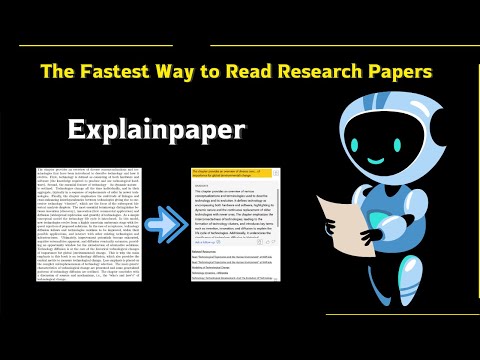
Explainpaper was built for that moment. Its central action remains unusually concrete: upload a paper, highlight the passage causing trouble, and ask for an explanation beside the source. The product does not begin by promising to conduct the research for you. It begins by helping you remain in the reading.
That narrowness is still its strongest quality. Yet the current Explainpaper is broader than the old image of a simple PDF highlighter. The live product now combines adjustable explanation depth, support for more than 50 languages, chat grounded in the paper, automatic outlines and key points, Zotero import, saved highlights, full-paper summaries, and a Pro feature called Math Explain for formulas and figures. Its official site also says more than 400,000 researchers have joined.
This is not a dramatic reinvention. It is something more useful: a focused reading tool gradually filling the gaps that appear once a helpful explanation becomes part of a real research routine.
The hard part is often one paragraph
Research software often starts from the wrong definition of speed. It treats reading as a quantity of pages to compress. Yet the true delay is frequently local. A reader can move quickly through ten pages, stop at one dense paragraph, then lose twenty minutes opening new tabs, searching terms, chasing a notation convention, and trying to recover the thread.
Explainpaper's highlight-first design respects this. The user points to the obstacle rather than asking a model to decide what deserves attention. That difference matters. It keeps the question attached to a passage, makes the response easier to challenge, and lets the reader move between original language and simplified explanation.
The adjustable complexity is more than a convenience when used well. A beginner explanation can build intuition, while an expert-level explanation can restore the vocabulary and qualifications needed for serious understanding. The productive movement is not always from complex to simple. It is from complex, to simple, then back to complex with a clearer mental model.
This also explains why the product can suit people beyond students. A clinician reading outside a specialty, a policy analyst entering a technical field, a journalist checking a methods section, or an experienced researcher crossing disciplines can all be knowledgeable and still need help with a local piece of language. Explainpaper is not only for people who know less. It is for moments when a paper assumes more than its reader currently carries.
A focused reader is becoming a small workspace
The current homepage presents three connected layers. In-context explanations handle the difficult sentence. Paper chat supports follow-up questions and can point back to relevant sections. Auto-generated insights provide a smart outline, key points, and relationships between concepts.
Together, those layers create a sensible reading sequence. First orient yourself. Then investigate a section. Then ask why it matters, how it connects, and what you may have misunderstood. That is more coherent than dropping a PDF into an open chat and hoping the model selects the right level of detail.
The danger is that the same features can encourage passive reading. A generated outline feels authoritative because it is neat. A list of key points can look complete because it is concise. A conversational answer can sound grounded because it refers to the paper. None of those qualities proves that the document was parsed correctly or that the model preserved the authors' distinctions.
A good reading workspace should reduce friction without removing resistance altogether. Some resistance is intellectually useful. It is the feeling that makes a reader ask whether a result is causal, whether a measurement actually represents the concept being discussed, or whether a conclusion extends beyond the sample. Explainpaper is most valuable when it helps the user reach those questions sooner, not when it makes the paper feel finished.
Math Explain tackles the page most assistants avoid
Pro now includes Math Explain for formulas and figures. This is an important addition because equations, plots, and diagrams are where many otherwise competent readers lose the argument. Language models are comfortable producing a broad verbal summary. Explaining why a variable is transformed, what an error bar represents, or how an axis changes the apparent story demands closer attention.
Used carefully, Math Explain can turn visual or symbolic density into a sequence of questions. What does each symbol mean? What are the units? Which values are observed and which are estimated? What comparison is the figure actually making? Which assumption allows this formula to be used? That kind of guided unpacking can be an excellent bridge into the methods.
It also deserves stricter verification than ordinary paraphrasing. PDF extraction may separate a formula from its definition, lose superscripts, reorder multi-column text, or detach a figure from its caption. A model can then deliver a lucid explanation of the wrong structure. The response should be checked symbol by symbol, axis by axis, and against the surrounding methods.
The most responsible prompt is not simply explain this equation. It asks the tool to define every variable, preserve the original notation, identify units and assumptions, offer a small worked example, and state what information is missing. The purpose is to make manual checking easier. It is not to outsource mathematical judgment.
Zotero import changes the starting point
Explainpaper's pricing page now lists Zotero library import on the Free plan. That is a quiet but meaningful workflow improvement. Zotero is where many researchers already collect papers, organise references, store metadata, and prepare citations. Import reduces the awkward step between having a paper and opening it in a purpose-built comprehension environment.
This does not make Explainpaper a reference manager. Zotero should still remain the system of record for authors, DOI, publication details, tags, collections, notes, and citation output. Nor does an imported library become an evidence review simply because its papers are now easier to question. Relevance, study quality, duplication, inclusion rules, and synthesis remain separate tasks.
The integration is most compelling for a personal reading queue. A researcher can collect papers in Zotero, open the difficult ones in Explainpaper, save useful explanations, and return verified notes to the broader project. The handoff should be deliberate. Otherwise the result is another pocket of valuable annotations trapped inside a product interface.
Free is unusually useful
The current pricing is clearer than the old WhatAI record. Free is listed at $0 per month and includes unlimited highlight explanations, follow-up questions, Zotero import, and basic AI models. Pro is $16 per month, with a seven-day trial, advanced AI models, full-paper summaries, saved highlights and explanations, questions about the paper, and Math Explain. A Teams plan adds management, priority support, and volume discounts through a custom agreement.
This is a healthy division because the signature interaction is not merely a temporary demo. Someone who needs help with difficult passages can use the Free plan as an actual reading tool. Paying becomes a question of workflow depth: whether better models, whole-paper summaries, saved work, and explanation of formulas and figures are frequent enough to justify a subscription.
The official pricing page also advertises a yearly option at 25% less. Users should confirm the displayed total, renewal terms, tax, and billing currency at checkout. The site's fulfillment policy says Pro subscriptions have a fourteen-day money-back guarantee for an initial purchase, while the trial itself is listed as seven days. Those are different protections, and both have conditions worth reading before subscribing.
For occasional course readings, Free may be enough. For a graduate student moving through difficult papers every week, Math Explain and saved annotations could make Pro worthwhile. For a laboratory or organisation, the feature list is too brief to settle questions about permissions, data handling, collaboration, administration, and support. Teams should be evaluated through a real workflow and a written agreement.
Simpler language can still distort meaning
Explainpaper sells relief from jargon, and rightly so. Academic writing often creates needless barriers. But jargon is not the only reason research is hard. Some passages are difficult because the underlying idea is genuinely conditional, contested, or mathematical. Simpler wording can improve access while also flattening the structure that carries the truth.
Consider the difference between an association observed in a selected sample and an effect caused by an intervention. A friendly explanation may translate both into a sentence that says one thing leads to another. Or a model may turn a confidence interval into a general statement of confidence, overlook that an outcome was secondary, or describe a statistically significant result as practically important. The prose becomes easier while the claim becomes less accurate.
That is why the best Explainpaper session alternates between explanation and challenge. Ask for the plain version. Then ask which qualifiers disappeared. Ask whether the claim is causal or associative. Ask what the result does not show. Ask which sentence in the paper supports the answer. Finally, read that sentence, its paragraph, the relevant table, and the methods yourself.
The product says paper chat answers are based on the actual content rather than general knowledge. That is the right design target, but users should still distinguish source-grounded from source-faithful. A response can rely on the document and still misread it, combine distant passages, or infer more than the authors wrote. Grounding reduces one category of error. It does not remove interpretation.
One paper is not a literature review
Explainpaper can make an individual study feel much more approachable. That feeling can create a subtle research error: the easiest paper to understand begins to dominate the user's view of the field. A clear explanation is not evidence that the paper is representative, rigorous, current, replicated, or uncontested.
A proper literature review begins before the reading interface. It defines the question, searches appropriate databases, records terms and dates, screens against stated criteria, handles duplicates, appraises study quality, tracks corrections and retractions, and synthesises agreement and disagreement across sources. Explainpaper can help with comprehension after selection, but it does not perform that whole chain.
This is where its alternatives divide. ChatPDF is a broad conversational PDF tool. Scholarcy is more focused on structured summaries and flashcards. Elicit supports literature search, screening, and extraction. Consensus answers questions across a body of research. Scite adds citation context and helps show how later literature treats a claim. NotebookLM works well when a user wants to reason across a chosen set of sources and create study outputs.
Explainpaper does not need to imitate all of them. Its advantage is the reading interaction itself. The smarter stack may be Zotero for collection, a scholarly search tool for discovery, Scite for citation context, Explainpaper for difficult passages, and a governed note system for the final synthesis. Most people will not need every layer for every assignment. The point is to choose according to the decision, not to assume one friendly interface completes the research.
A careful way to use Explainpaper
Begin with your own reading of the abstract. Write down the research question, the population or material studied, the method, and what you expect the authors to conclude. This small act gives you a baseline. If the generated summary differs, you now have a disagreement to investigate rather than a new answer to absorb.
After upload, inspect the document before asking substantive questions. Check columns, headings, formulas, captions, footnotes, and references. Then highlight the smallest passage that contains the difficulty. Ask one precise question about its terminology, assumption, or role in the argument.
Use adjustable complexity in both directions. Request an explanation for a capable beginner, then ask for the technical restatement with every qualification restored. If the two versions imply different claims, return to the source. For a formula or figure, define variables, units, axes, groups, and uncertainty markers. Work through a small example where possible.
Save only explanations that you have verified. A durable note should contain the exact passage, page or section, your question, the generated explanation, your corrected interpretation, and any unresolved uncertainty. If the note will support an assignment, report, clinical decision, policy recommendation, or published claim, verify the cited evidence and follow the relevant academic or professional rules.
Finally, place the paper among other papers. Search for earlier work, replication, criticism, correction, and different populations or methods. The end of an Explainpaper session should not be I understand the paper. It should be I understand what this paper is claiming, why it claims it, where it may fail, and what I need to read next.
Who should pay
The Free plan is the easy recommendation for anyone curious about the product. Unlimited highlight explanations make it possible to judge the core experience with real course or research material, not a staged sample. Students and occasional readers should start there and notice what actually causes friction before upgrading.
Pro makes more sense when formulas and figures are a recurring barrier, when whole-paper summaries are used as navigation aids across a heavy reading load, or when saved highlights are important enough to become part of a daily workflow. Advanced models may improve difficult explanations, but no model label should replace testing on the user's own field and document types.
Teams require a different standard. Before moving unpublished research, commercially sensitive reports, clinical material, or personal data into any hosted AI reader, an organisation should review the current terms, privacy commitments, retention, training use, access controls, deletion, data location, incident process, and contract. The visible feature list is not a security assessment.
Where we land
Explainpaper remains one of the clearest examples of a tool that benefits from knowing what it is for. It is not an autonomous researcher. It is not a truth engine. It is not a complete literature-review system. It is a reading companion built around the exact point where comprehension breaks.
Its current expansion is thoughtful because it strengthens that same moment from several sides. Multilingual and adjustable explanations widen access. Paper chat lets curiosity continue. Auto-generated insights help readers orient themselves. Zotero import improves the path into the document. Math Explain addresses formulas and figures. The Free plan keeps the signature feature accessible.
The trade-off is equally clear. Every improvement in fluency can make an interpretation feel more settled than it is. The answer is not to avoid the tool. It is to preserve the paper as the authority, ask sharper questions, keep the caveats, and connect one understandable study to the wider evidence.
Used that way, Explainpaper does something modest and genuinely valuable. It does not remove the hard work of research. It helps more people get close enough to begin it.
Explainpaper is a focused AI reading assistant for people who understand the broad topic of a research paper but get slowed down by its language, formulas, figures, or assumptions. Upload a paper, highlight the exact passage causing trouble, and request a simpler explanation without separating the answer from the source page.
What Explainpaper Can Do
The current product combines contextual highlighting, adjustable explanation depth, support for more than 50 languages, paper chat, follow-up questions, smart outlines, key-point extraction, and concept relationships. The Free plan includes unlimited highlight explanations and Zotero import. Pro adds advanced AI models, full-paper summaries, saved explanations, and Math Explain for formulas and figures.
Where Explainpaper Fits in a Research Workflow
Explainpaper is best used after a reader has found a relevant paper and wants help understanding it. It is not a scholarly database, citation-verification engine, systematic-review platform, or replacement for reading the methods and limitations. The strongest workflow uses its explanations to generate better questions, then verifies every important interpretation against the original text and related evidence.
About Explainpaper
Explainpaper is a web-based AI reading assistant for academic papers. Upload a research paper, highlight a difficult sentence, formula, figure, or concept, and ask for an explanation at a chosen level of complexity. The product keeps the explanation beside the paper so readers can move between the source and the AI response instead of treating a summary as a substitute for the document. Its current product also supports paper chat, follow-up questions, full-paper summaries, automatically generated outlines and key points, saved highlights, explanations in more than 50 languages, Zotero library import, and Math Explain for formulas and figures. Explainpaper is strongest as a comprehension layer for one paper at a time. It does not replace scholarly search, citation checking, study appraisal, or a reproducible literature review.
Use Cases
Key Features
- ✓ Highlight any confusing sentence for an in-context explanation
- ✓ Adjust explanation complexity from beginner to expert
- ✓ Receive explanations in more than 50 languages
- ✓ Chat with a paper and ask follow-up questions
- ✓ Jump from answers to relevant sections in the source
- ✓ Generate summaries for an entire paper on Pro
- ✓ View smart outlines, key points, and concept relationships
- ✓ Explain formulas and figures with Math Explain on Pro
- ✓ Save highlights and explanations on Pro
- ✓ Import a Zotero library
- ✓ Use basic AI models on Free and advanced models on Pro
- ✓ Read uploaded research papers in a focused browser workspace
Pricing
Free
$0/month
- • Free indefinitely
- • Unlimited highlight explanations
- • Follow-up questions
- • Zotero library import
- • Basic AI models
- • No payment information required
Pro
$16/month
- • Seven-day free trial
- • Advanced AI models
- • Full-paper summaries
- • Saved highlights and explanations
- • Questions about the paper
- • Math Explain for formulas and figures
- • Yearly billing option advertised at 25% less
Teams
Custom
- • Everything in Pro
- • Team management
- • Priority support
- • Volume discounts
- • Custom agreement and billing
Pricing varies by plan and region — see current pricing.
Plan features change — last updated: 2026-08-16.
Details
Tags
Explainpaper Community Discussions
Explore community discussions. Ask and answer questions on Explainpaper to grow and learn together.


Explainpaper Showcase


Explainpaper — Frequently Asked Questions
What does Explainpaper do?
Explainpaper lets you upload a research paper, highlight confusing text, and receive a contextual explanation. You can adjust the complexity, ask follow-up questions, chat with the paper, and use generated outlines or summaries to orient your reading.
Is Explainpaper free?
Yes. The official pricing page lists a Free plan available indefinitely with unlimited highlight explanations, follow-up questions, Zotero library import, and basic AI models. No payment information is required for the Free plan.
How much does Explainpaper Pro cost?
Explainpaper lists Pro at $16 per month and advertises a seven-day trial. Its pricing page also shows a yearly option advertised at 25% less. Taxes and the final billing amount should be checked at checkout.
What is Math Explain?
Math Explain is a Pro feature for explaining formulas and figures inside a paper. It can help unpack notation, variables, and the intended relationship shown on the page, but important calculations and interpretations still need manual verification.
Does Explainpaper work with Zotero?
The official pricing page says users can import a Zotero library. This can reduce the friction between collecting papers and opening them for explanation, although Zotero remains the better tool for reference management and citation formatting.
Can Explainpaper summarize an entire paper?
Full-paper summaries are listed as a Pro feature. A summary is useful for orientation, but it can compress uncertainty, merge distinct findings, or understate methodological limits. Verify important claims against the paper itself.
Can Explainpaper conduct a literature review?
Not by itself. Explainpaper mainly helps a reader understand papers already selected. A defensible literature review also requires a search strategy, multiple databases where appropriate, inclusion and exclusion rules, duplicate removal, screening, source appraisal, and transparent synthesis.
Is Explainpaper accurate?
Its answers can be useful and context-aware, but they remain AI-generated interpretations. Accuracy can fall when a PDF is poorly parsed, a passage depends on distant context, terminology is highly specialised, or a question asks the model to infer beyond the document.
Does Explainpaper replace reading the paper?
No. It can lower the comprehension barrier and point a reader toward relevant sections, but it should support close reading rather than replace it. Methods, results, tables, limitations, funding, corrections, and citations still need direct review.
Who is Explainpaper best for?
It is a strong fit for students, interdisciplinary researchers, clinicians, journalists, policy professionals, and curious readers who have a paper in front of them and need help understanding specific language, concepts, formulas, or figures.
Sources & References
Try Explainpaper
Visit the official website to get started with Explainpaper today.
Visit Explainpaper →