OmniMind is making the spreadsheet its AI automation interface
Omnitable now leads the product story, reframing AI agents around rows, columns, enrichment and GTM workflows rather than another workflow canvas.
By WhatAI Editorial ·
OmniMind is putting the table at the center of its automation pitch
OmniMind has spent the last few years positioning itself as a no-code platform for creating AI chatbots and agents trained on a company's own information. That broader platform is still there. It can ingest websites, PDFs, cloud documents, spreadsheets, audio, video and other knowledge sources, connect to external tools, run workflows and expose customer-facing or internal assistants.
What is different in 2026 is the front door.
The current OmniMind homepage now leads with Omnitable, a spreadsheet-style workspace aimed directly at sales, marketing and operations teams. Instead of asking a non-technical user to think in nodes, workflow canvases or developer terminology, Omnitable starts with something most business teams already understand: rows and columns.
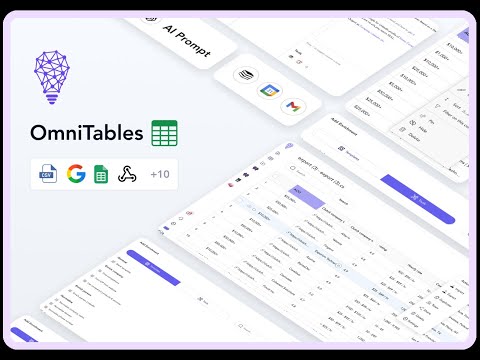
Each AI-powered column can be assigned a job. One column can research a company. Another can enrich a lead. Another can generate a personalized opening line. Another can classify the account. Another can push the result into a CRM or trigger an action. OmniMind describes each AI column as a small assistant working against the same table.
That sounds simple, but it is an important product decision. The hardest part of business automation is often not model capability. It is getting people to understand the workflow well enough to build, maintain and trust it. Omnitable reduces that abstraction by making the workflow look like a familiar data sheet.
The result is a product that now sits somewhere between an AI agent builder, a data-enrichment platform and a lightweight automation system.
Omnitable changes who the obvious buyer is
The older OmniMind platform was broad. Its official pages still describe support, HR, education, research and internal knowledge use cases. Users can build chatbots trained on business data, embed them into websites, connect them to Slack or other channels and use custom instructions to control behavior.
Omnitable narrows the most visible buying story.
The current homepage is built around inbound and outbound sales and marketing processes. It highlights CSV imports, HubSpot, Airtable, Apollo, Google Sheets, web research, lead enrichment, personalized messages and CRM updates. OmniMind's own 2025 sales content goes further and describes Omnitable as the core workspace for GTM teams, support and operations.
That does not mean OmniMind has become a sales-only product. It means the clearest current differentiation is no longer simply "build a chatbot on your data." There are now many products that can do that. The more distinctive proposition is "take a table of real business records and let AI operate on each row without forcing the user to build a technical workflow."
For SDRs, founders, growth teams and revenue operations users, that framing is easier to understand and easier to test.
The Clay comparison is intentional
OmniMind directly compares Omnitable with Clay on its own site. That comparison should be treated as vendor positioning rather than neutral evidence, but it tells buyers where the company believes it competes.
Clay has become a major reference point for enrichment and outbound workflows because it combines data providers, waterfall enrichment, AI research and automated personalization inside a spreadsheet-like interface. OmniMind is trying to occupy a similar mental model while emphasizing simpler setup and native AI behavior inside each column.
The difference is not that one platform has AI and the other does not. Both do.
The useful distinction is how much infrastructure the user is expected to understand. OmniMind is trying to make the agent behavior feel built in. The user can describe what a column should do, select the relevant tool and run the workflow against a few rows before committing it to the whole table.
That can be valuable for teams that want enrichment and outreach automation without spending days designing a sophisticated data operations system. It can also be limiting for teams that need advanced waterfall logic, deep control over providers or a very mature enrichment ecosystem.
OmniMind should therefore be tested against the actual workflow that would otherwise be built in Clay, Zapier, Make, Gumloop or a custom internal process.
The broader agent builder still matters
Omnitable is only one surface.
OmniMind's current platform documentation still describes project-based AI agents, custom behavior settings, chat history, knowledge training, tools, API access and multiple deployment options. Its documentation exposes API operations for creating projects, training them with URLs, files or text, asking questions, searching project knowledge and managing resources.
That matters because a sales team may begin with an Omnitable workflow and later need a customer-facing chatbot, internal support agent or background automation. OmniMind can cover those scenarios without requiring a completely separate platform.
The agent workflow model is straightforward in concept. A user defines the goal, chooses the relevant data, selects external tools, describes the process and then tests the resulting agent. OmniMind's official tutorials repeatedly show this pattern for CRM enrichment, demo preparation, competitive research, HR onboarding and support.
The product's strength is therefore less about a proprietary model and more about orchestration around business data.
Credits are the real unit of capacity
OmniMind's pricing looks simple at first.
The current pricing page lists Essentials at $79 per month, Growth at $149 per month and Business on custom pricing. The paid plans include a seven-day trial without requiring a credit card.
Underneath those subscriptions is a credit system.
Essentials currently includes 1,000 credits per month and Growth includes 4,000. OmniMind's own pricing FAQ shows that different actions consume very different amounts. A page used for training may consume a fraction of a credit, while scraping a web page, making a model call, calling LinkedIn or running a custom API action can consume materially different amounts.
The pricing page currently gives examples including one credit for a GPT-4o-mini call, ten credits for a GPT-4o call, five credits for a LinkedIn API call and two credits for a custom API action.
That makes workload design important.
A simple internal knowledge bot can be cheap to operate. A sales workflow that repeatedly scrapes websites, calls external data services, runs a larger model and enriches thousands of leads can consume capacity much faster.
OmniMind allows users to connect their own OpenAI API key for OpenAI-related requests, according to the current pricing FAQ. That can reduce OmniMind credit consumption for those model calls, but it also moves some spending into a separate provider bill.
The headline subscription is therefore only the starting point. A serious evaluation should model the actual sequence of actions in the intended workflow.
The free-plan story is currently inconsistent
One of the more important details in the current site is a direct conflict between OmniMind pages.
The pricing page says there is no free plan and describes a seven-day free trial with no credit card required.
The current homepage, however, still contains FAQ copy stating that new users receive a 14-day trial and that a forever-free plan with limited credits is available. An older general platform page also refers to a limited free plan.
Those statements cannot all be current at the same time.
For this WhatAI record, the pricing page is treated as the stronger source because it is the dedicated purchasing surface and contains the current plan names, quotas and billing information. The record therefore does not advertise a permanent free plan.
Buyers should still verify the live signup screen because OmniMind may be transitioning pricing or testing different offers.
This is exactly the kind of conflict that matters on an AI tool page. A polished marketing page can remain live long after plan mechanics have changed.
The integrations are a major part of the value
OmniMind says the current platform supports more than 100 integrations. Its public materials repeatedly reference HubSpot, Google Sheets, Airtable, Apollo, Slack, Notion, Google Drive, Gmail, LinkedIn and webhooks, with Growth adding API and webhook access.
The practical value comes from combining those tools.
An official OmniMind tutorial for demo-call preparation shows an agent taking a HubSpot contact, finding company and LinkedIn information, scraping a website, enriching the CRM and sending the result to the sales team. Another tutorial shows HubSpot data enrichment using search, LinkedIn, Apollo and Gmail.
Those examples demonstrate what OmniMind is actually selling: not an answer engine, but an AI layer that can retrieve information, reason over it and then write back into business systems.
That also creates the main operational risk.
Once an agent has permission to update a CRM, send email or work with external data, a poor instruction can create incorrect records or unwanted actions at scale. Testing the first five rows in Omnitable is a sensible control, but it is not a substitute for defining what the agent is allowed to change.
Teams should begin with read-heavy workflows, inspect outputs and then expand write access gradually.
Knowledge-grounded agents remain useful beyond sales
OmniMind's privacy policy states that uploaded content belongs to the user and is used to provide the service or support the user. It also states that customer data is not used to train OpenAI models. The policy says vector data is stored with Pinecone on Google Cloud infrastructure in a US region.
Those details are relevant for knowledge-heavy use cases such as internal support, onboarding and customer service.
The platform can ingest many data types and use those sources to ground responses. This is useful when the business wants an assistant to answer from its own procedures, product documentation, support material or internal knowledge rather than relying only on a general-purpose model.
The caveat is that the public privacy policy was last updated in 2023, while the product has expanded significantly since then.
That does not make the policy invalid, but it means enterprise buyers should ask for current security, subprocessor, retention and data-processing documentation before uploading sensitive operational data. A modern agent platform can touch much more information than the chatbot product described when that policy was originally written.
The official terms identify Procoders OÜ in Estonia as the service provider and include API use within the definition of the service.
The partner programme is unusually generous
OmniMind currently runs a creator and partnership programme through Reditus.
Its public partner page says approved partners can earn up to 30 percent of revenue from each referred paying user and describes that revenue share as ongoing for the lifetime of the referral. The programme also advertises free product access, early feature access and dedicated support for approved creators.
That is commercially attractive for publishers and agencies.
It also means buyers should be cautious when reading enthusiastic third-party recommendations. A review may be completely sincere and still have a strong financial incentive behind it.
WhatAI therefore documents the programme but does not add an affiliate URL until a WhatAI-owned tracking link is verified.
Who should consider OmniMind
OmniMind makes the most sense for teams that recognize the problem immediately.
They have leads or business records spread across CSVs, CRMs, spreadsheets and browser tabs. People repeatedly research the same information, clean the same fields, copy the same data between systems or write similar personalized messages. They want AI to automate those actions but do not want to build a large technical workflow from scratch.
Omnitable gives that team a familiar place to begin.
The wider platform becomes more valuable when the same organization also wants internal knowledge agents, support assistants or other automations that use the same business data and integrations.
The less obvious fit is a company that needs very advanced data enrichment logic, a developer-first orchestration system or a simple chatbot and nothing else. In those cases, a specialist product may provide deeper controls or lower cost.
WhatAI's view
OmniMind is more interesting in 2026 than its original "train a chatbot on your data" description suggests.
The current product direction is about making AI automation look like normal business work. Omnitable is the strongest expression of that idea. Rows remain rows. Columns remain columns. The AI performs research, enrichment, classification, generation and actions inside that familiar structure.
That lowers the conceptual barrier for non-technical teams.
The tradeoff is that ease of use can hide operational complexity. A table that enriches ten leads correctly is not proof that the same workflow will behave perfectly across ten thousand. External data can be wrong. LLM outputs can drift. CRM updates can overwrite useful information. Credits can disappear quickly when workflows combine scraping, model calls and external APIs.
The right evaluation is therefore practical.
Take one repetitive workflow your team already performs. Import a small real dataset. Build the process in Omnitable. Run it on the first five rows. Measure the quality of the research, the number of corrections required, the time saved and the credit cost. Then compare that result with Clay, Gumloop, Relevance AI or the automation process you already use.
If OmniMind can make that workflow meaningfully easier without reducing data quality or control, the $79 starting price becomes straightforward to justify.
If the team spends most of its time correcting the automation, the familiar interface has not solved the underlying problem.
That is the real buying test for OmniMind: not whether it can create an AI agent, but whether ordinary business users can operate those agents reliably enough to remove manual work rather than creating a new layer of supervision.
OmniMind combines no-code AI agents, knowledge-grounded chatbots, and Omnitable, a spreadsheet-style workspace where AI-powered columns can research, enrich, classify, generate, and act on business data.
What OmniMind is actually best at
OmniMind is strongest when a business already has repetitive work happening across spreadsheets, CRM records, websites, and prospect data. Omnitable gives non-technical teams a familiar table interface for applying AI actions to rows, while the wider platform supports knowledge agents, integrations, API access, and embedded chat experiences.
Where OmniMind falls short
The platform is less compelling for buyers who only need a simple chatbot or who require highly advanced data-orchestration controls. Its credit model also means the real operating cost depends on the mix of scraping, model calls, LinkedIn actions, API calls, and other tools used in each workflow.
About OmniMind
OmniMind is a no-code AI automation platform for building agents, knowledge-based assistants, and data workflows around a company's own information and connected business tools. Its current flagship surface is Omnitable, a spreadsheet-style workspace where AI-powered columns can research, enrich, classify, generate content, update systems, and perform other actions across each row. The broader platform also supports knowledge-grounded chatbots, workflow agents, website widgets, APIs, webhooks, and business integrations.
Use Cases
Key Features
- ✓ Omnitable spreadsheet-style AI workflow workspace
- ✓ AI-powered columns that can research, enrich, classify, generate, or trigger actions
- ✓ No-code AI agent builder
- ✓ Knowledge-grounded chatbots trained on business data
- ✓ Website, PDF, spreadsheet, cloud-document, audio, and video knowledge ingestion
- ✓ Web scraping and website data extraction
- ✓ HubSpot and CRM enrichment workflows
- ✓ LinkedIn and Apollo-assisted prospect research
- ✓ Google Search and external-tool actions
- ✓ Website chat, popup chat, and knowledge-search widgets
- ✓ Slack and other business-channel deployment
- ✓ API and webhooks on eligible plans
- ✓ Chat history and agent monitoring
- ✓ Custom agent behavior, instructions, personality, and appearance
- ✓ Bring-your-own OpenAI API key support for OpenAI-related requests
Pricing
Essentials
$79 per month
- • 1,000 credits per month
- • Up to 5 chatbot agents
- • Unlimited Omnitables
- • 100+ integrations
- • 3 users
- • 2GB of knowledge storage
- • Priority support
- • Seven-day trial with no credit card required on the current pricing page
Growth
$149 per month
- • 4,000 credits per month
- • Up to 20 chatbot agents
- • Unlimited Omnitables
- • Premium integrations
- • 10 users
- • 10GB of knowledge storage
- • API and webhooks
- • Dedicated customer success
- • Agent monetization and white label are currently marked coming soon on the pricing page
Business
Custom
- • Custom credits
- • Unlimited chatbot agents
- • Unlimited Omnitables
- • Premium integrations
- • Unlimited users
- • Custom knowledge storage
- • API and webhooks
- • Dedicated customer success
- • Custom business requirements
Pricing varies by plan and region — see current pricing.
Plan features change — last updated: 2026-08-26.
Details
Tags
WhatAI verdict on OmniMind
OmniMind — Frequently Asked Questions
What is OmniMind?
OmniMind is a no-code AI automation platform for building agents, knowledge-based chatbots, and data workflows using a business's own information and connected tools.
What is Omnitable?
Omnitable is OmniMind's spreadsheet-style workspace. Each AI-powered column can perform a task such as researching a company, enriching a lead, classifying data, generating personalized content, or pushing information into another system.
How much does OmniMind cost?
As of August 26, 2026, the dedicated pricing page lists Essentials at $79 per month, Growth at $149 per month, and Business on custom pricing.
Does OmniMind have a free plan?
The current dedicated pricing page says no and offers a seven-day trial without a credit card. Other OmniMind pages still mention a limited free plan and a 14-day trial, so buyers should verify the live signup offer.
How do OmniMind credits work?
Credits are consumed by different AI and automation actions. OmniMind currently gives examples such as one credit for a GPT-4o-mini call, ten for GPT-4o, five for a LinkedIn API call, one for a web-scraping page, and two for a custom API action.
Can I use my own OpenAI API key with OmniMind?
Yes. OmniMind's pricing FAQ says users can connect their own OpenAI API key, in which case OpenAI-related requests do not consume OmniMind credits.
Can OmniMind work with HubSpot?
Yes. OmniMind publishes workflows that retrieve, research, enrich, and update HubSpot contacts using search, websites, LinkedIn, Apollo, Gmail, and other tools.
Can OmniMind build customer-support chatbots?
Yes. The broader platform supports chatbots and website widgets trained on business documents, websites, cloud files, spreadsheets, audio, video, and other knowledge sources.
Does OmniMind have an API?
Yes. OmniMind publishes API documentation for project creation, training, question answering, search, and knowledge-resource management. Growth and Business pricing also list API and webhook access.
Does OmniMind use uploaded data to train OpenAI models?
OmniMind's public privacy policy states that customer data is not used to train OpenAI models. Enterprise buyers should still request current security and data-processing documentation because the public policy was last updated in 2023.
Is OmniMind a Clay alternative?
OmniMind explicitly positions Omnitable as a simpler alternative for some Clay-style GTM workflows. Clay may be a better fit for teams that need a deeper data-provider ecosystem or more advanced enrichment infrastructure.
Does OmniMind have an affiliate program?
Yes. OmniMind's current creator page advertises up to 30 percent revenue share for referred paying users and describes the commission as continuing for the lifetime of the referral.
Sources & References
- Official OmniMind and Omnitable homepage ↗
- Official OmniMind pricing ↗
- Official OmniMind AI automation platform overview ↗
- Official OmniMind FAQ ↗
- Official OmniMind developer documentation ↗
- Official OmniMind privacy policy ↗
- Official OmniMind terms of service ↗
- Official OmniMind creator and affiliate programme ↗
- Official guide to building an AI agent with OmniMind ↗
- Official OmniMind demo-call preparation agent tutorial ↗
- Official OmniMind HubSpot data-enrichment tutorial ↗
- Official OmniMind comparison with Clay and other alternatives ↗
- Official OmniMind sales tools guide with current Omnitable positioning ↗
- Independent OmniMind review for web professionals ↗
- Software Advice OmniMind product and pricing profile ↗
- G2 OmniMind product profile ↗
- OmniMind AI agent platform walkthrough ↗
- WhatAI Recommended Watch: current Omnitable two-minute demo ↗
Try OmniMind
Visit the official website to get started with OmniMind today.
Visit OmniMind →