Riverside 2.0 Expands From Recording Into AI Production and Distribution
The 2026 release rebuilds the studio and editor, adds in-person multicamera capture, newsletters, social scheduling, motion graphics, and broader publishing, turning Riverside into a full content operating system.
By WhatAI Editorial Team ·
Riverside launched Riverside 2.0 on June 30, 2026, repositioning the product from a remote recording studio into a platform that can record, edit, publish, host, repurpose, and distribute content. The rollout included a rebuilt recording Studio and AI Editor, in-person multicamera capture through the Mac app, AI-generated newsletters, social scheduling, motion graphics, and a broader path from one recording to multiple channels.
The release matters because Riverside's original advantage was narrow and clear: record each participant locally, progressively upload higher-quality files, and give the producer separate tracks even when the live connection became unstable. That remains important, but the work after recording has become the larger bottleneck for many creators and marketing teams. One interview may need a full YouTube episode, podcast audio, captions, short clips, show notes, a newsletter, a blog draft, thumbnails, social copy, and scheduled posts.
Riverside 2.0 is an attempt to keep that chain inside one system. Its AI Co-Creator works with the actual recordings in a project and accepts chat instructions for editing and repurposing. The new editor adds more control, while publishing, hosting, newsletter, and scheduling tools move the platform into work that previously required several subscriptions and repeated exports.
The expansion is useful, but it increases the importance of plan selection, review, and governance. A creator who only needs reliable separate tracks has a different requirement from a marketing team operating webinars, subscriber lists, social channels, podcast hosting, and client approvals. The most valuable question is no longer simply whether Riverside records better than a normal video call. It is whether the complete content workflow saves time without creating new accuracy, rights, security, and platform-dependence problems.
### The new Studio and Editor are the foundation
Riverside says the recording Studio and AI Editor were rebuilt to be faster, more responsive, and more flexible. The Editor still supports the approachable Riverside method of changing a transcript to change the media, but the 2026 release adds a broader production layer around that experience.
Recent updates include a central comments panel, version history, background replacement, motion graphics, control over words hidden from captions, and Share for Review links. External clients, co-hosts, or guests can open a preview and leave comments without a Riverside account. Editors can restore an earlier edit when an automated or manual change goes wrong.
Motion Graphics arrived on July 27 as the latest item in the release sequence. Riverside describes generated graphics for calls to action, charts, and quotes. This can save time on common content treatments, especially for teams that do not have a motion designer assigned to every episode. It can also make a misleading claim look more authoritative. Verify every number, quotation, label, scale, logo, and call to action before using a generated visual.
Version history is particularly important when AI is allowed to make large edits. Before asking Co-Creator to tighten a full episode, fix eye gaze, remove silences, change backgrounds, or generate new visual elements, save a recoverable version. Review the result in playback rather than relying on the transcript or preview alone. Cuts can affect breaths, reactions, overlaps, music, screen content, and visual continuity in ways that are not obvious from text.
### In-person multicamera recording changes the production boundary
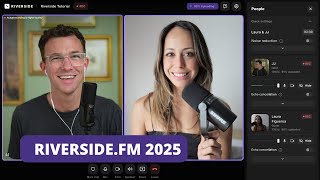
Riverside built its reputation around remote interviews. Riverside 2.0 adds in-person multicamera recording through the Mac app, allowing several cameras and microphones in the same room to be captured as separate synchronised tracks. Remote guests can join the same session.
This makes Riverside relevant to studio podcasts, roundtables, customer interviews, training sessions, and hybrid productions that would previously need a separate local recorder or switching setup. It also increases the technical surface. A browser guest with a USB microphone is different from several capture devices feeding one Mac.
Run a complete rehearsal with the actual cameras, microphones, capture cards, frame rates, storage, power, and network. Record a slate or clap to verify sync. Check that every device appears as the intended track and that a remote guest does not introduce echo into the room mix. Keep a local backup for an irreplaceable interview. The words 'in-person recording' do not remove normal production engineering.
Riverside's local-recording model still provides the central quality benefit. Each participant's media is recorded on the device before being uploaded, so the final files do not rely only on the live-call stream. Eligible paid plans support up to 4K video and 48 kHz WAV audio. Those are maximums, not guarantees. The actual result depends on the camera, microphone, device, app, browser, settings, storage, lighting, room, and upload completion.
### Co-Creator turns the recording into a working source
Co-Creator is Riverside's chat-based editing and repurposing agent. Users can ask it to make an edit, identify a moment, generate a clip, write a newsletter, draft a blog, create a thumbnail, or produce platform-specific social copy. It can work across recordings in a project rather than treating every file as an isolated prompt.
This is a sensible use of AI because the source material is explicit. A user can select the actual approved recordings and ask for an asset grounded in them. Co-Creator can also be personalised with a description of the show, audience, tone, and messaging style.
Grounding does not make the output automatically accurate. A summary can overstate a tentative comment. A short clip can remove the qualification that made a statement fair. A title can introduce a claim the guest never made. A newsletter can generate a plausible link or statistic that does not exist. Generated B-roll can imply a place, person, product, or event that was not shown.
Use Co-Creator as a draft and navigation layer. Tell it which recordings to use, the audience, the one takeaway, the permitted claims, the excluded topics, the target length, the platform, and the required reviewer. Compare quotes and figures against the transcript and recording. For sensitive excerpts, obtain speaker approval before publication.
Riverside's pricing FAQ also makes an important distinction about AI credits. AI Translation, AI B-Roll, and Animated Clips use credits. Core features including Magic Clips, Magic Audio, and Co-Creator do not require credits under the current plan description. Pro and Grow users start with 20 AI credits, while Business starts with 60. Buyers should confirm the current credit rate and add-on price for the exact assets they expect to generate.
### Newsletters create an owned distribution channel
Riverside released newsletters on July 2 for Grow plans and above. A completed recording can become an AI-generated newsletter draft, which the user can edit, add images to, test, schedule, and send. Riverside also provides a page where people can subscribe and, when podcast hosting is used, access episodes.
Subscribers can be imported by CSV, and the platform reports subscriber growth, open rates, and acquisition sources. Riverside says unsubscribe links are included and opt-outs are removed from the active list.
The operational risk is list consent. A CSV is technically easy to upload, but not every address a business possesses is permitted to receive a newsletter. Verify the origin and consent status of each imported subscriber, preserve suppression lists, send a test, check links and mobile rendering, and ensure the sender identity and privacy information are correct. AI should draft from the recording, not invent offers, sponsors, resources, or claims.
The feature is most compelling for podcasters who want a direct audience relationship next to their hosted show. It is less likely to replace a mature email platform with complex segmentation, automation, commerce, deliverability operations, or data-warehouse integration. Test the real newsletter workflow rather than assuming an all-in-one feature replaces every specialist system.
### Social scheduling closes the final export gap
Social Scheduling launched on July 6 for Grow and above. Riverside's Content Planner can schedule and publish videos to YouTube, TikTok, Instagram, LinkedIn, X, and Facebook. It places posts in the same calendar as recordings, livestreams, webinars, and podcast releases. Riverside can generate descriptions from the recording and switch aspect ratios for platform-specific versions.
The value is reduced file movement. A user can record or upload content, create clips, adjust formats, draft descriptions, and schedule approved posts without downloading and re-uploading every asset.
The mistake is treating distribution as identical across platforms. A YouTube description, LinkedIn post, TikTok hook, Instagram Reel, and X caption serve different audiences and constraints. Review the opening seconds, runtime, aspect ratio, safe areas, captions, thumbnail, copy, tags, links, rights, and call to action for every destination. After the scheduled time, verify that the live post appeared correctly.
Riverside 2.0 also added publishing video podcasts directly to Apple Podcasts. That joins existing podcast hosting and publishing paths to services including Spotify and YouTube. Again, central publishing reduces operational steps, but creators should retain source masters, control ownership of feeds and accounts, and document how the show would migrate if the hosting arrangement changes.
### The Webinar plan separates events from general livestreaming
Grow includes 1080p live streaming, multistreaming to unlimited destinations, custom RTMP, omnichat, overlays, lower thirds, and backstage participant management. That is suitable for live shows and broad social broadcasts.
The Webinar plan adds the structured event layer: up to 100 registrants, recurring sessions, pre-recorded content streamed as live, lead capture, branded registration, email reminders and follow-ups, Q&A, audience call-ins, polls, reactions, webinar analytics, and HubSpot synchronisation. Business increases the published capacity to as many as 10,000 registrants and adds more advanced production and enterprise controls.
A webinar should be rehearsed as a complete attendee journey. Test registration, confirmation, calendar information, reminders, browser access, moderator roles, polls, Q&A, call-ins, recording, backup, follow-up, analytics, consent fields, and CRM mapping. Registration is not attendance, and attendance is not engagement or qualified demand. Combine analytics with verified lead and feedback data.
### Current pricing is different from the old Riverside record
As verified on August 16, 2026, Riverside lists five main plans. Free is $0. Pro costs $24 per month with annual billing or $29 monthly. Grow costs $34 annually or $39 monthly. Webinar costs $79 annually or $99 monthly. Business uses custom pricing.
Free includes unlimited single-track recording and editing but only a one-off two-hour allowance for separate-track recording. It is limited to 720p video, 44.1 kHz audio, and a Riverside watermark. This distinction matters because 'unlimited recording' does not mean unlimited access to every participant's studio-quality track.
Pro includes one studio and 15 hours of separate-track downloads per month, plus 4K and 48 kHz recording, unlimited transcription and transcript editing, AI production tools, and podcast hosting. Grow increases the allowance to 20 hours, adds a second studio, newsletters, social scheduling, a creator website, hosting for two shows, video hosting, and livestream features. Webinar provides three studios and 25 hours, along with its event tools.
Recording can continue after a self-serve separate-track cap is reached, but the pricing FAQ says new separate-track downloads pause until the next cycle or an upgrade. Estimate downloads rather than only session duration. A two-person one-hour interview may create multiple separate audio and video files, and a team that records frequently should confirm how its exact use is counted.
Business includes unlimited studios, separate-track downloads, video storage, and podcast shows, along with production workspaces, collaborative editing, roles, custom frame rates, timeline exports, SSO, API access, Salesforce and Marketo integrations, published SOC 2 and ISO 27001 controls, and dedicated service. Self-serve plans can add an editor seat, but built-in collaborative editing and custom roles require Business.
### WhatAI verdict
Riverside 2.0 is a substantial expansion, not a cosmetic update. It keeps local high-quality recording at the centre while extending the product into in-person production, AI editing, review, hosting, webinars, newsletters, social scheduling, and channel distribution. For creators and lean marketing teams, that can replace a fragile chain of exports and subscriptions.
The breadth can also obscure what must still be managed. Hardware, recording consent, raw-track backup, transcript accuracy, clip context, generated visuals, subscriber permission, music and image rights, translation review, platform metadata, account ownership, and publication approval do not disappear because the workflow sits in one dashboard.
Riverside is a strong fit for podcasts, interviews, webinars, testimonials, training, and recurring thought-leadership production where source quality and repurposing both matter. It is less compelling for someone who only wants automatic meeting notes or a film editor who needs deep colour, effects, audio mixing, and complex timeline control.
A useful trial should cover the complete loop: record one remote or hybrid session, verify every source track, produce a full edit, generate three derivative assets, collect external comments, publish to one owned and one social channel, and measure the time and corrections required. If Riverside reduces handoffs while the team can still verify and recover every step, 2.0 turns it from a recording utility into a credible content operating system.
Riverside records each participant locally and progressively uploads separate audio and video tracks, protecting quality when a live connection becomes unstable. It supports remote and in-person production, transcript editing, AI repurposing, hosting, webinars, livestreaming, publishing, newsletters, and social distribution.
How Riverside 2.0 Expands the Creator Workflow
Riverside 2.0 rebuilds the studio and editor while adding in-person multicamera recording, motion graphics, newsletters, social scheduling, broader hosting, and collaborative review. Co-Creator can edit and repurpose actual recordings through chat, but every generated asset still needs editorial and rights review.
Who Should Choose Riverside?
Choose Riverside when capture quality and a unified path from recording to multiple published assets matter. A simpler meeting recorder may be better for internal notes, while a traditional nonlinear editor may suit complex film work. Teams should compare separate-track limits, studios, AI credits, live and webinar needs, collaboration, and distribution before selecting a plan.
About Riverside
Riverside is a browser and app-based platform for recording, editing, publishing, hosting, and distributing podcasts, interviews, webinars, livestreams, training content, and marketing video. Its core recording method captures each participant locally, then progressively uploads separate audio and video tracks. Eligible paid plans support up to 4K video and 48 kHz WAV audio, reducing the quality loss caused by an unstable live connection. The platform now extends far beyond remote recording. A transcript-based editor, AI Co-Creator, Magic Clips, Magic Audio, AI show notes, captions, eye-contact correction, AI B-roll, translation, motion graphics, and version history help users edit and repurpose recordings. Riverside 2.0 added a rebuilt studio and editor, in-person multicamera recording on Mac, newsletters, social scheduling, podcast and video hosting, publishing integrations, and collaborative review. Riverside is strongest when a creator or team wants one workflow from high-quality capture to multiple finished assets and distribution channels. It does not remove the need for good microphones, lighting, guest preparation, upload completion, editorial review, rights clearance, accessibility checks, platform-specific publishing decisions, or backup and retention policies. AI-generated clips, summaries, translations, visuals, and promotional copy should be reviewed before publication.
Use Cases
Key Features
- ✓ Local recording on each participant device
- ✓ Progressive cloud upload during recording
- ✓ Separate synchronised audio and video tracks
- ✓ Up to 4K video on eligible paid plans
- ✓ Up to 48 kHz WAV audio on eligible paid plans
- ✓ Remote guest links with no guest account required
- ✓ Browser, iOS, Android, iPad, and Mac workflows
- ✓ In-person multicamera and microphone recording on Mac
- ✓ Remote and in-person participants in one session
- ✓ Screen, presentation, and media-board capture on separate tracks
- ✓ Teleprompter for scripted recording
- ✓ Transcript-based audio and video editing
- ✓ AI Co-Creator for chat-based editing and repurposing
- ✓ Magic Clips for short-form highlights
- ✓ Magic Audio for noise reduction and enhancement
- ✓ Filler-word and silence removal
- ✓ Eye-contact correction and background replacement
- ✓ AI B-roll and generated promotional assets
- ✓ AI show notes, titles, descriptions, blogs, and social copy
- ✓ Captions with control over words hidden from display
- ✓ AI translation and dubbing into more than 30 languages
- ✓ Motion graphics for calls to action, quotes, and charts
- ✓ Version history for restoring earlier edits
- ✓ Preview links and comments for external review
- ✓ Podcast hosting, analytics, and creator websites
- ✓ AI-generated newsletters and subscriber management
- ✓ Content Planner for recordings, releases, webinars, and social posts
- ✓ Social scheduling to major video and social platforms
- ✓ Livestreaming and multistreaming on eligible plans
- ✓ Webinar registration, reminders, Q&A, polls, reactions, and analytics
- ✓ Business workspaces, roles, SSO, API access, and enterprise integrations
Pricing
Free
$0
- • Unlimited single-track recording and editing
- • Two hours of separate-track recording as a one-off allowance
- • Up to 720p video
- • 44.1 kHz audio
- • Riverside watermark
- • Full editing suite
- • Magic Clips
- • Unlimited video-call duration
Pro
$24 annual or $29 monthly
- • One studio
- • 15 hours of separate-track downloads per month
- • Up to 4K video and 48 kHz audio
- • No watermark
- • Unlimited text-based editing and transcription
- • AI Co-Creator, Magic Clips, show notes, and audio enhancement
- • AI B-roll, eye contact, silence, and filler-word tools
- • Podcast hosting and direct publishing
- • Annual price is per month and billed yearly
Grow
$34 annual or $39 monthly
- • Two studios
- • 20 hours of separate-track downloads per month
- • Everything in Pro
- • Social scheduling and Content Planner
- • Newsletter and creator website
- • Podcast hosting for two shows
- • Video hosting and AI thumbnails
- • 1080p livestreaming and unlimited destinations
- • Custom RTMP, overlays, lower thirds, and backstage management
Webinar
$79 annual or $99 monthly
- • Three studios
- • 25 hours of separate-track downloads per month
- • Everything in Grow
- • Up to 100 webinar registrants
- • Unlimited and recurring sessions
- • Pre-recorded sessions streamed as live
- • Lead capture and branded registration forms
- • Email reminders and follow-ups
- • Q&A, call-ins, polls, reactions, and webinar analytics
- • HubSpot lead synchronisation
Business
Custom
- • Unlimited studios and separate-track downloads
- • Up to 10,000 webinar registrants
- • Unlimited video storage and podcast shows
- • Producer mode and participant input controls
- • Production workspaces, custom roles, and collaborative editing
- • Custom frame rates and timeline exports
- • Salesforce, Marketo, API, SSO, and dedicated support
- • Published SOC 2 Type II and ISO 27001 controls
Pricing varies by plan and region — see current pricing.
Plan features change — last updated: 2026-08-16.
Details
Tags
Riverside Community Discussions
Explore community discussions. Ask and answer questions on Riverside to grow and learn together.

Riverside Showcase


Riverside — Frequently Asked Questions
What is Riverside?
Riverside is a recording and content-production platform for podcasts, interviews, video, webinars, and livestreams. It combines local separate-track capture with AI editing, hosting, publishing, repurposing, and distribution tools.
What changed with Riverside 2.0?
Riverside 2.0 introduced a rebuilt recording studio and editor, in-person multicamera recording on Mac, newsletters, social scheduling, motion graphics, wider publishing and hosting, and a stronger end-to-end workflow from recording to distribution.
How does Riverside local recording work?
Audio and video are recorded on each participant's device, then progressively uploaded to Riverside. This avoids relying only on the compressed live-call stream and provides separate synchronised tracks for editing.
Does Riverside have a free plan?
Yes. The current Free plan is $0 and includes unlimited single-track recording and editing, a one-off two-hour allowance for separate-track recording, up to 720p video, 44.1 kHz audio, Magic Clips, and a Riverside watermark.
How much does Riverside cost?
As verified on August 16, 2026, Pro is $24 per month billed annually or $29 monthly, Grow is $34 annually or $39 monthly, Webinar is $79 annually or $99 monthly, and Business uses custom pricing. A permanent Free plan is available.
Can Riverside record in 4K?
Eligible paid plans support local video recording up to 4K, depending on the participant device, browser or app, camera, settings, and recording conditions. Free is limited to 720p on the current plan page.
What is Riverside Co-Creator?
Co-Creator is an AI editing and repurposing agent inside Riverside. Users can ask it to clean up an edit, find moments, create clips, draft newsletters or posts, generate promotional assets, and adapt material for specific platforms.
Do all Riverside AI tools use credits?
No. Riverside says AI credits power selected features such as AI Translation, AI B-Roll, and Animated Clips. Core tools including Magic Clips, Magic Audio, and Co-Creator do not require credits under the current pricing FAQ.
Can Riverside record people in the same room?
Yes. Riverside 2.0 added in-person multicamera recording through the Mac app, with multiple cameras and microphones captured as synchronised tracks. Remote guests can join the same session.
Can Riverside host and distribute a podcast?
Yes. Paid plans include podcast hosting and analytics, and Grow expands hosting to two shows with a creator website, newsletters, social scheduling, and video publishing to Apple Podcasts. Business supports unlimited shows.
Can Riverside run webinars?
Yes. The Webinar plan supports up to 100 registrants, branded registration, reminders, recurring and pre-recorded sessions, Q&A, live call-ins, polls, reactions, analytics, and HubSpot sync. Business increases capacity to as many as 10,000 registrants.
Is Riverside suitable for meetings?
Riverside can record and transcribe meetings, but it is optimised for high-quality content production. Teams that only need automatic notes, action items, and lightweight calendar capture may prefer a dedicated meeting assistant.
Is Riverside secure for business use?
Riverside publishes SOC 2 Type II information, and the Business plan lists ISO 27001, SSO, workspaces, roles, API access, and enterprise integrations. Buyers should confirm current reports, contracts, retention, access, and data-processing terms.
Are Riverside AI outputs ready to publish automatically?
No. Review transcripts, clips, titles, descriptions, summaries, translations, generated visuals, music, captions, claims, consent, and rights. AI can accelerate production without replacing editorial responsibility.
Sources & References
- Riverside official website ↗
- Riverside official pricing and plan comparison ↗
- Riverside 2.0 release announcement ↗
- Riverside official product update directory ↗
- Riverside local recording and separate tracks ↗
- Riverside AI Co-Creator overview ↗
- Riverside newsletter and subscriber tools ↗
- Riverside Content Planner and social scheduling ↗
- Riverside webinar workflow guide ↗
- Riverside Free plan guide ↗
- Riverside SOC 2 Type II announcement ↗
- Riverside official affiliate program ↗
Try Riverside
Visit the official website to get started with Riverside today.
Visit Riverside →