Crypto risk notice
Digital assets and crypto software involve significant risk. Prices and token values are volatile, and you can lose everything you put in. This page covers Render Network (RENDER) for information only; it is not investment advice, an endorsement, or an offer to buy or sell any asset. Always do your own research before making financial decisions.
Render Is Becoming a Creative AI GPU Network
The opportunity is bigger than cloud rendering
By WhatAI Editorial ·
Render Network is broader than a render farm, but it is not every kind of GPU cloud
Render Network began with a focused proposition: connect artists who need expensive GPU rendering with operators who have idle graphics hardware. That idea remains the clearest way to understand the product. A creator submits a compatible scene, the work is distributed across network nodes, completed frames are returned, and usage is settled through Render Credits or the network's RENDER token system.
The platform around that idea has expanded. Render now promotes support for OctaneRender, Redshift and Blender Cycles, along with generative-media tools from Runway, Black Forest Labs, Luma Labs and Stability AI. The Render Foundation also supports compute clients and projects that use the network for machine learning and other GPU-intensive workloads.
That expansion has encouraged a much bigger claim: that Render is a decentralized alternative to any centralized GPU cloud. The reality is more useful and more specific. Render is a production platform for supported creative and compute workflows. It is not a generic place where every user can upload an arbitrary container, select any GPU and expect the same controls, availability and service guarantees offered by a hyperscale cloud provider.
The right question is therefore not whether decentralized GPUs are cheaper. It is whether Render supports the exact software, project format, memory requirement, output handling and deadline that a job needs.
The artist workflow is the product's strongest proof
Render's mature path is distributed rendering. Artists can prepare a supported scene, estimate its cost, upload project assets, choose job parameters and dispatch frames to the network. Parallel processing can turn a long animation or high-resolution sequence into many smaller pieces of work that different GPUs complete at the same time.
This model is especially attractive when a local workstation is capable of creating and previewing a scene but too slow for final output. An independent artist may not need to own a rack of GPUs for a few heavy deadlines each year. A studio may want burst capacity without maintaining enough hardware for its busiest production week. Render converts that irregular demand into an on-demand job.
Support is not universal, however. The official site currently highlights OctaneRender, Redshift and Blender Cycles. The knowledge base provides workflows for Cinema 4D, Blender and other supported tools, but version compatibility, renderer settings, assets and plug-ins still need to be checked for each job. A scene that works locally can fail remotely because a dependency is missing, a texture path is broken, a plug-in is unsupported or the required VRAM exceeds available nodes.
The preparation stage is therefore part of the cost. Packaging assets, baking simulations, validating frames and reducing unnecessary file size can take meaningful time. A network quote that looks inexpensive may not be inexpensive after a creator spends hours fixing a scene that was never prepared for distributed rendering.
The best first job is deliberately boring. Choose a short sequence with representative geometry, textures, lighting and effects. Render several known frames locally, then send the same frames through Render. Compare visual output, time, transfer overhead and effective cost. That test reveals more than a promotional cost comparison because it includes the actual production workflow.
Pricing follows work, not a subscription ladder
Render does not use the familiar Free, Pro and Enterprise subscription structure. The official site describes on-demand pricing with no minimum spend or upfront commitment. Before a rendering job begins, the interface estimates the required Render Credits or RENDER tokens based on the workload and selected service level. OctaneBench measurements help translate local render performance into an approximate network cost.
The important word is estimate. Frame time can vary across an animation. Volumetrics, motion blur, displacement, large textures and simulation-heavy scenes may make some frames far more expensive than a test frame. Network availability and selected job parameters can affect completion time. Token-based payment also introduces exchange-rate movement between budgeting and submission.
Render Credits provide a more creator-friendly payment path for users who do not want every job tied directly to a crypto wallet. RENDER tokens remain part of network settlement and economic coordination. Some generative tools consume credits per generation or clip rather than using the same frame-based logic as a 3D render. These different workflows should not be collapsed into one headline price.
For a defensible budget, estimate a representative group of frames rather than the easiest frame in a sequence. Add upload, download, validation and re-render time. Keep a contingency for failed frames and last-minute changes. Compare the total against local electricity and depreciation, a conventional render farm, and cloud instances configured with the same renderer and VRAM.
Render may be cheaper for a burst workload, but that is a result to measure, not a permanent property of decentralization. A studio with fully utilized local GPUs may have a different answer from a freelancer facing one deadline. A cloud provider with committed-use discounts may beat an on-demand network for steady demand. The correct comparison is job by job.
The AI expansion is real, but needs careful wording
Render's official website now puts generative AI imaging beside 3D rendering. It describes an artist-friendly interface that combines GPU scale with tools from Runway, Black Forest Labs, Luma Labs and Stability AI. This creates a more coherent creative pipeline: a user can generate or transform media, develop 3D scenes and use distributed rendering capacity within the broader Render ecosystem.
The Foundation is also encouraging AI projects and compute clients. Dispersed, previously described as the Render Compute Network, has been onboarding GPU operators for a dedicated AI-workload subnet. This points toward a future in which Render's node supply supports several specialized clients rather than one rendering application.
That does not mean every AI developer can currently treat Render like a generic CUDA rental marketplace. Access depends on the compute client, onboarding route, hardware requirements and product interface. Model training also needs more than raw GPU cycles. Teams may require fast interconnects, persistent storage, checkpointing, container control, data security, deterministic environments and support for distributed training frameworks. A geographically dispersed network may suit inference, generation or parallel tasks better than tightly coupled training jobs.
The distinction matters for WhatAI readers. Render can be relevant to AI, especially generative-media production and approved compute clients, without being the right answer to every request for affordable GPUs. An AI team should ask for the exact execution environment, data path, GPU model, VRAM, persistence, networking, logs and failure recovery before moving a workload.
RENDER has replaced RNDR as the current network token
Older explanations use RNDR as if it remains the only token. The current network uses the Solana-based RENDER token. An official upgrade portal lets eligible holders move Ethereum RNDR to Solana RENDER, and the Foundation repeatedly warns users to verify the exact upgrade domain before connecting wallets. Legacy Polygon migration has its own process and limitations.
This is not a cosmetic ticker change. Wallets, exchanges, token addresses and networks differ. Sending the wrong asset to the wrong chain can cause permanent loss. Anyone handling an old RNDR balance should begin with the official Foundation upgrade guidance, confirm current exchange support and make a small test transaction before moving a material amount.
Render's economic model also uses Burn and Mint Equilibrium. Creators use RENDER for work, and the network burns tokens associated with completed jobs. Node operators receive RENDER emissions or reserve allocations based on completed work and reputation under the protocol's rules. The intent is to connect demand for GPU work with rewards for supply.
That mechanism should not be simplified into a promise that more rendering automatically increases the token price. Emissions, burns, network demand, operator supply, market liquidity and broader crypto conditions all interact. A creator evaluating render quality does not need a token thesis. A node operator evaluating hardware economics should not assume token appreciation. A holder evaluating RENDER is making a financial decision with volatility, smart-contract, wallet, regulatory and governance risks.
Keeping those roles separate improves the analysis. The artist wants reliable output at an acceptable total cost. The node operator wants sufficient eligible work, uptime and rewards to cover hardware, electricity, bandwidth and maintenance. The token holder is exposed to an asset market. One role's success does not guarantee another's return.
Node operation is an application, not instant passive income
Render promotes the ability to contribute GPU capacity and earn RENDER, but onboarding is controlled. The official knowledge base directs prospective operators to an interest form and onboarding queue. Requirements depend on the network client. Traditional rendering nodes generally require compatible NVIDIA CUDA hardware, while AI-focused clients may impose higher VRAM, Docker, driver and operational requirements.
Owning a suitable GPU does not guarantee acceptance, continuous jobs or profitable utilization. An operator must consider electricity prices, cooling, internet reliability, hardware wear, downtime, tax treatment and the opportunity cost of using the GPU elsewhere. Rewards can change with completed work, reputation, emissions and network demand.
Security and privacy also deserve attention. Creators upload valuable project data to remote infrastructure. Render describes secure processing controls, but a studio must still review what assets leave its environment, how files are encrypted, how long they persist, who can access them and whether client contracts permit decentralized processing. Confidential film assets, unreleased products and regulated data may require approvals that a personal project does not.
For node operators, official links are critical. Crypto projects attract fake upgrade sites, support accounts and wallet prompts. Bookmark the Foundation's official links page, never enter seed phrases, and treat unsolicited assistance as hostile. Separate the node environment from personal wallets and everyday browsing where possible.
Where Render fits best
Render is strongest for creators with supported 3D or generative-media workflows that can be divided across many GPUs. Animation sequences, high-resolution stills, VFX shots, architectural visualization, product imagery, spatial content and certain image or video generation jobs are natural candidates. It is especially compelling when demand is bursty and local hardware would sit idle between projects.
It is weaker for interactive real-time rendering, unsupported plug-ins, tiny jobs dominated by upload overhead, highly confidential assets without an approved security path, and workloads requiring tightly connected multi-GPU training clusters. A creator who needs one quick still may finish faster locally. A machine learning lab that needs InfiniBand networking and complete cluster control may need a specialist cloud.
Alternatives should be chosen by job type. Traditional render farms may provide broader digital-content-creation support and managed production assistance. AWS, Google Cloud, Azure, CoreWeave and Lambda offer different levels of general-purpose GPU control. Akash, io.net and Golem pursue decentralized compute through different markets and interfaces. None should be compared using token price or GPU count alone.
A useful comparison measures supported software, upload workflow, GPU and VRAM availability, time to first result, output correctness, re-render handling, support response, data policy and total project cost. Run the same representative job on at least two options. The result may differ for the next scene, which is why a small benchmark should become part of the production process rather than a one-time marketing exercise.
A safer production workflow
Start by checking the official compatibility guide for the renderer, application version and plug-ins. Duplicate the project and collect every external asset into a clean package. Remove unused textures, caches and geometry. Bake simulations where required. Confirm color management, frame range, output format and resolution.
Benchmark representative frames locally with the same settings. Use the job estimator, then add a contingency rather than spending the full production budget on the first submission. Upload a small test range. Review the returned frames at full resolution for missing assets, color shifts, noise, temporal inconsistencies and corrupted outputs.
Only after that test should the full sequence be submitted. Monitor progress and download outputs in batches so problems appear early. Keep local copies of source files and returned frames. Do not let the network be the only location of a production asset. For a deadline, retain a fallback route and enough time to re-render difficult frames elsewhere.
After completion, record credits or tokens consumed, total elapsed time, hands-on preparation time, failures and support interactions. That history turns future estimates into evidence. It also shows whether the network is actually saving the team money or merely moving cost from hardware into labor and rework.
The WhatAI view
Render Network has earned attention because it solves a real production problem, not merely because it attaches a token to GPUs. Its most credible value is elastic rendering for artists using supported tools. The expansion into Blender Cycles, Redshift and integrated generative-media services makes the creative platform broader, while compute clients create a path toward specialized AI workloads.
The limits are equally important. Compatibility is specific, estimates are variable, node onboarding is managed, and general-purpose AI compute is not a single universally accessible product. The Solana RENDER migration and Burn and Mint Equilibrium model also mean older RNDR descriptions are no longer sufficient.
For creators, the best decision is operational: test a real scene, measure the complete workflow and compare the output. For node operators, calculate earnings without assuming full utilization or token appreciation. For AI teams, verify the compute client and infrastructure controls rather than relying on the phrase decentralized GPU network.
Render is most convincing when it disappears into a creative workflow and returns correct frames faster than the available alternatives. That is a much better standard than asking whether the future of GPU compute will be decentralized.
This overview is educational information, not financial, tax or investment advice. Rendering, AI compute, wallets and crypto tokens carry different operational and financial risks. Product support, pricing, token migration procedures and node requirements change, so verify current details through official Render Network and Render Foundation sources before submitting valuable work, connecting a wallet or purchasing hardware.
Render Network connects creators with distributed GPU capacity for supported 3D rendering and generative-media workflows. It currently highlights OctaneRender, Redshift, Blender Cycles and integrated AI tools, with job-based payment through Render Credits or RENDER.
Rendering, AI Tools and RENDER Pricing
Creators estimate and submit compatible jobs without a monthly subscription minimum. Costs depend on workload, renderer, service level and payment method. AI-focused compute is expanding through specialized clients, but Render is not a universal self-service replacement for every cloud GPU workload.
Test a Real Scene Before Committing
Render Network is best evaluated with a representative project. Verify software versions and plug-ins, package assets, compare known frames, measure transfer and re-render time, and budget from actual output rather than token narratives or theoretical GPU prices.
About Render Network (RENDER)
Render Network is a decentralized GPU platform centered on cloud rendering and generative-media production. Creators submit compatible OctaneRender, Redshift, Blender Cycles or integrated AI-media jobs, receive a workload estimate, process the work across distributed GPU nodes and retrieve the output. Payments use Render Credits or the Solana-based RENDER token under the network's Burn and Mint Equilibrium model. Separate compute clients are expanding into AI workloads, but availability and execution controls depend on the specific client rather than a universal GPU-rental interface.
Use Cases
Key Features
- ✓ Distributed GPU rendering for supported creative workflows
- ✓ OctaneRender, Redshift and Blender Cycles support
- ✓ Cinema 4D workflow acceleration through the C4D Wizard
- ✓ Generative-media integrations from Runway, Black Forest Labs, Luma Labs and Stability AI
- ✓ On-demand job estimates with no subscription minimum
- ✓ Payment through Render Credits or Solana-based RENDER tokens
- ✓ Parallel frame processing across eligible GPU nodes
- ✓ Download Manager and differential upload workflows
- ✓ Configurable VRAM and maximum-GPU job parameters
- ✓ Compute-client expansion for specialized AI workloads
- ✓ Node-operator rewards governed by network rules and reputation
Pricing
Render Credits
Usage based
- • Creator-friendly payment for rendering and AI-media jobs
- • Job estimate shown before processing begins
RENDER Token
Variable by workload and token value
- • Solana-based network payment option
- • Effective fiat cost changes with token price
3D Rendering
Estimated per job
- • Cost depends on benchmarked compute, frame time and selected tier
- • No minimum spend or upfront subscription commitment
Generative Media
Credits per generation
- • Pricing depends on the selected integrated model and output
- • Video, image and enhancement tools have different credit use
Compute Clients
Client specific
- • AI and general compute access depends on the approved client
- • Hardware, capacity and commercial terms may differ
Pricing varies by plan and region — see current pricing.
Plan features change — last updated: 2026-08-25.
Details
Tags
Render Network (RENDER) Community Discussions
Explore community discussions. Ask and answer questions on Render Network (RENDER) to grow and learn together.
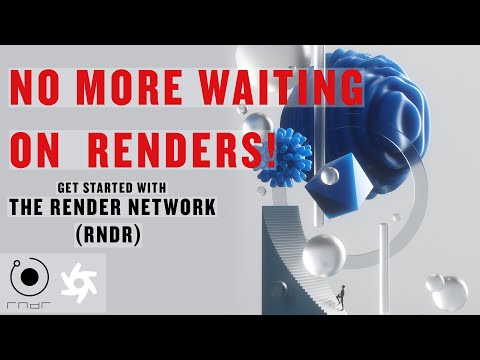
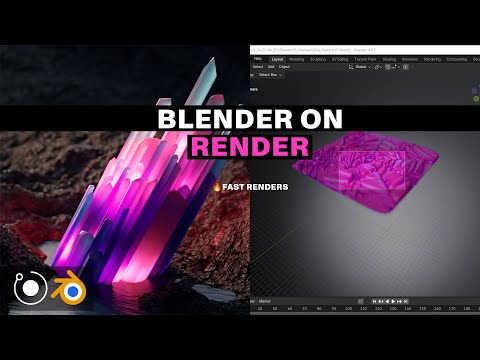
Render Network (RENDER) Showcase
Render Network (RENDER) — Frequently Asked Questions
What is Render Network?
Render Network is a decentralized GPU platform that distributes supported rendering and generative-media jobs across eligible node operators, then returns completed outputs to creators.
Which rendering software does it support?
The official site currently highlights OctaneRender, Redshift and Blender Cycles. Workflows and version support vary, so confirm the specific application, renderer, plug-ins and project features before uploading.
How much does Render Network cost?
Pricing is usage based rather than subscription based. The platform estimates Render Credits or RENDER tokens before a job starts. Effective cost depends on workload, benchmark performance, selected tier, payment method and token value.
Can Render Network run any AI workload?
No. Render supports integrated generative-media tools and is expanding AI compute through specialized clients, but arbitrary training or container workloads depend on the client, onboarding path and required infrastructure controls.
What is the difference between RNDR and RENDER?
RNDR is the legacy Ethereum token. The current network token is RENDER on Solana. Eligible holders can use the official upgrade portal, but must verify the domain, wallet network and exchange support before moving assets.
Can anyone become a node operator?
Prospective operators submit an interest form and join an onboarding queue. Acceptance and requirements depend on the client, compatible NVIDIA hardware, VRAM, drivers and operational capacity. Owning a GPU does not guarantee jobs or earnings.
Is Render cheaper than a conventional render farm?
It can be for some burst workloads, but there is no universal answer. Compare the same representative job after including preparation, transfers, failed frames, re-renders, support and payment volatility.
Is uploaded project data private?
Creators should review Render's current security and retention terms and their own client obligations. Confidential assets may require additional approval, encryption controls or a different infrastructure path.
Sources & References
- Official Render Network website ↗
- Official Render Network knowledge base ↗
- Official Render compute pricing guide ↗
- Official job-cost estimation guide ↗
- Official large-production workflow guide ↗
- Official node-operator onboarding guide ↗
- Render Foundation AI program ↗
- Render Foundation GPU onboarding ↗
- Official RENDER network dashboard ↗
- Official RNDR to RENDER upgrade portal ↗
- Official RENDER upgrade FAQ ↗
- Official Render security links ↗
Try Render Network (RENDER)
Visit the official website to get started with Render Network (RENDER) today.
Visit Render Network (RENDER) →