n8n logo

n8n Review: Self-Hosted Automation, AI Agents, MCP and Scale

Fair-code automation and AI orchestration with self-hosting code MCP and evaluations

Automation & Process
Visit n8n → Join Discussion
WHATAI LATEST · JUL 24, 2026

n8n brings AI agents under workflow controls with evaluations, human approval and MCP

The current n8n AI stack combines model-driven decisions with deterministic nodes, test datasets, human review, external MCP tools and workflow-based MCP services.

By WhatAI Editorial Team ·

n8n's current AI architecture is becoming less about placing a chatbot inside an automation and more about treating model behavior as one controlled component of a production workflow.

AI Agents can call application nodes, custom tools, subworkflows and external MCP servers. Sensitive tool calls can pause for human approval, while fallback branches can transfer an unresolved task to a person or deterministic process. Guardrails can inspect model inputs and outputs before the result reaches another system.

Evaluations address a different production problem. A workflow can be run against a test dataset and scored using expected outputs or defined metrics. This allows a team to compare prompts, models, retrieval strategies and workflow versions rather than approving an agent from a few successful demonstrations.

MCP works in both directions. An n8n agent can use tools from an external MCP server. An n8n workflow can also be exposed as an MCP service, allowing compatible assistants to call a constrained business process instead of receiving broad direct access to an underlying application.

These controls improve accountability but do not make an agent safe automatically. The team still needs representative evaluation data, scoped credentials, explicit approval policy, timeouts, rejection handling, audit evidence, cost monitoring and a deterministic recovery path when the model or an external tool fails.

ℹ️

WhatAI Decision Box

Best for:

Developers data teams AI builders operations engineers and organizations that need custom logic self-hosting MCP production controls and deeper workflow ownership than simple managed automation products provide.

Not for:

Complete beginners wanting the simplest managed setup or organizations unable to own workflow testing credentials infrastructure security observability recovery and AI-agent governance.

⇆ Often compared with

ℹ️ WhatAI Field Note

  • n8n's strongest advantage is control across workflow logic code AI deployment and infrastructure, not simplicity for its own sake.
  • Compare total operating cost rather than subscription price alone, including hosting engineering security model usage monitoring incident response and maintenance.

n8n is a fair-code workflow automation and AI orchestration platform for technical teams. It combines a visual node editor, JavaScript and Python, self-hosting, application integrations, AI agents, RAG, evaluations, human approval, MCP, production debugging, queues, Git environments and enterprise governance.

What makes n8n different from Make and Zapier?

n8n gives technical teams more control over code, deployment, data location, custom nodes, APIs and AI architecture. Hosted pricing counts a complete workflow run as one execution regardless of the number of steps. Self-hosting can remove a Cloud execution quota, but it replaces subscription simplicity with infrastructure and security responsibility.

Where n8n still requires production engineering

A visual canvas does not remove software-operating risk. Production workflows need versioning, validation, retries, idempotency, observability, scoped credentials, tested recovery, controlled community nodes, backups and owners. AI agents additionally need evaluations, guardrails, human approval and clear limits on tool access.

About n8n

n8n is a fair-code workflow automation and AI orchestration platform for technical teams that need visual control, custom logic, self-hosting, and production infrastructure. Workflows connect triggers, application nodes, HTTP and GraphQL requests, JavaScript or Python Code nodes, subworkflows, data transformations, queues, databases, files, human approvals, AI models, vector stores, tools, and external systems on a node-based canvas. n8n can be used through n8n Cloud or deployed on infrastructure managed by the customer. The standard Community Edition has no n8n subscription fee, but it is licensed under n8n's Sustainable Use License rather than a conventional open-source license, and it excludes several commercial collaboration, security, governance, storage, and scaling capabilities. n8n's AI stack includes AI Agent nodes, chains, memory, retrieval, reranking, guardrails, structured outputs, AI Agent Tool nodes, human-in-the-loop approval for tool calls, fallback workflows, Evaluations, Chat Hub, an AI Workflow Builder, MCP Client and MCP Server Trigger nodes, and an instance-level MCP server.

Use Cases

Build self-hosted automations around internal systems and private dataConnect SaaS applications with custom APIs and databasesCreate production AI agents with tools memory retrieval and approvalsExpose deterministic business workflows as MCP toolsUse external MCP tools inside n8n agents and workflowsBuild RAG pipelines over company documents and vector databasesEvaluate AI workflow quality against repeatable datasetsRequire human approval before an agent sends deletes pays or publishesAutomate security alerts enrichment triage and incident responseCreate data synchronization and transformation pipelinesBuild webhook-driven backend prototypesAutomate lead capture enrichment routing and CRM updatesProcess invoices documents files images and structured recordsCreate internal chat assistants connected to business systemsOrchestrate multiple AI models by cost quality or taskRun scheduled reports notifications and operational checksAutomate GitHub Jira and software-delivery workflowsCreate reusable subworkflows and internal automation librariesMove workflows through development staging and production with GitScale execution with workers queues and self-managed infrastructure

Key Features

  • Visual node-based workflow editor
  • Triggers for schedules webhooks queues forms and application events
  • Official application and infrastructure nodes
  • More than ten thousand workflow templates
  • HTTP Request and GraphQL support
  • Imported cURL commands
  • JavaScript and Python Code nodes
  • Execute Command on supported self-hosted deployments
  • Custom nodes and community nodes
  • Subworkflows with defined inputs and outputs
  • Expressions and item-level data mapping
  • Merge filter switch loop aggregate and transformation nodes
  • Streaming and bulk data operations
  • Data Tables for structured workflow data
  • Multi-step n8n Forms
  • Wait nodes and resumable long-running workflows
  • Error Trigger and dedicated error workflows
  • Automatic retries on supported plans and nodes
  • Execution replay and previous-data debugging
  • Execution search and custom execution metadata
  • Workflow history and version inspection
  • AI Workflow Builder from natural-language instructions
  • Chat Hub for interacting with supported AI workflows
  • AI Agent node with tool calling
  • AI Agent Tool node for hierarchical agents
  • Call n8n Workflow Tool for modular agent capabilities
  • Model Selector for routing between language models
  • AI chains prompts parsers and structured outputs
  • Chat memory and supported memory backends
  • Vector stores embeddings document loaders and text splitters
  • RAG workflows with retrievers and rerankers
  • Guardrails for checking AI inputs and outputs
  • Human fallback workflows for AI failures
  • Human approval before sensitive AI tool calls
  • Light and metric-based Evaluations
  • Evaluation Trigger and Evaluation nodes
  • MCP Client node for external MCP servers
  • MCP Client Tool for agent access to MCP tools
  • MCP Server Trigger for exposing workflow tools
  • Instance-level MCP server
  • Multiple cloud and self-hosted model providers
  • Projects for workflows credentials and executions
  • Role-based access control according to plan
  • Encrypted credential storage
  • External secret-store integration on Enterprise
  • Public REST API and API playground
  • n8n CLI
  • Git-based source control and separate environments
  • Protected production instances
  • Queue mode with Redis and multiple workers
  • Task runners for isolated Code-node execution
  • Worker view and concurrency controls
  • Multi-main high-availability architecture on Enterprise
  • External S3 storage for binary execution data on Enterprise
  • Log streaming to external observability systems
  • Security audit through CLI API or n8n node
  • SAML LDAP and enterprise identity controls
  • Audit logs and extended retention on Enterprise
  • Embed licensing for incorporating n8n into another product

Pricing

Community Edition

€0 n8n subscription fee

  • • Standard self-hosted n8n distribution
  • • Sustainable Use License rather than a conventional open-source license
  • • Core visual workflow editor and official nodes
  • • Code nodes HTTP requests webhooks and AI workflows
  • • Queue mode for self-managed scaling
  • • Infrastructure database backups updates and security managed by the user
  • • No n8n execution quota but capacity depends on infrastructure
  • • Commercial feature exclusions apply
  • • Separate licensing required for restricted commercial hosting or embedding use cases

Starter Cloud

€20 per month billed annually

  • • Hosted by n8n
  • • Two thousand five hundred workflow executions monthly
  • • Unlimited workflow steps
  • • Unlimited users and workflows
  • • One shared project
  • • Five concurrent executions
  • • Two thousand three hundred AI Assistant credits monthly
  • • Forum support

Pro Cloud

€50 per month billed annually

  • • Hosted by n8n
  • • Ten thousand workflow executions monthly
  • • Everything in Starter
  • • Three shared projects
  • • Twenty concurrent executions
  • • Seven days of Insights
  • • Up to thirteen thousand seven hundred AI Assistant credits monthly
  • • Admin roles
  • • Global variables
  • • Workflow history
  • • Execution search

Business Self-hosted

€667 per month billed annually

  • • Forty thousand workflow executions monthly
  • • Self-hosted commercial license
  • • Six shared projects
  • • SAML and LDAP single sign-on
  • • Thirty days of Insights
  • • Separate environments
  • • Git-based source control
  • • Scaling options
  • • Forum support
  • • Overage terms apply after the contracted quota
  • • Start-up discount may be available to qualifying companies

Enterprise

Custom

  • • Hosted by n8n or self-hosted
  • • Custom workflow-execution allowance
  • • Unlimited shared projects
  • • More than two hundred concurrent executions under current public positioning
  • • Up to three hundred sixty-five days of Insights
  • • External secret-store integration
  • • Log streaming
  • • Extended data retention
  • • Enterprise identity governance and auditability
  • • External binary storage and advanced scaling
  • • Dedicated support with service-level agreement
  • • Invoice billing and sales-assisted procurement

Pricing varies by plan and region — see current pricing.

Plan features change — last updated: 2026-07-24.

Details

Categories: Automation & Process
Skill Level: advanced
Access Methods: browser, api, cli, mcp, self-hosted

Tags

n8nfair code automationself hosted automationai workflow automationai agentsmcp automationlow codeworkflow orchestrationhuman in the loopautomation evaluations

n8n Community Discussions

Explore community discussions. Ask and answer questions on n8n to grow and learn together.
coleshaw · n8n Automation & Process

The mindset and skills required to master n8n in 2026 is the guide for approaching the platform seriously

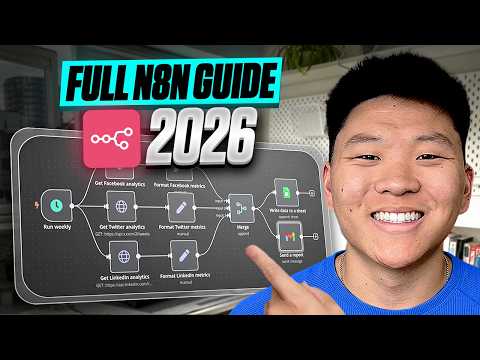
The strategic n8n learning guide is not a feature tutorial but a framework for approaching n8n mastery, and that framing is worth engaging with for anyone who has hit the ceiling of tutorial-based learning. The mindset of building for automation density rather than automation count is the strategic principle: one well-designed workflow that handles ten edge cases is more valuable than ten workflows that each handle one case. This is the architectural thinking that separates automation practitioners from automation beginners. The skills emphasis on JavaScript for custom function nodes being the technical capability that unlocks the most complex n8n use cases is the realistic learning investment assessment. Most n8n workflows do not require code. The most valuable n8n workflows often do. The use case focus on agentic workflows as the highest-leverage capability in 2026 rather than standard integration automation is the market awareness that reflects where n8n's competitive advantage sits… Read full discussion →
♥ 1 💬 2 👁 11 View 2 replies →
tatum163 · n8n Automation & Process

Building an agentic Q&A chatbot in n8n 2.7.3 with memory and tool use is a concrete starting point for n8n automation in 2026

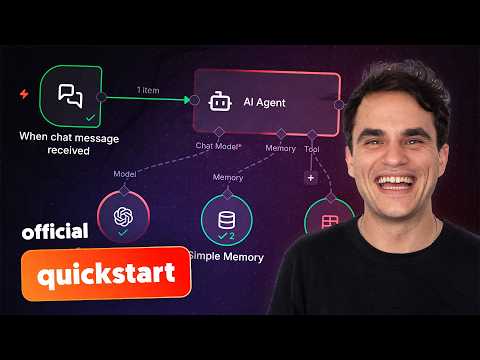
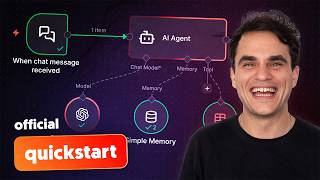
The n8n agentic workflow tutorial covers building an agentic Q&A chatbot as the demonstration of what n8n's agent capabilities look like in practice in early 2026 with version 2.7.3. The chatbot having memory for context across a conversation, tool use for taking actions beyond generating text responses and the visual workflow builder being the configuration environment is the combination that makes n8n agent creation accessible without requiring code. The specific workflow structure, LLM node, memory node and tool nodes connected in the visual canvas, being what an agent looks like in n8n gives you the mental model before building your own. Understanding the architecture before configuring the components changes how quickly the first build goes. The agentic automation framing, where the workflow includes decision-making rather than only executing predefined steps, is the capability step beyond standard n8n trigger-action automation that the tutorial is specifically demonstrating. The difference between a workflow… Read full discussion →
♥ 1 💬 2 👁 6 View 2 replies →
xander128 · n8n Automation & Process

n8n beginner tutorial covering the visual workflow builder and first automation build is the foundation worth getting right

The n8n beginner tutorial covers the platform fundamentals in a way that is worth following methodically rather than skipping ahead to complex use cases. The visual workflow builder being the creation environment where nodes representing different services and operations are connected to define automation logic is the core interaction model. Understanding how to read and construct node connections before building complex automations is the foundation that makes debugging tractable rather than frustrating. The step-by-step first automation build being the learning mechanism that makes the abstract node model concrete is the right starting approach. Building something simple that works before attempting something complex that might not is the learning sequence that produces confidence rather than confusion. The trigger and action node distinction being fundamental to understanding how n8n workflows are structured tells you what the first conceptual framework is: something that starts the workflow versus something the workflow does. Getting that… Read full discussion →
♥ 1 💬 3 👁 11 View 3 replies →
tasha_remote · n8n Automation & Process

This n8n YouTube Shorts automation pipeline is impressive and practically useful

Automated content pipelines sound great in theory and fall apart in practice when you try to build one. This one actually works: The full build shows an automated YouTube Shorts pipeline using OpenAI for scriptwriting, ElevenLabs for voiceover, image and video generation tools for visuals and Creatomate for final editing. Would you automate your YouTube Shorts creation with a pipeline like this? Read full discussion →
♥ 1 💬 0 👁 3 Reply →
robert59 · n8n Automation & Process

n8n is what I moved to when I needed automation I could self-host and the AI agent capabilities sealed it

I run automations for a small agency and two things were pushing me away from cloud-only platforms. Cost at scale was one. Data leaving our servers was the other. n8n solves both and has become my primary automation tool over the past year. The self-hosting option is the foundation of why it works for our situation. You run it on your own servers via Docker, your data stays in your environment, and the per-workflow cost structure becomes much more predictable at volume than usage-based cloud pricing. There is a cloud option too if you do not want to manage infrastructure. The node-based visual canvas is similar in concept to Make.com. You connect trigger nodes, action nodes and logic nodes on a canvas to build workflows. The If nodes and logical operators handle branching paths cleanly so you can build conditional flows without it becoming unmaintainable. The AI agent integration is… Read full discussion →
♥ 0 💬 2 👁 5 View 2 replies →
View All n8n Discussions
Gallery

n8n Showcase

5 items
The mindset and skills required to master n8n in 2026 is the guide for approaching the platform seriously

The mindset and skills required to master n8n in 2026 is the guide for approaching the platform seriously

coleshaw

Building an agentic Q&A chatbot in n8n 2.7.3 with memory and tool use is a concrete starting point for n8n automation in 2026

Building an agentic Q&A chatbot in n8n 2.7.3 with memory and tool use is a concrete starting point for n8n automation in 2026

tatum163

n8n beginner tutorial covering the visual workflow builder and first automation build is the foundation worth getting right

n8n beginner tutorial covering the visual workflow builder and first automation build is the foundation worth getting right

xander128

This n8n YouTube Shorts automation pipeline is impressive and practically useful

This n8n YouTube Shorts automation pipeline is impressive and practically useful

tasha_remote

n8n is what I moved to when I needed automation I could self-host and the AI agent capabilities sealed it

n8n is what I moved to when I needed automation I could self-host and the AI agent capabilities sealed it

robert59

👍 👎

n8n Pros & Cons

Technical Flexibility

👍 Pro

Combines visual nodes code custom APIs subworkflows and custom-node development

👎 Con

The number of options creates a steeper learning and maintenance burden

Self-Hosting

👍 Pro

Gives teams control over infrastructure network access data location and model connections

👎 Con

The operator becomes responsible for patching backups databases scaling security and recovery

AI Orchestration

👍 Pro

Includes agents tools memory RAG evaluations guardrails approval and model routing

👎 Con

Agent reliability depends on prompts models tools test data and production controls

MCP

👍 Pro

Can consume external MCP tools and expose controlled workflows to AI clients

👎 Con

Broad MCP credentials can turn an AI mistake into a consequential system action

Execution Pricing

👍 Pro

Hosted billing counts one complete workflow run rather than charging for each node step

👎 Con

High-frequency triggers polling and chat messages can still exhaust execution quotas quickly

Community Edition

👍 Pro

Provides a capable no-subscription-fee self-hosted starting point

👎 Con

It is fair-code with commercial restrictions and excludes several paid governance features

Production Scale

👍 Pro

Supports queue mode workers task runners Git environments secrets and log streaming

👎 Con

Distributed deployments require deliberate Redis database storage and observability architecture

Overall Fit

👍 Pro

Excellent for technical teams that want an automation platform rather than a simplified connector

👎 Con

A poor fit for users who want zero infrastructure responsibility and the smallest possible learning curve

How to Get Results with n8n: Step-by-Step Workflow

  1. Define the business and failure outcome

    State the trigger, required result, systems, owner, expected volume, latency, data sensitivity, acceptable failure, manual fallback and evidence that one execution succeeded.

    Decision point: Use deterministic nodes for known rules. Add an AI Agent only when interpretation, retrieval or adaptive tool choice is genuinely required.

  2. Choose Cloud or self-hosting

    Compare execution volume, data location, network access, integration requirements, engineering capacity, support, security obligations and commercial features before selecting deployment.

    Decision point: Choose Community only when the team can operate and secure the service and the intended use complies with the license.

  3. Design the workflow contract

    Define trigger payloads, required fields, schemas, idempotency keys, outputs, error classes, timeouts, retries, credentials, retention and downstream side effects.

  4. Build the smallest deterministic path

    Connect the trigger, validate the input and produce one verified outcome before adding branches, loops, AI, code or integrations.

  5. Modularize complex logic

    Move reusable or independently owned capabilities into subworkflows with explicit inputs and outputs.

    Decision point: Split the graph when another engineer cannot understand the happy path, failure path and ownership quickly.

  6. Add AI with bounded tools

    Choose the model, prompt, retrieval, memory, output schema and minimum tool set. Keep irreversible actions outside the agent or behind explicit approval.

  7. Create evaluation data

    Collect representative normal, ambiguous, adversarial and failure cases. Define expected outputs and metrics before changing prompts or models.

  8. Design approval and fallback

    Specify which tool calls require a person, who receives the request, timeout behavior, rejection handling, escalation and the deterministic fallback when no decision is received.

  9. Add production error handling

    Classify temporary, permanent, authentication, rate-limit, duplicate, malformed-data and partial-side-effect failures. Add capped retries, dead-letter storage, alerts and replay.

  10. Secure and deploy

    Use scoped credentials, encryption, private networking, secret management, approved nodes, protected environments, backups, patching, security audit and least-privilege roles.

  11. Monitor real operation

    Track executions, queue depth, worker health, latency, failures, retries, model cost, approval delay, tool calls, operator interventions and the actual business result.

  12. Version and improve

    Review evaluation results, incidents, execution samples and cost. Update the workflow through a controlled environment and preserve rollback, ownership and change evidence.

n8n Gotchas and Limits to Know Before You Start

  • n8n describes itself as fair-code and the Community Edition uses the Sustainable Use License
  • Source availability does not grant unrestricted resale hosted-service or embedding rights
  • Community Edition has no n8n subscription fee but infrastructure and operating costs remain
  • Community Edition excludes several commercial collaboration governance storage and enterprise capabilities
  • Starter and Pro public prices are displayed in euros at the current annual-billing rate
  • Business is currently positioned as a self-hosted commercial plan at a substantially higher annual price
  • One workflow run is one paid execution regardless of node count
  • Each polling interval webhook event scheduled run or chat message can create another execution
  • AI Assistant credits are separate from workflow-execution quotas
  • Unused AI Assistant credits currently do not roll over
  • Self-hosted AI model and provider costs are separate from n8n licensing
  • Queue mode requires Redis and a supported database architecture
  • Production worker scaling requires concurrency queue health and backpressure planning
  • Binary files require a storage strategy that works across workers
  • External S3 binary storage is an Enterprise capability
  • Task runners should be used to isolate untrusted or resource-intensive Code-node execution
  • Execute Command community and custom nodes can run code with host-level security implications
  • Community nodes are third-party packages and need source dependency and permission review
  • The security audit identifies risks but does not replace hardening penetration testing or monitoring
  • Git source control does not move live credential values into the repository
  • Git push and pull design can overwrite work when environments and branches are used carelessly
  • Business and Enterprise environments require a deliberate development and production promotion process
  • AI Agent Tool and subworkflow tools can create deep call chains that are hard to trace
  • An AI agent may select the wrong tool or supply incorrect parameters
  • Human approval can time out or become an operational bottleneck
  • Evaluations are only as useful as the cases labels and metrics in the dataset
  • Passing an evaluation set does not prove safety on unseen production inputs
  • MCP Server Trigger can expose consequential workflows to external AI clients
  • MCP Client can inherit security availability and schema risks from external servers
  • Memory can retain irrelevant or sensitive context unless scope and retention are controlled
  • RAG can retrieve outdated irrelevant or unauthorized documents
  • Large workflows need naming notes subworkflows owners and architecture documentation
  • Execution retention limits can remove debugging evidence on hosted plans
  • Deleted workflows can remove associated execution history
  • Self-hosted upgrades require database backups compatibility review and rollback planning
  • Enterprise license keys communicate usage information to n8n under current licensing behavior

Which n8n Feature Fits Your Use Case

Feature Good for Common mistake Fix
Code Node Custom transformations validation algorithms and logic awkward in visual nodes Building a large undocumented application inside one node Keep code small tested typed where practical and explicit about inputs outputs errors and dependencies
Subworkflows Reusable capabilities ownership boundaries and agent tools Passing loosely structured data between deeply nested workflows Define stable schemas versions timeouts and failure outputs
AI Agent Interpretive tasks requiring model reasoning and controlled tool choice Using an agent for deterministic rules or granting every available tool Keep fixed logic outside the agent and provide the smallest possible tool set
Human-in-the-loop Approving high-impact agent tool calls Adding approval without timeout rejection escalation or audit behavior Design the complete decision lifecycle and a safe no-response fallback
Evaluations Comparing prompts models retrieval and workflow versions Testing only easy examples that resemble the original demo Include real errors ambiguous inputs adversarial cases and business-impact metrics
MCP Client Tool Giving an n8n AI Agent access to tools hosted by an external MCP server Trusting tool descriptions parameters and output from an unreviewed server Approve servers scope credentials validate outputs and isolate consequential actions
MCP Server Trigger Exposing a governed n8n workflow as a tool to compatible AI clients Exposing raw application actions instead of a controlled business outcome Wrap validation authorization idempotency approval logging and clean outputs inside the workflow
Queue Mode Distributing executions across workers for throughput and resilience Adding workers without designing Redis database binary storage and concurrency limits Load test the complete architecture and monitor queue age worker health and backpressure
Source Control and Environments Promoting workflows through development staging and production Pushing and pulling from the same instance or exposing repository data Use private repositories protected production instances one-way promotion and reviewed changes
Community Nodes Adding integrations and functions not available in official nodes Installing a popular package without reviewing code dependencies maintenance and permissions Pin versions audit source restrict installation and isolate high-risk nodes

How Well n8n Fits Common Use Cases

Self-hosted technical automation — 5/5

n8n combines deployment control code APIs custom nodes and a visual workflow editor

Consider instead: Make when managed infrastructure and business-user accessibility matter more

Production AI-agent orchestration — 5/5

Agents tools RAG evaluations approvals MCP and deterministic nodes can be governed in one workflow

Consider instead: LangGraph for a code-first agent runtime and application framework

Complex API and data workflows — 5/5

HTTP GraphQL code databases loops subworkflows and data mapping support custom integration logic

Consider instead: Pipedream for developer-oriented hosted event workflows

MCP workflow services — 5/5

n8n can consume external MCP tools and expose validated workflows as MCP capabilities

Consider instead: A custom MCP server for maximum protocol and runtime control

Security and IT operations automation — 4/5

Custom APIs code queues approvals and self-hosting support flexible operational workflows

Consider instead: Dedicated SOAR platforms for deeply governed security operations

High-step-count business automation — 4/5

Cloud pricing counts complete executions rather than every node while self-hosting offers more control

Consider instead: Zapier for simpler managed workflows and broader beginner accessibility

Simple beginner automation — 2/5

n8n can perform the work but introduces more concepts configuration and operational responsibility

Consider instead: Zapier or Make

Zero-maintenance self-hosted automation — 1/5

Self-hosting always requires infrastructure security updates backups monitoring and recovery ownership

Consider instead: n8n Cloud or another fully managed SaaS platform

Starter Prompts for n8n

Production Workflow Specification

Design an n8n workflow for [business outcome]. Define the trigger, input schema, idempotency key, validation, application nodes, API calls, transformations, subworkflows, success output, temporary and permanent failures, retry limits, dead-letter handling, alerts, credentials, retention, owner and production acceptance tests.

Safe AI Agent

Design an n8n AI Agent for [task]. Keep deterministic rules outside the agent. Define the model, prompt, memory, retrieval, structured output, approved tools, prohibited actions, human-approval tools, timeout, rejection flow, fallback workflow, evaluation dataset, metrics, logging, model cost and escalation owner.

MCP Workflow Tool

Design an n8n workflow exposed through MCP for [business outcome]. Specify authentication, input schema, validation, authorization, idempotency, rate limits, scoped credentials, approval, deterministic execution, clean output, error codes, audit evidence and the actions the external AI client must never control directly.

Self-Hosting Architecture

Design a production self-hosted n8n architecture for [expected executions and data sensitivity]. Cover database, Redis, queue mode, workers, task runners, binary storage, encryption key, secrets, network controls, TLS, backups, monitoring, logging, upgrades, rollback, disaster recovery, capacity testing and license requirements.

AI Evaluation Plan

Create an n8n Evaluation plan for this AI workflow. Build a representative dataset with normal, ambiguous, adversarial, policy, retrieval and tool-failure cases. Define expected output, factuality, format, tool-choice, safety, latency and cost metrics. Explain thresholds, regression rules and manual review sampling.

Prompt pattern: When [trigger] occurs, validate [schema and identity], then execute [deterministic steps]. Allow AI to [bounded task] using only [tools and data]. Require approval for [sensitive actions]. Handle [failure classes]. Return [structured output]. Log [audit evidence metrics and cost].

Iteration tip: Stabilize the deterministic path before adding an AI Agent. Then add one tool, one approval policy and one evaluation dataset at a time so failures remain attributable.

WhatAI verdict on n8n

n8n is one of the strongest workflow platforms for teams that think of automation as software infrastructure rather than a collection of simple app shortcuts. The visual canvas makes processes inspectable, while Code, HTTP, GraphQL, custom nodes, subworkflows and the API provide escape routes when a prebuilt connector is not enough. Its clearest differentiation is deployment control. n8n Cloud removes infrastructure work and charges for complete workflow executions rather than individual steps. Community Edition can be self-hosted without an n8n subscription fee, but the customer operates the service and must respect the Sustainable Use License. Business and Enterprise add commercial collaboration, environments, identity, governance, storage, observability and support capabilities. The AI layer is no longer limited to adding one model call. n8n supports agents, tools, chains, memory, vector stores, retrieval, reranking, model selection, structured output, guardrails and human approval. Evaluations let builders run test datasets through an AI workflow rather than judging quality from a few demonstrations. MCP Client and Server capabilities let n8n consume external tools or expose controlled workflows to compatible AI systems. Choose n8n over Zapier when custom logic, self-hosting, AI architecture or high step counts justify more complexity. Choose Make when a managed visual canvas and broad business-user accessibility matter more than infrastructure control. Compare Pipedream when developer-oriented event workflows and hosted code are the centre of gravity. Compare Temporal, Dagster or custom services when strict durable execution, data orchestration or software-engineering guarantees exceed what a low-code platform should own. Evaluate n8n with a production-shaped workflow. Include an external API, data transformation, duplicate event, temporary failure, secret, sensitive action, AI decision, human approval and monitoring signal. Measure build time, executions, model cost, recovery, false actions, operator effort and whether another engineer can safely understand and modify it.

n8n — Frequently Asked Questions

What is n8n best used for in 2026?

n8n is best used for technical workflow automation, AI-agent orchestration, custom API integration, self-hosted internal automation, data movement, operational tooling, MCP services and processes that need more logic than simple trigger-and-action products provide.

Is n8n open source?

n8n publishes its source and provides a free self-hosted Community Edition, but its documentation describes the product as fair-code under the Sustainable Use License rather than a conventional open-source license. Certain commercial hosting, resale and embedding uses require separate permission or licensing.

Is self-hosted n8n free?

The standard Community Edition has no n8n subscription fee. The operator still pays for infrastructure and owns installation, upgrades, database maintenance, backups, security, monitoring and support. Commercial features and license restrictions also apply.

How much does n8n Cloud cost?

At the current annual-billing prices, Starter costs twenty euros per month for two thousand five hundred executions, and Pro costs fifty euros per month for ten thousand executions. Business is a self-hosted commercial plan at six hundred sixty-seven euros per month billed annually for forty thousand executions. Enterprise is custom.

How does n8n count executions?

On paid plans, one complete run of a workflow is one execution regardless of how many nodes or steps it contains. A chatbot can still consume many executions because each incoming message or triggered conversation turn may start another workflow run.

Can n8n build AI agents?

Yes. n8n supports AI Agent nodes, tool calling, subworkflow tools, model selection, memory, retrieval, vector stores, reranking, structured output, guardrails, human fallback, human approval and evaluations.

What MCP features does n8n provide?

n8n can connect to external MCP servers through MCP Client nodes, give MCP tools to an AI Agent through MCP Client Tool, expose a workflow through MCP Server Trigger and provide an instance-level MCP server for supported workflows and n8n resources.

Can a human approve an n8n AI agent action?

Yes. Supported tool calls can pause and request human approval through configured communication nodes before the agent executes a sensitive action. Builders should still design timeout, rejection, escalation and audit behavior.

How do n8n Evaluations work?

Evaluations run AI workflows against test datasets so teams can compare output with expected results or score it using defined metrics. They help detect regression, but the dataset and metrics must represent real production risk.

Is n8n easier than Make or Zapier?

Usually not for a complete beginner. n8n gives technical users more control over code, APIs, self-hosting, AI and deployment, while Make and Zapier generally provide a more guided managed experience for straightforward business automation.

Related Automation & Process Tools

8 tools
Make logo

Make

$0/mo – Custom

Zapier logo

Zapier

$0/mo – Custom

Pipedream logo

Pipedream

$0/mo – Custom

Microsoft Power Automate logo

Microsoft Power Automate

$0–$5000/mo

Bardeen logo

Bardeen

$0/mo – Custom

Clearly AI logo

Clearly AI

Free

Fathom logo

Fathom

$0/mo – Custom

Gumloop logo

Gumloop

Paid

Explore the Network

People discussing n8n also discuss...

Alternatives to n8n

Make Make $0/mo – Custom Compare Zapier Zapier $0/mo – Custom Compare Pipedream Pipedream $0/mo – Custom Compare Microsoft Power Automate Microsoft Power Automate $0–$5000/mo Compare

Pairs well with n8n

Sources & References

  1. Official n8n platform overview ↗
  2. Official n8n pricing and execution model ↗
  3. Official n8n documentation ↗
  4. Official Community Edition feature comparison ↗
  5. Official n8n Sustainable Use License guidance ↗
  6. Official n8n advanced AI documentation ↗
  7. Official n8n Evaluations overview ↗
  8. Official human-in-the-loop AI tool-call guide ↗
  9. Official instance-level MCP server documentation ↗
  10. Official queue-mode scaling guide ↗
  11. Official source-control and environments documentation ↗
  12. Official n8n security-audit documentation ↗
  13. Official external binary-storage documentation ↗
  14. Official n8n release notes ↗

Try n8n

Visit the official website to get started with n8n today.

Visit n8n →

Explore More

More Automation & Process Tools

Browse similar AI tools in this category

Compare AI Tools

Side-by-side comparison of features

Community Forum

Discuss n8n with other users