Dream by WOMBO Has Learned to Move, and That Changes What This Once-Simple Art App Is For
Text-to-video, image animation, multi-image editing, and a larger style library turn a one-tap generator into a pocket studio. The creative freedom is real; so are the rights and identity questions.
By WhatAI Editorial Team ·
Dream by WOMBO first became popular because it made generative art feel immediate. Type a phrase, choose a style, tap a button, and watch an image appear. There was almost no ceremony between the idea and the surprise. That simplicity helped introduce a large audience to AI image generation before prompt craft became a profession and model comparisons became their own genre.
The current Dream is a broader product. It can still turn text into artwork, but it can also turn text into short video, animate an existing image, transform a photo, edit with written instructions, and use several input images to shape a new result. Its App Store release history shows a rapid sequence of video additions through 2026, including text-to-video, image-to-video, video styles, supported aspect ratios, optional prompts for image inputs, recent-input access, and watermark-free video downloads.
This expansion changes the creative question. Dream is no longer only asking what an idea should look like. It is asking how the idea should move, what remains stable between frames, and how much trust a viewer might place in a portrait or scene that began with a real image. Motion makes the result feel more alive. It also makes the mistakes more revealing.
Dream remains a beginner-friendly place to experiment. The interface encourages play, the styles offer quick direction, and a phone is enough to move from a thought to a shareable visual. The more capable it becomes, however, the more important it is to keep the original sources, the human permission, and the final editorial decision outside the magic of the generate button.
The old magic was immediacy
A creative tool earns attention when it changes the cost of trying an idea. Dream did that early. A person who could not draw a fantasy city, a strange creature, or an impossible landscape could still describe one and receive a visual response. The image was not always literal, but it was often enough to begin a new line of thought.
That distinction between a finished work and a useful response remains important. Dream is at its best when the first generation opens a door. A color relationship appears that the user had not considered. A composition feels more dramatic than the written idea. A character silhouette suggests a story. An uploaded photo becomes an unexpected illustration that could be redrawn, painted, or designed with greater intention.
The danger arrives when speed is mistaken for completion. An image can be visually striking while containing broken architecture, repeated details, impossible anatomy, unreadable text, or a vague imitation of familiar media. The one-tap experience makes creation feel finished before the slower work of looking has begun.
A useful Dream session therefore has two speeds. Generate quickly enough to explore, then stop long enough to inspect. Save the prompt, compare the variations, enlarge the image, and ask what the system actually made rather than what the thumbnail allowed you to imagine.
Motion changes the promise
Version 7 brought text-to-video and image-to-video into Dream. The current iOS listing describes three-second and five-second clips and more than ten video styles. A prompt can create a moving scene from nothing, while an existing image can become the starting frame for animation.
Three seconds sounds small until the scene moves. A person can blink, a boat can cross water, fabric can shift, a camera can push toward a doorway, or light can pass across a face. Motion supplies a sense of cause and time that a still image does not need to explain. It can also make a synthetic scene feel closer to recorded reality.
The model must now solve more than composition. The subject needs to persist. Hands, eyes, clothing, objects, reflections, and backgrounds need to remain coherent as frames change. The camera should move in a way that agrees with the environment. The final frame should feel like the next moment of the opening frame rather than a different generation that happened to arrive nearby.
This is why video should be reviewed as a sequence, not judged from a poster frame. Watch the clip several times. Pause at the beginning, middle, and end. Look behind the subject. Notice whether an object changes count, a face changes identity, or a wall breathes. A beautiful motion cue can distract from a failure that becomes obvious once the viewer knows where to look.
The best prompt begins with a shot
A short Dream video does not have room for a full screenplay. The most reliable prompt begins with one shot: one main subject, one visible action, one environment, one camera behavior, and one lighting idea.
A request for a traveller to enter a city, meet a friend, discover a secret door, and escape into the clouds may contain the seed of a film. It does not fit comfortably inside three or five seconds. The model has to compress the sequence, ignore events, or blend them into unstable imagery.
A tighter prompt is easier to evaluate. A cyclist passes through morning fog while the camera remains still. A paper lantern rises from a quiet river as the camera tilts upward. A portrait holds eye contact while wind moves a curtain behind the subject. Each prompt has a subject, motion, and visual priority.
Camera language should be used with restraint. A slow push, a locked frame, a gentle orbit, or a low tracking movement gives the scene a clear physical rule. Combining a drone dive, handheld shake, zoom, pan, and spin in one short clip leaves the model and the viewer without a stable point of view.
Style belongs at the end of the shot description, not in place of it. Cinematic, anime, watercolor, cyberpunk, and realistic can guide the surface, but they do not say what the camera sees or why the moment matters.
An input image is not a blank canvas
Image-to-video is especially compelling because the user begins with something already meaningful. A portrait, illustration, landscape, product concept, or old personal photograph can acquire movement without being rebuilt by hand.
The source also creates an expectation of preservation. If a user uploads a portrait, they may expect the same face to return. If a designer uploads a character, they may expect the costume, colors, proportions, and symbols to remain fixed. If a business uploads a product, it may expect every physical detail to remain truthful. Generative animation cannot guarantee that stability.
The safest input is clear, high quality, and visually simple. The subject should be easy to separate from the background. Important facial features or product details should not already be obscured. The requested motion should be modest enough that the model does not have to invent an unseen side of the subject or rebuild complicated geometry.
Recent Dream updates allow prompts to be optional when an image is supplied, but a concise instruction can still define the boundary. Preserve the person's face and clothing. Add only a slow camera push. Keep the product stationary while light moves across the surface. Avoid changing the logo. A prompt cannot enforce these rules perfectly, but it makes the intended test explicit.
The final result must be compared with the source. Not just the opening frame, and not just the face. Check body shape, skin, hair, age cues, clothing, jewelry, tools, architecture, signs, and the relationship between the subject and the environment. Animation can make a source feel newly authentic even when it has quietly changed.
Style is direction, not ownership
Dream's style library is one of its most approachable features. The iOS listing describes more than fifty art styles and more than ten video styles, covering directions such as realistic, fantasy, anime, watercolor, oil painting, comic book, pixel art, and neon. The main site describes an even broader catalog of curated styles.
A preset solves the intimidation of a blank aesthetic decision. It gives a beginner a visual language to try and makes it easy to compare the same idea across different treatments. A soft watercolor landscape and a neon night scene can reveal completely different possibilities in the prompt.
Style is still only direction. It does not guarantee an original composition, a consistent palette, readable design, or commercial safety. Two users choosing the same preset may receive work with familiar textures and visual habits. A result can look polished because the style is strong while the underlying subject remains confused.
There is also a rights and ethics boundary. A broad medium or historical movement is not the same as asking for a living artist's distinctive work. Famous characters, brand marks, entertainment properties, and recognizable public figures bring additional copyright, trademark, publicity, and false-endorsement risks. The app may technically generate something close to the request. That does not decide whether the result should be published or sold.
The most original workflow uses a style preset as a starting hypothesis. Change the composition. Combine personal references you are allowed to use. Add a point of view drawn from your own story. Redraw, paint, edit, or animate the result. The tool can begin the visual conversation without having the last word.
Editing with text still needs inspection
Dream allows users to refine images with written instructions, such as changing color, lighting, details, or a background. Recent releases also describe uploading a set of images and generating a new image with exact edits defined by the user. These tools promise a more directed workflow than repeatedly starting from the original prompt.
Generative editing is not the same as selecting a layer and changing one property. A request to make the jacket red may also alter the fold, face, hand, or room because the model produces a new coherent image rather than changing one isolated pixel value. A background replacement can change the subject's edge or lighting. A multi-image combination can borrow more from a reference than the user intended.
The before-and-after comparison must cover the whole frame. Start with the requested region, then move outward. Check whether text, logos, identity, object count, reflections, shadows, and small accessories remain correct. Save strong intermediate versions rather than assuming the next edit will preserve them.
When a detail must be exact, move the result into an editor with layers, masks, timeline controls, and manual correction. Dream can provide the concept and much of the visual material. Precision still belongs to a tool that lets the creator say exactly which pixels or frames may change.
Three seconds is enough to expose a story problem
Short duration can be creatively useful. It forces a single moment. A three-second clip can establish mood, reveal movement, or turn a still image into an attention-catching loop. For Reels, TikTok, Stories, a music visual, or a concept board, that may be all the material required.
The same limit exposes a weak idea quickly. If the clip needs a paragraph of explanation, the visual probably lacks a readable action. If the camera moves but nothing meaningful changes, the generation is motion rather than storytelling. If the subject transforms unpredictably, the style may be hiding the absence of continuity.
A good short clip has an opening condition and a visible change. The lantern begins low and rises. The light is cold and becomes warm. The character is still and turns toward a sound. The camera is distant and arrives at a revealing detail. The change does not need a plot, but it should give time a purpose.
Sound, typography, timing, and final sequencing are still outside the core generation. A professional finish may require an editor to trim frames, create a loop, add licensed audio, normalize levels, design readable text, and place the clip inside a longer structure. Dream produces raw motion. Publishing turns that motion into communication.
Pricing is simple until storefronts vary
Dream is free to download with in-app purchases. The US App Store currently lists Dream Premium at $6.99 per week, $9.99 per month, and $89.99 per year. It also lists alternative yearly products and promotional prices, which can reflect trials, legacy offers, tests, or different entitlements.
The weekly option is useful for a short experiment, but expensive if allowed to renew for a long period. At the listed rate, only a few months can cost more than the standard yearly product. Monthly billing gives more time without the full annual commitment. Yearly billing offers the lowest effective cost among the primary listed intervals when the user expects to keep creating.
The number shown in an article is never the complete subscription contract. Storefront, country, tax, device, account history, promotion, trial, and product code can change what appears. Before confirming, read the actual purchase screen. Check whether the offer includes a trial, when the first charge occurs, what features are unlocked, the renewal interval, the renewal price, and where cancellation is managed.
Evaluate quality during the shortest sensible period. Prepare prompts, input images, output sizes, and success criteria before the subscription begins. Test the exact use case, including video continuity and export. A creative trial becomes expensive when most of it is spent deciding what to make.
The app-store contract matters
Mobile subscriptions are usually managed through Apple or Google rather than by deleting the app. Removing Dream from the phone does not necessarily stop the billing relationship. Users should cancel through the store account and retain confirmation. Access commonly continues until the paid period ends, but the live platform terms control the result.
This sounds administrative, yet it belongs in a fair tool review. Weekly products, introductory trials, several yearly codes, and regional pricing can create confusion even when every item is technically displayed. The buyer needs to know which store owns the renewal and which account made the purchase.
Commercial creators have another contract to review. Subscription access answers whether the user may use paid product features. It does not automatically answer whether every input is licensed, every output is non-infringing, every person consented, or every platform permits the intended synthetic content.
Keep the receipt, product name, purchase date, terms reviewed, and app version with important work. If a project depends on a specific paid feature, confirm that the feature is included today rather than relying on an old screenshot or review.
Faces and private photos deserve extra care
Photo-to-art and image animation are appealing because they make personal pictures feel newly expressive. A selfie can become an illustration. A family photograph can acquire subtle movement. A portrait can enter a fantasy world. These results can feel intimate in a way a purely invented character does not.
The intimacy comes from identity. An uploaded image can contain a person's face, home, children, location, relationships, medical information, cultural markers, or private event. Even when the final output looks playful, the source deserves the same care as any other personal data. Obtain consent when the image is not yours alone. Avoid confidential or sensitive photographs when the data handling is not appropriate for the risk.
Generative changes also carry representational power. The model can lighten or darken skin, alter age, change body shape, modify clothing, remove disability aids, exaggerate gender cues, or introduce a sexualized expression without being asked. These are not merely visual defects. They can change how a real person is portrayed.
Compare the output with the subject, and let the subject decide whether the result feels respectful when possible. Do not present synthetic movement as an authentic recording. Avoid creating an endorsement, intimate scenario, or emotional performance that the person never made. Preserve the source separately so the generated version never replaces the record.
Commercial use needs a rights audit
Dream is useful for logos, tattoo ideas, avatars, illustrations, profile pictures, product concepts, and other commercial-looking assets. The Play Store description actively presents many of these use cases. A generated image being suitable in shape or resolution does not settle the rights question.
Start with the inputs. Did the user create the photo or obtain a license that permits generative transformation? Does a photographer, model, customer, employee, or artist have rights in the source? Does an uploaded product contain protected branding? Are confidential prototypes visible?
Then inspect the output. Look for familiar characters, logos, signatures, watermarks, celebrity likenesses, distinctive packaging, and accidental text. Search when similarity creates concern. A prompt that names a protected property makes the risk more obvious, but an unprompted resemblance can still matter in publication.
Finally, review the use. A private concept is not the same as an advertisement. A disclosed artistic avatar is not the same as a synthetic testimonial. A mood board is not the same as merchandise. High-value campaigns, public figures, regulated products, brand identities, and saleable art justify legal review rather than confident assumptions about generative ownership.
Where Dream fits
Dream by WOMBO remains one of the easiest ways to discover whether generative visuals are creatively interesting to you. It works especially well as a pocket sketchbook: quick prompts, strong style changes, personal image experiments, and now short motion studies without a production setup.
Midjourney is a natural comparison for image-focused creators who care about deep visual exploration and community workflows. ChatGPT and Adobe Firefly may fit people who want image generation inside larger conversational or creative ecosystems. Ideogram is relevant when readable text and design-led composition matter. Canva is stronger when generation must immediately become a finished layout. ImagineArt offers a broader generation suite, while Runway is the more production-oriented comparison for AI video workflows.
Dream's advantage is immediacy. Its limitation is control. The app can take a beginner surprisingly far, but a team needing repeatable characters, longer scenes, frame-level editing, organized production assets, private deployment, or reliable commercial governance will need more specialized tools around it.
The WhatAI verdict
Dream by WOMBO has evolved from a one-tap AI painting experience into a small image and video studio. Text-to-video and image-to-video are the most important additions because they transform the app's original visual surprise into movement. Multi-image input and text-guided editing give creators more ways to direct the result after the first generation.
The expansion makes Dream more useful without removing its original character. It is still playful, approachable, and fast enough to invite experimentation. A person can try an idea on a phone before learning a complicated workflow or committing to a larger production tool.
The new responsibility is to look past the motion. A moving portrait can feel authentic when the identity has changed. A style can feel original when it is borrowing familiar language. A Premium subscription can feel like permission when it is only access. A three-second clip can feel finished because it is short.
Use Dream to explore. Write one clear shot. Keep input motion modest. Inspect every frame. Protect private photos. Compare generated portraits with the real person. Review the live subscription before paying and the current terms before commercial use. Save the source, prompt, style, version, and edits with anything important.
Dream can make an idea move in seconds. The creator still decides whether it should move into the world.
Dream by WOMBO creates AI images and short videos from text prompts and uploaded visuals. Its current apps support text-to-image, text-to-video, image-to-video, photo transformations, text-guided edits, multi-image inputs, and a large catalog of curated image and motion styles.
Dream by WOMBO Pricing, Premium Plans, Platforms, and Risks
Dream is free to download with in-app purchases. The US App Store currently lists Premium at $6.99 weekly, $9.99 monthly, or $89.99 yearly, alongside occasional alternative or promotional products. Local prices, trials, entitlements, and renewal terms should be confirmed in the purchase screen before subscribing.
Discuss Dream by WOMBO
Share the prompt, style, input images, aspect ratio, generation type, device, plan, and intended use behind your result. Explain which parts required regeneration or manual editing, and note any identity, privacy, rights, or disclosure checks that affected publication.
About Dream by WOMBO
Dream by WOMBO is a consumer AI image and short-video generator available through the web and mobile apps. Users can turn text prompts into artwork, create three-second or five-second videos from text, animate an existing image, transform uploaded photos, apply curated visual styles, and refine generated images with written editing instructions. The current iOS listing describes more than 50 art styles and more than 10 video styles, while recent releases added text-to-video, image-to-video, optional prompts for image inputs, recent-input access, and multi-image editing. The app is free to download with in-app purchases, and US App Store Premium prices currently include weekly, monthly, and yearly options. Dream is approachable for visual exploration, concepts, avatars, and social experiments, but generated results still require review for accuracy, identity, rights, privacy, disclosure, and commercial suitability.
Use Cases
Key Features
- ✓ Text-to-image generation from natural-language prompts
- ✓ Text-to-video generation for short moving scenes
- ✓ Image-to-video animation from an existing visual
- ✓ Three-second and five-second video options
- ✓ More than 50 curated art styles in the iOS listing
- ✓ More than 10 video styles in the iOS listing
- ✓ Realistic, fantasy, anime, cartoon, watercolor, and abstract directions
- ✓ Photo-to-art transformations for portraits and other images
- ✓ Text-guided editing for color, lighting, details, and backgrounds
- ✓ Multi-image input and directed generation in recent releases
- ✓ Optional prompts when creating from an input image
- ✓ Access to recent input images
- ✓ Video downloads without watermarks in recent releases
- ✓ Community sharing and user-generated content
- ✓ Support for iPhone, iPad, Android, Chromebook, Mac, and Apple Vision
Pricing
Free
$0
- • Free app download
- • In-app access to image and video creation
- • Usage, ads, styles, and limits can vary
- • Premium upgrade offered inside the app
Premium Weekly
$6.99/week
- • Premium access billed weekly
- • Managed through the relevant app store
- • Features and eligibility shown before purchase
- • Regional taxes and prices can differ
Premium Monthly
$9.99/month
- • Premium access billed monthly
- • Managed through the relevant app store
- • Features and eligibility shown before purchase
- • Regional taxes and prices can differ
Premium Yearly
$89.99/year
- • Premium access billed yearly
- • Lower effective cost than weekly billing
- • Managed through the relevant app store
- • Promotional offers may appear separately
Pricing varies by plan and region — see current pricing.
Plan features change — last updated: 2026-08-16.
Details
Tags
Dream by WOMBO Community Discussions
Explore community discussions. Ask and answer questions on Dream by WOMBO to grow and learn together.

Dream by WOMBO Showcase
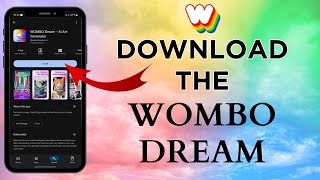
Dream by WOMBO — Frequently Asked Questions
What is Dream by WOMBO?
Dream by WOMBO is an AI image and short-video creation app from Wombo Studios. It can generate artwork from text, generate short videos from text, animate existing images, transform photos, apply curated styles, and refine images with written editing instructions.
Can Dream by WOMBO create videos?
Yes. Version 7 introduced text-to-video and image-to-video creation. The current iOS listing describes three-second and five-second videos plus more than ten video styles. Recent updates added optional prompts for image inputs, recent-input access, style and aspect-ratio improvements, and video downloads without watermarks.
Is Dream by WOMBO free?
The app is free to download and offers in-app creation with Premium purchases. Free usage, advertisements, generation limits, available styles, queues, watermarks, and feature access can change by platform, region, account, and release, so the live app is the authoritative source for the current free experience.
How much does Dream by WOMBO Premium cost?
The US App Store currently lists Dream Premium at $6.99 per week, $9.99 per month, and $89.99 per year. It also shows other yearly or promotional in-app products, so users should confirm the exact entitlement, trial, renewal price, local currency, tax, and cancellation route on the purchase screen.
Which devices support Dream by WOMBO?
Dream is available through iPhone, iPad, Android, and Chromebook listings, with compatibility also shown for Apple-silicon Mac and Apple Vision devices. The iOS listing currently requires iOS or iPadOS 15.1 or later, while actual compatibility can change with future releases.
How should I prompt Dream for a short video?
Write a compact shot rather than a broad story. Name the subject, action, environment, camera behavior, light, mood, and visual direction, then limit the scene to what can read clearly in three or five seconds. Generate variations and inspect motion continuity, anatomy, object permanence, text, and the first and last frames.
Can I upload photos to Dream?
Yes. Dream can use an image as a visual base, transform photos into stylized artwork, animate still images, and use several uploaded images in newer editing workflows. Uploaded portraits and private photos require consent, privacy review, secure source retention, and careful checking for unwanted changes to identity.
Can I use Dream by WOMBO commercially?
Do not assume that a paid subscription alone clears every commercial right. Before publication or sale, review the current Dream terms and store entitlements, confirm rights to every input, avoid unauthorized characters, logos, personalities, and protected material, inspect the output for infringement, and follow disclosure or platform rules. Obtain legal advice for important uses.
Does Dream preserve the identity of a person in an uploaded photo?
Not reliably. Style transfer, generation, and animation can change facial structure, skin, hair, body shape, clothing, age cues, expressions, and cultural or personal features. Compare the output with the source, obtain the person's consent, and avoid presenting a synthetic portrayal as an authentic event or endorsement.
Does Dream by WOMBO have an affiliate program?
No verified public Dream by WOMBO affiliate program or approved WhatAI tracking link was found during the current review. The previous ref query is therefore not attached. A referral parameter alone is not evidence of an active commercial relationship.
Sources & References
- Official Dream by WOMBO product website ↗
- Official US App Store listing, pricing, features, privacy labels, and releases ↗
- Official Google Play listing, Android features, compatibility, and data safety ↗
- Official WOMBO Dream product and legal-link page ↗
- Current WOMBO terms linked from the product ecosystem ↗
- Current WOMBO privacy policy linked from the app listing ↗
Try Dream by WOMBO
Visit the official website to get started with Dream by WOMBO today.
Visit Dream by WOMBO →