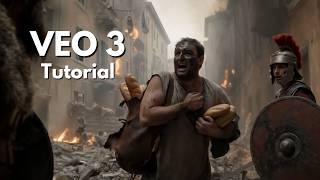
Google Veo logo

Google Veo Review: Best for Cinematic Video With Native Audio?

Google's specialist cinematic video model for native audio frame control scene extension and 4K output

AI Models: LLMs, Multimodal Systems, and More
Visit Google Veo → Join Discussion
WHATAI LATEST · JUL 17, 2026

Veo 3.1 is now Google's specialist cinematic engine rather than its default video model

Google recommends Gemini Omni Flash for general video generation while Veo remains the higher-control option for scene extension frame guidance references native audio and 4K.

By WhatAI Editorial Team ·

Google's June 2026 developer guidance changes how Veo should be evaluated. Gemini Omni Flash is now the recommended default for general video generation because it is designed for coherence multi-input reasoning character consistency and multi-turn conversational editing. Veo 3.1 remains available for workflows that need its specific cinematic controls.

Those controls are substantial. Veo 3.1 supports native synchronized audio portrait and landscape formats scene extension first-and-last-frame generation and guidance from up to three reference images. Through the Gemini API it can generate four six or eight second clips with 720p 1080p or 4K output depending on the mode.

The practical buying question is therefore not whether Veo is Google's newest general-purpose video interface. It is whether your workflow needs precise shot construction. Veo remains compelling for advertising concepts storyboards product visuals character-led sequences and developer pipelines that depend on frame control or extension.

Creators should test one representative shot before committing to a plan or API workflow. Measure prompt adherence subject continuity audio quality generation latency credits per usable shot and the amount of editing needed to assemble a finished sequence.

ℹ️

WhatAI Decision Box

Best for:

Cinematic short shots that require native audio reference-image guidance scene extension first-and-last-frame control portrait output or resolutions up to 4K.

Not for:

Long-form finished videos high-volume low-cost iteration deterministic production or broad multi-turn conversational video editing where Gemini Omni Flash is the current Google default.

⇆ Often compared with

Runway Kling AI OpenAI Sora

ℹ️ WhatAI Field Note

  • Google now recommends Gemini Omni Flash as the default general video model. Choose Veo 3.1 when its scene extension frame controls reference guidance native audio or legacy compatibility matter.
  • Plan the work as a sequence of short shots. Eight seconds is the key production unit for reference-guided 1080p and 4K generations.

Google Veo 3.1 is a specialist cinematic video model from Google DeepMind. It generates short clips with native synchronized audio and supports text prompts images reference assets frame controls portrait output scene extension and resolutions up to 4K.

What Google Veo is actually best at

Veo is best at producing planned cinematic shots where visual direction and continuity matter. Its strongest capabilities include native sound first-and-last-frame control scene extension and guidance from up to three reference images. Those controls make it useful for advertising concepts storyboards product shots character-led scenes and developer pipelines that need more structure than a simple text-to-video request.

Where Google Veo falls short

Veo is not Google's current default recommendation for every video task. Google recommends Gemini Omni Flash for general generation coherence multi-input reasoning character consistency and conversational editing. Veo clips also remain short and native speech can be inconsistent. Longer narratives require multiple generations extensions and traditional editing while plan credits and API quotas limit high-volume experimentation.

About Google Veo

Google Veo 3.1 is Google DeepMind's specialist cinematic video-generation model. It creates short text-to-video and image-guided clips with native synchronized audio and supports advanced controls including portrait or landscape output, scene extension, first-and-last-frame generation, and direction from up to three reference images. Through the Gemini API it can generate 4, 6, or 8 second clips at 720p, 1080p, or 4K depending on the selected feature. Google now recommends Gemini Omni Flash as the default model for general video generation and conversational editing, so Veo is best understood as the higher-control cinematic option for workflows that specifically need its framing, extension, reference, audio, or legacy-pipeline capabilities.

Use Cases

Create cinematic eight-second advertising concepts with synchronized soundTurn product or character reference images into controlled video shotsGenerate storyboards and previsualization clips before live productionCreate portrait social clips with native dialogue and ambient audioBridge two planned frames with first-and-last-frame generationExtend an existing Veo shot into a longer sequencePrototype camera movement lighting and shot compositionIntegrate controlled video generation into developer pipelines

Key Features

  • Text-to-video generation with native synchronized audio
  • Image-to-video generation from a starting frame
  • Video-to-video and scene-extension workflows in supported API configurations
  • Four six or eight second output durations depending on mode
  • 720p 1080p and 4K output options
  • Landscape 16:9 and portrait 9:16 aspect ratios
  • First-and-last-frame control for planned transitions
  • Direction from up to three reference images
  • Character product and visual-ingredient consistency guidance
  • Native dialogue ambient sound music and sound-effect generation
  • Cinematic camera movement lighting lens and composition prompting
  • Veo 3.1 and Veo 3.1 Fast API model variants
  • Scene extension for continuing previously generated Veo footage
  • One generated video per Gemini API request
  • 24-frame-per-second API output
  • SynthID watermarking and safety screening
  • Access through Google Flow Gemini Google AI Studio Gemini API and Vertex AI

Pricing

Google AI Plus

$4.99 per month

  • • US list price with regional pricing variation
  • • 200 Google Flow credits per month
  • • More access to video generation in Gemini and Google Flow
  • • Current consumer model availability can vary and may default to Gemini Omni Flash

Google AI Pro

$19.99 per month

  • • US list price with regional pricing variation
  • • 1,000 Google Flow credits per month
  • • Expanded video-generation access in Gemini and Google Flow
  • • Expanded Google AI Studio limits
  • • Veo 3 photo-to-video benefits in Google Photos where available

Google AI Ultra 5x

From $99.99 per month

  • • 10,000 Google Flow credits per month
  • • Higher video-generation limits
  • • Higher access across Gemini Google Flow and AI Studio
  • • 20 TB of cloud storage in the current US plan comparison

Google AI Ultra 20x

$199.99 per month

  • • 25,000 Google Flow credits per month
  • • Highest listed consumer video-generation limits
  • • Highest access across Gemini Google Flow and AI Studio
  • • 30 TB of cloud storage in the current US plan comparison

Gemini API or Vertex AI

Usage based

  • • Direct programmatic access to Veo 3.1 and Veo 3.1 Fast preview models
  • • One video output per request
  • • Usage quotas and billing vary by platform region and model
  • • Designed for application and production-pipeline integration

Pricing varies by plan and region — see current pricing.

Plan features change — last updated: 2026-07-17.

Details

Categories: AI Models: LLMs, Multimodal Systems, and MoreMultimodal AI (Image/Video/Audio)Video & Animation
Skill Level: beginner
Access Methods: api, browser

Tags

ai video generatortext to videogoogle veoveo 3ai video with audiotext to video aiimage to videogenerative videonative audio video aicinematic ai videovideo editing aideepmind veoshort video generatorrealistic motion ai video

Google Veo Community Discussions

Explore community discussions. Ask and answer questions on Google Veo to grow and learn together.

borghild_builds · Google Veo AI Models: LLMs, Multimodal Systems, and More

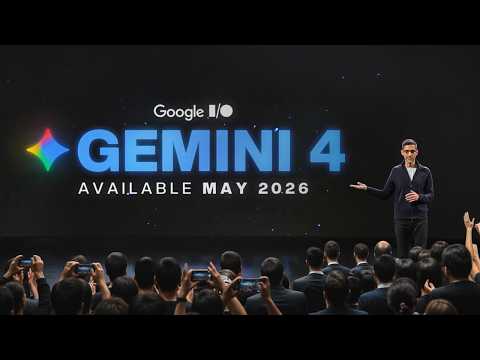
Veo 4 at Google I/O 2026 alongside Gemini 4 changes the scale of what Google is building

The Google I/O 2026 coverage https://www.youtube.com/watch?v=AYiY-cmNSjk is worth reading for both the Veo 4 and Gemini 4 announcements together because the two products represent different parts of the same platform strategy. Gemini 4 with Deep Think research mode and unprecedented reasoning results is the intelligence layer. Veo 4 as the video generation capability sitting on top of that intelligence layer is the content production output. The combination of reasoning at scale and video generation at quality changes what kinds of automated content production are feasible. The practical implication for content teams: a workflow that uses Gemini 4 to develop a content strategy, research the topic, write the script, and then routes to Veo 4 for video production is closer to a fully automated content pipeline than anything that existed twelve months ago. The specific Veo 4 capabilities announced at I/O that are worth testing against current Veo 3 outputs are the longer clip generation, improved character consistency across cuts and more precise camera control response to cinematic language prompts. Are you tracking the Veo version progression across major announcements or primarily evaluating current production quality?
♥ 1 💬 1 👁 9 View 1 reply →
osvald_builds · Google Veo AI Models: LLMs, Multimodal Systems, and More

Veo 3 replacing traditional video production tools for specific content categories is a real conversation now

The Veo 3 overview https://www.youtube.com/watch?v=WIu_ui3uqAw is the one that makes the replacement argument concrete rather than speculative. The claim that Veo 3 is one of the most advanced AI tools from Google capable of generating realistic videos entirely from text prompts is not new. What is new is the quality threshold making that claim practically relevant for specific content categories. Short ads, social content, product demonstrations and explainer videos are the categories where the production overhead of traditional filming is disproportionate to the business value. For those categories Veo 3's native audio generation, lip-sync quality and cinematic camera language comprehension changes the build-versus-film calculation. The content categories where traditional production still wins are long-form narrative, documentary and anything requiring real human emotion and authentic presence. Veo's strength is in scripted commercial content where the specification is clear and the quality threshold is professional but not cinematic. The Veo 3.1 version visible in one of the access tutorials suggests ongoing rapid iteration that changes the capability threshold faster than most content teams are re-evaluating their workflows. What specific content type have you successfully replaced with Veo generation and what content type have you tried and found still needs traditional production?
♥ 0 💬 1 👁 9 View 1 reply →
FilmStudent_Kofi · Google Veo AI Models: LLMs, Multimodal Systems, and More

Google Veo understands cinematic language and that is the thing that separates it from every other AI video tool I have tried

I study film. I use a lot of AI video tools for experimentation and coursework and I want to make a specific observation about Veo that I have not seen articulated clearly elsewhere. Most AI video generators respond to descriptive prompts. You describe what is in the scene and the AI generates it. What Veo does differently is that it understands cinematic language as a direction system, not just as descriptors. When I write "dolly zoom on the character's face as the background shifts" Veo executes a recognizable dolly zoom. When I write "low-angle tracking shot following the subject at knee level" it interprets that as a camera instruction, not just as additional scene description. When I specify "anamorphic lens with horizontal lens flare" it produces the characteristic widescreen look and flare behavior of that lens type. That is a different relationship between prompt and output than "describe the scene and hope the camera behavior is interesting." It is closer to how a director communicates with a cinematographer. The integrated audio generation adds ambient sound and music that matches the visual context automatically. The Integrated Voice Narration from dialogue written in quotation marks in the prompt opens up possibilities for storytelling that pure visual generation does not. Using Gemini to help write detailed scene-by-scene prompts before generating is a workflow that significantly improves output quality. The Gemini Prompt Assistance feature bridges the gap between having a creative concept and having a prompt specific enough to execute it. The cinematic direction capability is demonstrated properly at https://www.youtube.com/watch?v=IjF5Uun2jrM and the dolly zoom and tracking shot examples specifically make the point better than I can describe it.
♥ 1 💬 3 👁 7 View 3 replies →
CinematicAI_Brigid · Google Veo AI Models: LLMs, Multimodal Systems, and More

Google Veo 3 generates video with native audio and the lip-sync is genuinely good

The thing that separates Google Veo 3 from most AI video generators I have tried is the audio. Not added audio, not background music slapped on top, but native audio generated alongside the video. Speech, sound effects and music all baked in from the same prompt. That is a meaningful difference in workflow because it removes a whole layer of post-production. The lip-syncing for dialogue is the feature that impressed me most. You write the spoken words in the text prompt and the generated character mouths them accurately. I have tried lip-sync tools as a separate step in other workflows and they are usually finicky and often obvious. Here it is built in and the accuracy is noticeably better. Style range is broad. Photorealism, 3D animation, 2D cartoons, comic book styles are all possible within the same tool. Camera control works either through text prompts describing the movement you want or through UI buttons, so you can specify a dolly shot or an orbit without writing a technical description if you prefer. Character consistency across multiple clips is handled by using identical physical descriptions in each prompt, which is a bit manual but it works reliably once you get the phrasing right. Access is through Google DeepMind and requires a Google One AI Premium subscription, so it is not free. But for cinematic AI video with integrated audio it is currently one of the strongest options available. The full breakdown of what Veo 3 can do is at https://www.youtube.com/watch?v=gY3vsDFY_ZM and it covers the audio generation and lip-sync features in a way that really shows what makes it different.
♥ 0 💬 3 👁 6 View 3 replies →
View All Google Veo Discussions
Gallery

Google Veo Showcase

4 items
Veo 4 at Google I/O 2026 alongside Gemini 4 changes the scale of what Google is building

Veo 4 at Google I/O 2026 alongside Gemini 4 changes the scale of what Google is building

borghild_builds

Veo 3 replacing traditional video production tools for specific content categories is a real conversation now

Veo 3 replacing traditional video production tools for specific content categories is a real conversation now

osvald_builds

Google Veo understands cinematic language and that is the thing that separates it from every other AI video tool I have tried

Google Veo understands cinematic language and that is the thing that separates it from every other AI video tool I have tried

FilmStudent_Kofi

Google Veo 3 generates video with native audio and the lip-sync is genuinely good

Google Veo 3 generates video with native audio and the lip-sync is genuinely good

CinematicAI_Brigid

👍 👎

Google Veo Pros & Cons

Cinematic Quality

👍 Pro

Strong realism prompt alignment motion and cinematic presentation

👎 Con

High visual polish does not guarantee continuity across separately generated shots

Native Audio

👍 Pro

Generates dialogue ambience music and sound effects with the video

👎 Con

Short spoken segments can still become incoherent or trigger failed generations

Shot Control

👍 Pro

Supports first-and-last-frame generation scene extension and camera-direction prompting

👎 Con

Control varies by surface and some modes restrict resolution or duration

Reference Guidance

👍 Pro

Uses up to three reference images for characters products or visual ingredients

👎 Con

Reference guidance improves consistency but does not guarantee identical subjects across many shots

Resolution and Format

👍 Pro

Supports 720p 1080p 4K landscape and portrait output

👎 Con

1080p and 4K require eight-second clips while extension is limited to 720p

Google Ecosystem

👍 Pro

Available across creator developer and enterprise Google products

👎 Con

Model availability credits and controls differ between Gemini Flow AI Studio API and Vertex AI

Developer Access

👍 Pro

Provides Veo 3.1 and Fast model variants through the Gemini API

👎 Con

Preview status quotas latency and one-video-per-request limits complicate high-volume production

Best Overall Fit

👍 Pro

Excellent for planned cinematic short shots that require audio and reference-level control

👎 Con

Less suitable than Gemini Omni Flash for broad conversational video editing or rapid general iteration

WhatAI verdict on Google Veo

Google Veo 3.1 is the stronger choice when a creator already knows the shot they are trying to make. It rewards detailed direction around framing motion lighting character appearance and sound. First-and-last-frame control and reference-guided generation make it more useful for planned sequences than a basic prompt box.

The product's role inside Google's ecosystem has become more specialized. Google now recommends Gemini Omni Flash as the default model for broad video generation and conversational editing. Veo remains valuable for scene extension last-frame control reference-driven continuity native audio and compatibility with existing Veo pipelines.

Treat each generation as a shot rather than a complete production. Design a compact action that can resolve in four to eight seconds. Generate variations. Inspect visual continuity and audio separately. Then assemble the strongest clips in an editor. Veo can reduce the cost of concepting and previsualization but it does not eliminate directing editing rights clearance or quality control.

Google Veo — Frequently Asked Questions

What is Google Veo best used for?

Google Veo is best used for short cinematic shots that need native audio scene extension first-and-last-frame control reference-image guidance or high-resolution output.

Is Veo still Google's default video-generation model?

No. Google's June 2026 Gemini API guidance recommends Gemini Omni Flash as the default for general video generation and conversational editing. Veo 3.1 is recommended when specific controls such as scene extension last-frame control or legacy integration are needed.

How long are Veo 3.1 videos?

The Gemini API supports 4 6 or 8 second Veo 3.1 clips. Eight seconds is required for 1080p or 4K output and when using reference images.

Does Google Veo generate audio?

Yes. Veo 3.1 generates audio natively with the video including dialogue sound effects and ambient sound. Audio is always enabled in the current Veo 3.1 API models.

What resolutions does Veo 3.1 support?

Veo 3.1 supports 720p 1080p and 4K through the Gemini API. 1080p and 4K require an eight-second duration and scene extension is limited to 720p.

Can Veo use reference images?

Yes. Veo 3.1 can use an initial image and can use up to three reference images to guide the appearance of a person character product or visual ingredient.

Where can I access Google Veo?

Google lists access through Gemini Google Flow Google Vids Google AI Studio the Gemini API and enterprise Google Cloud surfaces. Exact model availability and quotas vary by product and plan.

Are Veo videos watermarked?

Yes. Google states that Veo-generated videos are marked with SynthID for AI-content watermarking and verification.

Related AI Models: LLMs, Multimodal Systems, and More Tools

8 tools
Runway ML logo

Runway ML

$0/mo – Custom

OpenAI Sora logo

OpenAI Sora

$200/mo – Custom

Higgsfield.ai logo

Higgsfield.ai

$0/mo – Custom

Luma AI logo

Luma AI

$0/mo – Custom

Stability AI logo

Stability AI

$0/mo – Custom

HaiLuo AI logo

HaiLuo AI

$0/mo – Custom

Adobe Firefly logo

Adobe Firefly

$0–$199.99/mo

HeyGen logo

HeyGen

$0/mo – Custom

Explore the Network

People discussing Google Veo also discuss...

Alternatives to Google Veo

Runway ML Runway ML $0/mo – Custom Compare OpenAI Sora OpenAI Sora $200/mo – Custom Compare Higgsfield.ai Higgsfield.ai $0/mo – Custom Compare Luma AI Luma AI $0/mo – Custom Compare

Pairs well with Google Veo

Sources & References

  1. Official Google DeepMind Veo 3.1 overview ↗
  2. Official Google video-generation model guidance ↗
  3. Official Veo 3.1 Gemini API documentation ↗
  4. Official Google AI plans and Flow credit comparison ↗
  5. Official Google DeepMind Veo prompting guide ↗
  6. Official Vertex AI Veo documentation ↗

Try Google Veo

Visit the official website to get started with Google Veo today.

Visit Google Veo →

Explore More

More AI Models: LLMs, Multimodal Systems, and More Tools

Browse similar AI tools in this category

Compare AI Tools

Side-by-side comparison of features

Community Forum

Discuss Google Veo with other users